
No Code Map App
Build custom interactive maps from text prompts and spreadsheet data — no code, embed anywhere.
For a store locator, listing map or event calendar, this is one of the faster ways to get a spreadsheet onto a live interactive map — and the $12/month Lite tier makes a single small map genuinely cheap to run. The catch is the ladder: the database integrations and auto sync most buyers actually want don't appear until Business at $49/month. Budget for your own Google Maps API key, or each map view costs an extra $0.01.
Verified 1h ago · liveness 80/100 · cite: rightaichoice.com/tools/no-code-map-app
- Small businesses publishing a store locator that syncs automatically from Google Sheets or Airtable
- Real estate agents building listing maps with filters and image galleries
- Event organizers running an interactive event calendar synced with Google Calendar
- Web designers embedding responsive, branded maps into client sites without writing code
- Developers who need API or webhook access without buying the contact-us Custom plan
- Anyone needing offline or desktop-based map editing
- Projects requiring complex spatial analysis beyond markers, heatmaps and boundaries
We scan live Reddit threads, YouTube comments, X posts, G2 reviews and other communities — and hand you an honest verdict in under a minute.
- Honest verdict, not marketing
- Real pros & cons from real users
- Attributed quotes with receipts
3 free scans · no card needed
Skip No Code Map App if you need API/webhook access or your own custom domain without signing a Custom plan, or if you need offline editing — every published tier is hosted and browser-based.
Skip bringing your own Google Maps API key and every map view costs an extra $0.01, billed at the end of each month on top of your subscription.
At $12-$49/mo for the self-serve tiers, it undercuts a bespoke Mapbox Studio build and the developer time one requires, and it's cheaper than enterprise locator suites for a small footprint. But the $49/mo Business jump is where the sensible features start, so a five-location store locator pays three times what Lite alone would suggest. Compare against Google My Maps (free, less brandable) before committing.
In short
No Code Map App — Build custom interactive maps from text prompts and spreadsheet data — no code, embed anywhere. Best for Small businesses publishing a store locator that syncs automatically from Google Sheets or Airtable, Real estate agents building listing maps with filters and image galleries, Event organizers running an interactive event calendar synced with Google Calendar. Free to start; paid plans from $12/mo.
What's new in No Code Map App
Checked 6 days agoAcross the latest 3 updates: 2 feature updates and 1 pricing change.
New Copy Map Feature
Published maps can now show a Copy Map button so visitors can clone the map into their own account and reuse it as a template.
New Pricing Tier - Lite
A new Lite tier at US$12/month was added for users with fewer locations who don't need to embed maps on websites or apps.
Google Calendar Integration
Users can now connect data from any Google Calendar, set up from either the Chat or the Customise section of the builder.
What people actually say about No Code Map App — is it worth it?
We scanned public community sources for No Code Map App on Aug 31, 2026 and could not establish that the discussion we found is about this tool rather than something else sharing its name. Our own analysis of that scan says the posts were off-subject. Rather than publish a sentiment score built on the wrong subject, we publish nothing here and re-run the scan.
Viability Score
How well maintained and how widely used is No Code Map App? Built from what the vendor actually publishes (docs, changelog, tutorials, integrations, pricing), whether the site is live, and how much real users discuss it. How we calculate this
Last calculated: October 2026
How we score →Key Features
- Build custom interactive maps from natural-language text prompts
- Generate area and boundary maps from AI chat prompts without uploading a KML file
- Click-based design editor for map style, markers, filters, images, audio, video and CTAs
- AI auto-configuration of data columns and formats from connected sources
- AI map style generator from text prompts
- AI auto-naming of maps based on your data
- Connect data from spreadsheets, Google Sheets, Google Calendar, Airtable and Webflow CMS
- Automatic data sync: daily, weekly, bi-weekly or every 4 weeks
- Real-time data sync for Airtable and Webflow
- Embed maps on websites and apps with a copy-paste embed code, responsive on mobile, tablet and desktop
- Share maps as a standalone public page or shareable link
- Copy Map button lets visitors clone a published map into their own account as a template
- Custom map filters built from your data columns
- Heatmap layer creation
- Marker clustering
About No Code Map App
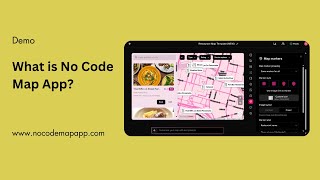
No Code Map App is an AI-first interactive map builder for anyone who needs a data-driven map on a website without touching code. Point it at a spreadsheet, Google Sheets, Google Calendar, Airtable or Webflow CMS, choose which columns matter, and the builder sorts the data and generates custom map filters, an image gallery and clickable calls-to-action on its own. Two build paths run side by side. A Chat tab takes natural-language prompts — including for area and boundary maps, so an uploaded KML file is no longer mandatory — while a Customise tab lets you edit every element by click: map style, markers, filters, images, audio, video and CTAs. Team members can be invited to build together on the same map. Data upkeep is the part most map tools leave to you. Here you schedule automatic sync — daily, weekly, bi-weekly or every four weeks — and Airtable and Webflow can sync in real time. Output is a shareable map link or a copy-paste embed code that stays responsive on mobile, tablet and desktop, and published maps can now display a Copy Map button so visitors can clone one into their own account as a template. The site reports over 2 million map views across customer sites. Recurring tooling covers heatmap layers, marker clustering, KML boundary import, image caching, data analytics and multi-language display. Against hand-built routes like Mapbox Studio or Google My Maps, you trade fine-grained control for speed — most store locators and listing maps go live in an afternoon. What it won't hand you without a custom plan is API or webhook access.
Behind the Verdict
Where this earns its keep is the boring middle of map projects. A retailer with 40 store locations, an agency embedding a client's listings, an events team that already lives in Google Calendar — none of them need spatial tooling, they need the map live before the campaign starts. Connect the data, schedule a sync, copy the embed code, done. We'd reach for this over Mapbox Studio when nobody on the team writes JavaScript, and over Google My Maps when the map has to update itself without a human re-uploading rows. The sync story is what separates it from cheaper map widgets. Daily, weekly, bi-weekly and monthly schedules are available, Airtable and Webflow can push changes in real time, and you're not opening a spreadsheet every Monday to fix pin positions. The pricing ladder is the real test, and it's a genuine cliff. Lite at $12/month gives you unlimited maps, up to 30 locations and a share link — but no embedding, so it's for a single link, not a website. Pro at $24/month adds embedding and lifts the cap to 1,000 locations. Only Business at $49/month turns on Google Sheets, Google Calendar, Webflow CMS and Airtable connections plus auto sync, which is the feature almost everyone came for. Factor that in before you compare it to a $10/month map plugin. One more line item: the vendor recommends supplying your own Google Maps API key, since Google's bundled monthly credit covers most businesses. Skip that and you're billed $0.01 per map view at month end. On a busy locator that's real money, and it's easy to miss in the plan table. Caveats worth knowing before you commit. API access, webhooks and a custom domain sit behind the contact-us Custom plan, so developers wanting to build on top should look elsewhere. There's no offline or desktop editing — this is a
Researching No Code Map App? Get your full AI stack in 60 seconds.
Free, no signup — tell us your goal and get tools matched to your budget & existing stack.
Real-world workflow fit
Concrete scenarios for the personas No Code Map App actually fits — and what changes day-one when you adopt it.
You export your store list to Google Sheets, connect it in No Code Map App, pick the address and category columns, and ask the Chat tab to build a store locator with filters for product category and opening hours.
Outcome: A branded store locator embedded on the site the same day, updating automatically on the Business plan's four-weekly sync instead of by hand.
You connect a spreadsheet of listings with photo URLs and prices, then use the Customise tab to style markers, set up an image gallery pop-up and add a contact call-to-action on each property.
Outcome: A filterable listing map you can embed on your own site and share as a standalone link with buyers.
You point the builder at your Google Calendar via the Chat or Customise section, then prompt the Chat tab to map venues and link each pin to the registration page.
Outcome: An interactive event calendar map that stays current because it reads the calendar directly rather than a hand-maintained sheet.
Use Cases
- Build a store locator with filters for product categories and store hours, pulling from Google Sheets.
- Create a real estate listing map with property images, prices and contact buttons.
- Design an interactive event calendar map with dates, venues and registration links synced from Google Calendar.
- Map a team directory with employee photos, departments and clickable email/phone.
- Visualize sales territories as a heatmap from spreadsheet data.
- Track real-time emergency response locations using Airtable with live sync.
- Generate a country or region boundary map from an AI chat prompt without uploading a KML file.
- Publish a city walking-tour guide map with image galleries and clickable stops.
Models Under the Hood
as of 2026-10-16
Limitations
- Free trial lasts 7 days with no credit card required.
- Location caps scale by tier: Lite ($12/mo) allows up to 30 locations per map with link-based sharing only, Pro ($24/mo) up to 1,000 locations plus website/app embedding, Business ($49/mo) up to 10,000 locations, Company ($149/mo) plus the contact-us Custom plan are unlimited.
- Database integrations, auto sync (daily to real-time) and data imports (up to 50 columns on Company) are tier-gated, and all plans include unlimited map views.
- You can bring your own Google Maps API key, otherwise map views/geocoding may be billed by Google; API access, webhook support and a custom domain require the Custom plan.
as of 2026-10-02
Verification history
We have re-verified No Code Map App 10 times since . Each pass re-reads the vendor's own pages and re-checks every listed field against that evidence; passes where nothing had changed are marked as such.
- — re-checked, vendor evidence unchanged
- — re-verified summary, description, our verdict, our analysis, pricing model, pricing tiers, features, integrations, who it suits, who should skip it
- — re-verified summary, description, our verdict, our analysis, pricing model, pricing tiers, features, integrations, who it suits, who should skip it
- — re-verified summary, description, our verdict, our analysis, pricing model, pricing tiers, features, integrations, who it suits, who should skip it
- — re-verified summary, description, our verdict, our analysis, pricing model, pricing tiers, features, integrations, who it suits, who should skip it
- — re-verified summary, description, our verdict, our analysis, pricing model, pricing tiers, features, integrations, who it suits, who should skip it
Showing the 6 most recent of 10 verification passes.
Free to cite with attribution — this page re-verifies continuously.
12-month cost
Project the real annual outlay, including the implied monthly cost when only an annual tier is published.
Vendor list price only. Add-on usage, seat overages, and contract minimums are surfaced under Hidden costs & gotchas.
Plans compared
For each published No Code Map App tier: who it actually fits, and what it adds vs. the previous tier. Cross-reference the cost calculator above for projected annual outlay.
Free Trial
$0 for 7 days
Ideal for
Anyone who wants to test the AI chat builder against real data before paying.
What this tier adds
Free entry point: 7 days of access with no credit card required.
Lite
$12/mo
Ideal for
Solo creator or small business with a single map of under 30 locations that only needs a shareable link.
What this tier adds
Starting paid tier at $12/mo: unlimited maps, up to 30 locations, 20 data columns, filters and shareable link, but no website embedding.
Pro
$24/mo
Ideal for
Small business or designer who needs the map embedded on a website or app with up to 1,000 locations.
What this tier adds
Adds website and app embedding plus a 1,000-location cap over Lite.
Business
$49/mo
Ideal for
Teams whose locations change often and who already keep their data in Google Sheets, Google Calendar, Webflow CMS or Airtable.
What this tier adds
Adds database integrations, auto sync (weekly, bi-weekly, every 4 weeks), KML import, image caching, data analytics and up to 5 CTAs.
Company
$149/mo
Ideal for
Multi-market brands that need white label, daily or real-time data and multi-language display, plus a second builder.
What this tier adds
Adds a second user account, 50-column imports, daily and real-time sync, white label, multi-language and 2-column sidebar.
Custom Pricing
Contact us
Where the pricing makes sense
The company stage and team size where No Code Map App's pricing actually pencils out — and where peers do it cheaper.
At $12-$49/mo for the self-serve tiers, it undercuts a bespoke Mapbox Studio build and the developer time one requires, and it's cheaper than enterprise locator suites for a small footprint. But the $49/mo Business jump is where the sensible features start, so a five-location store locator pays three times what Lite alone would suggest. Compare against Google My Maps (free, less brandable) before committing.
Setup time & first value
How long it actually takes to get something useful out of No Code Map App — broken out by persona, not the marketing-page minute.
Small business store locator: a spreadsheet and 20-30 minutes to first published map. Real estate agent: under an hour once photos and price columns are clean. Web designer embedding into a client site: roughly an afternoon including styling and the embed. Custom boundary maps from an AI prompt: minutes, since no KML file is needed.
Switching to or from No Code Map App
How to bring data in from common predecessors and how to get it back out — written for the switcher, not the buyer.
- →From Google My Maps: rebuild the point list in Google Sheets or Airtable, connect it, and let the builder generate filters from your columns.
- →From Mapbox Studio: export your location data to a spreadsheet or Airtable, connect it, and use the Customise tab to recreate the styling you built by hand.
- →From a hand-coded Leaflet or Google Maps embed: move the underlying data into a connected sheet and replace the code embed with the copy-paste embed code.
- →From an Airtable base: connect Airtable directly and switch on real-time sync so edits appear without a rebuild.
- →From a static image map: load locations into a connected source, add directories and KML boundaries, then embed.
- ↗To Mapbox Studio: export your locations and KML boundaries, then rebuild styling and interactions in code for full design control.
- ↗To a custom-built Google Maps application: export your data and reproduce the filters and pop-ups in your own app, where you manage the API billing directly.
- ↗To a hand-coded Leaflet setup: pull your data from the connected sheet and rebuild the marker, filter and pop-up logic yourself.
Integrations
Resources & Guides
Tutorials & Learning
No Code Map App demo
No Code Map App

How to Create a Map App Without Coding | Appy Pie's No-Code Map App Builder Tutorial
Appy Pie
YouTube returned 6 videos for “No Code Map App”, and we withheld 4: 4 did not mention No Code Map App. Showing the 2 we can prove are about No Code Map App.
Official links
Tools that pair well with No Code Map App
Common stack mates teams adopt alongside No Code Map App, with the specific reason each pairing earns its keep.
Glide
Glide turns spreadsheets, prompts, and files into internal business apps and AI agents for desktop and mobile.
Hightouch
Hightouch is a warehouse-native CDP and agentic marketing platform that activates customer data across 300+ ad, CRM, and lifecycle tools.
Domo
Domo prepares governed data for AI agents, then layers BI dashboards, workflows, and embedded analytics on top of it.
Featured Head-to-Head Comparisons
No Code Map App vs Polycam
If you need professional 3D scanning, floor plans, or digital twins for AEC/forensics, Polycam is the clear choice. If you need an interactive, embeddable map with live data from sheets or calendars—no coding—No Code Map App wins. They solve completely different problems; pick based on whether you need 3D capture or 2D mapping.
No Code Map App vs Geologicai
GeologicAI and No Code Map App are fundamentally different tools for entirely different industries. GeologicAI is a heavy-duty mining platform for critical minerals, offering multi-sensor scanning and AI logging, recently boosted by Lumo Analytics acquisition. No Code Map App is a lightweight, no-code map builder for businesses needing interactive maps from spreadsheets or calendars. Choose GeologicAI if you're in mining exploration; choose No Code Map App for quick, embeddable visual maps without development work.
No Code Map App vs Screenplayiq
ScreenplayIQ and No Code Map App serve entirely different markets. ScreenplayIQ is for film industry professionals seeking data-driven script analysis and box office forecasting. No Code Map App is for non-developers who need to build interactive maps with live data from spreadsheets or calendars. Choose based on your core need: storytelling analytics vs. spatial data visualization. There is no overlap.
Alternatives to No Code Map App
View allFrequently Asked Questions
Best-of guides
Used No Code Map App? Help shape our editorial sentiment research.