
Palabra.ai
Palabra.ai is a real-time speech translation platform for live voice — speech-to-speech in 60+ languages with 35ms time-to-first-audio on the COVAL TTS
Palabra is worth it when the pause between languages is the thing ruining the meeting, class, or stream. Named features back that up: 35ms time-to-first-audio on the COVAL benchmark (July 2026), zero-shot voice cloning with deaccenting, and one streaming API that handles ASR, translation and TTS. The catch is the hourly math — Meetings Starter is $45/mo billed yearly ($60/mo month-to-month) for 3 hours, and Events Starter runs $375/mo billed yearly ($500/mo monthly) for 5 hours. If you only need occasional text translation, DeepL or Google Translate cost far less. If you need live voice at volume, compare against human interpreter services on latency and voice fidelity, not on archival
Verified 10d ago · liveness 55/100 · cite: rightaichoice.com/tools/palabra-ai
- Multinational companies running daily multilingual video calls across regions
- Conference and in-person event organizers with international attendees
- Webinar hosts and live-stream broadcasters adding translated voice and subtitles
- Churches, classrooms and nonprofits reaching multilingual communities
- Teams that need archived transcripts or long-term audio storage — Palabra stores zero data by design
- Occasional users who only translate text a few times a year — Meetings tiers start at $45/mo billed yearly ($60/mo
- Anyone who needs translation without an internet connection
We scan live Reddit threads, YouTube comments, X posts, G2 reviews and other communities — and hand you an honest verdict in under a minute.
- Honest verdict, not marketing
- Real pros & cons from real users
- Attributed quotes with receipts
3 free scans · no card needed
Skip Palabra if you only need occasional text or document translation rather than live voice, since hourly capacity on the Meetings tiers starts at $45/mo billed yearly ($60/mo month-to-month) for 3 hours and scales with talk time, not headcount.
Capacity is metered in hours, so the $45/mo Meetings Starter (billed yearly) covers only 3 hours — extra meeting time bills at $20/hr month-to-month or $15/hr yearly, which is easy to blow through in a week of daily
Palabra's self-serve entry point is $60/mo month-to-month or $45/mo billed yearly for Meetings Starter, with API usage billed separately at $0.04/min of speech-to-speech audio. That puts it well above general translation tools like DeepL or Google Translate for occasional use, but well below human interpreter services for high-frequency live meetings and events. Between the 10-hour Pro tier ($150/mo month-to-month, $113/mo billed yearly) and the 50-hour Team tier ($500/mo month-to-month,
In short
Palabra.ai — Palabra.ai is a real-time speech translation platform for live voice — speech-to-speech in 60+ languages with 35ms time-to-first-audio on the COVAL TTS. Best for Multinational companies running daily multilingual video calls across regions, Conference and in-person event organizers with international attendees, Webinar hosts and live-stream broadcasters adding translated voice and subtitles. Plans from $0.002.
What's new in Palabra.ai
Checked yesterdayAcross the latest 3 updates: 1 launch, 1 pricing change and 1 news mention.
COVAL TTS BENCHMARK — Palabra TTS benchmarked as the fastest in the world with 35ms time to first audio
Palabra TTS achieved 35ms time-to-first-audio in the COVAL benchmark, positioning it as the fastest TTS globally.
Yearly pricing plans introduced
Palabra introduced yearly billing options with up to 62% savings compared to monthly across all tiers.
Palabra Products (ready-to-use apps) launched
Palabra launched no-code apps for calls and events, allowing instant translation without API integration.
What people actually say about Palabra.ai — is it worth it?
We scanned public community sources for Palabra.ai on Sep 24, 2026 and could not establish that the discussion we found is about this tool rather than something else sharing its name. Only 1 of the posts we fetched could be positively tied to Palabra.ai. Rather than publish a sentiment score built on the wrong subject, we publish nothing here and re-run the scan.
Viability Score
How well maintained and how widely used is Palabra.ai? Built from what the vendor actually publishes (docs, changelog, tutorials, integrations, pricing), whether the site is live, and how much real users discuss it. How we calculate this
Last calculated: October 2026
How we score →Key Features
- Real-time speech-to-speech translation in 60+ languages
- 35ms TTS time-to-first-audio (COVAL TTS benchmark, July 2026, P90)
- Proprietary in-house translation LLM
- Zero-shot voice cloning with deaccenting
- Pre-recorded voices library
- Streaming API over WebRTC and WebSocket
- Text-to-speech API with streaming input and output
- Speech-to-text API with realtime WebSocket streaming and turn detection
- Automatic language detection across 60+ languages
- Speaker diarization
- Custom glossaries for domain vocabulary
- Noise suppression and music isolation
- Audio ducking and mixing
- Two-way conversation mode (live speech translation)
- One-to-many presentation mode
About Palabra.ai
Palabra.ai handles live spoken translation: one streaming pipeline runs automatic speech recognition, translation, and natural text-to-speech together, so an English conversation comes out in Spanish with the pause largely removed. Its published headline is 35ms time-to-first-audio on the COVAL TTS benchmark (P90, excluding network latency), measured July 2026. You use it two ways. Non-technical teams connect the ready-made Calls and Events apps to Zoom, Google Meet, Microsoft Teams, or an OBS/vMix SRT/RTMP workflow with no code or plugins. Developers call the streaming API (WebRTC/WebSocket) and control automatic language detection across 60+ languages, speaker diarization, zero-shot voice cloning with deaccenting, custom glossaries, noise suppression, and music isolation. It also supports in-person events, where attendees scan a QR code and listen in their own language on their own device, plus webinars and live streams with translated audio and captions. On privacy, Palabra states zero data retention: audio and text are never stored or used for training, with regional server deployment available on higher tiers and SSO and audit logs on Team. It is built for high-frequency live translation rather than occasional text lookups, and it is priced per hour of capacity, not per seat.
Behind the Verdict
The interesting thing about Palabra is not that it translates speech — plenty of tools do that — but that it treats the pause as the product. Two-way conversation mode and one-to-many presentation mode both run off the same streaming pipeline (ASR, translation, natural TTS), and the vendor publishes 35ms time-to-first-audio on the COVAL TTS benchmark (P90, excluding network latency, July 2026). That specificity is unusual and useful: it is the number that determines whether a translated standup feels like a conversation or a walkie-talkie call. Strengths worth naming. Voice cloning with deaccenting runs zero-shot, so you can replicate a speaker's own voice rather than dropping a generic synthetic narrator into the room. Custom glossaries let you fix domain vocabulary — the difference between a medical or engineering call being usable and being a liability. On the privacy side, Palabra states zero data retention: audio and text are never stored or used for training, and regional server deployment is available on higher tiers, which matters if your legal team reads data-residency clauses. For events, the QR-code audience flow is genuinely low-friction — attendees scan, pick a language, listen on their own device, with no headset booths or app download. Weaknesses, stated plainly. Everything is hourly-metered capacity, so cost scales with talk time, not headcount. Meetings Starter gives you 3 hours for $45/mo billed yearly ($60/mo monthly); Meetings Pro gives 10 hours for $113/mo billed yearly ($150/mo monthly); Meetings Team gives 50 hours for $375/mo billed yearly ($500/mo monthly). Event tiers are steeper: Events Starter is $375/mo billed yearly ($500/mo monthly) for 5 hours, Events Pro $1,200/mo billed yearly ($1,600/mo monthly) for 20 hours. SSO and audit logs sit on Meetings Team, so security-conscious buyers can't stay on Starter. Emotion transfer is still listed as coming soon. And zero data retention is a design choice with a flip side: there is no archive of transcripts to go back to, which is precisely what some teams want and precisely what others need for compliance. Where it fits: multinational teams running daily multilingual video calls, conference and event organizers with international attendees, webinar and live-stream producers adding translated voice and captions, churches, classrooms and nonprofits serving multilingual communities, and developers embedding real-time voice translation into their own product via the streaming API. Where it doesn't: occasional users who translate a few documents a year (DeepL or Google Translate are far cheaper), teams that need stored transcripts, and anyone working without a reliable internet connection. It is also not a substitute for a certified human interpreter in legal or highly regulated proceedings where glossary tuning and liability sit outside the tool's scope.
Researching Palabra.ai? Get your full AI stack in 60 seconds.
Free, no signup — tell us your goal and get tools matched to your budget & existing stack.
Real-world workflow fit
Concrete scenarios for the personas Palabra.ai actually fits — and what changes day-one when you adopt it.
Connect the Palabra Calls app to the team's Zoom and Google Meet rooms, set each participant's language once, and turn on conversation mode so two-way translation runs during the standup.
Outcome: The standup runs without the interpreter pause, and 3 hours of monthly capacity on Meetings Starter covers a team's regular call load before you need to move to Pro.
Sign up for API access, take the $50 in free credits, embed the WebRTC/WebSocket streaming endpoint for ASR, translation and TTS, then add a custom glossary and zero-shot voice cloning for the product's hosts.
Outcome: A new multilingual capability ships without the team building a speech stack, billed at $0.04/min of speech-to-speech audio with up to 10 concurrent sessions per account.
Set up an Events Starter plan, generate the QR code, let attendees scan and pick a language on their own devices, clone the two speaker voices, and route translated audio plus captions through the venue's SRT/RTMP feed.
Outcome: Attendees hear the session in their own language with no headset booths or app download, within the 5-hour Events Starter capacity at $375/mo billed yearly.
Use Cases
- Translate live audio on Zoom, Meet or Teams calls so international standups and client calls run in each participant's language.
- Run simultaneous audio translation at in-person conferences: attendees scan a QR code and listen in their own language on their own device.
- Add translated voice and captions to a live stream through OBS or vMix with SRT/RTMP or HLS integration.
- Embed real-time speech translation into your own product using the streaming API and zero-shot voice cloning.
- Build business-specific glossaries so industry terminology translates correctly during meetings and webinars.
- Translate webinar Q&A so attendees can participate in their native language without disrupting the host's setup.
- Deliver live translation for church services, lectures and nonprofit community events.
- Stream realtime transcription with timestamps and turn detection for voice agents and pipelines.
Models Under the Hood
as of 2026-10-03
Limitations
- Requires an internet connection for all modes.
- Everything runs on metered capacity rather than seats, so cost scales with talk time: meeting rates run from $7.50/hr (Team, billed yearly) to $20/hr (Starter, month-to-month), and event rates from $45/hr (Events Team, billed yearly) to $100/hr (Events Starter, month-to-month).
- SSO and audit logs are locked to Meetings Team and above, so security-conscious buyers on Starter or Pro can't get them.
- Emotion transfer is listed as coming soon, not shipped.
- Zero data retention means no transcript archive to search later — a deliberate trade-off, not a bug, but it rules the tool out for teams that need retention.
- Audio ducking and mixing appear on the events tiers rather than the meeting tiers.
- The API has a stated limit of up to 10 concurrent sessions per account.
as of 2026-09-27
Verification history
We have re-verified Palabra.ai 8 times since . Each pass re-reads the vendor's own pages and re-checks every listed field against that evidence; passes where nothing had changed are marked as such.
- — re-verified summary, description, our verdict, our analysis, pricing model, pricing tiers, features, integrations, who it suits, who should skip it
- — re-verified summary, description, our verdict, our analysis, pricing model, pricing tiers, features, integrations, who it suits, who should skip it
- — re-verified summary, description, our verdict, our analysis, pricing model, pricing tiers, features, integrations, who it suits, who should skip it
- — re-checked, vendor evidence unchanged
- — re-verified summary, description, our verdict, our analysis, pricing model, pricing tiers, features, integrations, who it suits, who should skip it
- — re-verified summary, description, our verdict, our analysis, pricing model, pricing tiers, features, integrations, who it suits, who should skip it
Showing the 6 most recent of 8 verification passes.
Free to cite with attribution — this page re-verifies continuously.
12-month cost
Project the real annual outlay, including the implied monthly cost when only an annual tier is published.
Vendor list price only. Add-on usage, seat overages, and contract minimums are surfaced under Hidden costs & gotchas.
Where the pricing makes sense
The company stage and team size where Palabra.ai's pricing actually pencils out — and where peers do it cheaper.
Palabra's self-serve entry point is $60/mo month-to-month or $45/mo billed yearly for Meetings Starter, with API usage billed separately at $0.04/min of speech-to-speech audio. That puts it well above general translation tools like DeepL or Google Translate for occasional use, but well below human interpreter services for high-frequency live meetings and events. Between the 10-hour Pro tier ($150/mo month-to-month, $113/mo billed yearly) and the 50-hour Team tier ($500/mo month-to-month,
Setup time & first value
How long it actually takes to get something useful out of Palabra.ai — broken out by persona, not the marketing-page minute.
Teams using the no-code Calls app can connect Zoom, Meet or Teams and start translating in the same session — there is no plugin or install. Developers embedding the streaming API need to wire up WebRTC/WebSocket endpoints and test language detection, glossary and voice-clone settings, typically a day or two of integration work. Event organizers need time to set up QR access, clone speaker voices
Switching to or from Palabra.ai
How to bring data in from common predecessors and how to get it back out — written for the switcher, not the buyer.
- →From human interpreter services: map your recurring meeting or event schedule onto hour-based capacity tiers and tune custom glossaries to cover the domain vocabulary interpreters were handling.
- →From real-time captioning tools: keep your existing Zoom, Meet or Teams rooms and add the Palabra Calls app for translated audio, upgrading captions to spoken translation in each listener's language.
- →From generic text translation tools: move the live-voice portion of your workflow to Palabra while keeping a text tool for documents, since Palabra is built for streaming speech rather than text queries.
- →From an in-house speech stack: replace the assembled ASR plus translation plus TTS pipeline with the single streaming API and reuse your existing language and glossary configuration.
- ↗To a general translation tool such as DeepL or Google Translate: if your need is occasional text translation, these cost far less than $45/mo billed yearly for 3 hours of meeting capacity.
- ↗To human interpreter services: if you need certified interpreters for legal or highly regulated proceedings where liability and on-site presence matter, move those sessions off Palabra.
- ↗To a captioning-only tool: if you only need live subtitles and not translated voice, a lighter captioning product avoids the per-hour event rates of $75–$100/hr.
- ↗To a self-hosted speech stack: if you must keep audio entirely inside your own infrastructure and can't use regional server deployment, rebuilding on open models is the alternative path.
Integrations
Resources & Guides
- Resourcepalabra.ai
Documentation · Palabra.ai
Helpful link from palabra.ai
- Resourceplatform.palabra.ai
Home · Palabra.ai
Helpful link from platform.palabra.ai
- Resourcepalabra.ai
Blog · Palabra.ai
Helpful link from palabra.ai
- Resourcepalabra.ai
Trust Centre · Palabra.ai
Helpful link from palabra.ai
- Resourceapp.palabra.ai
Home · Palabra.ai
Helpful link from app.palabra.ai
Tutorials & Learning
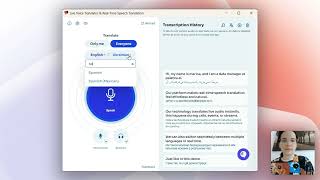
Watch Palabra.ai Translate Live Speech in 6 Languages in Real Time
Palabra AI
AIはZoom通話をリアルタイムで翻訳できるのか?Palabra.aiレビュー
Code And Create
Multilingual Presentations in Zoom, Teams and Google Meet | Palabra.ai Product Demo
Palabra AI
YouTube returned 6 videos for “Palabra.ai”, and we withheld 2: 2 could not be judged, because “Palabra.ai” is a single word that other videos use for other things. Showing the 4 we can prove are about Palabra.ai.
Official links
Tools that pair well with Palabra.ai
Common stack mates teams adopt alongside Palabra.ai, with the specific reason each pairing earns its keep.

Fish Audio
Fish Audio turns text into expressive, emotionally controllable speech with voice cloning from 15 seconds of audio and a free developer TTS API.

Rask AI
AI video and audio localization platform that dubs, lip-syncs, and translates your content into 135+ languages.

Krisp Voice AI
Real-time noise cancellation, accent conversion and AI meeting notes in one app
Featured Head-to-Head Comparisons
Palabra Ai vs Splice
Splice and Palabra.ai serve completely different purposes: Splice is a must-have for music producers needing affordable, royalty-free samples and rent-to-own plugins, while Palabra.ai is essential for businesses and event organizers requiring real-time multilingual translation. Choose based on your core need: audio content creation vs. live language translation.
Palabra Ai vs Landr Mastering
LANDR Mastering and Palabra.ai serve entirely different needs: LANDR is for music mastering at an affordable price, while Palabra.ai is an enterprise-grade real-time translation tool. Choose LANDR if you're a musician wanting quick, AI-driven mastering; pick Palabra.ai only if you need live multilingual communication.
Palabra Ai vs Storyfile
If you need authentic video conversations with real people—for museums, legacy, or education—StoryFile is the only choice, backed by exhibits at the National WWII Museum and JANM with George Takei. If you need real-time multilingual voice translation for live calls, events, or streams, Palabra.ai’s sub-second latency and 60+ languages with voice cloning make it the practical, scalable option. They solve entirely different problems.
Alternatives to Palabra.ai
View all
Fish Audio
Fish Audio turns text into expressive, emotionally controllable speech with voice cloning from 15 seconds of audio and a free developer TTS API.

Rask AI
AI video and audio localization platform that dubs, lip-syncs, and translates your content into 135+ languages.

Krisp Voice AI
Real-time noise cancellation, accent conversion and AI meeting notes in one app
Frequently Asked Questions
Best-of guides
Used Palabra.ai? Help shape our editorial sentiment research.