
PDF Translator
Free browser-based AI PDF translator that keeps your layout intact, runs OCR on scans, and needs no account.
If your PDF has tables, equations, or scanned pages and you don't want to create an account, PDFTranslator.org is the free pick to beat. Against the two names buyers usually compare it with, the split is clear: Google Translate is fast but flattens layout and its file-size ceiling is lower, while DeepL generally reads more naturally but wants a login and puts OCR behind a paid plan. PDFTranslator.org keeps formatting and includes OCR on the free tier, which is why it's the layout-first default. The catch is scale and privacy — 600 pages a month, 20 MB per file, and a cloud upload mean heavy or confidential document work will push you to a desktop or paid service.
Verified 5d ago · liveness 59/100 · cite: rightaichoice.com/tools/pdf-translator
- Students translating research papers, textbook chapters, and thesis notes with equations and captions intact.
- Researchers needing OCR translation of scanned journal sources across 100+ languages, including rare dialects.
- Business teams localizing handbooks, contracts, and manuals without a translation budget or account setup.
- Anyone translating occasional format-sensitive PDFs who doesn't want to register or pay per document.
- Anyone processing confidential documents who can't accept a cloud upload, since translation happens through a browser
- Heavy users consistently exceeding 600 pages a month or routinely handling PDFs larger than 20 MB.
- Teams needing offline or desktop software to translate PDFs without uploading them.
We scan live Reddit threads, YouTube comments, X posts, G2 reviews and other communities — and hand you an honest verdict in under a minute.
- Honest verdict, not marketing
- Real pros & cons from real users
- Attributed quotes with receipts
3 free scans · no card needed
Skip PDFTranslator.org if you routinely push past 600 pages a month, need files bigger than 20 MB without splitting them first, or can't upload the document to a cloud service at all.
The 600-page monthly quota is per calendar month and resets at the start of each month — it does not roll over, so unused pages from a quiet month are lost.
The free tier is the whole published commercial offer here: 600 pages per calendar month, 3 parallel tasks, 20 MB per file, OCR and format preservation included, no sign-up. That undercuts DeepL, which the vendor's own comparison puts OCR behind a paid plan and a login, and beats Google Translate on formatting and file-size headroom (20 MB versus 10 MB). It fits occasional, layout-sensitive work; ongoing high-volume pipelines need a paid or desktop service instead.
In short
PDF Translator — Free browser-based AI PDF translator that keeps your layout intact, runs OCR on scans, and needs no account. Best for Students translating research papers, textbook chapters, and thesis notes with equations and captions intact., Researchers needing OCR translation of scanned journal sources across 100+ languages, including rare dialects., Business teams localizing handbooks, contracts, and manuals without a translation budget or account setup.. Free to use.
What people actually say about PDF Translator — is it worth it?
We ran a structured research pass across product reviews, community discussions, and post-purchase forum threads to surface the patterns vendors won't publish themselves. Below: the recurring strengths, the hidden costs people mention most, and the cohort that consistently regrets adopting this tool.
38 mentions across 5 sources (YouTube, Product Hunt, App Store, GitHub, Lemmy) · researched Sep 14, 2026.
Weighted by the 60 posts each of 5 sources contributed.
- +No sign-up or credit card required for the free tier — frictionless entry point for occasional users
- +1,000 free pages monthly with auto-reset beats what most free PDF translators offer
- +Layout preservation for tables, images, and fonts is a genuine differentiator versus Google Translate
- +Supports 100+ languages including Amharic, Tamil, Swahili, and Persian
- +Built-in Pro Toolkit (Split, Merge, Compress) handles files over the 20 MB limit locally
- −Tool's own launch comment says OCR doesn't work — contradicting the marketing tagline's OCR claim
- −App Store reviews are dominated by 1-star complaints about surprise charges and paywalls
- −Multiple users report translations that strip all text or fail on batch uploads
- −20 MB per-file limit and 1,000-page monthly cap force heavy users to paid alternatives
- −Almost no independent community discussion — no Reddit, Hacker News, or Stack Overflow validation
- • Heavy users must move to DeepL Pro or Google Cloud once the 1,000-page cap is hit
- • App Store reviewers report surprise $69-$90 charges on a similarly-named mobile app
- • Files over 20 MB require manual splitting via Pro Toolkit, adding time cost
Viability Score
How well maintained and how widely used is PDF Translator? Built from what the vendor actually publishes (docs, changelog, tutorials, integrations, pricing), whether the site is live, and how much real users discuss it. How we calculate this
Last calculated: October 2026
How we score →Key Features
- AI-powered PDF translation preserving original layout, tables, images, and fonts
- OCR PDF translate for scanned and image-only documents
- Gemini integration for PDF translation
- ChatGPT-based PDF translator engine
- 100+ languages, including Amharic, Bengali, Tamil, Swahili, and Persian
- Automatic source-language detection
- Translation style selection: General, academic, or technical terminology
- Handles double-column layouts, equations, and captions
- Translates vertical-text PDFs such as Japanese books while preserving reading order and column flow
- Translate long PDF documents within the free monthly page quota
- Free tier of 600 pages per calendar month with automatic reset at the start of each month
- Up to 3 parallel translation tasks; queued and processing tasks both use a slot
- 20 MB maximum file size per PDF upload
- SSL-protected uploads with files auto-deleted within 24 hours and download links valid up to 24 hours
- No sign-up or credit card required to translate
About PDF Translator
PDFTranslator.org translates PDFs in your browser and keeps the original layout, tables, images, and fonts in place. Upload a file, pick source and target languages, and choose whether to run the General style or a specialized field like academic or technical terminology; the source language is auto-detected. A built-in OCR PDF translate step extracts text from scanned or image-only pages so the document becomes editable and translatable again. It handles double-column layouts, equations, captions, and vertical-text PDFs such as Japanese books while preserving reading order and column flow. The engine combines a Gemini integration with a ChatGPT-based PDF translator. Coverage spans 100+ languages, including low-resource picks like Amharic, Bengali, Tamil, Swahili, and Persian. Each upload caps at 20 MB, and the free tier includes 600 pages per calendar month that reset automatically at the start of each month, with up to 3 parallel tasks. No sign-up or credit card is required. Files are SSL-protected and source PDFs, results, and cancelled or failed task files are auto-deleted within 24 hours; download links stay valid for up to 24 hours. A free PRO Toolkit (Split PDF, Merge PDF, Compress PDF) covers the oversized-file workaround: split, translate, then merge.
Behind the Verdict
PDFTranslator.org picks one problem and solves it well: getting a foreign-language PDF that still looks like the original document. Formatting preservation is the headline and the vendor's own comparison table puts it ahead of Google Translate (basic formatting, 10 MB) and DeepL (good formatting, 5 MB, OCR paid only). Uploads here go up to 20 MB, and the AI reports keep original layouts, tables, images, and fonts intact. For students reading research papers with double-column layouts and equations, and for researchers pulling scanned journal sources, the built-in OCR PDF translate step is the part that matters — it extracts text from image-only pages so they become editable again. Vertical-text PDFs such as Japanese books are handled with reading order and column flow preserved, which is a niche most free translators skip entirely. Terminology control is a real differentiator: alongside the General style, you can select an academic or technical field to sharpen wording on specialized documents. The tradeoffs are about scale and confidentiality, not capability. The free tier covers 600 pages per calendar month, resets automatically at the start of each month, allows up to 3 parallel tasks (queued and processing tasks both consume a slot), and caps each upload at 20 MB. That's generous for occasional work and thin for anyone running an ongoing localization pipeline. The workaround for oversized files is genuinely free: the PRO Toolkit splits, translates, then merges, with splitting and compression run in-browser. Privacy is the other honest caveat. SSL covers transit and source PDFs, results, and cancelled or failed task files are auto-deleted within 24 hours, with download links expiring on the same window — but this is still a cloud upload, so regulated or confidential documents belong in a locally run tool instead. For everything else, this sits between Google Translate (fast, formatting-hostile) and DeepL (smoother prose, login, paid OCR): the no-registration, format-first option for occasional layout-sensitive documents.
Researching PDF Translator? Get your full AI stack in 60 seconds.
Free, no signup — tell us your goal and get tools matched to your budget & existing stack.
Real-world workflow fit
Concrete scenarios for the personas PDF Translator actually fits — and what changes day-one when you adopt it.
Drop the paper into the upload box, pick source and target languages (auto-detection can handle the source), choose the academic translation style for terminology, and start the translation.
Outcome: A translated PDF that keeps the double-column layout, equations, and captions intact, ready to annotate and cite without retyping anything.
Upload an image-only scan so the built-in OCR PDF translate step extracts the text, set the target language, and select the technical style for field-specific wording.
Outcome: An editable, translated version of a document that had no machine-readable text, with layout preserved well enough to keep page references valid.
Upload the handbook, choose the target language, and translate; if the file is over 20 MB, use the free PRO Toolkit to split it, translate the parts, then merge them back.
Outcome: A native-language handbook with diagrams and tables in place, produced without a translation budget, an account, or a per-document fee.
Use Cases
- Translate research paper PDFs while keeping double-column layouts, equations, and captions intact.
- Localize employee handbooks and technical manuals into native languages without losing diagrams.
- Read textbook chapters in your native tongue while keeping the original layout for study and reference.
- Convert scanned or image-only foreign-language documents into editable, translated text using OCR.
- Translate vertical-layout PDFs such as Japanese books and archival documents with reading order preserved.
- Translate contracts or business proposals quickly rather than retyping them.
Models Under the Hood
as of 2026-09-24
Limitations
- The free tier covers 600 pages per calendar month (resetting automatically at the start of each month), caps each PDF at 20 MB, and allows up to 3 parallel tasks, where queued and processing tasks both use a slot.
- Translation quality can vary on specialized content unless you pick the matching translation style (academic or technical) instead of General.
- The engine runs in the cloud: uploads are SSL-protected and source PDFs, results, and cancelled or failed task files are auto-deleted within 24 hours, but confidential documents still leave your machine.
- Download links expire up to 24 hours after completion.
as of 2026-10-02
Verification history
We have re-verified PDF Translator 7 times since . Each pass re-reads the vendor's own pages and re-checks every listed field against that evidence; passes where nothing had changed are marked as such.
- — re-verified summary, description, our verdict, our analysis, pricing model, pricing tiers, features, integrations, who it suits, who should skip it
- — re-verified summary, description, our verdict, our analysis, pricing model, pricing tiers, features, integrations, who it suits, who should skip it
- — re-verified summary, description, our verdict, our analysis, pricing model, pricing tiers, features, integrations, who it suits, who should skip it
- — re-verified summary, description, our verdict, our analysis, pricing model, pricing tiers, features, integrations, who it suits, who should skip it
- — re-verified summary, description, our verdict, our analysis, pricing model, pricing tiers, features, integrations, who it suits, who should skip it
- — re-verified summary, description, our verdict, our analysis, pricing model, pricing tiers, features, integrations, who it suits, who should skip it
Showing the 6 most recent of 7 verification passes.
Free to cite with attribution — this page re-verifies continuously.
12-month cost
Project the real annual outlay, including the implied monthly cost when only an annual tier is published.
Vendor list price only. Add-on usage, seat overages, and contract minimums are surfaced under Hidden costs & gotchas.
Plans compared
For each published PDF Translator tier: who it actually fits, and what it adds vs. the previous tier. Cross-reference the cost calculator above for projected annual outlay.
Free
$0/mo
Ideal for
Students, researchers, and small business teams translating occasional layout-sensitive PDFs who don't want to register or pay per document.
What this tier adds
Starting tier: 600 pages per calendar month with automatic reset, 3 parallel tasks, 20 MB per file, OCR and format preservation included, no sign-up.
Where the pricing makes sense
The company stage and team size where PDF Translator's pricing actually pencils out — and where peers do it cheaper.
The free tier is the whole published commercial offer here: 600 pages per calendar month, 3 parallel tasks, 20 MB per file, OCR and format preservation included, no sign-up. That undercuts DeepL, which the vendor's own comparison puts OCR behind a paid plan and a login, and beats Google Translate on formatting and file-size headroom (20 MB versus 10 MB). It fits occasional, layout-sensitive work; ongoing high-volume pipelines need a paid or desktop service instead.
Setup time & first value
How long it actually takes to get something useful out of PDF Translator — broken out by persona, not the marketing-page minute.
No account, download, or install: first value comes in the time it takes to drag a PDF onto the page, pick source and target languages, and choose a style. A short 1–2 page document typically finishes within a minute or two; a hundred-page research report takes longer and consumes a chunk of the 600-page monthly quota. If your file is over 20 MB, add a few minutes to split it, translate the
Switching to or from PDF Translator
How to bring data in from common predecessors and how to get it back out — written for the switcher, not the buyer.
- →From copy-pasting into Google Translate: upload the PDF directly and keep original layout, tables, images, and fonts instead of rebuilding the document by hand.
- →From retyping scanned documents: use the built-in OCR PDF translate step to extract text from image-only pages and translate them in one pass.
- →From a paid per-document translation service: run the same job on the free 600-page monthly quota first and see whether the formatting quality holds up for your documents.
- →From desktop PDF tools: keep Split PDF and Merge PDF in the same free PRO Toolkit for oversized files rather than switching applications.
- ↗To DeepL: move if natural-sounding prose matters more to you than free OCR and no-login access.
- ↗To a desktop offline translator: move if your documents are confidential and cannot leave your machine, since this tool translates via cloud upload.
- ↗To a paid document-localization platform: move once you regularly exceed 600 pages a month or need bulk pipelines rather than one file at a time.
- ↗To a PDF editor plus manual translation: move if you need to edit the translated text extensively after conversion rather than just read it.
Resources & Guides
Tutorials & Learning

How to translate big pdf files to different languages
Alamin
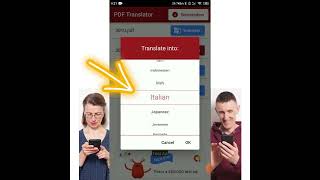
PDF Translator #shorts #pdf #translation
How to
YouTube returned 6 videos for “PDF Translator”, and we withheld 4: 4 did not mention PDF Translator. Showing the 2 we can prove are about PDF Translator.
Official links
Tools that pair well with PDF Translator
Common stack mates teams adopt alongside PDF Translator, with the specific reason each pairing earns its keep.

Image Translator
Free browser-based AI image translator that redraws translated text onto your image while keeping the original layout intact.

ImageTranslate.AI
Browser-based AI image translator that rewrites text inside pictures across 130+ languages while keeping fonts, layout, and design intact.

iLovePDF
Browser-based PDF toolkit with 30+ tools plus AI summarizer, translation, forms detection, and Markdown export — free for light use.
Featured Head-to-Head Comparisons
Pdf Translator vs Writer
If you need enterprise-grade AI agents that enforce brand guidelines across marketing and support, Writer is the clear choice despite its higher cost. For individuals or small teams needing free, accurate PDF translation with formatting preserved, PDF Translator is unbeatable. Choose based on your scale and need for brand governance.
Pdf Translator vs Letterhead
Choose PDF Translator if you need to translate PDF documents for free with layout preservation and OCR, as a student, researcher, or individual. Choose Letterhead if you manage multiple newsletters or brands as a team and need AI-driven production, portfolio analytics, and revenue tools – but be prepared for custom enterprise pricing.
Pdf Translator vs Surfer Ai
Choose Surfer AI if you need SEO-optimized content that ranks on Google and AI search engines; it’s a paid tool for serious marketers. Choose PDF Translator if you need to translate PDFs for free while preserving layout and handling OCR — it’s a niche but excellent utility. They serve completely different needs, so decision is based on your primary task: content creation vs. document translation.
Alternatives to PDF Translator
View all
Image Translator
Free browser-based AI image translator that redraws translated text onto your image while keeping the original layout intact.

ImageTranslate.AI
Browser-based AI image translator that rewrites text inside pictures across 130+ languages while keeping fonts, layout, and design intact.
Frequently Asked Questions
Best-of guides
Topics
Used PDF Translator? Help shape our editorial sentiment research.