
Photo to Painting
Photo to Painting turns a single photo into a Van Gogh, Monet, or Warhol AI portrait in one tap.
If you want a painterly version of a photo with zero learning curve, AI Gahaku is the fastest route and the named-artist spread (Van Gogh, Monet, Mucha, Munch, Warhol, Caravaggio, plus pet portraits) beats most single-look filters. The catch is the free web trial: five styles and one successful creation per browser, so the style library you actually want lives behind the app. Judge it as a novelty and gift tool, not an editing tool, and the value holds up.
Verified 20h ago · liveness 63/100 · cite: rightaichoice.com/tools/photo-to-painting
- Casual users who want a painterly portrait in one tap without learning an editor
- Social media creators after a Renaissance or Pop Art profile picture
- Pet owners wanting a Monet- or Warhol-style portrait of a dog or cat
- Gift-makers building themed art from family photos
- Professional artists or designers needing layers, masking or brush control
- Anyone requiring batch processing or team seats
- Buyers who need more than 5 styles or multiple web conversions without paying
We scan live Reddit threads, YouTube comments, X posts, G2 reviews and other communities — and hand you an honest verdict in under a minute.
- Honest verdict, not marketing
- Real pros & cons from real users
- Attributed quotes with receipts
3 free scans · no card needed
Skip Photo to Painting if you need layers, masking, brush control, or batch processing — the app gives you one style pick and a result, with no way to adjust what the model produced.
Pet portrait styles such as Pet Monet and Pet Warhol are app-only, so a pet gift requires the app rather than the free web version
The vendor's own comparison table splits Web (Free) — about 30 styles, no pet portraits, no high-res, Standard model — from the App, which carries 300+ styles, pet portraits, high-res output, and the Advanced AI model. At that scale it competes with consumer phone-app filters like Prisma rather than with subscription design suites such as Photoshop or Affinity Photo. If your need is a single framed portrait, this is the cheaper path; if you need control over the result, the cheaper path is the
In short
Photo to Painting — Photo to Painting turns a single photo into a Van Gogh, Monet, or Warhol AI portrait in one tap. Best for Casual users who want a painterly portrait in one tap without learning an editor, Social media creators after a Renaissance or Pop Art profile picture, Pet owners wanting a Monet- or Warhol-style portrait of a dog or cat. Free to start; paid plans from $4.99.
What people actually say about Photo to Painting — is it worth it?
We ran a structured research pass across product reviews, community discussions, and post-purchase forum threads to surface the patterns vendors won't publish themselves. Below: the recurring strengths, the hidden costs people mention most, and the cohort that consistently regrets adopting this tool.
36 mentions across 3 sources (Hacker News, App Store, Lemmy) · researched Jul 3, 2026.
Average across the 3 sources that answered — each source counts once, not each post.
- +One-tap photo-to-painting conversion is genuinely simple.
- +50+ filters spanning Renaissance, Impressionist, Pop Art.
- +Fun for quick social media posts and sharing art.
- +Real-time camera filter mode on mobile is engaging.
- +No photo editing skills needed at all.
- −Frequent freezes and crashes after a few images.
- −Loading spinners force long waits or force-quits.
- −Saved presets often refuse to load, frustrating users.
- −Subscription fee feels unjustified for a one-trick app.
- −Must restore purchase every time you open the app.
Viability Score
How well maintained and how widely used is Photo to Painting? Built from what the vendor actually publishes (docs, changelog, tutorials, integrations, pricing), whether the site is live, and how much real users discuss it. How we calculate this
Last calculated: October 2026
How we score →Key Features
- One-tap photo to painting conversion with no prompt writing
- 300+ art styles in the mobile app
- 5-style web trial: Van Gogh, Monet, Bouguereau, Warhol, anime
- Named-artist styles including Mucha, Munch and Caravaggio
- Pet portrait styles for dogs and cats, app only
- Style categories spanning Renaissance, ukiyo-e, watercolor, pencil, Expressionism and Pop Art
- Automatic face cropping so photos do not need tight framing
- Pick a photo once and flip through styles to compare
- Saved library of every picture you make in the app
- High-resolution output in the app tier
- Mobile apps for iOS and Android
- Watermark-free image saving with AI Gahaku Pro
- Ad-free app experience with AI Gahaku Pro
- Web results not kept on the vendor's server
About Photo to Painting
Photo to Painting is the web front end for AI Gahaku, an AI portrait generator that turns an uploaded photo into a painterly artwork in seconds. Pick a photo of a whole face, let the app auto-crop, then choose a style. The web trial is deliberately narrow: five looks, Van Gogh, Monet, Bouguereau, Warhol and anime, and one successful creation per browser. The mobile apps are where the catalogue opens up, with 300+ styles spanning Renaissance, ukiyo-e, watercolor, pencil, Expressionism and Pop Art, plus named-artist looks such as Mucha, Munch and Caravaggio and pet-specific variants for dogs and cats.The vendor counts 4M+ people who have converted a photo across web and app as of October 2026, and the app store listings show a 4.6 average from 929 App Store ratings and 4.0 from 4,000+ Google Play ratings. Testimonials on the homepage come from users in the USA, UK, Indonesia and Japan, and the tool has been featured in press.AI Gahaku Pro is the paid layer, aimed at app users: it removes the free conversion quota, strips in-app ads and saves images without a watermark. Planned web pricing is listed at $4.99 weekly or $29.This is a consumer novelty and gift tool, not a creative suite. There are no layers, brush settings, masking or fine-tuning menus, and results are shared rather than edited. Where other AI art tools hand you a prompt box and a credit meter, AI Gahaku hands you a style menu and a result in one tap, and that is the trade.
Behind the Verdict
The question with AI Gahaku is not whether it is good, but whether you want a style menu or an editor. If you want a Van Gogh version of your dog for a birthday card, this is a two-minute job and the result is genuinely shareable. If you want to control how much of the original photo survives, you are in the wrong product. Pick this when the photo is a portrait, the face is unobstructed, and the destination is social media, a print gift, or a wallpaper. Face auto-cropping does real work here: you do not need to frame tightly, and the app handles the rest. The pet styles are the unusual part. Pet Monet and Pet Warhol are the kind of thing buyers actually pay for, and few competitors bother. Pass when you need batch processing, team seats, layered output, or repeatable results across a set of images. The web version is a trial, not a workspace: five styles and one successful creation per browser across the whole site. If your plan is to generate a dozen variations and pick the best, do that in the app, not on the web. Pro is the only paid tier that is purchasable today, and it is an app subscription that removes the free quota, kills in-app ads and drops the watermark. Planned web pricing of $4.99 weekly or $29.99 annually is posted but not live, and an existing store subscription will not transfer to a web one, so do not buy expecting that to change. On privacy, the vendor is explicit: source photos go to external AI providers for processing, and web results are not retained on their server. Read the privacy policy for retention and backup specifics before uploading anything sensitive. That is more disclosure than most novelty generators offer, and it matters if the photo is of someone other than you. Against the alternatives: Prisma is the closer comparison for
Researching Photo to Painting? Get your full AI stack in 60 seconds.
Free, no signup — tell us your goal and get tools matched to your budget & existing stack.
Real-world workflow fit
Concrete scenarios for the personas Photo to Painting actually fits — and what changes day-one when you adopt it.
You need a distinctive profile picture before a channel refresh. You open the web version, upload a selfie showing your whole face, let the auto-crop frame it, and cycle through the ~30 free styles — Classic Oil, Pop Art, Anime — until one suits the account.
Outcome: A painterly profile picture in minutes, at zero cost, with the option to move to the app for the wider style library if none of the free looks land.
You have a good photo of your dog and want a Monet-style print as a present. The free web version has no pet portrait styles, so you open the mobile app and apply Pet Monet or Pet Warhol, then export at high resolution.
Outcome: A pet portrait in a named artist style at a resolution suitable for printing, produced from one photo without any manual retouching.
You want a Warhol-style pop art print from an old family photograph for a wall. You upload the group photo, confirm the face crop leaves everyone in frame, and apply the Pop Art / Warhol style.
Outcome: A repeatable set of pop art variants from the same source image that you can share or print, with no editing software involved.
Use Cases
- Turn a selfie into a Renaissance-style portrait for a social media profile picture
- Create a Warhol-style pop art print from a family photo for home decoration
- Apply a Monet or Warhol pet style to a photo of your dog or cat as a gift
- Generate a Van Gogh- or Mucha-style version of a vacation snapshot
- Produce several artistic versions of one headshot to choose between for a digital album
Limitations
- The free web trial allows only one successful creation per browser, shared across every page of the site, and web purchases are not yet available.
- The web version offers just 5 styles (up to 1,024 px output), while the mobile app unlocks 300+ styles, pet portraits, and high-resolution output, with Pro (weekly/annual) needed for ad-free, watermark-free use.
- The app has a limited number of free conversions, then requires a PRO subscription; web and in-app purchases do not transfer between channels.
as of 2026-09-26
Verification history
We have re-verified Photo to Painting 10 times since . Each pass re-reads the vendor's own pages and re-checks every listed field against that evidence; passes where nothing had changed are marked as such.
- — re-verified summary, description, our verdict, our analysis, pricing model, pricing tiers, features, integrations, who it suits, who should skip it
- — re-verified summary, description, our verdict, our analysis, pricing model, pricing tiers, features, integrations, who it suits, who should skip it
- — re-checked, vendor evidence unchanged
- — re-checked, vendor evidence unchanged
- — re-checked, vendor evidence unchanged
- — re-checked, vendor evidence unchanged
Showing the 6 most recent of 10 verification passes.
Free to cite with attribution — this page re-verifies continuously.
12-month cost
Project the real annual outlay, including the implied monthly cost when only an annual tier is published.
Vendor list price only. Add-on usage, seat overages, and contract minimums are surfaced under Hidden costs & gotchas.
Plans compared
For each published Photo to Painting tier: who it actually fits, and what it adds vs. the previous tier. Cross-reference the cost calculator above for projected annual outlay.
Web / App Free
$0
AI Gahaku Pro (app subscription)
Varies by app store and region
Planned web weekly (not yet available)
$4.99/week
Planned web annual (not yet available)
$29.99/year
Where the pricing makes sense
The company stage and team size where Photo to Painting's pricing actually pencils out — and where peers do it cheaper.
The vendor's own comparison table splits Web (Free) — about 30 styles, no pet portraits, no high-res, Standard model — from the App, which carries 300+ styles, pet portraits, high-res output, and the Advanced AI model. At that scale it competes with consumer phone-app filters like Prisma rather than with subscription design suites such as Photoshop or Affinity Photo. If your need is a single framed portrait, this is the cheaper path; if you need control over the result, the cheaper path is the
Setup time & first value
How long it actually takes to get something useful out of Photo to Painting — broken out by persona, not the marketing-page minute.
For a casual user on the free web version, first value is immediate: upload a photo showing your whole face, the app auto-crops it, and you pick a style — the whole loop is three steps. For a pet owner or anyone wanting print-resolution output, budget an extra few minutes to install the iOS or Android app, since pet portrait styles and high-resolution export only exist there.
Switching to or from Photo to Painting
How to bring data in from common predecessors and how to get it back out — written for the switcher, not the buyer.
- →From Prisma: upload the same photo to AI Gahaku and pick a named-artist style such as Van Gogh, Monet, or Warhol, which Prisma's filter set doesn't cover by name
- →From manual photo editing in Photoshop or Affinity Photo: use AI Gahaku for one-tap stylistic versions, and keep your editor only for photos that need layers or masking
- →From commissioning a portrait artist: run your source photo through the app's 300+ styles first to see which look you actually want before paying anyone
- ↗To Photoshop or Affinity Photo: move your source photos there when you need layers, masking, brush control, or consistent output across a batch
- ↗To a commissioned artist: export the high-resolution app result as a reference or mood board for a painted original
Resources & Guides
Tutorials & Learning
Turn Photo to Painting with Generative Fill in Photoshop! #Shorts
PiXimperfect
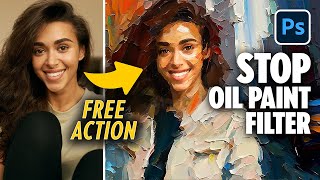
Turn Photo to Painting EASY with Photoshop GenFill + Free Action
PiXimperfect
YouTube returned 6 videos for “Photo to Painting”, and we withheld 4: 4 did not mention Photo to Painting. Showing the 2 we can prove are about Photo to Painting.
Official links
Tools that pair well with Photo to Painting
Common stack mates teams adopt alongside Photo to Painting, with the specific reason each pairing earns its keep.

Voilà AI Artist Cartoon Filter
Voilà AI Artist turns a single photo into a 3D cartoon, anime, or Pixar-style avatar in about five seconds on your phone.

Toonapp
ToonApp turns a selfie into a cartoon or anime portrait — or a still photo into a short video — on iOS and Android.

Lisa AI
Lisa AI turns your photos into AI avatars and stylized art, right from your phone.
Featured Head-to-Head Comparisons
Photo To Painting vs Adobe Firefly Services
Choose Photo to Painting if you're a casual user who wants quick, artistic photo filters without any technical skills. Choose Adobe Firefly Services if you're an enterprise or developer needing scalable, secure, API-driven generative image capabilities integrated with Adobe tools. They serve completely different use cases.
Photo To Painting vs Qoves
If your goal is evidence-based facial improvement backed by science, QOVES is the only choice—its 160+ marker analysis and personalized protocol justify the $20 fee. But if you want a quick, fun artistic filter for social sharing, choose Photo to Painting (free tier available). They serve completely different needs; purchase accordingly.
Photo To Painting vs The New Black
Choose The New Black if you're a fashion brand or designer needing production-ready apparel designs with tech packs and custom AI models. Opt for Photo to Painting if you want a quick, fun way to turn photos into Renaissance-style portraits for social sharing. They serve completely different needs—fashion design vs. casual photo art.
Alternatives to Photo to Painting
View all
Voilà AI Artist Cartoon Filter
Voilà AI Artist turns a single photo into a 3D cartoon, anime, or Pixar-style avatar in about five seconds on your phone.


Frequently Asked Questions
Categories
Used Photo to Painting? Help shape our editorial sentiment research.