
Playcast.ai
Turn articles, PDFs, and YouTube links into narrated audio you can listen to anywhere.
Playcast.ai is a good fit if your bottleneck is a read-later list and your content comes as articles, PDFs, or YouTube links — the Smart Summarizer and Chrome extension target exactly that workflow, and the free tier's 5 documents let you test it without a card. The $9.99/month Premium tier removes the document cap and unlocks all 8 voices. It is not the right pick if you need an API to embed speech in your own product, or if you want a full podcast production suite with editing and distribution. For higher-usage narration and voice quality, compare Speechify and ElevenLabs; for long-form listening with mobile apps, those two also come up first.
Verified 2d ago · liveness 56/100 · cite: rightaichoice.com/tools/playcast-ai
- Professionals with a large read-later backlog
- Graduate students and academic researchers triaging papers
- Non-native English speakers who follow complex topics better by ear
- Commuters and frequent drivers
- Developers who need an API to embed speech in their own product
- Podcasters who need editing, production, and distribution tooling
- Users who need dedicated iOS or Android apps for offline listening
We scan live Reddit threads, YouTube comments, X posts, G2 reviews and other communities — and hand you an honest verdict in under a minute.
- Honest verdict, not marketing
- Real pros & cons from real users
- Attributed quotes with receipts
3 free scans · no card needed
Skip Playcast.ai if you need speech embedded in your own application through an API, or if you want a verbatim read of a 300-page PDF rather than a condensed audio summary.
The free tier allows only 5 documents and 1 voice option, so most regular listeners hit the Premium upgrade quickly once the trial documents are used.
At $9.99/month, Premium sits in the middle of the consumer text-to-speech market — cheaper than studio-grade voice tools aimed at creators, and comparable to mainstream reading-assistant subscriptions. For one person working through a reading list it is an easy call; for teams wanting speech inside their own product, budget goes further with API-first vendors that charge per character.
In short
Playcast.ai — Turn articles, PDFs, and YouTube links into narrated audio you can listen to anywhere. Best for Professionals with a large read-later backlog, Graduate students and academic researchers triaging papers, Non-native English speakers who follow complex topics better by ear. Free to start; paid plans from $9.99/mo.
Viability Score
How well maintained and how widely used is Playcast.ai? Built from what the vendor actually publishes (docs, changelog, tutorials, integrations, pricing), whether the site is live, and how much real users discuss it. How we calculate this
Last calculated: September 2026
How we score →Key Features
- Text-to-speech conversion from pasted text
- PDF upload to audio
- YouTube link to audio
- Web URL to audio
- Chrome extension for converting web articles and blog posts
- Smart Summarizer condenses long content (60-min article to ~20-min audio)
- AI Rewrite
- 8 different voice options
- 29 languages supported
- Human-like narration
- Personal podcast URL for each conversion
- Share audio for collaboration
- Curated collection of handpicked articles to listen to
- In-browser audio player
- Free tier with 5 free documents
About Playcast.ai
Playcast.ai is a browser-based text-to-speech tool that converts articles, essays, PDFs, YouTube links, pasted text, and web URLs into narrated audio you can listen to on the go. You upload or paste your content, pick one of eight voice options, and Playcast generates a private podcast episode at a personal URL you can play in the browser or share with colleagues. Its Smart Summarizer condenses long material — the vendor's example is a 60-minute article boiled down to roughly 20 minutes of listening — so you get the key ideas without the full read. A Chrome extension converts web pages and blog posts into audio directly from the browser, and a curated article collection gives you something to listen to without uploading anything. The service covers 29 languages and works entirely in the browser; there is no sign-up gate on the free entry point. It suits professionals, grad students, and researchers working through a read-later backlog, and non-native English speakers who follow complex material better by ear.
Behind the Verdict
Playcast's real differentiator is the summarization step rather than raw voice quality. Most text-to-speech tools give you an audio mirror of the exact text you fed them; Playcast compresses a long article into a shorter listen, which is what actually makes a 40-item read-later queue tractable. Combined with the Chrome extension, that gives you a one-click path from a tab you'll never reopen to something you hear on the drive home. The input coverage is broader than the average TTS utility: PDFs, YouTube links, pasted text, and raw URLs all route to the same audio output, and a 29-language voice set makes it usable for non-English material rather than English-only. The personal podcast URL and sharing feature make it a light collaboration tool — useful if you want to send a colleague an audio version of a report rather than a 30-page PDF. Where it is thin: this is a listening tool, not a publishing platform. There is no editing timeline, no distribution to podcast directories, and no batch-processing capability described. The listening experience is browser-first — the vendor markets the Chrome extension rather than iOS or Android apps — so if you want offline playback on a phone, plan around that. And there is no developer surface described anywhere in the scraped material, so teams wanting to wire speech into their own product should look at API-first vendors instead. Voice count is eight, which is adequate for personal listening but well below what voice-cloning and studio-focused competitors offer. Playcast is best judged as a $9.99/month reading-workflow tool rather than a production audio platform.
Researching Playcast.ai? Get your full AI stack in 60 seconds.
Free, no signup — tell us your goal and get tools matched to your budget & existing stack.
Real-world workflow fit
Concrete scenarios for the personas Playcast.ai actually fits — and what changes day-one when you adopt it.
Install the Chrome extension, open backlog articles in tabs, and send each one to Playcast for an audio summary instead of reading it in full
Outcome: Turns a stalled reading list into a commute-length private podcast and finishes the queue in days rather than months
Upload PDFs one at a time and listen to the Smart Summarizer output to judge relevance before committing to a full read
Outcome: Triages a stack of papers by ear and only opens the full text for the ones that matter to the research
Paste or upload dense English documentation, convert it with a preferred voice, and share the personal podcast URL with teammates who prefer listening
Outcome: Follows complex topics through clear narration and passes the same audio to colleagues instead of a wall of text
Use Cases
- Convert a long-read article into a shorter audio summary for your commute
- Turn a research PDF into audio so you can triage papers by ear
- Send a colleague an audio version of a report via a shareable link
- Listen to a YouTube video's content as audio while doing something else
- Use the Chrome extension to save a web article for later listening
- Build a private podcast feed from your own reading list
- Follow non-English content through narration in one of 29 languages
Limitations
- Free tier caps you at 5 documents and a single voice option, and the Smart Summarizer condenses content rather than reading every word, so it is not a fit if you need a verbatim rendering of a long document.
- Voice selection tops out at 8 options, well short of what voice-cloning tools offer.
- Input arrives through the browser, PDF upload, YouTube link, or URL rather than dedicated iOS/Android apps, so plan your offline listening accordingly.
- The scraped material describes no editing timeline or podcast-directory distribution, so it will not replace a production suite.
as of 2026-09-26
Verification history
We have re-verified Playcast.ai 7 times since . Each pass re-reads the vendor's own pages and re-checks every listed field against that evidence; passes where nothing had changed are marked as such.
- — re-checked, vendor evidence unchanged
- — re-checked, vendor evidence unchanged
- — re-checked, vendor evidence unchanged
- — re-checked, vendor evidence unchanged
- — re-checked, vendor evidence unchanged
- — re-checked, vendor evidence unchanged
Showing the 6 most recent of 7 verification passes.
Free to cite with attribution — this page re-verifies continuously.
12-month cost
Project the real annual outlay, including the implied monthly cost when only an annual tier is published.
Vendor list price only. Add-on usage, seat overages, and contract minimums are surfaced under Hidden costs & gotchas.
Plans compared
For each published Playcast.ai tier: who it actually fits, and what it adds vs. the previous tier. Cross-reference the cost calculator above for projected annual outlay.
Free
$0/forever
Ideal for
Individuals testing whether audio summaries fit their reading habits — the 5-document cap lets you try it with no credit card.
What this tier adds
Starting tier: 5 free documents, 1 voice option, speech generation in 29 languages, a personal podcast URL, and AI Rewrite.
Premium
$9.99/month
Ideal for
Regular listeners who have burned through the free documents and want unlimited generation with a choice of voices.
What this tier adds
Adds unlimited audio generation, all 8 voice options, high quality audio, priority support, and a 7-day money back guarantee on top of everything in Free.
Where the pricing makes sense
The company stage and team size where Playcast.ai's pricing actually pencils out — and where peers do it cheaper.
At $9.99/month, Premium sits in the middle of the consumer text-to-speech market — cheaper than studio-grade voice tools aimed at creators, and comparable to mainstream reading-assistant subscriptions. For one person working through a reading list it is an easy call; for teams wanting speech inside their own product, budget goes further with API-first vendors that charge per character.
Setup time & first value
How long it actually takes to get something useful out of Playcast.ai — broken out by persona, not the marketing-page minute.
Fastest for a pasted article or URL: paste, pick a voice, generate — first audio in a couple of minutes with no account needed. Chrome extension users add an install step but then convert pages in one click. PDF and YouTube-link routes take a few minutes more per item; expect around 10 minutes total to reach a first useful audio file.
Switching to or from Playcast.ai
How to bring data in from common predecessors and how to get it back out — written for the switcher, not the buyer.
- →From a browser read-later app: export or reopen your saved articles and run them through the Chrome extension instead of reading them on screen.
- →From a paid voice-cloning tool: if you only needed narration for your own listening, drop the higher-priced plan and move your articles, PDFs, and YouTube links to Playcast's Premium tier.
- →From reading PDFs on a tablet: upload the same PDFs to Playcast and listen to condensed audio summaries to decide which ones deserve a full read.
- ↗To Speechify: move if you want mobile apps and higher-usage narration for a similar monthly price.
- ↗To ElevenLabs: move if voice quality and voice variety matter more to you than summarization.
- ↗To an API-first TTS vendor: move if you need speech generated inside your own product rather than by hand in a browser.
Resources & Guides
Tutorials & Learning
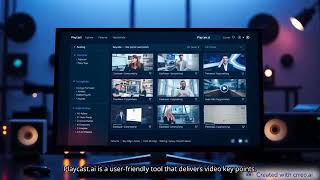
YouTube returned 6 videos for “Playcast.ai”, and we withheld 5: 5 could not be judged, because “Playcast.ai” is a single word that other videos use for other things. Showing the 1 we can prove is about Playcast.ai.
Official links
Tools that pair well with Playcast.ai
Common stack mates teams adopt alongside Playcast.ai, with the specific reason each pairing earns its keep.

Fish Audio
Fish Audio turns text into expressive, emotionally controllable speech with voice cloning from 15 seconds of audio and a free developer TTS API.

NoteGPT
NoteGPT is an AI learning assistant for summarizing YouTube videos, transcribing audio, and building slides from a single subscription.

Pollinations
One free REST API for text, image, audio, and video generation — no API key required
Featured Head-to-Head Comparisons
Playcast Ai vs Retell Ai
Playcast.ai and Retell AI are fundamentally different tools. Choose Playcast.ai if you need a simple, freemium text-to-speech converter for personal use or accessibility. Choose Retell AI if you need enterprise-grade voice agents to automate high-volume phone calls with sub-second latency and deep integrations. They are not direct competitors; decide based on whether your need is listening to text or automating phone conversations.
Playcast Ai vs Soniox
Choose Soniox if you need a production-grade, low-latency multilingual voice AI API for building voice agents or real-time translation, especially with compliance requirements. Choose Playcast.ai if you're an individual user who wants a simple, free TTS tool to convert short texts to audio for personal listening without sign-up.
Playcast Ai vs Voiceitt
Voiceitt is the clear winner for anyone with non-standard speech needing a voice interface that understands them; its personalized training and enterprise integrations are unmatched. Playcast.ai is a simple TTS utility for lightweight listening but lacks depth. Choose Voiceitt for accessibility, Playcast.ai only if you need a quick text-to-audio tool and have standard speech.
Alternatives to Playcast.ai
View all
Fish Audio
Fish Audio turns text into expressive, emotionally controllable speech with voice cloning from 15 seconds of audio and a free developer TTS API.

NoteGPT
NoteGPT is an AI learning assistant for summarizing YouTube videos, transcribing audio, and building slides from a single subscription.

Pollinations
One free REST API for text, image, audio, and video generation — no API key required
Frequently Asked Questions
Categories
Best-of guides
Topics
Used Playcast.ai? Help shape our editorial sentiment research.