
PopAI
All-in-one AI workspace for AI presentations, PDF reading, spreadsheets, and chat in the browser.
PopAi earns its place as a generalist: the AI Presentation maker and AI ChatPDF reader are the two modules worth paying for, and having spreadsheets and chat under the same login genuinely reduces app juggling. Pick it if you are an individual — student, teacher, or solo professional — who moves between decks and long documents all day. Pick Gamma instead if deck craft is the whole job, and a dedicated PDF assistant if document analysis is. Teams needing shared workspaces or custom API work should look elsewhere.
Verified 16d ago · liveness 69/100 · cite: rightaichoice.com/tools/popai
- Students and researchers digesting long PDFs
- Teachers building lesson presentations from existing content
- Solo professionals who need decks and document analysis in one place
- Sales and client-facing staff preparing presentations on short notice
- Teams needing real-time co-editing in shared workspaces
- Users who need offline access
- Professionals requiring custom API integrations
We scan live Reddit threads, YouTube comments, X posts, G2 reviews and other communities — and hand you an honest verdict in under a minute.
- Honest verdict, not marketing
- Real pros & cons from real users
- Attributed quotes with receipts
3 free scans · no card needed
Skip PopAi if you need several people editing the same deck simultaneously or a documented API to wire generation into your own product.
PopAi sits in the low-cost bracket for an all-in-one assistant, competing against buying a separate deck tool and a separate PDF reader. That value depends on how many of the four modules you actually use — if you only ever make presentations, a deck-only subscription is the leaner buy.
In short
PopAI — All-in-one AI workspace for AI presentations, PDF reading, spreadsheets, and chat in the browser. Best for Students and researchers digesting long PDFs, Teachers building lesson presentations from existing content, Solo professionals who need decks and document analysis in one place. Free to use.
What people actually say about PopAI — is it worth it?
We ran a structured research pass across product reviews, community discussions, and post-purchase forum threads to surface the patterns vendors won't publish themselves. Below: the recurring strengths, the hidden costs people mention most, and the cohort that consistently regrets adopting this tool.
15 mentions across 1 source (Product Hunt) · researched Sep 22, 2026.
Weighted by the 15 posts each of 1 source contributed.
- +Combines PDF chat, slide generation, and spreadsheets in one browser-based dashboard
- +Pro user reports months of consistent use and continuous product iteration
- +Chat with Documents repeatedly praised for saving time on long documents
- +Students find it useful for summarizing course materials and generating PowerPoint outlines
- +Mind map feature called out as a favorite by at least one user
- −Almost no community discussion outside the Product Hunt launch thread
- −3-star average from only 3 reviews is a weak quality signal
- −AI Sheets requires separate premium payment not covered by Pro
- −No independent confirmation of uptime, support responsiveness, or data handling
- −Language and technical jargon handling questioned by a commenter, unanswered
- • AI Sheets is not included in Pro — spreadsheet users pay for a second subscription
- • Export features (PPTX, PDF) are gated behind Pro, so free users hit limits quickly
Viability Score
How well maintained and how widely used is PopAI? Built from what the vendor actually publishes (docs, changelog, tutorials, integrations, pricing), whether the site is live, and how much real users discuss it. How we calculate this
Last calculated: October 2026
How we score →Key Features
- AI presentation generation from a topic, file, or URL
- AI agent-driven deck structuring with automatic layout optimization
- Chat-based slide editing in natural language
- Designer-grade presentation template library
- AI ChatPDF reading, interpretation, and summarization
- PDF translation and automatic flowchart generation
- One-click annotation and note management on documents
- Automatic save and document/note management
- Document import from files, Google, or URL
- AI spreadsheet and table generation from prompts in-browser
- Excel and Google Sheets formula generation from plain English
- Data analysis through a dedicated standalone web interface
- Export spreadsheets to Excel, CSV, and PDF
- Export presentations to PPTX and PDF
- AI Chat with real-time search for current answers
About PopAI
PopAi bundles four tools into one browser dashboard: AI Presentation turns a topic, file, or URL into a structured slide deck; AI ChatPDF reads, translates, and annotates long documents and can generate automatic flowcharts; AI Sheets generates tables and spreadsheet formulas from plain-English prompts; and AI Chat handles instant answers, brainstorming, summarization, and step-by-step problem solving with real-time search. The deck editor accepts natural-language instructions, so you refine slides by chatting rather than dragging boxes, and finished decks export to PPTX or PDF. Documents can be imported from local files, Google, or a URL, then annotated and saved with your notes. Spreadsheet output exports to Excel, CSV, or PDF, and AI Sheets runs on its own standalone web interface rather than inside the presentation editor. The vendor states the platform supports 200+ languages and offers Chrome, iOS, and Android access. That combination is the pitch: instead of paying for Gamma for decks, a separate PDF assistant, and a spreadsheet tool, you keep one subscription and one login. The trade-off is breadth over depth in each individual module.
Behind the Verdict
The strongest thing about PopAi is that the four modules share a workflow rather than just a brand. You upload a 200-page PDF, ask questions of it in AI ChatPDF, and the same session can feed a presentation — that handoff between reading and producing is the part single-purpose tools make you do by hand. Chat-based slide editing is the other genuinely useful idea: you describe the change ('tighten slide 4, move the chart left') instead of fighting a canvas. The template library and automatic layout optimization mean a first-draft deck is presentable without design work, which is exactly what a student or a sales rep needs at 11pm. AI ChatPDF's translation and automatic flowchart generation go beyond plain summarization, and one-click annotation plus saved notes turns the reader into a lightweight research workspace rather than a disposable chat box. AI Sheets is honest about being a separate web product with its own interface, and the exports — Excel, CSV, PDF from Sheets; PPTX and PDF from Presentations — cover the formats people actually need to hand work to someone else. Where it thins out: depth per module. A design-led team will find the template library more constraining than a dedicated deck tool, and advanced data work belongs in a real spreadsheet or notebook, not a prompt-to-table generator. Collaboration is the real gap — the site describes a personal assistant, and nothing in the scraped material describes shared team workspaces for co-editing. The vendor's own FAQ covers file safety, free access, and what membership adds, but it does not publish rate limits, model names, or API details, so if you need to budget usage precisely or wire PopAi into an existing pipeline, you will be doing discovery work yourself. Judge it as a personal productivity hub, not team infrastructure.
Researching PopAI? Get your full AI stack in 60 seconds.
Free, no signup — tell us your goal and get tools matched to your budget & existing stack.
Real-world workflow fit
Concrete scenarios for the personas PopAI actually fits — and what changes day-one when you adopt it.
Uploads a 200-page assigned reading via file or URL into AI ChatPDF, translates the difficult sections, annotates key passages with one-click notes, and asks follow-up questions in AI Chat.
Outcome: A saved set of annotations and a summary that replaces a full evening of manual note-taking.
Feeds an existing lesson plan into AI Presentation, picks a designer template, and refines the generated slides by chatting instead of reformatting each one.
Outcome: A presentable lesson deck exported to PPTX in a single sitting.
Generates a client deck from a one-line brief in AI Presentation, then uses AI Chat to check current facts with real-time search before the meeting.
Outcome: A pitch-ready deck plus up-to-date figures without switching between three tools.
Use Cases
- Turn a one-line topic description into a complete, structured slide deck.
- Upload a 200-page PDF report and get a concise summary with key findings.
- Describe the data you need in plain English and get the Excel or Google Sheets formula.
- Convert a weekly lesson plan into an engaging presentation with automatic layouts.
- Analyze a research paper and auto-generate a flowchart of its methodology.
- Translate and annotate a foreign-language paper while keeping organized notes.
- Brainstorm marketing campaign ideas and draft professional copy in chat.
- Walk through a complex math or technical problem with step-by-step AI guidance.
Models Under the Hood
as of 2026-09-28
Limitations
- Each module is broad rather than deep: the site positions PopAi as an all-in-one workspace spanning presentations, ChatPDF, Sheets, and Chat, so specialists needing a dedicated deck tool or a real spreadsheet/statistical package may find it insufficient.
- The scraped sources name no underlying AI models, publish no rate limits or usage caps, and do not mention shared team workspaces or real-time co-editing, so collaboration support and cost forecasting are unverifiable from the evidence.
- Presentations are generated as a starting point and the site itself advises checking names, figures, sources, and key claims before presenting.
as of 2026-09-22
Verification history
We have re-verified PopAI 8 times since . Each pass re-reads the vendor's own pages and re-checks every listed field against that evidence; passes where nothing had changed are marked as such.
- — re-checked, vendor evidence unchanged
- — re-verified summary, description, our verdict, our analysis, pricing model, pricing tiers, features, integrations, who it suits, who should skip it
- — re-checked, vendor evidence unchanged
- — re-checked, vendor evidence unchanged
- — re-checked, vendor evidence unchanged
- — re-checked, vendor evidence unchanged
Showing the 6 most recent of 8 verification passes.
Free to cite with attribution — this page re-verifies continuously.
12-month cost
Project the real annual outlay, including the implied monthly cost when only an annual tier is published.
Vendor list price only. Add-on usage, seat overages, and contract minimums are surfaced under Hidden costs & gotchas.
Plans compared
For each published PopAI tier: who it actually fits, and what it adds vs. the previous tier. Cross-reference the cost calculator above for projected annual outlay.
Free
$0/mo
Ideal for
Students, teachers, or anyone testing PopAi for occasional PDF summaries, quick decks, and chat questions.
What this tier adds
Starting tier: access to AI Presentation, AI ChatPDF, and AI Chat with basic usage limits and standard slide templates.
Pro
Check website for current pricing
Ideal for
Individuals who generate decks and read long documents regularly and need to hand files to others.
What this tier adds
Adds more usage across AI Presentation, AI ChatPDF, and AI Chat, advanced slide templates, PDF/PPTX export, and better models in generation.
Where the pricing makes sense
The company stage and team size where PopAI's pricing actually pencils out — and where peers do it cheaper.
PopAi sits in the low-cost bracket for an all-in-one assistant, competing against buying a separate deck tool and a separate PDF reader. That value depends on how many of the four modules you actually use — if you only ever make presentations, a deck-only subscription is the leaner buy.
Setup time & first value
How long it actually takes to get something useful out of PopAI — broken out by persona, not the marketing-page minute.
Students: importing a PDF and getting a first summary takes minutes, since upload accepts files, Google, or URLs with no configuration. Teachers and professionals: first deck is roughly one prompt to a template choice, though a polished deck takes a few chat-editing passes. No setup or onboarding is described in the scraped material beyond signing in.
Integrations
Resources & Guides
Tutorials & Learning
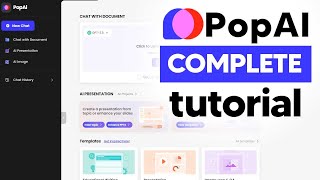
YouTube returned 6 videos for “PopAI”, and we withheld 5: 5 could not be judged, because “PopAI” is a single word that other videos use for other things. Showing the 1 we can prove is about PopAI.
Official links
Tools that pair well with PopAI
Common stack mates teams adopt alongside PopAI, with the specific reason each pairing earns its keep.
ChatGPT
ChatGPT is OpenAI's AI chat assistant for reasoning, Codex coding, deep research, voice and agentic work on one subscription.

Humata AI
Humata AI reads your PDFs and answers questions with highlighted citations back to the exact source section.

Grok
Grok is xAI's assistant that searches the web and X live, reasons step by step, and generates images, video, and code in one thread.
Featured Head-to-Head Comparisons
Popai vs Letterhead
PopAI and Letterhead serve entirely different domains: PopAI is an all-in-one productivity tool for individuals who need quick presentations, PDF insights, and spreadsheets, while Letterhead is an enterprise-grade email operating system for teams managing multiple newsletters. Unless you're a solo creator needing newsletter tools, stick with PopAI for content creation and Letterhead for scaling email operations. There is no direct overlap—choose based on your workflow needs.
Popai vs Gem
For recruiting teams seeking an AI-powered all-in-one ATS/CRM with agentic automation, Gem is the clear choice — its recent GeMCP model preview and fraud detection agent highlight ongoing innovation. PopAI serves a different need: it’s a versatile productivity tool for presentations and document analysis, best for individuals or educators on a budget. Choose based on your primary workflow (hiring vs. content creation).
Popai vs Poke Interaction Co
Choose Poke if you want a hands-free AI assistant that lives in your messaging apps to manage email, calendar, health data, and automations—especially if you use Apple Messages, WhatsApp, or Oura. Choose PopAI if you need a browser-based tool to quickly create presentations, analyze PDFs, and generate spreadsheets from natural language. They serve completely different needs; your choice depends on whether you want a proactive personal assistant or a reactive document productivity hub.
Alternatives to PopAI
View all

Frequently Asked Questions
Categories
Used PopAI? Help shape our editorial sentiment research.