ProfilePicture.AI is live · free · last verified 23 Oct 2026 · viability monitor

ProfilePicture.AI
Free AI profile picture maker that crops, styles, and downloads an HD PFP in your browser — no sign-up, no watermark.
For making a clean round profile picture right now, this is one of the cheapest paths available: $0, no sign-up, no watermark, and a 1024×1024 HD export. The platform presets plus circle preview save you the guesswork of what Instagram, WhatsApp, or Discord will actually crop. Just don't ask it to design anything — it finishes an avatar, it doesn't create one.
Verdict generatedVerified 6d ago · liveness 43/100 · cite: rightaichoice.com/tools/profilepicture-ai
- Anyone who needs a clean circular profile picture in a couple of minutes without creating an account
- Instagram, WhatsApp, Discord, TikTok, YouTube and X users refreshing a DP with a border or gradient
- Job seekers and professionals wanting a LinkedIn crop or a plain-background CV photo
- Privacy-conscious users who'd rather background removal ran on their own device
- People wanting a studio-style AI headshot reshot — that's the vendor's separate paid HeadshotPro product
- Anyone needing layered design work, templates, or a full editing suite like Canva or Adobe Express
- Teams needing shared brand kits, seats, or collaboration
We scan live Reddit threads, YouTube comments, X posts, G2 reviews and other communities — and hand you an honest verdict in under a minute.
- Honest verdict, not marketing
- Real pros & cons from real users
- Attributed quotes with receipts
3 free scans · no card needed
Skip ProfilePicture.AI's free PFP maker if you need layered design work, a studio-style AI headshot reshot, or a tool that generates an avatar without an existing photo of you.
The free editor is the free part — a studio-style AI portrait reshot sends you to the vendor's separate paid HeadshotPro product, which is a different bill.
The PFP maker itself is free to use, which puts it below paid avatar editors and below the vendor's own paid HeadshotPro portrait product. That makes it an easy default for a solo user refreshing one or two DPs; the cost only appears if you step up to the studio-style reshot, where you're comparing against specialist headshot services rather than browser avatar editors.
In short
ProfilePicture.AI — Free AI profile picture maker that crops, styles, and downloads an HD PFP in your browser — no sign-up, no watermark. Best for Anyone who needs a clean circular profile picture in a couple of minutes without creating an account, Instagram, WhatsApp, Discord, TikTok, YouTube and X users refreshing a DP with a border or gradient, Job seekers and professionals wanting a LinkedIn crop or a plain-background CV photo. Free to use.
What is ProfilePicture.AI?
ProfilePicture.AI — Free AI profile picture maker that crops, styles, and downloads an HD PFP in your browser — no sign-up, no watermark. Best for Anyone who needs a clean circular profile picture in a couple of minutes without creating an account, Instagram, WhatsApp, Discord, TikTok, YouTube and X users refreshing a DP with a border or gradient, Job seekers and professionals wanting a LinkedIn crop or a plain-background CV photo. Free to use.
ProfilePicture.AI's free profile picture maker is a browser-only editor for the selfie you already have. You drop in a photo, background removal runs on your device, then you set a solid color, gradient, or pattern behind yourself, add a circle crop with a border or frame, and curve a name or handle around the edge. No account, no watermark, no credit card — the download is an HD PNG or JPEG. It's aimed at people who need a presentable avatar in a few minutes rather than a design tool. Instagram and WhatsApp DP users, Discord members refreshing an avatar, TikTok and YouTube creators making a channel icon, job seekers wanting a LinkedIn crop or a plain-background CV photo, and anyone making a coordinated pair of matching profile pictures with someone else. The workflow is three steps and stays in the browser the whole time. Upload from your camera roll (JPG and PNG both work), cut the subject out and style it — circle crop with zoom and drag positioning, a live round preview so hair and shoulders don't clip, one-tap classic filters, straight or curved text like @maya.jpg — then export. Size presets do the fiddly part: Instagram 320×320, TikTok 200×200, X and LinkedIn 400×400, WhatsApp 640, Discord 512×512, YouTube 800×800, CV 600, plus a 1024×1024 HD square that downscales cleanly anywhere. On privacy, the vendor states background removal runs in your browser and the image isn't uploaded to their servers for that cut-out step, and that HeadshotPro doesn't train on customer photos. That's a narrow promise, and the tool is equally narrow: it crops, styles, and sizes. Layered editing suites like Canva or Adobe Express sit in a different category, and a studio-style AI portrait reshot is the vendor's separate paid HeadshotPro product, not this editor.
Key features
- Free AI profile picture maker with no sign-up and no watermark
- Browser-based AI background removal that runs on your device
- Circle and round crop with zoom and drag positioning
- Live round preview so hair and shoulders don't clip
- Solid color, gradient, and pattern backgrounds
- Profile picture borders and frames in any thickness
- Straight or curved text for names and handles, e.g. @maya.jpg
- One-tap classic photo filters
- HD 1024×1024 square export that downscales cleanly
- Instagram DP preset 320×320
- TikTok avatar preset 200×200
- X and LinkedIn preset 400×400
- WhatsApp DP preset 500×500 and 640 variant
- Discord avatar preset 512×512
- YouTube channel icon preset 800×800 and CV photo preset 600
Behind the verdict
Where this earns its place is speed. If you have a decent selfie and you need a round DP for WhatsApp, a Discord avatar, or a LinkedIn crop before a call, the free editor gets you there without an account prompt or a watermark staring back at you. The circle preview is the detail I'd underline — it shows how the crop will actually land once the app rounds it, which is the exact thing people mangle in other editors. Reach for it when your source photo is already sharp and well lit. The vendor is upfront that the editor can't invent detail that isn't in the file, so a blurry, badly lit candid stays blurry no matter how nice the gradient behind it is. Upload from your camera roll, drag the crop, add a thin border so the circle reads on a busy app background, and export. Behind-the-scenes pricing facts are thin — the page states the maker is 100% free with no sign-up, no watermark, and no credit card, and that's the tier we can stand behind. The paid option in this family is HeadshotPro, a different product for studio-style AI headshots, and the one to look at if a recrop genuinely isn't enough. Where it stops short: no layered design work, no templates or brand kits, no team seats, no collaboration. If you want to composite, add multiple layers, or hand a shared kit to a marketing team, Canva and Adobe Express do that and this doesn't try to. Small caveat too — the free editor is a finisher, not a generator, so treat "AI profile picture maker" as AI-assisted cropping and styling rather than a reimagining of your face. If you're deciding between this and a paid AI headshot service, the question is simple: does your existing photo already look like you on a good day? If yes, this handles it for free in a couple of minutes. If no, no crop and border is going to rescue
Limitations
- The free PFP maker is a focused browser tool: it crops, sets a background, adds a border or text, and exports.
- It has no layers, templates, brand kits or collaboration, and it cannot reshot your photo into a studio-style portrait — that's the vendor's separate paid HeadshotPro product.
- Background removal runs client-side, so processing speed depends on your device and browser.
- The pages we could reach document a browser editor only; they describe no batch or programmatic avatar generation.
as of 2026-10-03
Researching ProfilePicture.AI? Get your full AI stack in 60 seconds.
Free, no signup — tell us your goal and get tools matched to your budget & existing stack.
Is ProfilePicture.AI still active?
ProfilePicture.AI is live · free · last verified 23 Oct 2026 · viability monitor.
Viability score
How well maintained and how widely used is ProfilePicture.AI? Built from what the vendor actually publishes (docs, changelog, tutorials, integrations, pricing), whether the site is live, and how much real users discuss it. How we calculate this
Last calculated: October 2026
How we score →What do users say about ProfilePicture.AI?
How we verified this
Every listed fact about ProfilePicture.AI— pricing, features, links, status — is re-read from the vendor's own pages by our verification pipeline and each change is logged with a date; the last pass ran on 23 Oct 2026. Pages mix model-assisted synthesis with human review; see how we verify.
Verification history
We have re-verified ProfilePicture.AI 11 times since . Each pass re-reads the vendor's own pages and re-checks every listed field against that evidence; passes where nothing had changed are marked as such.
- — changed domain expiry
- — changed pricing tiers, description, summary, our verdict, features, who it suits, who should skip it
- — changed who should skip it, our verdict, pricing tiers, features, setup time, hidden costs, limitations, pricing fit, use cases, switching in, description, summary, who it suits, switching out
- — changed pricing page
- — changed who it suits, pricing tiers, features, our verdict, description, summary, who should skip it
- — changed SSL certificate
Showing the 6 most recent of 11 verification passes.
Free to cite with attribution — this page re-verifies continuously.
How much does ProfilePicture.AI cost in 2026?
ProfilePicture.AI: Free to use. Pricing last verified 23 Oct 2026.
Plans compared
Every published ProfilePicture.AI tier, its price as the vendor publishes it, who it fits, and what it adds over the tier below. The 12-month cost projection follows.
| Plan | Price | Billing | Who it's for |
|---|---|---|---|
| Free | Free | — | Anyone refreshing a single profile picture — Instagram, WhatsApp, Discord, TikTok, YouTube, X, LinkedIn or a CV photo — who doesn't want an account or a watermark.Adds: Starting tier and the only one described: the full editor is free, covering browser-side background removal, circle crop, backgrounds, borders, curved text, platform presets and 1024×1024 HD export. |
12-month cost
Project the real annual outlay, including the implied monthly cost when only an annual tier is published.
Vendor list price only. Add-on usage, seat overages, and contract minimums are surfaced under Hidden costs & gotchas.
Where the pricing makes sense
The company stage and team size where ProfilePicture.AI's pricing actually pencils out — and where peers do it cheaper.
The PFP maker itself is free to use, which puts it below paid avatar editors and below the vendor's own paid HeadshotPro portrait product. That makes it an easy default for a solo user refreshing one or two DPs; the cost only appears if you step up to the studio-style reshot, where you're comparing against specialist headshot services rather than browser avatar editors.
Has ProfilePicture.AI's pricing changed?
No plan price for ProfilePicture.AI has moved since we began logging in Aug 2026; the pricing page is re-read on every verification pass.
Who should pick ProfilePicture.AI?
Pick ProfilePicture.AI if you are Anyone who needs a clean circular profile picture in a couple of minutes without creating an account, Instagram, WhatsApp, Discord, TikTok, YouTube and X users refreshing a DP with a border or gradient, Job seekers and professionals wanting a LinkedIn crop or a plain-background CV photo, Privacy-conscious users who'd rather background removal ran on their own device.
Look elsewhere if you are People wanting a studio-style AI headshot reshot — that's the vendor's separate paid HeadshotPro product, Anyone needing layered design work, templates, or a full editing suite like Canva or Adobe Express, Teams needing shared brand kits, seats, or collaboration, Blurry or badly lit source photos — the editor can't invent detail that isn't in the file.
Skip it if Skip ProfilePicture.AI's free PFP maker if you need layered design work, a studio-style AI headshot reshot, or a tool that generates an avatar without an existing photo of you.
GeneratedReal-world workflow fit
Concrete scenarios for the personas ProfilePicture.AI actually fits — and what changes day-one when you adopt it.
Uploads an existing selfie from the camera roll, lets browser-side background removal cut the subject out, sets the LinkedIn-blue backdrop already in the editor, drags the round crop until the face sits right, exports the 400×400 LinkedIn preset.
Outcome: A professional-looking LinkedIn profile picture in a couple of minutes, with no account created and no watermark on the file.
Uploads a photo, adds a bold gradient background and a thick solid border, crops to the 512×512 Discord preset and checks how it reads at small size before downloading the PNG.
Outcome: An avatar that still reads clearly in a crowded member list, produced without opening a full design app.
Styles one profile picture with a gradient background and curved @handle text, then reuses the same background and border treatment for a second account using the page's link to the matching pfp maker.
Outcome: Two coordinated DPs that look like a set rather than two unrelated avatars.
Use cases
- Create a professional circular LinkedIn profile photo with a LinkedIn-blue backdrop and a clean crop
- Make a vibrant Instagram or TikTok profile picture with a gradient background and curved handle text
- Produce a WhatsApp or Facebook DP with a simple background using browser-side background removal
- Build a Discord avatar with high contrast so it still reads at small sizes in the member list
- Refresh a Twitter/X profile with a round DP and a thin border so the crop doesn't clip your face
- Make a plain-background CV or resume photo from a selfie you already have
- Create coordinated matching profile pictures for a pair of accounts
- Export a 1024×1024 HD square avatar once and use it across several platforms
Setup time & first value
How long it actually takes to get something useful out of ProfilePicture.AI — broken out by persona, not the marketing-page minute.
First value is essentially immediate: open the free editor in your browser, drop a selfie, and the cut-out, background, crop and platform preset take a couple of minutes end to end. Mobile works the same way via camera roll upload. No account creation, install or onboarding stands between you and the download.
Switching to or from ProfilePicture.AI
How to bring data in from common predecessors and how to get it back out — written for the switcher, not the buyer.
- →From Canva or Adobe Express: for a plain avatar you skip the design canvas and start from the free editor's crop, background and preset controls; keep the design suite for anything layered.
- →From a paid AI headshot service: use the free PFP maker for a quick crop-and-border refresh, and keep the paid service only for a full studio-style portrait reshot.
- →From a phone gallery editor: upload the same selfie, but use the live round preview and one-tap platform presets instead of guessing the export dimensions.
- ↗To Canva or Adobe Express: move over when you need layers, templates, multi-element compositions or a brand kit rather than a single circular avatar.
- ↗To the vendor's HeadshotPro product: move over when you want a studio-style AI portrait reshot instead of an edited version of your existing photo.
- ↗To a full photo editor: move over if you need retouching, print-resolution output or anything beyond social and CV sizing.
Resources & guides
Tutorials & Learning
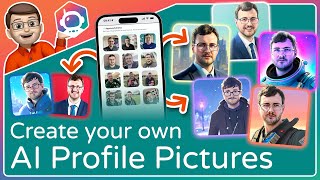
Make your own AI Generated Profile Picture in Minutes! (ProfilePicture.ai Tutorial)
Jacob's QuickTips
Get Your Best Profile Picture Yet with Profilepicture.ai – The AI-Powered Image Generator! #ai
phill ai
YouTube returned 6 videos for “ProfilePicture.AI”, and we withheld 4: 4 could not be judged, because “ProfilePicture.AI” is a single word that other videos use for other things. Showing the 2 we can prove are about ProfilePicture.AI.
Official links
What are the best ProfilePicture.AI alternatives?
The closest alternatives to ProfilePicture.AI we list are NoBG.space, Unmark and EzMaker AI. Ranked by direct product-type match, not category overlap.
| Alternative | Pricing | Starts at | Last verified |
|---|---|---|---|
| NoBG.space | Freemium | Pricing not published | — |
| Unmark | Freemium | Pricing not published | — |
| EzMaker AI | Free | Free | — |
Alternatives to ProfilePicture.AI
View all
NoBG.space
Remove image backgrounds free in your browser with on-device processing — no uploads, no signup, no watermark.

Unmark
Unmark removes the Gemini sparkle watermark from AI images and Veo or Google Flow videos free in your browser.

EzMaker AI
Free browser-based AI photo editor for background removal, object erasing and 8x image upscaling with no sign-up.
Tools that pair well with ProfilePicture.AI
Common stack mates teams adopt alongside ProfilePicture.AI, with the specific reason each pairing earns its keep.

NoBG.space
Remove image backgrounds free in your browser with on-device processing — no uploads, no signup, no watermark.

Unmark
Unmark removes the Gemini sparkle watermark from AI images and Veo or Google Flow videos free in your browser.

EzMaker AI
Free browser-based AI photo editor for background removal, object erasing and 8x image upscaling with no sign-up.
ProfilePicture.AI vs its closest rival
ProfilePicture.AI's closest head-to-head is with Adobe Firefly Services — If you're an individual needing a quick, free, and private profile picture for social media, ProfilePicture.AI is the clear choice. For enterprises automating content creation at scale with generative AI APIs, Adobe Firefly Services offers the necessary compliance, integrations, and customization. The choice hinges on whether you need a simple browser tool or a developer-oriented API platform. Verdict generated
Head-to-head comparisons
Profilepicture Ai vs Adobe Firefly Services
If you're an individual needing a quick, free, and private profile picture for social media, ProfilePicture.AI is the clear choice. For enterprises automating content creation at scale with generative AI APIs, Adobe Firefly Services offers the necessary compliance, integrations, and customization. The choice hinges on whether you need a simple browser tool or a developer-oriented API platform.
GeneratedProfilepicture Ai vs Qoves
Choose ProfilePicture.AI if you need a free, fast, privacy-first tool to polish your social media profile picture with AI background removal and custom borders. Choose QOVES if you're willing to invest in a paid, research-backed facial analysis that provides a personalized non-surgical glow-up plan. They serve entirely different needs—quick cosmetic touch-up vs. deep biometric self-improvement—so the right choice depends on your goal.
GeneratedProfilepicture Ai vs The New Black
Choose ProfilePicture.AI if you need a free, private, instant profile picture maker for social media. Choose The New Black if you are a fashion brand or designer needing AI-generated apparel designs with production-ready outputs. They serve completely different needs.
GeneratedFrequently asked questions
Categories
Best-of guides
Topics
Used ProfilePicture.AI? Help shape our editorial sentiment research.