
Pullflow
PullFlow syncs GitHub pull request reviews into Slack and VS Code, with AI agents in every PR thread.
If your reviewers live in Slack and your code lives in GitHub, PullFlow removes the tab-switching tax and the notification noise — two things every async team complains about but few tools fix. The agent-agnostic design (PullFlow AI alongside CodeRabbit, Copilot, and Greptile in the same thread) means you're not betting on one AI vendor. Flow detection that updates your Slack status from VS Code is a detail most review tools don't bother with. If you run GitLab, if you need code review analytics beyond the basic audit the Team tier includes, or if your team doesn't live in Slack, this isn't your tool.
Verified 5d ago · liveness 81/100 · cite: rightaichoice.com/tools/pullflow
- Async engineering teams on GitHub that run day-to-day communication in Slack
- Monorepos needing PRs routed to different Slack channels by file path
- Teams that want interchangeable AI review agents instead of one vendor
- Open source projects that need free pull request management and triage
- Teams on GitLab or Bitbucket — PullFlow only supports GitHub
- Teams that don't use Slack as their primary collaboration layer
- Groups needing custom AI agents without moving to Enterprise
We scan live Reddit threads, YouTube comments, X posts, G2 reviews and other communities — and hand you an honest verdict in under a minute.
- Honest verdict, not marketing
- Real pros & cons from real users
- Attributed quotes with receipts
3 free scans · no card needed
Skip PullFlow if your repos live on GitLab or Bitbucket, or if your team coordinates anywhere other than Slack — both are hard requirements, not preferences.
The Free tier stops at 5 private-repo users, so a sixth engineer forces the whole team onto the $5 per user per month Team plan.
PullFlow's $5 per user per month (billed yearly; monthly billing runs about 30% more) undercuts most AI code review tools that charge per-PR or per-seat at higher rates — CodeRabbit, Greptile, and Copilot all price above it for comparable single-purpose review capability. Free is genuinely generous for open-source and up to 5 private-repo users. Enterprise is quote-only, which fits orgs needing on-prem or SSO. Compared to a standalone code review suite, PullFlow's price is more about the
In short
Pullflow — PullFlow syncs GitHub pull request reviews into Slack and VS Code, with AI agents in every PR thread. Best for Async engineering teams on GitHub that run day-to-day communication in Slack, Monorepos needing PRs routed to different Slack channels by file path, Teams that want interchangeable AI review agents instead of one vendor. Free to start; paid plans from $5/user/mo.
What's new in Pullflow
Checked 5 days agoAcross the latest 4 updates: 3 feature updates and 1 launch.
Release 2.1: GitHub repo syncing, account management, unified login flow
Adds automatic sync of GitHub repository name and archive status changes, the ability to revoke and re-enable PullFlow access from GitHub, a unified login flow for Slack-first users, and a buy-additional-seats button on the user management page.
Release 2.0: Flow detection, login with GitHub, multi-channel connections
Introduces Flow detection in VS Code (typing speed and keystrokes reported to Slack status), GitHub login and marketplace install, multi-channel connections for monorepos routing PRs by file path, label-based PR sync, and external check runs like Jenkins.
Release 1.5: PullFlow AI, VS Code extension, draft PR sync
Launches group conversation with AI in PR threads, one-on-one Slack DM with the PullFlow agent, the VS Code extension with active PR dashboard and quick actions, check run filters (all / outcomes only / fail only / reactions only), and configurable draft PR sync.
Release 1.0: Initial launch
Initial release with GitHub+Slack PR sync, user identity translation across platforms, markdown conversion, PR summaries, merge metrics (time to first review, time to merge, review cycles), PR dashboard, and ChatOps commands.
What people actually say about Pullflow — is it worth it?
We ran a structured research pass across product reviews, community discussions, and post-purchase forum threads to surface the patterns vendors won't publish themselves. Below: the recurring strengths, the hidden costs people mention most, and the cohort that consistently regrets adopting this tool.
12 mentions across 2 sources (Hacker News, YouTube) · researched Aug 1, 2026.
Average across the 2 sources that answered — each source counts once, not each post.
- +Syncs PR activity across GitHub, Slack, and VS Code, reducing context switching.
- +Integrates multiple AI agents (PullFlow AI, CodeRabbit, Copilot, Greptile) in one thread.
- +Natural language commands for quick actions like requesting reviews or nudging.
- +Flow detection in VS Code updates Slack status based on typing speed.
- +Free tier for open source and up to 5 private-repo users.
- −GitHub-only support excludes GitLab and Bitbucket teams.
- −Lack of independent user reviews lowers confidence in reliability.
- −No MS Teams integration, a gap for Microsoft-centric orgs.
- −AI agent reliability and accuracy remain unproven in practice.
- −Notification config could become complex, risking overload.
- • No transparent overage charges, but Team tier is per-user, which can scale unexpectedly.
- • Potential cost of integrating third-party AI agents (their own pricing).
Viability Score
How well maintained and how widely used is Pullflow? Built from what the vendor actually publishes (docs, changelog, tutorials, integrations, pricing), whether the site is live, and how much real users discuss it. How we calculate this
Last calculated: October 2026
How we score →Key Features
- Sync PR activity across GitHub, Slack, and VS Code
- Translate user identities between Slack and GitHub
- Convert markdown and attachments between Slack and GitHub
- Group conversation with AI agents on PR threads
- PullFlow AI agent for coding questions and review explanations
- Third-party AI agents: CodeRabbit, GitHub Copilot, Greptile
- Flow detection in VS Code updates your Slack status
- Multi-channel connections route monorepo PRs by file path
- Label-based PR sync controls which PRs appear where
- Draft PR sync with hide option and configurable channel visibility
- Check run filters for all, outcomes only, fail only, or reactions only
- Natural language and ChatOps commands for quick PR actions
- At-a-glance PR dashboard in Slack App Home and VS Code
- Sync GitHub repo name and archive status changes automatically
- Unified login flow linking Slack and GitHub accounts
About Pullflow
PullFlow keeps pull request conversation where your engineers already are. You review, comment, approve, and merge from Slack or VS Code while GitHub stays the source of truth. It's built for GitHub-centric teams that run async and treat Slack as the office — customer Rowan Savage, CTO at a team spread across five continents, credits PullFlow with a review wait time drop from 14 hours to under 4. What actually syncs: user identities between Slack and GitHub, markdown and attachments across platforms, labels, draft PR state, and check runs. You get an at-a-glance list of PRs waiting on you in both Slack and VS Code, plus quick actions by chat mention or keyboard shortcut — request review, add labels, approve, set a reminder, nudge a reviewer. ChatOps commands let you label, close, request changes, or request review straight from the PR thread, and natural language works too ("@Pullflow this looks good to me"). On the AI side, the PullFlow AI agent sits in PR threads alongside third-party agents CodeRabbit, Copilot, and Greptile, answering coding questions, explaining review comments, and surfacing examples. Custom agents are an Enterprise-only line item, per the public pricing comparison table. Monorepos get multi-channel connections that route PRs to the right Slack channel by file path, and label-based sync controls which PRs appear where. CI/CD comes in through GitHub Actions, external pipelines like Jenkins, and GitHub Apps. Security posture is narrow by design: SOC 2 Type II, PR metadata and comments only, no source code access, and Slack scope limited to channels where the bot is invited. In VS Code, Flow detection reads typing speed and keystrokes to set your Slack status and keep notifications out of your deep-work windows. The catch is the platform surface — GitHub only, no GitLab or Bitbucket. Against native GitHub review or a standalone tool, PullFlow wins on latency and Slack ergonomics, and loses on breadth.
Behind the Verdict
PullFlow's core insight is modest but correct: your engineers already have Slack open, and a pull request that shows up as a threaded conversation in the channel where the repo lives gets reviewed faster than one that waits in a browser tab. The evidence in the vendor's own customer quotes is consistent — James Perkins reports dramatically reduced notification noise, Emilee Confrey correlates PullFlow to prevented outages, Rowan Savage measures PR response time improvements across a fully async team on 5 continents. That's the value prop: latency and noise, not features. The engineering that makes it work is less glamorous than the marketing suggests but harder than it looks. Bidirectional identity translation between Slack and GitHub, markdown and attachment conversion in both directions, comment deletion and resolution sync, draft PR state, check run filters (all / outcomes only / fail only / reactions only) — these are the fiddly pieces that make cross-platform sync feel like one product instead of two. Flow detection in VS Code, which infers your focus state from typing speed and keystrokes and reports it to your Slack status, is the kind of small feature that tells you the team actually uses their own product. The AI story is deliberately agnostic. PullFlow runs its own agent (launched in Release 1.5, March 2023) and also surfaces CodeRabbit, GitHub Copilot, and Greptile in the same PR thread. For teams burned by betting on one AI review vendor, that's a real hedge. Custom agents are Enterprise-only — the pricing comparison page marks them "Not Available" on Free and Team — so smaller teams that want to build their own agent are stuck. Where PullFlow genuinely loses is breadth. GitHub only. No GitLab, no Bitbucket, no Gitea. If your org has a long tail of GitLab repos or a Bitbucket migration in progress, this is a non-starter, not a trade-off. Second: code review analytics. The merge metrics that shipped in Release 1.0 (time to first review, time to merge, review cycles) are useful, but the basic audit is Team-tier and nothing beyond that is visible on the public pricing page. Third: Slack is not optional. If your team coordinates in Teams or Discord or Linear, the whole product premise evaporates. The security posture is honest and defensible — SOC 2 Type II, PR metadata and comments only, no source code access, Slack scope limited to channels where the bot is invited. That narrow-scope design is why security-conscious engineering orgs can adopt it without a six-month review. The trade-off is that anything needing deeper code understanding has to come from a third-party agent (like CodeRabbit or Greptile) that does have code access. The notable product line that lives next door — Lit Factory, pitched on the PullFlow homepage as "the lights-on software factory for scaling human + AI craft" — is worth watching because it signals the company is thinking beyond PR sync toward the broader human+AI workflow. But as of the public material,
Researching Pullflow? Get your full AI stack in 60 seconds.
Free, no signup — tell us your goal and get tools matched to your budget & existing stack.
Real-world workflow fit
Concrete scenarios for the personas Pullflow actually fits — and what changes day-one when you adopt it.
A teammate pushes a PR touching /services/payments. PullFlow's multi-channel connection routes the thread to #payments-reviews rather than the general channel. The engineer opens Slack, sees the at-a-glance PR list, reads the threaded discussion, asks the PullFlow AI agent to explain a reviewer's comment, then approves with "@Pullflow this looks good to me" — all before opening a browser tab.
Outcome: Review happens in the channel, the approval lands on GitHub, and the engineer never leaves Slack.
The lead is mid-refactor. Flow detection picks up the sustained typing and sets Slack status to focus. PR notifications queue silently. When the refactor breaks, the lead opens the VS Code PR dashboard, sees the three PRs waiting on them, jumps into one, requests review from a teammate by name, and sets a reminder for the one that can wait.
Outcome: Deep work survives interruptions, and the PR queue gets triaged from inside the IDE.
A Jenkins check run fails on a PR that's been sitting since morning. PullFlow's external check runs support surfaces the failure in the Slack thread with fail-only filtering enabled, and posts merge metrics showing time to first review and review cycles so the release engineer can see whether the delay was review-side or CI-side.
Outcome: The failure is visible in the same thread as the code discussion, and the bot is nudged without leaving the channel.
Use Cases
- Review pull requests without leaving Slack by using threaded comments synced to GitHub
- Receive real-time notifications for PRs that specifically need your attention based on labels
- Set reminders and nudge reviewers from within VS Code or Slack
- Discuss PR changes with AI agents (CodeRabbit, Copilot, Greptile) in the same thread
- Monitor CI/CD check results in Slack with configurable message filters (all, fail only, reactions only)
- Automatically route PRs to the right Slack channel by file path changes in a monorepo
- Approve a PR from Slack with a natural-language message like "@Pullflow this looks good to me"
- Let Flow detection in VS Code silence Slack notifications during deep-work sessions
Models Under the Hood
as of 2026-09-25
Limitations
- PullFlow syncs GitHub pull request activity across Slack and VS Code, with AI agents participating in PR threads.
- The Free tier caps you at 5 private-repo users; public and open-source repos are unlimited.
- Custom AI agents and single sign-on (OpenID Connect, SAML 2.0, SCIM) are Enterprise-only — the pricing comparison page marks both "Not Available" on Free and Team.
- On-premise is Enterprise-only as well.
- The platform surface is GitHub only; there is no GitLab or Bitbucket support.
- Basic audit is Team-tier; deeper code review analytics aren't listed on the public pricing page.
- A GitHub org admin is required for the initial repository-to-channel connection, though individual members can join an existing setup without admin rights.
as of 2026-10-03
Verification history
We have re-verified Pullflow 8 times since . Each pass re-reads the vendor's own pages and re-checks every listed field against that evidence; passes where nothing had changed are marked as such.
- — re-verified summary, description, our verdict, our analysis, pricing model, pricing tiers, features, integrations, who it suits, who should skip it
- — re-checked, vendor evidence unchanged
- — re-verified summary, description, our verdict, our analysis, pricing model, pricing tiers, features, integrations, who it suits, who should skip it
- — re-verified summary, description, our verdict, our analysis, pricing model, pricing tiers, features, integrations, who it suits, who should skip it
- — re-verified summary, description, our verdict, our analysis, pricing model, pricing tiers, features, integrations, who it suits, who should skip it
- — re-checked, vendor evidence unchanged
Showing the 6 most recent of 8 verification passes.
Free to cite with attribution — this page re-verifies continuously.
12-month cost
Project the real annual outlay, including the implied monthly cost when only an annual tier is published.
Vendor list price only. Add-on usage, seat overages, and contract minimums are surfaced under Hidden costs & gotchas.
Plans compared
For each published Pullflow tier: who it actually fits, and what it adds vs. the previous tier. Cross-reference the cost calculator above for projected annual outlay.
Free
$0
Ideal for
Open source maintainers, hobby projects, and small dev teams with up to 5 private-repo users who want the full Slack+VS Code sync without paying.
What this tier adds
Starting tier — includes GitHub+Slack+VS Code sync, GitHub Actions, draft PR sync, CI/CD check runs, PullFlow AI agent, and third-party AI agents.
Team
$5/user/month (billed yearly; ~30% more on monthly billing)
Ideal for
Growing engineering teams past 5 private-repo users that need unlimited seats, unlimited repos, and email support.
What this tier adds
Adds unlimited paid users, unlimited private repos, email support, and basic audit over Free — but not custom agents or SSO.
Enterprise
Custom
Ideal for
Enterprises needing private cloud or on-prem deployment, SSO, and custom AI agents.
What this tier adds
Adds private cloud and on-premise installation, SSO (OpenID Connect, SAML 2.0, SCIM), guest users (Slack non-members), custom AI agents, and email and chat support.
Where the pricing makes sense
The company stage and team size where Pullflow's pricing actually pencils out — and where peers do it cheaper.
PullFlow's $5 per user per month (billed yearly; monthly billing runs about 30% more) undercuts most AI code review tools that charge per-PR or per-seat at higher rates — CodeRabbit, Greptile, and Copilot all price above it for comparable single-purpose review capability. Free is genuinely generous for open-source and up to 5 private-repo users. Enterprise is quote-only, which fits orgs needing on-prem or SSO. Compared to a standalone code review suite, PullFlow's price is more about the
Setup time & first value
How long it actually takes to get something useful out of Pullflow — broken out by persona, not the marketing-page minute.
First user (Slack + GitHub connector): roughly 15 minutes — sign up with Slack at app.pullflow.com, authorize GitHub (org admin required), invite the bot to a channel with /invite @Pullflow, and link repositories. Subsequent team members: under 5 minutes each via the PullFlow bot's Slack invite. First PR thread appears within seconds of opening a PR on a connected repo.
Switching to or from Pullflow
How to bring data in from common predecessors and how to get it back out — written for the switcher, not the buyer.
- →From native GitHub review: connect Slack and GitHub at app.pullflow.com, invite the bot to the channels where PRs belong, link repos — GitHub stays the source of truth, so nothing moves.
- →From email or Slack notifications set up ad hoc: turn off noisy GitHub notification emails once PullFlow's label-based sync is filtering PRs to the channels you actually watch.
- →From a standalone AI review agent: add it as a third-party agent (CodeRabbit, Copilot, Greptile are already supported) and let it post into the same PullFlow PR thread instead of a separate dashboard.
- ↗To native GitHub review: disconnect the PullFlow bot from channels and revoke the GitHub App — PR history stays on GitHub unchanged.
- ↗To GitLab or Bitbucket: no automated path; PullFlow has no import/export for those platforms, so this is a manual re-setup of whatever review tooling you use there.
- ↗To a different Slack-integrated review tool: revoke PullFlow's GitHub App access from GitHub settings (the account management feature in Release 2.1 handles this) before onboarding the successor.
Integrations
Resources & Guides
Tutorials & Learning
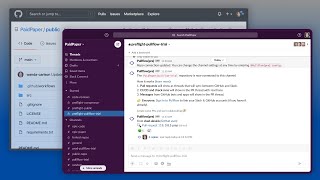
YouTube returned 6 videos for “Pullflow”, and we withheld 5: 5 could not be judged, because “Pullflow” is a single word that other videos use for other things. Showing the 1 we can prove is about Pullflow.
Official links
Tools that pair well with Pullflow
Common stack mates teams adopt alongside Pullflow, with the specific reason each pairing earns its keep.
GitHub Copilot
GitHub Copilot is an AI coding agent that completes code, reviews pull requests, and runs Copilot, Claude, and Codex agents inside GitHub
CodeRabbit
AI code review that reviews, triages, and secures every pull request your team ships.

Optibot
Optibot reviews every pull request with full multi-repo codebase context, then fixes the CI failures it finds.
Featured Head-to-Head Comparisons
Pullflow vs Locus Robotics
Locus Robotics and Pullflow serve entirely different domains: Locus addresses physical warehouse automation for high-volume fulfillment, while Pullflow streamlines code review and PR management for software teams. Your choice depends on whether you need robots to pick items or an AI to sync pull requests. If you run a warehouse, Locus is the only option; if you're a developer, Pullflow is a no-brainer for reducing context switching.
Pullflow vs Presto Voice
PullFlow and Presto Voice serve completely different markets—PullFlow for engineering teams wanting to centralize PR workflows across GitHub, Slack, and VS Code; Presto Voice for QSR chains automating drive-thru orders. Choose PullFlow if you're a developer seeking to reduce context switching with AI-augmented code review. Choose Presto Voice if you run a multi-location quick-service restaurant aiming to boost revenue via voice AI upselling, especially with recent adoption by Dairy Queen.
Pullflow vs Truleo
Choose Truleo if you're a law enforcement agency drowning in siloed data and need automated case leads; choose Pullflow if you're a development team wanting to streamline GitHub PRs across Slack and VS Code. These tools serve completely different domains (public safety vs software engineering) and should not be compared directly beyond understanding their distinct purposes.
Alternatives to Pullflow
View allGitHub Copilot
GitHub Copilot is an AI coding agent that completes code, reviews pull requests, and runs Copilot, Claude, and Codex agents inside GitHub
CodeRabbit
AI code review that reviews, triages, and secures every pull request your team ships.

Frequently Asked Questions
Categories
Used Pullflow? Help shape our editorial sentiment research.