
Qube Money
Qube+ is an intentional spending app that turns your bank balance into digital cash envelopes you fund before you buy.
Qube+ makes sense at $14/mo (or $10.50/mo annual) if you'll actually commit to Pre-Qubing at checkout — that habit is what keeps the qubes honest. If you want software to categorize for you, YNAB or EveryDollar fits better, since Qube+ treats Auto-Qube as a fallback. The real draw is that it layers over your existing bank and up to 10 credit cards via Plaid, so you keep your rewards and never switch banks.
Verified 3d ago · liveness 68/100 · cite: rightaichoice.com/tools/qube-money
- Individuals who want real-time spending awareness without switching banks
- Couples sharing one checking account who want to plan together via the companion account
- Envelope-budgeting fans who want a digital version of cash stuffing
- Credit card users who want to stay mindful without giving up rewards
- People who want an all-in-one bank account — Qube+ is not a bank and does not issue a card
- Users who want fully automated categorization with no manual input, since Auto-Qube is the fallback
- Households with more than one checking account — the connection is limited to one
We scan live Reddit threads, YouTube comments, X posts, G2 reviews and other communities — and hand you an honest verdict in under a minute.
- Honest verdict, not marketing
- Real pros & cons from real users
- Attributed quotes with receipts
3 free scans · no card needed
Skip Qube+ if you want software to categorize your spending for you automatically — the Pre-Qubing habit at checkout is the whole point, and Auto-Qube is only a backup.
If you don't add a payment method, transaction syncing pauses when the 15-day trial ends and resumes only once a card is on file.
Qube+ Premium at $14/mo (or $10.50/mo billed annually at $126) and Family at $21/mo (or $15.75/mo billed annually at $189) sit in YNAB territory for individuals and couples — cheaper than a full-fledged budgeting suite plus manual envelope coaching, and more expensive than a free spreadsheet. Family is the right tier once you want kid accounts, since Premium has no kid seats.
In short
Qube Money — Qube+ is an intentional spending app that turns your bank balance into digital cash envelopes you fund before you buy. Best for Individuals who want real-time spending awareness without switching banks, Couples sharing one checking account who want to plan together via the companion account, Envelope-budgeting fans who want a digital version of cash stuffing. Plans from $10.5/mo.
What's new in Qube Money
Checked yesterdayAcross the latest 1 update: 1 launch.
What people actually say about Qube Money — is it worth it?
We ran a structured research pass across product reviews, community discussions, and post-purchase forum threads to surface the patterns vendors won't publish themselves. Below: the recurring strengths, the hidden costs people mention most, and the cohort that consistently regrets adopting this tool.
25 mentions across 4 sources (Hacker News, Product Hunt, App Store, Lemmy) · researched Jul 3, 2026.
Average across the 4 sources that answered — each source counts once, not each post.
- +Pre-Qubing lets you record purchases instantly, updating category balances in real-time.
- +Links to existing bank accounts via Plaid – no need to switch banks.
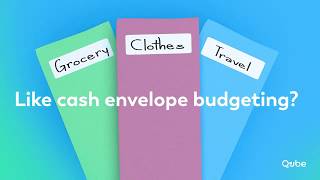
- +Digital envelopes (qubes) replace cash envelope systems effectively.
- +Unlimited qubes for Bills, Spend, and Goals – flexible categories.
- +Works with credit cards, so users can keep earning rewards.
- −Lost banking partner – app is currently paused with no timeline to resume.
- −Users report thousands of dollars missing with no recourse or support.
- −Customer support is unresponsive; tickets go unanswered for months.
- −No way to plan future months on mobile – only works on desktop.
- −App has been buggy and unpolished, even during beta period.
- • Users paid for premium membership but lost access to money and service
Viability Score
How well maintained and how widely used is Qube Money? Built from what the vendor actually publishes (docs, changelog, tutorials, integrations, pricing), whether the site is live, and how much real users discuss it. How we calculate this
Last calculated: October 2026
How we score →Key Features
- Pre-Qubing: record a purchase at checkout so qube balances update in real time
- Unlimited digital envelopes (qubes) for Bills, Spend, and Goals
- Auto-Qube automatically matches purchases to your plan when you don't Pre-Qube
- Smart Setup powered by Qube Intelligence to generate a spending plan
- CSV import for building a spending plan from existing data
- Guided template for building a spending plan manually
- Secure checking account connection via Plaid (one account)
- Link up to 10 credit cards; unlimited on Qube+ Premium
- Read-only account access: Qube+ does not hold or move your funds
- Qube+ does not issue a spending card
- Qube balances reflect your spending plan, not your bank balance
- Shared companion account for a spouse or partner on Premium
- Family plan: up to 5 kid accounts with unlimited qubes and linked cards
- Parent visibility into each kid account on Family
- Qube Stories section with real spending and credit card examples
About Qube Money
Qube+ is a standalone intentional spending app built around a method Qube Money calls Qubing: instead of staring at one bank balance, you sort money into digital envelopes (qubes) for bills, spending, and goals so you know what each dollar is for before you spend it. It's aimed at individuals, couples sharing a checking account, and families who want kids on a visible plan. Qube+ connects through Plaid to the checking account and credit cards you already use, so your money stays at your bank. The vendor states plainly that Qube+ is not a bank, does not hold or move your funds, and does not issue a spending card. You can connect one checking account and up to 10 credit cards. The core habit is Pre-Qubing: you record a purchase at the moment you make it so your qube balances update in real time. When you forget, Auto-Qube matches purchases to your plan. You can build the initial plan with Smart Setup (powered by Qube Intelligence), a CSV import, or a guided template. Pricing has two tiers. Premium runs $14/month or $10.50/month billed annually ($126) and adds a shared companion account for a spouse or partner plus unlimited linked credit cards. Family runs $21/month or $15.75/month billed annually ($189) and layers on up to five kid accounts, each with unlimited qubes, linked cards, and parent visibility. Both open with a 15-day free trial that requires no credit card. Qube+ sits closest to envelope-method tools like YNAB and EveryDollar, but the difference is the moment of decision: Qube+ wants you to fund and record at checkout rather than categorize after the fact.
Behind the Verdict
The promise of Qube+ is narrow on purpose: know what your money is for before you spend it. Most budgeting apps are reactive — they show you where money went. Qube+ pushes the decision forward to the moment of purchase, and that's the whole product. We'd reach for this when the problem isn't tracking but hesitation at checkout: you have money, you just don't know if it's already spoken for. Pre-Qubing is the make-or-break habit. Record the purchase as you make it and your qube balances update in real time, so the number you see reflects your plan, not your bank balance. Skip it consistently and you're relying on Auto-Qube, which is a cleanup crew, not the headline feature. If you won't log purchases at the register, this app will feel like extra work. The setup options are reasonable for a young product: Smart Setup powered by Qube Intelligence, a CSV import, or a guided template. None of that is unusual, and none of it is the selling point. What actually differentiates Qube+ is the checkout-time funding loop plus the fact that your money never leaves your bank. Compared to YNAB or EveryDollar, the tradeoff is philosophy. Envelope-to-the-cent users often prefer YNAB's maturity and ecosystem, and auto-categorization fans will be happier with EveryDollar. Qube+ wins if you value staying with your current bank and credit cards — it connects one checking account and up to 10 cards via Plaid, so rewards stay intact. It is not a bank, doesn't hold your money, and doesn't issue a card. If you wanted a replacement bank, this isn't it. Households should note the tier math. Premium at $14/mo (or $126 annually) includes one shared companion account for a spouse or partner — genuinely useful for couples on one checking account. Family at $21/mo (or $189 annually) adds up to
Researching Qube Money? Get your full AI stack in 60 seconds.
Free, no signup — tell us your goal and get tools matched to your budget & existing stack.
Real-world workflow fit
Concrete scenarios for the personas Qube Money actually fits — and what changes day-one when you adopt it.
Connect one checking account and up to 10 credit cards through Plaid, then build qubes for bills, groceries, dining, and a savings goal using Smart Setup.
Outcome: Before paying at a restaurant, open the dining qube, Pre-Qube the amount, and see instantly whether the purchase dips into grocery money.
Subscribe to Premium for the shared companion account, invite a spouse or partner, and split qubes between joint bills and each person's discretionary spend.
Outcome: Both partners Pre-Qube at checkout into the same plan, so neither has to ask whether the money was spoken for.
Upgrade to the Family tier, open up to five kid accounts each with unlimited qubes and linked cards, then set qubes for each child.
Outcome: Parents see every kid account activity, and kids Pre-Qube their own purchases so they learn to check what's available before they spend.
Use Cases
- Pre-Qube a grocery purchase at checkout to see the remaining grocery budget instantly.
- Build qubes for monthly bills, discretionary spend, and savings goals before payday.
- Link your checking account and up to 10 credit cards to see all spending in one plan.
- Check a restaurant qube balance before paying so you don't dip into grocery money.
- Couples share one Premium companion account and align spending on joint goals.
- Parents give kids Qube+ Family accounts with their own qubes and parent visibility.
- Use Auto-Qube to keep your plan current on purchases you forget to log.
- Import a CSV or use Smart Setup to build a first spending plan without spreadsheets.
Limitations
- Qube+ is a budgeting overlay: it links to your existing bank accounts and credit cards via Plaid for read-only access and does not hold or move your money.
- It is not a bank, does not issue a spending card, and amounts shown in Qube+ reflect your spending plan, not your bank balance.
- The system depends on you Pre-Qubing purchases at the moment you make them; Auto-Qube is a backup, not a replacement for that habit.
- Only one checking account can be connected, so households with multiple checking accounts cannot model every dollar.
- The free trial lasts 15 days with no credit card required; if you do not add a payment method, transaction syncing pauses when the trial ends.
as of 2026-10-09
Verification history
We have re-verified Qube Money 8 times since . Each pass re-reads the vendor's own pages and re-checks every listed field against that evidence; passes where nothing had changed are marked as such.
- — re-verified summary, description, our verdict, our analysis, pricing model, pricing tiers, features, integrations, who it suits, who should skip it
- — re-verified summary, description, our verdict, our analysis, pricing model, pricing tiers, features, integrations, who it suits, who should skip it
- — re-verified summary, description, our verdict, our analysis, pricing model, pricing tiers, features, integrations, who it suits, who should skip it
- — re-verified summary, description, our verdict, our analysis, pricing model, pricing tiers, features, integrations, who it suits, who should skip it
- — re-checked, vendor evidence unchanged
- — re-checked, vendor evidence unchanged
Showing the 6 most recent of 8 verification passes.
Free to cite with attribution — this page re-verifies continuously.
12-month cost
Project the real annual outlay, including the implied monthly cost when only an annual tier is published.
Vendor list price only. Add-on usage, seat overages, and contract minimums are surfaced under Hidden costs & gotchas.
Plans compared
For each published Qube Money tier: who it actually fits, and what it adds vs. the previous tier. Cross-reference the cost calculator above for projected annual outlay.
Premium
$14/mo
Ideal for
A solo budgeter or a couple sharing one checking account who wants unlimited qubes, a shared companion account, and unlimited linked credit cards.
What this tier adds
Starting tier at $14/mo: unlimited qubes, one checking account via Plaid, plus the shared companion account and unlimited linked credit cards.
Premium (Annual)
$10.50/mo ($126 paid annually)
Ideal for
Same individual or couple who has already decided Qube+ sticks and wants the 25% saving by paying $126 up front.
What this tier adds
Identical to Premium at $10.50/mo billed annually instead of $14/mo month-to-month — the 25% discount is the only change.
Family
$21/mo
Ideal for
A household with up to five kids who each need their own qubes and linked cards, plus parent visibility into every kid account.
What this tier adds
Adds up to five kid accounts with unlimited qubes and unlimited linked credit cards each, plus parent visibility — on top of everything in Premium.
Family (Annual)
$15.75/mo ($189 paid annually)
Ideal for
The same family once they know Qube+ is their system and wants the 25% saving by paying $189 up front.
What this tier adds
Identical to Family at $15.75/mo billed annually instead of $21/mo month-to-month — the 25% discount is the only change.
Where the pricing makes sense
The company stage and team size where Qube Money's pricing actually pencils out — and where peers do it cheaper.
Qube+ Premium at $14/mo (or $10.50/mo billed annually at $126) and Family at $21/mo (or $15.75/mo billed annually at $189) sit in YNAB territory for individuals and couples — cheaper than a full-fledged budgeting suite plus manual envelope coaching, and more expensive than a free spreadsheet. Family is the right tier once you want kid accounts, since Premium has no kid seats.
Setup time & first value
How long it actually takes to get something useful out of Qube Money — broken out by persona, not the marketing-page minute.
Solo users typically reach first value in one sitting: create the account, connect one checking account and credit cards through Plaid, and let Smart Setup or a CSV import draft the plan. Couples add a few minutes to invite the companion. Families add time for each kid account — up to five invites, each with its own qubes and linked cards.
Switching to or from Qube Money
How to bring data in from common predecessors and how to get it back out — written for the switcher, not the buyer.
- →From YNAB: rebuild category groups as qubes for bills, spend, and goals, then Pre-Qube at checkout instead of categorizing after the fact.
- →From EveryDollar: import your existing line items as a CSV or recreate them with the guided template, keeping the same envelope structure.
- →From a spreadsheet: use CSV import to seed qubes, then rely on Smart Setup to fill in gaps before the first payday.
- →From cash envelopes: connect the checking account and credit cards you already use, then fund digital qubes instead of withdrawing cash.
- ↗To YNAB: export your qube targets and rebuild them as category groups if you want automated categorization rather than Pre-Qubing at checkout.
- ↗To EveryDollar: recreate your qube amounts as budget lines if you want a lighter manual budgeting flow.
- ↗To a spreadsheet: log qube balances each month if you'd rather not pay the $14/mo Premium subscription.
Integrations
Resources & Guides
Tutorials & Learning


Official links
Featured Head-to-Head Comparisons
Qube Money vs Cryptohopper
If you want to automate crypto trading with AI and copy strategies, Cryptohopper is the clear choice. If you need real-time envelope budgeting linked to your existing bank account without moving money, Qube Money is purpose-built. They solve completely different problems — pick based on whether you need to trade or budget.
Qube Money vs Transfix
These tools solve entirely different problems. Transfix is a specialized TMS for freight brokers needing AI-powered pricing and workflow automation; Qube Money is a consumer budgeting app for envelope-style spending control. Choose based on your domain: logistics operations or personal finance.
Qube Money vs Bitsgap
Choose Bitsgap if you want automated crypto trading across exchanges with bots and AI. Choose Qube Money if you need a real-time envelope budgeting system linked to your existing bank accounts. They serve completely different financial needs, so pick based on whether you're investing or budgeting.
Popular in Personal Finance & Budgeting

Boldin
Boldin pairs a deep DIY retirement planner with Boldin AI that answers questions and edits your plan.

Origin
Origin is an SEC-regulated AI financial advisor that syncs your accounts, builds a budget, and tells you what money move to make next.

Betterment
Betterment pairs automated investing and tax-loss harvesting with high-yield cash, IRAs, and a Solo 401(k) for long-term savers.
Frequently Asked Questions
Categories
Best-of guides
Topics
Used Qube Money? Help shape our editorial sentiment research.