Quilter is live · pricing not published · last verified 26 Oct 2026 · viability healthy

Quilter
Physics-driven AI that automates PCB placement and routing, generating hundreds of candidate boards in hours.
Quilter is one of the few hardware AI products publishing production numbers instead of a demo reel — 428 quoted hours becoming 38.5 hours of cleanup is on the site, and Tony Fadell is on the record calling it a paradigm shift. The pay-per-unrouted-pin model rewards teams who pre-route RF, fan-outs and high-voltage work: those pins don't get billed. Two things to check before you commit budget: your board's density, and your via types — through-vias only as of the May 31, 2026 changelog, with
Verdict generatedVerified 5d ago · liveness 80/100 · cite: rightaichoice.com/tools/quilter
- PCB designers with a layout backlog who want hundreds of candidates generated overnight
- R&D managers clearing board bring-up without adding headcount
- Semiconductor and robotics teams iterating on IC evaluation and validation boards
- Consumer electronics teams testing a 4-layer and a 6-layer stackup in parallel
- RF-heavy or exotic mixed-signal designs where the routing itself is the hard engineering problem
- HDI boards that depend on blind and buried vias today — through-vias only as of May 31, 2026
- Teams unwilling to put a real board through a 2-to-5 iteration loop to evaluate results
We scan live Reddit threads, YouTube comments, X posts, G2 reviews and other communities — and hand you an honest verdict in under a minute.
- Honest verdict, not marketing
- Real pros & cons from real users
- Attributed quotes with receipts
3 free scans · no card needed
Skip Quilter if your board needs blind or buried vias today, if routing the RF or exotic mixed-signal sections is itself the hard problem, or if you want a drop-in auto-router that leaves your existing workflow untouched.
Uploading a board with most pins unrouted sets your bill — pre-routing RF nets, BGA fan-outs and high-voltage sections before upload is what keeps the pin count, and the price, down.
Per-project pricing keyed to unrouted pins fits teams that lay out boards in bursts rather than continuously — you buy capacity when you have projects and skip the annual seat license that ECAD and legacy auto-router vendors charge whether you use them or not. It is aimed at funded hardware teams with a real backlog; a solo hobbyist comparing against a free KiCad routing script is not the buyer, and a large defense program may prefer self-hosted deployment even at higher operational overhead.
In short
Quilter — Physics-driven AI that automates PCB placement and routing, generating hundreds of candidate boards in hours. Best for PCB designers with a layout backlog who want hundreds of candidates generated overnight, R&D managers clearing board bring-up without adding headcount, Semiconductor and robotics teams iterating on IC evaluation and validation boards. Pricing not published.
No head-to-head comparison for Quilter yet — the alternatives below are the closest matches we list.
What is Quilter?
Quilter — Physics-driven AI that automates PCB placement and routing, generating hundreds of candidate boards in hours. Best for PCB designers with a layout backlog who want hundreds of candidates generated overnight, R&D managers clearing board bring-up without adding headcount, Semiconductor and robotics teams iterating on IC evaluation and validation boards. Pricing not published.
Quilter is physics-driven AI that automates PCB placement and routing — the layout work that usually sits on a designer's backlog for weeks. You prepare the design in your own ECAD tool (schematic, board outline, fixed components), upload it, and the engine uses reinforcement learning to explore thousands of generated candidate boards, then runs physics validation on every trace it draws. First candidates often land within the first hour; the vendor says full fab-ready designs come back in under four hours, and its own comparison puts 428 hours of quoted manual layout against 38.5 hours of human cleanup with Quilter. It fits semiconductor, robotics, consumer electronics, and aerospace/defense teams that already have layout talent and want it pointed at the interesting work. Output is native to Altium, Cadence Allegro, Siemens Xpedition, and KiCad — no proprietary format — and every project includes unlimited iterations, parallel jobs (run a 4-layer and a 6-layer stackup overnight), 10% BOM flexibility, and guided onboarding with Quilter's engineers on your first board. Deployment is either Quilter's managed AWS (SOC 2 Type 2, isolated workspace) or self-hosted in your own cloud with data residency control. The workflow is deliberately unmagical: define design context (stackup, constraints, circuit intent), review candidates, tweak in your ECAD tool, resubmit. Most boards go through 2 to 5 cycles. You can also pre-route the hard parts — RF nets, BGA fan-outs, high-voltage sections — and those pins aren't charged, so the pricing follows what Quilter actually has to compile. Pricing is per project, keyed to the unrouted pin count at upload, not per seat and not an annual license. Against legacy auto-routers, which chase geometry alone, Quilter treats placement and routing as one problem; against hiring another PCB designer, it clears the backlog with the team you already have.
Key features
- Automated PCB placement and routing via reinforcement learning
- Generates hundreds of candidate boards in hours rather than weeks
- Physics validation on every trace, with checks surfaced to the engineer
- Pricing based on unrouted pins at upload — pre-routed nets are not billed
- Unlimited iterations within a single project at no extra cost
- Parallel jobs: run multiple stackups, floor plans or trace widths at once
- Design context controls for stackup, constraints and circuit intent
- Native output for Altium, Cadence Allegro, Siemens Xpedition and KiCad
- 10% BOM flexibility within the same project before it counts as a new one
- Cloud deployment on Quilter's managed AWS, SOC 2 Type 2 compliant
- Self-hosted deployment in your own cloud with data residency control
- Arbitrary differential-pair impedance targets (shipped 2026-06-30)
- Notes on jobs and projects for team review and annotation (2026-07-31)
- Fabricator Constraints preview drawn to scale against your board
- Guided onboarding on your first board with Quilter's engineering team
Behind the verdict
Where Quilter earns its keep is the backlog, not the clever board. If your constraint is designer hours and boards are queuing up, letting the engine generate hundreds of candidates overnight changes your week — firmware stops waiting, validation starts sooner. We'd reach for it when a team already has layout talent and wants that talent spent on RF, power integrity, and the odd geometry that actually needs a human. When to pass: RF-heavy or exotic mixed-signal designs where the routing is the hard part. This won't replace the engineer who designed the stackup around a specific impedance problem. It also isn't a drop-in swap for a legacy auto-router with zero workflow change — you prepare files, upload, review, and iterate, and most boards take 2 to 5 cycles. The HDI question is still open. As of the May 31, 2026 changelog, Quilter routes through-vias only, and blind and buried via support is in active development. If your current design depends on blind and buried vias, that's a real blocker today, not a footnote. The closest alternative isn't another AI router — it's hiring. A contract designer or an extra head costs you a seat and a ramp, and Quilter costs you per pin. Pre-route your RF section, the high-voltage traces, the BGA fan-outs, and you only pay for pins Quilter actually compiles. For teams laying out boards in bursts, that mix is friendlier than a subscription that bills in the quiet months. Two changelog items worth watching. First, differential pairs: as of June 30, 2026 you can enter any target impedance instead of picking from two dropdown values, and Quilter no longer forces differential impedance to equal twice the single-ended number. Second, voltage drop across power pours entered beta preview on May 31, 2026 — the vendor calls it limited but
Models under the hood
as of 2026-10-31
Limitations
- Quilter routes through-vias only as of the May 31, 2026 changelog; blind and buried vias are in active development and Quilter describes that work as long-running, so HDI boards are not covered yet.
- Clearance constraints imported from ECAD files are BETA and Altium-only.
- Boards with more than 1,000 components or pin density above 20% may exceed current performance.
- Floorplan, arbitrary impedance and voltage-drop-for-power-pours are labelled BETA, with voltage drop described as very early.
- Experimental placement engines now mix into results with [BETA] in their names — the changelog notes they can neglect some of your constraints even when they produce better placements.
- Expect 2 to 5 iterations per project before an engineer signs off.
as of 2026-10-09
Researching Quilter? Get your full AI stack in 60 seconds.
Free, no signup — tell us your goal and get tools matched to your budget & existing stack.
Is Quilter still active?
Quilter is live · pricing not published · last verified 26 Oct 2026 · viability healthy.
Viability score
How well maintained and how widely used is Quilter? Built from what the vendor actually publishes (docs, changelog, tutorials, integrations, pricing), whether the site is live, and how much real users discuss it. How we calculate this
Last calculated: October 2026
How we score →What's new in Quilter
Checked 7 days agoAcross the latest 4 updates: 3 feature updates and 1 changelog entry.
Notes on Jobs and Projects
Quilter added notes on jobs and projects so teams can annotate what changed during review and iteration, visible to coworkers with job access and to Quilter staff who are helping.
Choose any Impedance for Differential Pairs
You can now enter any target impedance for a differential pair instead of choosing from two dropdown values, and Quilter no longer forces differential impedance to equal twice the single-ended impedance.
In Progress: Blind and Buried Vias
Quilter confirmed it currently routes through-vias only and that blind and buried via support is in active development, a long-running project that would unlock HDI boards.
Voltage Drop for Power Pours [Beta Preview]
Quilter began showing voltage drop across power pours in some cases, described by the vendor as limited but promising as a tool and as an input to its pour strategies.
What do users say about Quilter?
What people actually say about Quilter — is it worth it?
We ran a structured research pass across product reviews, community discussions, and post-purchase forum threads to surface the patterns vendors won't publish themselves. Below: the recurring strengths, the hidden costs people mention most, and the cohort that consistently regrets adopting this tool.
ResearchedDiscussed by users across 4 sources (Hacker News, YouTube, Product Hunt, Lemmy) · researched Sep 9, 2026.
Weighted by the 52 posts each of 4 sources contributed.
- +Physics-driven AI automates both placement and routing for complex boards
- +Generated a 843-part Linux computer that booted on first attempt
- +Hundreds of candidate boards generated quickly, enabling faster iteration
- +Pay-per-project pricing avoids expensive per-seat licenses
- +Integrates with Altium, Allegro, Xpedition, and KiCad
- −Independent user reviews are scarce; most discussion is from Quilter's own posts
- −Key features like floorplan and clearance import are in beta, Altium only
- −No blind or buried via support yet, limiting HDI board applicability
- −Not suited for safety-critical or FuSa designs requiring certification
- −Overhyped marketing claims, as it routes from existing schematics only
- • No pricing details published; potential for high costs on large boards
- • Self-hosted deployment may require AWS infrastructure expenses
How we verified this
Every listed fact about Quilter — pricing, features, links, status — is re-read from the vendor's own pages by our verification pipeline and each change is logged with a date; the last pass ran on 26 Oct 2026. Analysis is drafted with AI models and checked against our editorial standards before publishing; see how we verify.
Verification history
We have re-verified Quilter 23 times since . Each pass re-reads the vendor's own pages and re-checks every listed field against that evidence; passes where nothing had changed are marked as such.
- — changed pricing page
- — changed who should skip it, description, features, summary, our verdict, who it suits
- — changed setup time, description, our verdict, switching in, who should skip it, pricing fit, summary, hidden costs, switching out
- — changed who should skip it, description, who it suits, use cases, summary, our verdict, switching out, features, setup time, hidden costs, limitations, pricing fit, switching in
- — changed our verdict, who it suits, description, features, who should skip it, pricing tiers, summary
- — changed pricing page
Showing the 6 most recent of 23 verification passes.
Free to cite with attribution — this page re-verifies continuously.
How much does Quilter cost in 2026?
Quilter: Pricing not published. Pricing last verified 26 Oct 2026.
Where the pricing makes sense
The company stage and team size where Quilter's pricing actually pencils out — and where peers do it cheaper.
Per-project pricing keyed to unrouted pins fits teams that lay out boards in bursts rather than continuously — you buy capacity when you have projects and skip the annual seat license that ECAD and legacy auto-router vendors charge whether you use them or not. It is aimed at funded hardware teams with a real backlog; a solo hobbyist comparing against a free KiCad routing script is not the buyer, and a large defense program may prefer self-hosted deployment even at higher operational overhead.
Has Quilter's pricing changed?
No plan price for Quilter has moved since we began logging in Aug 2026; the pricing page is re-read on every verification pass.
Who should pick Quilter?
Pick Quilter if you are PCB designers with a layout backlog who want hundreds of candidates generated overnight, R&D managers clearing board bring-up without adding headcount, Semiconductor and robotics teams iterating on IC evaluation and validation boards, Consumer electronics teams testing a 4-layer and a 6-layer stackup in parallel.
Look elsewhere if you are RF-heavy or exotic mixed-signal designs where the routing itself is the hard engineering problem, HDI boards that depend on blind and buried vias today — through-vias only as of May 31, 2026, Teams unwilling to put a real board through a 2-to-5 iteration loop to evaluate results, Buyers expecting a drop-in legacy auto-router swap with no change to their workflow.
Skip it if Skip Quilter if your board needs blind or buried vias today, if routing the RF or exotic mixed-signal sections is itself the hard problem, or if you want a drop-in auto-router that leaves your existing workflow untouched.
GeneratedReal-world workflow fit
Concrete scenarios for the personas Quilter actually fits — and what changes day-one when you adopt it.
You finish the schematic and stackup in Altium, pre-route the RF section and BGA fan-outs, then upload the board with notes on what you already handled. Quilter returns hundreds of placement and routing candidates, with the first ones often within the first hour.
Outcome: You review candidates in the morning, pull the best one back into Altium, adjust, and resubmit — landing a fab-ready design in hours of your time instead of the 428 hours a contractor quoted.
You submit a 6-layer and a 4-layer version of the same board as parallel jobs before leaving for the day, each with a different floor plan, and tag the ones you want the team to weigh in on using job notes.
Outcome: Two stackup strategies get compared side by side the next morning without adding headcount, and firmware bring-up starts days earlier than the 4-to-8-week baseline.
You deploy Quilter self-hosted in your own cloud so board data never leaves your infrastructure, then run an IC evaluation board through the same submission and iteration loop as the cloud version.
Outcome: Validation boards that ran on a months-long cycle come back in days while access control, networking and data residency stay entirely in your hands.
Use cases
- Rapid prototyping of test fixtures and harnesses, shaving 4-6 weeks off board bring-up
- Designing IC evaluation boards in hours instead of weeks
- Creating design validation boards in days instead of months
- Routing backplane and interconnect boards in under 24 hours
- Iterating on multiple stack-ups and floor plans for consumer electronics market windows
- Running a 6-layer and a 4-layer version of the same board overnight and comparing candidates in the morning
Setup time & first value
How long it actually takes to get something useful out of Quilter — broken out by persona, not the marketing-page minute.
First board: Quilter's engineering team walks you through submission, circuit comprehension and iteration, so expect a guided session plus your first candidate run — often within the first hour of submission. Subsequent boards: minutes to upload from Altium, Cadence Allegro, Siemens Xpedition or KiCad. Self-hosted deployment adds your own cloud provisioning time before the first upload.
Switching to or from Quilter
How to bring data in from common predecessors and how to get it back out — written for the switcher, not the buyer.
- →From manual layout in Altium: keep the design in Altium, upload for placement and routing, download native results back into the same project.
- →From manual layout in Cadence Allegro: no format conversion needed — Allegro output is native, so the ECAD project stays your system of record.
- →From manual layout in Siemens Xpedition: upload the board, pre-route the sections you want to own, and pull candidates back into Xpedition.
- →From manual layout in KiCad: KiCad output is native, which makes Quilter usable on open-source toolchains without a paid ECAD seat.
- →From a legacy auto-router: expect to change workflow — you define stackup, constraints and circuit intent and review candidates across 2 to 5 iterations instead of accepting one geometric result.
- ↗To manual layout: project files are yours in native ECAD formats, with no proprietary format and no lock-in, so you can take a board back in-house at any point.
- ↗To a legacy auto-router: candidates export into your ECAD tool, so a geometry-only router can still be run on the same board if you prefer that path.
- ↗To a competing AI layout service: output lands in Altium, Cadence Allegro, Siemens Xpedition or KiCad, so the board is portable even though the candidate-generation workflow is not.
- ↗INSUFFICIENT_DATA
Integrations
Resources & guides
- Resourcequilter.ai
Quilter Blog | AI PCB Design Insights, Case Studies & Engineering Guides
Helpful link from quilter.ai
- Resourcequilter.ai
Quilter Blog | AI PCB Design Insights, Case Studies & Engineering Guides
Helpful link from quilter.ai
- Resourcequilter.ai
Changelog
Helpful link from quilter.ai
- Resourcequilter.ai
Enterprise-Grade Support for Mission-Critical Environments
Helpful link from quilter.ai
- Resourcehelp.quilter.ai
Welcome to Quilter
Quilter streamlines PCB design with automated PCB layout, physics checks, and iterative design tools, reducing the time from concept to production.
Tutorials & Learning
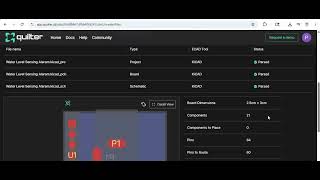
YouTube returned 6 videos for “Quilter”, and we withheld 5: 5 could not be judged, because “Quilter” is a single word that other videos use for other things. Showing the 1 we can prove is about Quilter.
Official links
What are the best Quilter alternatives?
The closest alternatives to Quilter we list are Design.MD, Kombai and Trae. Ranked by direct product-type match, not category overlap.
| Alternative | Pricing | Starts at | Last verified |
|---|---|---|---|
| Design.MD | Freemium | Pricing not published | — |
| Kombai | Freemium | Pricing not published | — |
| Trae | Freemium | Pricing not published | — |
Alternatives to Quilter
View all


Tools that pair well with Quilter
Common stack mates teams adopt alongside Quilter, with the specific reason each pairing earns its keep.

Design.MD
A catalog of 550+ DESIGN.md files that hand your AI coding agent real brand colors, type, spacing and component reasoning.

Kombai
Kombai is an AI design engineer that generates standout UI code matching your repo's components, tokens, and hooks.

Trae
Trae is a ByteDance AI coding IDE with autonomous SOLO cloud agents, plus TraeWork for design and non-code work.
Frequently asked questions
Categories
Best-of guides
Topics
Used Quilter? Help shape our editorial sentiment research.