
React Doctor
React Doctor is a deterministic React linter with cross-file analysis, CI PR gating, and autofix.
If AI agents touch your React code, React Doctor is one of the few linters that earns a place in CI. Its cross-file checks for effect traps, prop drilling, and repeated JSX catch what agents generate, and changed-scope mode means reviewers see only what the PR introduced. The 0.9.14 release cut large-repo scan times 2.4–5.5x and quieted 33 low-value rules, so the noise complaint is mostly addressed. Teams without agents, or on Vue or Angular, can skip it and stay on plain ESLint.
Verified 14d ago · liveness 80/100 · cite: rightaichoice.com/tools/react-doctor
- React teams running AI coding agents (Codex, Copilot) that ship faster than reviewers can vet
- Engineering orgs wanting a CI gate that reports only issues introduced by each PR
- Maintainers of large React apps with prop drilling, effect traps, and duplicated JSX
- Teams already on ESLint or oxlint that want cross-file analysis layered on top
- Vue, Angular, or Svelte codebases — it only understands React projects
- Teams looking for a test runner or logic-error detection; this is a linter
- Repos with almost no churn where a plain ESLint config already covers the rules that matter
We scan live Reddit threads, YouTube comments, X posts, G2 reviews and other communities — and hand you an honest verdict in under a minute.
- Honest verdict, not marketing
- Real pros & cons from real users
- Attributed quotes with receipts
3 free scans · no card needed
Skip React Doctor if your codebase isn't React — it doesn't understand Vue, Angular, or Svelte — or if your repo barely churns and a hand-tuned ESLint config already flags the effects and prop-drilling patterns you care about.
The free tier is personal use only, so commercial use triggers the Team plan at $30/mo once your team starts shipping through CI.
Free for personal use at $0/mo; Team is $30/mo for a whole team's commercial use, which sits below per-seat enterprise linters but above free ESLint plus your existing CI minutes. Solo developers fit the free tier; agencies and product teams need Team; regulated orgs needing custom rules and data-use terms go Enterprise.
In short
React Doctor — React Doctor is a deterministic React linter with cross-file analysis, CI PR gating, and autofix. Best for React teams running AI coding agents (Codex, Copilot) that ship faster than reviewers can vet, Engineering orgs wanting a CI gate that reports only issues introduced by each PR, Maintainers of large React apps with prop drilling, effect traps, and duplicated JSX. Free to start; paid plans from $30/mo.
What's new in React Doctor
Checked 7 days agoAcross the latest 1 update: 1 community discussion.
What people actually say about React Doctor — is it worth it?
We ran a structured research pass across product reviews, community discussions, and post-purchase forum threads to surface the patterns vendors won't publish themselves. Below: the recurring strengths, the hidden costs people mention most, and the cohort that consistently regrets adopting this tool.
17 mentions across 3 sources (Hacker News, GitHub, Lemmy) · researched Jul 3, 2026.
Average across the 3 sources that answered — each source counts once, not each post.
- +Catches anti-patterns like unnecessary useEffects and prop drilling.
- +Cross-file analysis detects issues ESLint can't find.
- +Health score provides a quick quality overview.
- +Inline PR comments with fix suggestions improve code review.
- +Blocks PRs on regressions via required status checks.
- −Virtually no community reviews or testimonials to validate claims.
- −Only CLI and GitHub Action—no IDE integration.
- −51 open issues may signal bugginess or slow support.
- −Cross-file analysis might be slow on large codebases.
- −Limited to React—not for Vue, Angular, etc.
- • No hidden costs reported.
Viability Score
How well maintained and how widely used is React Doctor? Built from what the vendor actually publishes (docs, changelog, tutorials, integrations, pricing), whether the site is live, and how much real users discuss it. How we calculate this
Last calculated: October 2026
How we score →Key Features
- Cross-file analysis for React state and effect anti-patterns
- Detects derived state via useEffect and render loops
- Flags prop drilling and suggests Context extraction
- Finds repeated JSX subtrees that belong in shared components
- Measures complex React components and hooks
- Security risk detection across React code
- Performance regression detection with fix suggestions
- Dependency supply-chain checks
- Accessibility error detection
- Health score for React codebases
- Autofix for certain rules plus copyable fix prompts
- Inline PR comments with explanations and suggested fixes
- Blocks merges on regressions via required CI status checks
- Changed-scope scan compares branch against merge base
- Respects .gitignore and adopts ESLint/oxlint JSON config
About React Doctor
React Doctor is a deterministic linter built for React codebases. Run it from your project root with `npx react-doctor@latest` and it detects your framework, React version, and rule set, then prints a health score alongside every issue it found — sorted so you handle security risks and performance regressions before lower-risk diagnostics. It supports React, Next.js, Vite, TanStack, React Native, Expo, and Preact projects. Where it earns its keep is cross-file reasoning: derived state via useEffect, render loops, prop drilling you could replace with Context, plus repeated JSX subtrees that likely belong in a shared component. That last category matters for codebases growing sideways — React Doctor measures complex components and flags duplicated UI concepts, churn ESLint doesn't hunt across files. It also pulls dependency supply-chain checks and accessibility findings. The shipped workflow targets teams running AI coding agents — "Your agent writes bad React. This catches it." Install it for your coding agent (Claude Code and Cursor hooks run once at the end of an agent turn), scan after React changes, then add the same scan to CI with `npx react-doctor@latest ci install`, which writes `.github/workflows/react-doctor.yml` and reports new PR findings without blocking merge by default. Use `react-doctor ci config` for a harder gate; `--scope changed` compares your branch against its merge base and reports only new diagnostics. Against ESLint the differentiator is cross-file analysis and CI gating, not raw rule volume — it respects .gitignore, adopts your existing ESLint or oxlint JSON config, and ships standalone oxlint and ESLint plugins so it sits beside the linter you already run. The newer React Bench surface compares how different models perform on React tasks.
Behind the Verdict
React Doctor's edge is that it reasons across files rather than line by line. Derived-state-via-useEffect, render loops, prop drilling replaceable with Context, and repeated JSX subtrees are exactly the patterns a single-file linter can't see, and they're also the patterns AI coding agents produce most reliably. Install it for Claude Code or Cursor and it runs once at the end of an agent turn, including untracked files; add `npx react-doctor@latest ci install` and new PR findings land as inline comments without blocking merge by default. Switch to `ci config` when you want the gate to actually fail. The 0.9.14 changelog is a maturity signal: warm oxlint workers reused across projects, project discovery overlapped with linting, 33 low-value rule IDs retired, and 26 cleanup/migration/performance/security-review rules made opt-in. React Compiler detection now handles `react({ compiler: true })` in its aliased and default-export forms, and monorepo nested projects are checked against their own framework settings rather than the root's. Those are the details that decide whether a linter survives in a large repo. Weaknesses are honest. It's React-only — Vue, Angular, and Svelte are out of scope. It's a linter, not a test runner; it won't find logic errors. Autofix covers some rules, not all, with copyable fix prompts handling the rest. The free tier is personal use only; commercial use needs Team at $30/mo, and custom rules are Enterprise-only. Telemetry is on by default with traces and metrics going to Axiom and Sentry for crash reporting — set REACT_DOCTOR_NO_TELEMETRY to opt out. If your repo barely changes, a tuned ESLint config covers most of this. If agents are committing React weekly, the changed-scope gate is the highest-value 10 minutes of CI setup you'll do.
Researching React Doctor? Get your full AI stack in 60 seconds.
Free, no signup — tell us your goal and get tools matched to your budget & existing stack.
Real-world workflow fit
Concrete scenarios for the personas React Doctor actually fits — and what changes day-one when you adopt it.
You run `npx react-doctor@latest` in your project root, get a health score with effect-trap and repeated-JSX findings, re-scan with `--verbose --scope changed` while fixing the error diagnostics first.
Outcome: You fix derived-state and render-loop issues before they compound, without wiring up any CI yet.
You install the coding-agent skill so Claude Code or Cursor runs a scan at the end of each agent turn, then run `npx react-doctor@latest ci install` to write `.github/workflows/react-doctor.yml` with PR comments reporting new findings without blocking merge.
Outcome: Every agent PR gets a maintainability and security review on changed files, and reviewers see only what the branch introduced.
You run `react-doctor ci config` to raise the block severity, keep `--scope changed` comparing against the merge base, and add the resulting check as a required status check.
Outcome: PRs that lower code quality fail the gate while pre-existing debt in untouched files stays out of the way.
Use Cases
- Run npx react-doctor@latest in a React project to get a health score and a severity-sorted issue list.
- Integrate as a GitHub Action so PRs get inline comments on issues found in changed files.
- Set up a required status check to block PRs that introduce regressions.
- Use the oxlint or ESLint plugin to bring React Doctor rules into an existing lint command.
- Scan before every release to catch security risks and performance regressions.
- Install the coding-agent skill so Claude Code or Cursor scans after React changes.
- Compare model performance on React tasks with React Bench.
Models Under the Hood
as of 2026-10-02
Limitations
- React Doctor is a deterministic linter limited to React and its frameworks (React, Next.js, Vite, TanStack, React Native, Expo, Preact); it surfaces correctness, performance, security, accessibility, and maintainability issues but is not a test suite.
- Default maintainability findings focus on complex React functions and repeated JSX, while whole-project rules for unused files, exports, types, dependencies, and import cycles must be opted into.
- Autofix covers only certain rules; remaining findings ship with copyable fix prompts.
- It complements rather than replaces existing ESLint or oxlint setups.
as of 2026-09-23
Verification history
We have re-verified React Doctor 8 times since . Each pass re-reads the vendor's own pages and re-checks every listed field against that evidence; passes where nothing had changed are marked as such.
- — re-verified summary, description, our verdict, our analysis, pricing model, pricing tiers, features, integrations, who it suits, who should skip it
- — re-verified summary, description, our verdict, our analysis, pricing model, pricing tiers, features, integrations, who it suits, who should skip it
- — re-verified summary, description, our verdict, our analysis, pricing model, pricing tiers, features, integrations, who it suits, who should skip it
- — re-verified summary, description, our verdict, our analysis, pricing model, pricing tiers, features, integrations, who it suits, who should skip it
- — re-verified summary, description, our verdict, our analysis, pricing model, pricing tiers, features, integrations, who it suits, who should skip it
- — re-verified summary, description, our verdict, our analysis, pricing model, pricing tiers, features, integrations, who it suits, who should skip it
Showing the 6 most recent of 8 verification passes.
Free to cite with attribution — this page re-verifies continuously.
12-month cost
Project the real annual outlay, including the implied monthly cost when only an annual tier is published.
Vendor list price only. Add-on usage, seat overages, and contract minimums are surfaced under Hidden costs & gotchas.
Plans compared
For each published React Doctor tier: who it actually fits, and what it adds vs. the previous tier. Cross-reference the cost calculator above for projected annual outlay.
Open Source
$0/mo
Ideal for
Solo React developers and open-source maintainers scanning a personal project locally or in a public repo.
What this tier adds
Starting tier: free CLI via npx, cross-file analysis, health score, and the GitHub Action with inline PR comments.
Team
$30/mo
Ideal for
Commercial React teams that run the scanner in CI and need the gate to actually block regressions.
What this tier adds
Adds commercial-use rights, team-oriented CI gating workflows, PR blocking at your chosen severity, and React Bench model comparisons.
Enterprise
Custom
Ideal for
Regulated orgs needing custom rules, negotiated deployment terms, and specific data-use arrangements.
What this tier adds
Adds custom rules on top of Team plus enterprise deployment, support terms, and custom licensing and data-use arrangements.
Where the pricing makes sense
The company stage and team size where React Doctor's pricing actually pencils out — and where peers do it cheaper.
Free for personal use at $0/mo; Team is $30/mo for a whole team's commercial use, which sits below per-seat enterprise linters but above free ESLint plus your existing CI minutes. Solo developers fit the free tier; agencies and product teams need Team; regulated orgs needing custom rules and data-use terms go Enterprise.
Setup time & first value
How long it actually takes to get something useful out of React Doctor — broken out by persona, not the marketing-page minute.
About 2 minutes to first value: `npx react-doctor@latest` needs no install and prints a score immediately. Coding-agent hooks add roughly 5 minutes. CI setup via `npx react-doctor@latest ci install` writes the GitHub workflow in under 10 minutes, then one PR cycle to confirm the gate behavior.
Switching to or from React Doctor
How to bring data in from common predecessors and how to get it back out — written for the switcher, not the buyer.
- →From ESLint: React Doctor adopts your JSON ESLint config, so you keep your existing rules and layer cross-file analysis on top.
- →From oxlint: install the standalone oxlint plugin to run React Doctor diagnostics inside your existing lint command.
- →From a from-scratch lint setup: run the CLI once to surface security and performance findings, then add the CI workflow.
- ↗To ESLint alone: export React Doctor's adopted config and re-add any cross-file checks you relied on manually.
- ↗To a different linter: run `react-doctor ci config` to relax the gate, then remove the generated GitHub workflow file.
Integrations
Resources & Guides
Tutorials & Learning

【書く前に止める!】AIが書く悪いReactを止める react-doctorが50+エージェントへ事前ルール配布【ゆっくり解説】
ゆっくりテックウォッチ
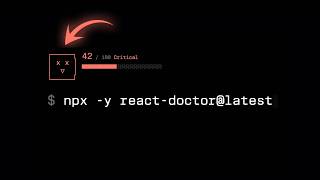
I thought I was a Senior React Dev... until I ran React Doctor.
Better Stack
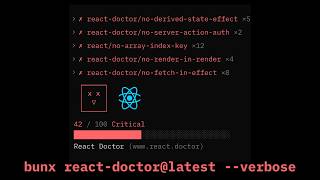
react-doctorでReact.jsの不具合を修正しましょう
TomDoesTech
YouTube returned 6 videos for “React Doctor”, and we withheld 3: 3 did not mention React Doctor. Showing the 3 we can prove are about React Doctor.
Official links
Tools that pair well with React Doctor
Common stack mates teams adopt alongside React Doctor, with the specific reason each pairing earns its keep.

Arbor
Deterministic dependency-graph analysis that shows exactly what a pull request can reach before you merge it

Moderne
Moderne is a deterministic code-change layer that sequences repositories into a Lossless Semantic Tree so transformations land identically everywhere.
Cursor
Cursor is your coding agent for building ambitious software — plan, build, test and ship with AI agents across IDE, CLI, Slack and cloud.
Featured Head-to-Head Comparisons
React Doctor vs Spider Cloud
Spider Cloud and React Doctor solve completely different problems. Choose Spider Cloud if you need to fetch and structure web data for AI pipelines; it's fast, cheap, and integrates with AI frameworks. Choose React Doctor if you develop React code and want a sharp linter that catches subtle bugs and enforces best practices in CI. They are not direct competitors, but rather complementary—one feeds data in, the other ensures code quality out. Your choice depends solely on whether your bottleneck is data acquisition or code maintenance.
React Doctor vs Voyage Ai
Voyage AI and React Doctor solve entirely different problems. Voyage AI is for enterprises needing high-accuracy, domain-specific embedding and reranking models for RAG. React Doctor is a free, deterministic React linter that catches issues AI agents miss. Choose based on your need: embedding infrastructure vs. React code quality.
React Doctor vs Temporal Ai
Choose Temporal AI if you're building fault-tolerant AI agents or multi-step workflows that must survive failures. Choose React Doctor if you need a stricter, React-aware CI step that catches more bugs than ESLint or AI agents. They solve entirely different problems – only compare if your project needs both workflow orchestration and React code quality enforcement.
React Doctor vs Replit Agent
If you need to quickly build and deploy a full-stack app from a prompt, Replit Agent is your tool — it handles generation, hosting, and iteration in one browser. If you already have a React codebase (especially one written by AI) and want to catch security holes, performance regressions, and anti-patterns that ESLint misses, React Doctor is essential. They're complementary: use Replit Agent to create, React Doctor to polish.
Alternatives to React Doctor
View all

Frequently Asked Questions
Categories
Topics
Used React Doctor? Help shape our editorial sentiment research.