Recraft is live · free plan, paid from $10/mo · last verified 25 Oct 2026 · viability healthy

Recraft
AI vector generator that turns prompts into editable SVG files and reusable brand styles
Editable SVG output plus a reusable style derived from your own reference images is still a narrow combination, and the V4.1 Flash line makes iteration cheap enough to use daily. Pick Recraft when the deliverable has to stay scalable or on-brand across a campaign. Skip it if you only ever ship photoreal JPGs, and never run client work on the Free plan — those images belong to Recraft and live in a public gallery.
Verdict generatedVerified 5d ago · liveness 83/100 · cite: rightaichoice.com/tools/recraft
- Graphic designers who need editable SVG assets for branding, packaging, or print
- Embroidery and apparel designers who require true vector output from an AI generator
- Marketers keeping every campaign asset locked to one reusable brand style
- E-commerce sellers producing mockups and print-on-demand artwork
- Anyone planning to use Free-plan output commercially — Recraft owns those images and they're publicly visible
- Teams that only produce photoreal images and never open a vector file
- Designers who need deep Photoshop or Illustrator plugin workflows rather than a browser editor
We scan live Reddit threads, YouTube comments, X posts, G2 reviews and other communities — and hand you an honest verdict in under a minute.
- Honest verdict, not marketing
- Real pros & cons from real users
- Attributed quotes with receipts
3 free scans · no card needed
Skip Recraft if you only need atmospheric raster photos and never touch a vector file — you'd be paying for SVG editability and style consistency you won't use, and Midjourney-style generators cover that ground.
Subscription credits reset each billing cycle and unused ones don't roll over, so a quiet month still costs you the full plan price with nothing banked
Basic at $10/mo is one of the cheaper entry points for commercially licensed AI imagery, well below Midjourney's standard tier and comparable to Ideogram's paid entry. Advanced ($33/mo) and Pro ($60/mo) put Recraft in the same band as Midjourney Pro and Adobe Firefly premium tiers. The real cost comparison is per asset: V2 vectors from $0.022 and V4.1 Design from $0.04 via API.
In short
Recraft — AI vector generator that turns prompts into editable SVG files and reusable brand styles. Best for Graphic designers who need editable SVG assets for branding, packaging, or print, Embroidery and apparel designers who require true vector output from an AI generator, Marketers keeping every campaign asset locked to one reusable brand style. Free to start; paid plans from $10/mo.
No head-to-head comparison for Recraft yet — the alternatives below are the closest matches we list.
What is Recraft?
Recraft — AI vector generator that turns prompts into editable SVG files and reusable brand styles. Best for Graphic designers who need editable SVG assets for branding, packaging, or print, Embroidery and apparel designers who require true vector output from an AI generator, Marketers keeping every campaign asset locked to one reusable brand style. Free to start; paid plans from $10/mo.
Recraft is an AI image generator that also produces editable vector graphics — SVG files you can open and refine rather than flat pixels. Its in-browser Vector Editor handles the cleanup, so icons, illustrations, and typography go straight into branding, packaging, or embroidery without a round trip through Illustrator. The model line is V4.1. Recraft bills V4.1 Flash as the fastest model on the market, and the same generation ships Utility variants tuned for flat, predictable product shots and mockups plus Pro variants aimed at higher-resolution print assets. Beyond photorealism, the platform covers illustration, technically precise 3D, and production-ready graphic design, with design-ready typography rendered inside the output. V4 Styles is the second half of the pitch: drop in reference images and Recraft derives a reusable, editable style — composition, texture, palette, rendering — with no training step. As of September 2026, Recraft Studio also carries three video generation models, so the platform no longer stops at stills. A REST API exposes generation, editing, background removal, inpainting, outpainting, vectorization, upscaling, batch jobs, and async processing, with V2 through V4.1 models available, billed in prepaid API Units. This suits designers and marketers who need assets locked to one brand style and still editable downstream, embroidery and apparel shops that need real vector output, e-commerce sellers building mockups, and developers wiring image pipelines through the API. Against Midjourney-style generators you trade some photographic mood for editability and style consistency — a trade that favors anyone whose deliverable is a file, not a post.
Key features
- Editable vector (SVG) generation with scalable output
- In-browser Vector Editor for refining generated vectors
- V4 Styles: reusable editable style derived from reference images, no training
- Recraft V4.1 Flash, billed by Recraft as the fastest model on the market
- V4.1 Utility variants for flat, predictable product shots and mockups
- V4.1 Pro variants for higher-resolution print assets
- Photoreal image generation that reads as genuinely photographed
- Expressive, colorful illustration generation
- Technically precise 3D rendering with considered composition
- Design-ready typography rendered inside generated images
- Vectorize tool converting PNG or JPG to SVG
- Background removal, replace, and generate-background tools
- Inpainting, outpainting, erase region, and image-to-image editing
- Upscale (crisp or creative) and enhance-details tools
- Three video generation models in Recraft Studio (September 2026)
Behind the verdict
Start with the file format. Most generators hand you a raster image and stop; Recraft hands you an SVG and an editor to fix it in. For a packaging layout, an icon set, or anything headed to an embroidery machine, that difference decides the purchase on its own. Where it bites is depth: refinement centers on Recraft's browser editor, so if your workflow is glued to Photoshop or Illustrator plugins, you're changing habits. V4 Styles is the feature I'd actually test first. Feeding it reference images and getting back a reusable style — no training run, no fine-tune — is how you keep forty campaign assets looking like they came from one studio. In practice that beats chasing a perfect single hero image. The V4.1 line also splits by job. Flash for volume and speed, Utility variants when you want flat, predictable product shots that don't surprise you, Pro variants when the output has to survive print resolution. September 2026 added three video models to Recraft Studio, so short motion is now in scope — worth knowing if a vendor shortlist assumed Recraft was stills-only. Developers should look at the API before the UI. Generation, editing, background removal, inpainting, outpainting, vectorization, upscaling, and batch jobs are all exposed across V2 through V4.1, billed in prepaid API Units that don't expire. That's a cleaner fit for a high-volume pipeline than seat-based subscriptions. Who should pass: teams that only ever produce photoreal imagery and never touch a vector file will pay for capability they don't use. Same for anyone who needs subscription credits to roll over — they reset each billing cycle, and only top-ups (Basic, Pro, Teams) persist. The licensing line matters more than the feature list. Free-plan images are owned by Recraft, publicly visible in
Models under the hood
as of 2026-10-22
Limitations
- Images generated on the Free plan are owned by Recraft, publicly visible in the community gallery, and not licensed for commercial use; paid plans grant full ownership and commercial rights.
- Subscription credits reset each billing cycle and unused credits do not roll over — only separately purchased top-up credits never expire, and top-ups are available on Basic, Pro, and Teams plans (shared across all seats on Teams).
- Credit costs vary by action type and model used, so cost per asset is hard to forecast in advance.
- Refunds are discretionary and limited to payments made within the past 30 days where either no credits have been used since payment or the account has used fewer than 30 credits in total.
as of 2026-10-20
Researching Recraft? Get your full AI stack in 60 seconds.
Free, no signup — tell us your goal and get tools matched to your budget & existing stack.
Is Recraft still active?
Recraft is live · free plan, paid from $10/mo · last verified 25 Oct 2026 · viability healthy.
Viability score
How well maintained and how widely used is Recraft? Built from what the vendor actually publishes (docs, changelog, tutorials, integrations, pricing), whether the site is live, and how much real users discuss it. How we calculate this
Last calculated: October 2026
How we score →What's new in Recraft
Checked 9 days agoAcross the latest 1 update: 1 launch.
What do users say about Recraft?
What people actually say about Recraft — is it worth it?
We ran a structured research pass across product reviews, community discussions, and post-purchase forum threads to surface the patterns vendors won't publish themselves. Below: the recurring strengths, the hidden costs people mention most, and the cohort that consistently regrets adopting this tool.
Researched40 mentions across 5 sources (Hacker News, YouTube, Product Hunt, App Store, Lemmy), 45 more we could not attribute · researched Oct 8, 2026.
Weighted by the 85 posts each of 5 sources contributed.
- +Genuine editable vector/SVG output that stays sharp at any zoom level — the standout feature across all sources
- +In-browser Vector Editor lets designers refine output without exporting to Illustrator
- +V4 Styles learns a consistent look from 1-10 reference images with no training required
- +Design-ready typography rendered inside images, unlike most generators
- +Strong photorealism and illustration quality praised across Product Hunt and YouTube reviews
- −Failed generations still burn credits, and support reportedly never responds to complaints
- −Mobile app is described as barely functional — users recommend the Safari web-app workaround
- −Refund requests are refused even for cancellations made within minutes
- −Mockup features advertised on the website aren't available in the mobile app
- −Onboarding is complicated enough that non-designers report confusion
- • One-time credit purchases can only be made once until the subscription cycle renews, limiting mid-cycle flexibility
- • Failed generations still consume credits, meaning you effectively pay for output you never received
- • No refunds — cancelling after subscribing does not return the money
How we verified this
Every listed fact about Recraft— pricing, features, links, status — is re-read from the vendor's own pages by our verification pipeline and each change is logged with a date; the last pass ran on 25 Oct 2026. Pages mix model-assisted synthesis with human review; see how we verify.
Verification history
We have re-verified Recraft 22 times since . Each pass re-reads the vendor's own pages and re-checks every listed field against that evidence; passes where nothing had changed are marked as such.
- — changed who should skip it, summary, who it suits, description, pricing tiers, features, our verdict
- — changed SSL certificate
- — changed limitations, models, pricing page
- — changed summary, our verdict, switching out, setup time, pricing fit, hidden costs, description, limitations, models, switching in, who should skip it, features, pricing tiers
- — changed our verdict, description, features, integrations, pricing tiers, who should skip it, summary
- — changed link health
Showing the 6 most recent of 22 verification passes.
Free to cite with attribution — this page re-verifies continuously.
How much does Recraft cost in 2026?
Recraft: Free to start; paid plans from $10/mo. Pricing last verified 25 Oct 2026.
Plans compared
Every published Recraft tier, its price as the vendor publishes it, who it fits, and what it adds over the tier below. The 12-month cost projection follows.
| Plan | Price | Billing | Who it's for |
|---|---|---|---|
| Free | Free | — | Someone evaluating whether Recraft's vector output and style controls fit their work before spending anything.Adds: Starting tier: $0 with no commercial license, Recraft-owned output published to the public community gallery, and credits that reset each cycle. |
| Basic | $10/mo | monthly | Solo freelance designer or one-person marketing function doing occasional client or brand work.Adds: Adds full ownership and commercial rights, private generations kept out of the community gallery, top-up credits that never expire, and API access. |
| Advanced | $33/mo | monthly | Working designer shipping regular campaign or brand assets who needs more monthly credits than Basic allows.Adds: Same commercial rights, privacy, top-ups, and API access as Basic at a higher monthly credit allowance and $33/mo. |
| Pro | $60/mo | monthly | High-volume designer or small studio running continuous asset production across several clients.Adds: Steps up to the largest individual monthly credit allowance at $60/mo, keeping the same ownership, privacy, top-up, and API terms. |
| Teams | Custom | quote | A design or marketing team of several seats that wants one shared credit pool and shared top-ups.Adds: Adds shared workspace seats and top-up credits pooled across all seats, on top of the ownership, privacy, and API terms. |
| Enterprise | Custom | quote | Larger organizations that need custom commercial and procurement terms rather than a self-serve seat plan.Adds: Custom contract with custom terms for larger organizations, retaining full ownership, commercial rights, and API access. |
12-month cost
Project the real annual outlay, including the implied monthly cost when only an annual tier is published.
Vendor list price only. Add-on usage, seat overages, and contract minimums are surfaced under Hidden costs & gotchas.
Where the pricing makes sense
The company stage and team size where Recraft's pricing actually pencils out — and where peers do it cheaper.
Basic at $10/mo is one of the cheaper entry points for commercially licensed AI imagery, well below Midjourney's standard tier and comparable to Ideogram's paid entry. Advanced ($33/mo) and Pro ($60/mo) put Recraft in the same band as Midjourney Pro and Adobe Firefly premium tiers. The real cost comparison is per asset: V2 vectors from $0.022 and V4.1 Design from $0.04 via API.
Has Recraft's pricing changed?
No plan price for Recraft has moved since we began logging in Aug 2026; the pricing page is re-read on every verification pass.
Who should pick Recraft?
Pick Recraft if you are Graphic designers who need editable SVG assets for branding, packaging, or print, Embroidery and apparel designers who require true vector output from an AI generator, Marketers keeping every campaign asset locked to one reusable brand style, E-commerce sellers producing mockups and print-on-demand artwork.
Look elsewhere if you are Anyone planning to use Free-plan output commercially — Recraft owns those images and they're publicly visible, Teams that only produce photoreal images and never open a vector file, Designers who need deep Photoshop or Illustrator plugin workflows rather than a browser editor, Creators who need subscription credits to roll over between billing cycles.
Skip it if Skip Recraft if you only need atmospheric raster photos and never touch a vector file — you'd be paying for SVG editability and style consistency you won't use, and Midjourney-style generators cover that ground.
GeneratedReal-world workflow fit
Concrete scenarios for the personas Recraft actually fits — and what changes day-one when you adopt it.
You upload 8 reference visuals from a client's existing brand, save them as a V4 Style, then generate a 24-icon set plus two hero illustrations and refine typography in the browser Vector Editor.
Outcome: A consistent icon and illustration set ships as editable SVGs that drop into Figma, with no per-asset restyling and no Illustrator detour.
You generate flat, front-facing product shots with V4.1 Utility variants and pair them with lifestyle backgrounds for listings and paid social.
Outcome: Listing imagery stays visually consistent across a catalog, and you keep full commercial rights because you're on a paid tier.
You call the REST API with model recraftv4_1_vector for on-demand SVG generation and use inpaint, outpaint, and background removal endpoints through async batch jobs.
Outcome: Vector assets generate server-side in roughly 1.3 seconds per image on V4.1 Flash, at a known per-image API Unit cost.
Use cases
- Generate a 30-icon set in your brand's exact style for a marketing site
- Produce vector illustrations for a SaaS landing page that drop straight into Figma
- Create a custom style from up to 10 reference designs and reuse it across a quarter of campaigns
- Build a programmatic image-generation pipeline using the API for a design tool product
- Generate flat, front-facing product shots and mockups using V4.1 Utility variants
- Design a full brand kit including icons, illustrations, and mockups with consistent typography
- Create product mockups for e-commerce listings with lifestyle backgrounds
- Generate on-brand social media graphics consistently across posts
Setup time & first value
How long it actually takes to get something useful out of Recraft — broken out by persona, not the marketing-page minute.
Solo designer: about 10 minutes to sign in, generate a first image, and open the Vector Editor; another 10–15 to upload reference images and save a V4 Styles preset. Developer: roughly 15 minutes by following the Quickstart, exporting a token, and sending a first cURL request. Teams: add time for seat provisioning and shared top-up credit budgeting.
Switching to or from Recraft
How to bring data in from common predecessors and how to get it back out — written for the switcher, not the buyer.
- →From Midjourney: re-create your recurring looks as V4 Styles from 1–10 reference images instead of prompt-and-reroll.
- →From Adobe Illustrator-only workflows: generate base vectors in Recraft and finish in the browser Vector Editor, exporting SVG when done.
- →From a raster-only generator: run your existing brand assets through Vectorize at $0.01 per image to reach editable SVG.
- →From a bespoke in-house image pipeline: point existing calls at the Recraft REST API and keep the OpenAI Python client via the compatible base URL.
- ↗To Midjourney: expect to lose vector output and saved-style reuse; you gain a different photographic look.
- ↗To Adobe Firefly: move for Creative Cloud integration, but plan for raster-first output rather than editable SVG.
- ↗To an in-house model: export your saved V4 Styles as reference images and rebuild the pipeline on your own inference.
Resources & guides
Tutorials & Learning

Recraftチュートリアル - 2026 | AIと芸術性が融合する場所 | Recraftの使い方
Dan - Smart Tutorials
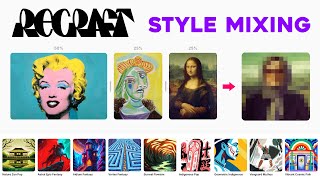
Recraft を使用して一貫したビジュアル スタイルを作成する方法
Yes I'm a Designer
YouTube returned 6 videos for “Recraft”, and we withheld 4: 4 could not be judged, because “Recraft” is a single word that other videos use for other things. Showing the 2 we can prove are about Recraft.
Official links
What are the best Recraft alternatives?
The closest alternatives to Recraft we list are Midjourney, Adobe Firefly and QuiverAI. Ranked by direct product-type match, not category overlap.
| Alternative | Pricing | Starts at | Last verified |
|---|---|---|---|
| Midjourney | Paid | Pricing not published | — |
| Adobe Firefly | Freemium | Pricing not published | — |
| QuiverAI | Paid | Pricing not published | — |
Alternatives to Recraft
View allMidjourney
Midjourney is a subscription AI image generator built for a painterly, art-first look you can repeat across a whole set.
Adobe Firefly
Adobe Firefly is an AI creative studio for generating images, video, and audio with 30+ models in one place.
Tools that pair well with Recraft
Common stack mates teams adopt alongside Recraft, with the specific reason each pairing earns its keep.
Midjourney
Midjourney is a subscription AI image generator built for a painterly, art-first look you can repeat across a whole set.
Adobe Firefly
Adobe Firefly is an AI creative studio for generating images, video, and audio with 30+ models in one place.

QuiverAI
QuiverAI turns text prompts into editable SVG logos, icons, illustrations, and vector animations.
Frequently asked questions
Categories
Best-of guides
Topics
Used Recraft? Help shape our editorial sentiment research.