
Rodin
Rodin generates textured 3D models from text or images with ControlNet spatial precision.
Rodin earns its spot when the silhouette has to match something real — a reference image, a bounding box, a voxel volume — not just when you want filler meshes fast. The three ControlNet modes and region-level Partial Edit are the differentiators, and the free tier's pay-only-when-you-confirm flow lets you test that claim before spending a cent.
Verified 12h ago · liveness 79/100 · cite: rightaichoice.com/tools/rodin
- Indie game devs producing props and environment assets on a short schedule
- 3D artists who need generated geometry to match a reference silhouette, not approximate it
- Product and e-commerce teams turning photos or sketches into 3D views for listings
- Studios wiring text-to-3D and image-to-3D into Blender, Unity, or Unreal via the Rodin API
- AAA pipelines that need production-ready high-poly topology and custom UVs out of the box
- Character work requiring rigging-ready edge flow or vertex-level manual control
- Teams that need generation to run offline or on-premises
We scan live Reddit threads, YouTube comments, X posts, G2 reviews and other communities — and hand you an honest verdict in under a minute.
- Honest verdict, not marketing
- Real pros & cons from real users
- Attributed quotes with receipts
3 free scans · no card needed
Skip Rodin if you need vertex-level mesh precision, rigging-ready edge flow for characters, or offline on-premises generation — its ControlNet controls the silhouette, not the topology.
Every unconfirmed-then-confirmed free-tier generation is billed as a direct credit at $1.50 each, so heavy free-tier experimentation racks up a real bill.
Rodin sits mid-market for AI 3D generation: free to start with pay-per-result credits at $1.50, then Creator at $30/mo billed monthly ($24/mo billed yearly) for a solo artist or indie team shipping a handful of assets a week, and Business at $120/mo billed monthly ($96/mo billed yearly) for studios that need the API, high-poly quads and SSO. Teams producing hundreds of assets a month should compare the Business ceiling against per-seat alternatives before committing.
In short
Rodin — Rodin generates textured 3D models from text or images with ControlNet spatial precision. Best for Indie game devs producing props and environment assets on a short schedule, 3D artists who need generated geometry to match a reference silhouette, not approximate it, Product and e-commerce teams turning photos or sketches into 3D views for listings. Free to start; paid plans from $30/mo.
No head-to-head comparison for Rodin yet — the alternatives below are the closest matches we list.
What people actually say about Rodin — is it worth it?
We scanned public community sources for Rodin on Oct 11, 2026 and could not establish that the discussion we found is about this tool rather than something else sharing its name. Only 1 of the posts we fetched could be positively tied to Rodin. Rather than publish a sentiment score built on the wrong subject, we publish nothing here and re-run the scan.
Viability Score
How well maintained and how widely used is Rodin? Built from what the vendor actually publishes (docs, changelog, tutorials, integrations, pricing), whether the site is live, and how much real users discuss it. How we calculate this
Last calculated: October 2026
How we score →Key Features
- Text-to-3D generation from prompts
- Image-to-3D from a single reference photo or sketch
- Multi-image to 3D from additional views
- 3D ControlNet with bounding box spatial guidance
- 3D ControlNet with voxel mode
- 3D ControlNet with point cloud mode
- Partial Edit to refine selected mesh regions
- Smart Low-Poly optimization for engine-ready assets
- Gen-2.5 model with 5 thinking-effort presets (~4s to ~80s)
- HD Texture and Custom Texture generation with baked normals
- AI Texture Generator, HDRI Generator, and Image Remix
- AI Avatar Generator with face mesh, body mesh, PBR materials
- MCP connector for AI agent-driven 3D generation
- Export to .obj, .fbx, .glb via model viewer and converter
- Plugin integration into Blender, Unity, Unreal, Godot, Maya, 3DS Max, ComfyUI
About Rodin
Rodin is Hyper3D's AI 3D model generator for indie game devs, 3D artists, and product teams who need usable meshes without hand-modeling every prop. Feed it a text prompt, a single reference image, or a multi-view set and it returns a textured model with UVs in place. The control layer is why people pick it over the alternatives: three 3D ControlNet modes — bounding box, voxel, and point cloud — let you pin a silhouette spatially instead of gambling on prompt luck. Generation runs on the Gen-2.5 model with five thinking-effort presets: Extreme-Low at roughly 4 seconds, Low around 9s, Medium around 20s, High around 40s, and Extreme-High around 80s. Higher effort trades wall-clock time, not pipelines. Partial Edit reworks a selected region of an existing model, and Smart Low-Poly cleans detail into smoother low-poly geometry for engine use. The Hyper3D suite wraps the generator: AI texture and HDRI generators, an avatar generator producing face mesh, body mesh, PBR materials, and facial controls, plus image and video tools, an SVG-to-3D converter, a mesh editor, model viewer, and format converter. Plugins cover Blender, Unity, Unreal, Godot, Maya, 3DS Max, and ComfyUI, and an MCP connector lets AI agents call the tools. Against Meshy, Luma AI, and similar prompt-to-3D tools, Rodin's pitch is spatial control rather than volume. If your requirement is "this asset, this shape, this placement," the ControlNet modes and Partial Edit matter more than a raw generation count.
Behind the Verdict
We'd reach for Rodin when the job is 'match this shape,' not 'give me something vaguely like this.' The ControlNet modes — bounding box, voxel, point cloud — turn a fuzzy prompt into a spatial constraint, and Partial Edit lets you fix one corner of a mesh without regenerating the whole thing. That combination is genuinely uncommon at this price. The Gen-2.5 effort presets are the other lever worth understanding. Extreme-Low gets you a rough block-out in about four seconds, which is fast enough to iterate on layout before you commit. Crank to High or Extreme-High when you're happy with composition and want surface detail. In practice, budget a cleanup pass in Blender. Generated topology isn't AAA-ready, and character work needing rigging-ready edge flow will frustrate you. Where it bites: the free tier is exploratory, the Creator plan's ~60-model estimate is an estimate, and redo/texture-download meters are separate from the headline number. The closest alternative most buyers weigh is Meshy, which leads on generation volume and a friendlier learning curve. Rodin wins when control beats convenience. If you're rigging characters or authoring production topology, stick with a human modeler and use Rodin for props and environment filler. Pick Rodin if you're an indie dev or 3D artist with a busy prop schedule and reference images already in hand. Pass if you need offline generation, rigging-ready characters, or API access without the $120/mo Business step.
Researching Rodin? Get your full AI stack in 60 seconds.
Free, no signup — tell us your goal and get tools matched to your budget & existing stack.
Real-world workflow fit
Concrete scenarios for the personas Rodin actually fits — and what changes day-one when you adopt it.
You need twenty props for a level, each fitting a specific footprint on the floor plan. You sketch a bounding box in Blender, export it, and feed it to Rodin's bounding box ControlNet with a text prompt for the prop type, running Extreme-Low for the fast pass.
Outcome: Roughly twenty silhouettes that already match the layout come back in minutes rather than a day of box modeling, and you re-run the three keepers at High effort for detail.
You have a single studio photo of a product and two extra angles from a phone shoot. You upload all three as a multi-image to 3D job on Creator, then apply the AI Texture Generator to produce a surface that reads correctly in a neutral-lighting render.
Outcome: A textured, UV-mapped GLB you can drop into a product page render without a photogrammetry rig, with baked normals from the high-poly pass.
A generated creature mesh reads well everywhere except the head, which drifted from the reference sketch. Rather than regenerate the whole asset, you mask that region with Partial Edit and rework it while the body stays untouched.
Outcome: The asset matches the reference after one targeted edit instead of a full re-roll, preserving the geometry you had already approved.
Use Cases
- Blocking out game props and environment assets that must match a reference silhouette using ControlNet
- Turning a product photo or multi-view set into 3D visualizations for e-commerce listings
- Rapid concept iteration by generating several fast Extreme-Low shapes then refining the best at Extreme-High
- Producing 3D models for 3D printing from text or image prompts
- Populating VR/AR and metaverse scenes with stylized low-poly filler meshes via Smart Low-Poly
- Refining one flawed region of a finished mesh with Partial Edit instead of regenerating the asset
- Generating AI avatar packages with face mesh, body mesh and facial controls for virtual worlds
- Wiring 3D generation into a Blender, Unity or Unreal pipeline programmatically through the Rodin API
Models Under the Hood
as of 2026-10-16
Limitations
- Rodin's output typically needs a manual cleanup pass for production-ready topology, and it does not offer vertex-level precision even with ControlNet.
- Generation runs in the cloud, so there is no offline mode.
- HD and custom textures, multi-image to 3D, and Smart Low-Poly start at the Creator tier ($30/mo billed monthly, or $24/mo billed yearly), while full API access, high-poly quads, SSO and role-based access sit at Business ($120/mo billed monthly, or $96/mo billed yearly).
- Redo allowances are capped per tier — geometry x20 and material x6 on Creator, geometry x50 and material x12 on Business — so iterative work can exhaust them.
- The free tier is pay-per-result via direct credits at $1.50 per credit, which adds up under frequent use.
as of 2026-09-30
Verification history
We have re-verified Rodin 22 times since . Each pass re-reads the vendor's own pages and re-checks every listed field against that evidence; passes where nothing had changed are marked as such.
- — re-verified summary, description, our verdict, our analysis, pricing model, pricing tiers, features, integrations, who it suits, who should skip it
- — re-verified summary, description, our verdict, our analysis, pricing model, pricing tiers, features, integrations, who it suits, who should skip it
- — re-verified summary, description, our verdict, our analysis, pricing model, pricing tiers, features, integrations, who it suits, who should skip it
- — re-checked, vendor evidence unchanged
- — re-checked, vendor evidence unchanged
- — re-verified summary, description, our verdict, our analysis, pricing model, pricing tiers, features, integrations, who it suits, who should skip it
Showing the 6 most recent of 22 verification passes.
Free to cite with attribution — this page re-verifies continuously.
12-month cost
Project the real annual outlay, including the implied monthly cost when only an annual tier is published.
Vendor list price only. Add-on usage, seat overages, and contract minimums are surfaced under Hidden costs & gotchas.
Plans compared
For each published Rodin tier: who it actually fits, and what it adds vs. the previous tier. Cross-reference the cost calculator above for projected annual outlay.
Free
$0/mo
Ideal for
A solo creator or evaluator who wants to test Rodin's text-to-3D and image-to-3D output on real prompts before spending, or someone who only needs an occasional asset generated by direct credit purchase.
What this tier adds
Starting tier: generate and preview before confirming, export from legacy models, 10 private assets, and direct credits at $1.50 each — but no multi-image, no Smart Low-Poly, no HD textures.
Creator
$30/mo (or $24/mo billed yearly — $288/yr)
Ideal for
An indie game developer, freelance 3D artist, or small product team shipping a handful of textured assets a week who needs multi-image input and a finished texture rather than a raw mesh.
What this tier adds
Adds multi-image to 3D, Smart Low-Poly optimization, HD and custom textures, baked normals from high-poly, more polycount options, unlimited private assets and export, and redo quotas of geometry x20 and material x6 — at $30/mo billed monthly or $24/mo billed yearly.
Business
$120/mo (or $96/mo billed yearly — $1,152/yr)
Ideal for
A studio, product team, or pipeline owner generating at scale who needs programmatic generation, shared asset workspaces, and role-based access.
What this tier adds
Adds full Rodin API access, high-resolution textures, high-poly quads, redo quotas of geometry x50 and material x12, about 416 models of estimated output, SSO and role-based access, and shared asset workspaces — at $120/mo billed monthly or $96/mo billed yearly.
Where the pricing makes sense
The company stage and team size where Rodin's pricing actually pencils out — and where peers do it cheaper.
Rodin sits mid-market for AI 3D generation: free to start with pay-per-result credits at $1.50, then Creator at $30/mo billed monthly ($24/mo billed yearly) for a solo artist or indie team shipping a handful of assets a week, and Business at $120/mo billed monthly ($96/mo billed yearly) for studios that need the API, high-poly quads and SSO. Teams producing hundreds of assets a month should compare the Business ceiling against per-seat alternatives before committing.
Setup time & first value
How long it actually takes to get something useful out of Rodin — broken out by persona, not the marketing-page minute.
Solo artist: sign up and generate a first preview within minutes, since the free tier needs no payment to start. Indie team: budget an afternoon to tune ControlNet settings and install the Blender or Unity plugin. Studio pipeline: a day or two to wire the Rodin API on Business and settle asset naming and workspace roles.
Switching to or from Rodin
How to bring data in from common predecessors and how to get it back out — written for the switcher, not the buyer.
- →From Meshy: re-run your reference images through Rodin's Image to 3D and use bounding box ControlNet to hold the silhouette you had already approved.
- →From Luma AI: export your existing meshes, then use Rodin's 3D Mesh Editor and format converter to normalize them alongside new generations.
- →From manual box modeling: keep your Blender blockouts and feed them to Rodin as ControlNet geometry instead of deleting them.
- →From photogrammetry pipelines: substitute multi-image to 3D on Creator for shoots where a full scan rig is impractical.
- ↗To Meshy: export OBJ or FBX from Rodin and re-run remaining prompts there if you need output volume over silhouette control.
- ↗To Luma AI: take your Rodin GLB exports into a Luma pipeline when a project calls for their capture-driven approach.
- ↗Back to manual modeling: Rodin's OBJ, FBX and GLB exports open directly in Blender, Maya or 3DS Max for a full topological rebuild.
- ↗To a self-hosted generator: Rodin is cloud-only, so an offline requirement means replacing it rather than exporting around it.
Integrations
Resources & Guides
Tutorials & Learning
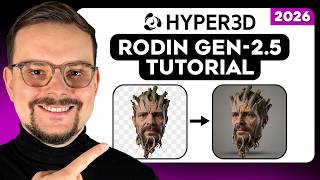
YouTube returned 6 videos for “Rodin”, and we withheld 5: 5 could not be judged, because “Rodin” is a single word that other videos use for other things. Showing the 1 we can prove is about Rodin.
Official links
Tools that pair well with Rodin
Common stack mates teams adopt alongside Rodin, with the specific reason each pairing earns its keep.

Ludo
AI sprite generator that turns one frame plus a motion prompt into an engine-ready animated spritesheet.
Leonardo.ai
Leonardo.ai turns text prompts into AI images, video, and 3D textures with trainable custom models that lock your style across a project.

Tripo AI
Tripo AI turns text prompts, photos, and sketches into engine-ready 3D models in seconds.
Alternatives to Rodin
View all
Ludo
AI sprite generator that turns one frame plus a motion prompt into an engine-ready animated spritesheet.
Leonardo.ai
Leonardo.ai turns text prompts into AI images, video, and 3D textures with trainable custom models that lock your style across a project.

Frequently Asked Questions
Used Rodin? Help shape our editorial sentiment research.