
Roger • The Google Ads AI Agent
Chat with Roger, a Google Ads and Meta Ads AI agent, to audit campaigns, kill wasted spend, and draft approved fixes.
Roger earns its keep on the boring half of PPC: wasted-spend audits, scheduled health checks, and client reports that don't require opening a spreadsheet. The approval-first workflow is the right default if you are nervous about handing an agent a live budget. The honest limitations are scope and metering: Google and Meta only, no Amazon, TikTok, or LinkedIn, and credits expire at the end of each cycle rather than rolling over, so a heavy multi-account month pushes you up the business-count slider ($99/mo for up to 3 businesses at 6,000 credits) or into a Custom plan above 50 businesses. Budget-change guardrails always ask first by design, so buyers wanting fully hands-off automation should
Verified 16h ago · liveness 55/100 · cite: rightaichoice.com/tools/roger-the-google-ads-ai-agent
- Agency PPC managers running several client Google and Meta accounts
- In-house marketers who need conversational account oversight without a dedicated PPC specialist
- Freelancers billing for monthly client reporting who want auto-generated PDFs
- Small to mid-size e-commerce brands running Google plus Meta and needing feed-ready creative
- Advertisers running Amazon, TikTok, LinkedIn, or programmatic campaigns — Roger covers Google and Meta only
- Teams wanting fully hands-off campaign changes with no approval step
- Enterprise buyers needing on-premise deployment or compliance certifications beyond GDPR and CASA Tier-2
We scan live Reddit threads, YouTube comments, X posts, G2 reviews and other communities — and hand you an honest verdict in under a minute.
- Honest verdict, not marketing
- Real pros & cons from real users
- Attributed quotes with receipts
3 free scans · no card needed
Skip Roger if your ad spend runs on Amazon, TikTok, LinkedIn, or programmatic, or if you want an agent that reallocates budgets without asking you first.
Your plan's monthly credits refresh on your billing date and expire at the end of each cycle, so unused capacity is lost rather than banked.
Self-serve plans scale by business count, not seats: Free at $0 for 500 credits, then the slider lands at $99/mo for up to 3 businesses with 6,000 credits (roughly 250 conversations), with team members free on a shared credit pool. That undercuts hiring a PPC contractor for reporting, but heavy daily auditing on many accounts pushes you to Custom pricing above 50 businesses.
In short
Roger • The Google Ads AI Agent — Chat with Roger, a Google Ads and Meta Ads AI agent, to audit campaigns, kill wasted spend, and draft approved fixes. Best for Agency PPC managers running several client Google and Meta accounts, In-house marketers who need conversational account oversight without a dedicated PPC specialist, Freelancers billing for monthly client reporting who want auto-generated PDFs. Free to start; paid plans from $69/mo.
What's new in Roger • The Google Ads AI Agent
Checked todayAcross the latest 3 updates: 3 news mentions.
AI vs PPC Manager: Who Owns Google Ads Optimization?
Vendor blog post exploring how AI agents and human PPC managers split optimization work, with emphasis on wasted-spend reduction and approval-based scaling.
AI in Google Ads: 2026 Industry Outlook
Overview of 2026 trends in AI-assisted Google Ads management covering cost, creative production, and tactics for cutting wasted spend.
Google Ads Wasted Spend: 10 Signs and Fixes
Guide listing ten indicators that a Google Ads account is leaking budget, with fixes that map to Roger's negative keyword and budget change workflow.
What people actually say about Roger • The Google Ads AI Agent — is it worth it?
We ran a structured research pass across product reviews, community discussions, and post-purchase forum threads to surface the patterns vendors won't publish themselves. Below: the recurring strengths, the hidden costs people mention most, and the cohort that consistently regrets adopting this tool.
1 mentions across 1 source (Product Hunt) · researched Jul 2, 2026.
Average across the 1 source that answered — each source counts once, not each post.
- +Conversational interface reduces the learning curve for Google Ads management.
- +Read-only defaults and approval gates prevent accidental budget blowouts.
- +Automated weekly health checks save time on routine account reviews.
- +Creative Studio generates ad creatives with scoring and iteration.
- +Multi-language support (English, French, Spanish) broadens agency reach.
- −Very limited community feedback makes it hard to trust the tool.
- −Only 10 Product Hunt upvotes — niche interest, not mainstream buzz.
- −Advanced advertising features may be missing compared to established tools.
- −No user reviews on reliability or support responsiveness.
- −Potential integration gaps beyond Google and Meta.
- • Pricing details for paid tiers are not publicly available, potential surprise costs.
- • May require upgrade for advanced features like multi-account management.
Viability Score
How well maintained and how widely used is Roger • The Google Ads AI Agent? Built from what the vendor actually publishes (docs, changelog, tutorials, integrations, pricing), whether the site is live, and how much real users discuss it. How we calculate this
Last calculated: October 2026
How we score →Key Features
- Chat-based campaign management across Google Ads and Meta Ads
- Wasted spend detection with drafted negative keyword sets and estimated savings
- Approval-based change application — budget, bid, and keyword changes need your sign-off
- Read-only account access by default for safe onboarding
- Guardrails for autonomous actions (auto-apply negatives, always-ask on budget changes)
- Scheduled routines with emailed summaries and run history
- 24/7 account monitoring with anomaly, spike, and opportunity alerts
- Art director review that scores ad creatives before you see them
- Ad creative generation: images, short feed videos, and UGC-style video clips
- Creative sized for Square, Story, Reel, and UGC placements
- Natural-language performance reports with executive summaries and charts (e.g. clicks by device)
- Report export to PDF or shareable link
- White-label client reports under your agency's logo and colors
- Multi-business management with a consolidated dashboard
- Roger Chrome extension for use inside Google Ads
About Roger • The Google Ads AI Agent
Roger is a chat-driven AI agent for paid ads on Google and Meta. You connect your Google Ads and Meta Ads accounts, set guardrails, then ask things like "Why is my Search campaign overspending?" or "Which Meta ad set has the best ROAS this week?" Roger answers with account data, drafts the fix, and waits for your approval before anything changes. Read-only access is the default, so a first audit takes under a minute without risking a live budget. The pitch is that routine account work stops eating your week. Roger runs scheduled health checks you configure (the homepage shows a Monday 9:01 summary with negatives added and changes needing your OK), and monitors accounts 24/7 for anomalies, spikes, and opportunities. On the media side it generates images, short videos, and UGC-style clips sized for Square, Story, and Reel placements, then runs an art-director review that scores each asset (the homepage shows a 9.4 score) before you see it. Reporting is the piece agencies tend to value most. Ask for a report and Roger pulls the period's data, writes an executive summary, adds charts like clicks by device, and hands you a PDF or shareable link. White-label reports and a consolidated dashboard across accounts are part of the higher plans, and a Chrome extension keeps Roger one click away inside Google Ads. Who it fits: agency PPC managers juggling several brands, in-house marketers splitting time between ads and everything else, freelancers, and small e-commerce teams running Google plus Meta. Pricing is self-serve and credit-based, starting free with 500 credits (no card), scaling by how many businesses you manage. The vendor is Bromance Software SRL, EU-based and GDPR-aligned, which matters if data residency is on your checklist. English, French, and Spanish are supported.
Behind the Verdict
Roger is a chat-first agent bolted onto the two ad platforms most small and mid-size advertisers actually live in: Google Ads and Meta Ads. That narrowness is both the product and the constraint. Because it only reads two platforms, onboarding is genuinely fast — connect accounts, and the homepage claims a first audit in under a minute on read-only access. There are no CSV exports and no tag re-installation, and the connector list in the pricing FAQ names Google Ads, Meta Ads, MCC, Merchant Center, GA4, and Tag Manager. The workflow is built around approval, not autonomy. You configure guardrails during setup — the homepage example lets Roger auto-apply negative keywords while budget changes always ask, including a "raise brand search budget to $120/day, +20%, est. +38 conversions a month" draft that sits in a queue until you press Approve. That is the correct posture for most agencies, but it does mean Roger is a drafting and auditing layer, not a set-and-forget optimizer. If your dream tool is one that reallocates budget across 40 campaigns without asking, this is not it. Where Roger is stronger than most ad-tool chatbots is the reporting and creative loop. The sample client report on the homepage (April 29 – May 28, 2026, vs the prior period) shows the shape: spend, impressions, clicks, conversions, CTR, average CPC, a clicks-by-device chart, and a written executive summary, exported as PDF or a shareable link, with white-label branding on the 3-business tier and up. Creative generation covers images, short videos, and UGC-style clips plus an art-director score — useful for small e-commerce teams that need feed- and Reel-sized assets without a designer on staff. The metering model is the part to read carefully. Credits are spent per unit of work — an audit, a drafted change, a report, a complex question — and your monthly credits refresh on your billing date and expire at the end of the cycle. The Free plan's 500 credits do not expire, and you can top up mid-month, but there is no rollover on paid plans. Team members are free and everyone shares one pool, which is generous, but a 25-business agency doing daily audits will find conversations the real cost driver, not seats. The homepage frames 6,000 credits as roughly 250 conversations. Scope and language are the remaining edges. Roger will not touch Amazon, TikTok, LinkedIn, or programmatic, and it supports English, French, and Spanish only. The vendor is EU-based (Bromance Software SRL, Belgium), GDPR-aligned, and CASA Tier-2 audited, which is the right fit for European advertisers who screen tools on data residency. Buyers who need on-premise deployment should keep looking. For a two-platform shop that wants Monday mornings to start with drafted negatives and a client PDF, Roger sits at a defensible price point against hiring that work out.
Researching Roger • The Google Ads AI Agent? Get your full AI stack in 60 seconds.
Free, no signup — tell us your goal and get tools matched to your budget & existing stack.
Real-world workflow fit
Concrete scenarios for the personas Roger • The Google Ads AI Agent actually fits — and what changes day-one when you adopt it.
Connects each client's Google Ads and Meta Ads accounts under one business grouping, sets guardrails so negatives auto-apply but budget changes always ask, then slides to the 10-business plan.
Outcome: Monday morning starts with a health-check email listing drafted negatives and queued changes, and each client gets a white-label PDF report without opening a spreadsheet.
Asks Roger why one campaign's ROAS dropped, approves the drafted negative keyword set, then generates a Square image and 15-second Reel for an upcoming sale.
Outcome: Wasted spend gets cut the same day and the new creative arrives pre-scored by the art director, without a designer or a media buyer.
Schedules a recurring account check and requests a monthly executive summary with a clicks-by-device chart, exported as a shareable link.
Outcome: The client report is ready in minutes, freeing the consultant to take on more accounts at the same hours per week.
Use Cases
- Ask Roger to review weekly performance and flag campaigns with wasted spend above a threshold.
- Generate a Meta feed or Reel ad for a seasonal sale, then iterate based on the art director score.
- Schedule a recurring health check that scans accounts and emails a summary before your first meeting.
- Chat with Roger to understand why a campaign's ROAS dropped, then approve the drafted negative keywords.
- Build a white-label monthly report for a client with a clicks-by-device chart and an executive summary.
Limitations
- Roger manages Google Ads and Meta Ads only — it won't touch Amazon, TikTok, LinkedIn, or programmatic.
- Budget changes always ask first by design, so it is not a fully autonomous optimizer.
- Credits are consumed per conversation and action, refresh on your billing date, and expire at the end of each cycle (only the Free plan's 500 credits don't expire), so a heavy month means a top-up or a plan upgrade; the $99/mo tier covers up to 3 businesses with 6,000 credits, and larger agency footprints need the Custom Enterprise plan.
- Interface languages are English, French, and Spanish.
as of 2026-10-08
Verification history
We have re-verified Roger • The Google Ads AI Agent 8 times since . Each pass re-reads the vendor's own pages and re-checks every listed field against that evidence; passes where nothing had changed are marked as such.
- — re-verified summary, description, our verdict, our analysis, pricing model, pricing tiers, features, integrations, who it suits, who should skip it
- — re-verified summary, description, our verdict, our analysis, pricing model, pricing tiers, features, integrations, who it suits, who should skip it
- — re-checked, vendor evidence unchanged
- — re-checked, vendor evidence unchanged
- — re-checked, vendor evidence unchanged
- — re-verified summary, description, our verdict, our analysis, pricing model, pricing tiers, features, integrations, who it suits, who should skip it
Showing the 6 most recent of 8 verification passes.
Free to cite with attribution — this page re-verifies continuously.
12-month cost
Project the real annual outlay, including the implied monthly cost when only an annual tier is published.
Vendor list price only. Add-on usage, seat overages, and contract minimums are surfaced under Hidden costs & gotchas.
Plans compared
For each published Roger • The Google Ads AI Agent tier: who it actually fits, and what it adds vs. the previous tier. Cross-reference the cost calculator above for projected annual outlay.
Free
$0/mo
Ideal for
A solo advertiser or agency testing Roger on one real account before committing budget
What this tier adds
Starting tier: $0 forever with 500 non-expiring credits, every connector and feature unlocked, no card required
Solo
$69/mo
Ideal for
A single-business advertiser running Google plus Meta in-house
What this tier adds
Adds autonomous routines, scheduled reports, creative generation for ads, visuals and video, and the Chrome extension
Studio
Scales with business count
Ideal for
An agency managing up to 3 client brands that needs branded client deliverables
What this tier adds
Adds white-label reports and a consolidated dashboard across businesses
Team
$99/mo for up to 3 businesses
Ideal for
An agency running 10 to 50 client businesses with higher conversation volume
What this tier adds
6,000 credits per month (roughly 250 conversations) at $99/mo for up to 3 businesses, scaling with the business-count slider, plus email support
Enterprise
Custom
Ideal for
Agencies managing 50+ businesses and large brands with significant ad spend
What this tier adds
Custom plan and pricing with white-glove onboarding and priority support with SLAs
Where the pricing makes sense
The company stage and team size where Roger • The Google Ads AI Agent's pricing actually pencils out — and where peers do it cheaper.
Self-serve plans scale by business count, not seats: Free at $0 for 500 credits, then the slider lands at $99/mo for up to 3 businesses with 6,000 credits (roughly 250 conversations), with team members free on a shared credit pool. That undercuts hiring a PPC contractor for reporting, but heavy daily auditing on many accounts pushes you to Custom pricing above 50 businesses.
Setup time & first value
How long it actually takes to get something useful out of Roger • The Google Ads AI Agent — broken out by persona, not the marketing-page minute.
Agency PPC manager: first audit in under a minute on default read-only access, with guardrail configuration taking a few more minutes per client. In-house marketer: most of the setup is connecting Google Ads and Meta Ads and choosing what Roger may do alone. Freelancer: uploading your agency logo for white-label reports is the only step beyond account connection.
Switching to or from Roger • The Google Ads AI Agent
How to bring data in from common predecessors and how to get it back out — written for the switcher, not the buyer.
- →From manual Google Ads and Meta Ads spreadsheet reporting: connect accounts, ask Roger for a period report, and replace the monthly export grind.
- →From a US-first ad optimization tool: connect the same Google and Meta accounts and keep data residency in the EU.
- →From a chat LLM pasted with ad exports: connect accounts directly so Roger reads every campaign, ad set, keyword, and tag without CSVs.
- →From a full-automation bidding tool: replicate your rules as guardrails, with budget changes set to always ask first.
- ↗To a platform covering Amazon, TikTok, or LinkedIn: Roger's Google and Meta connectors have no equivalent there, so campaigns must be rebuilt natively.
- ↗To a fully autonomous optimizer: the approval queue and guardrails are the core workflow, so you would be replacing the product rather than exporting from it.
Integrations
Resources & Guides
Tutorials & Learning
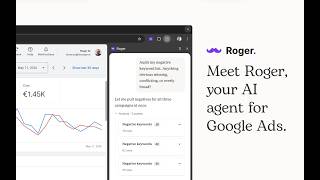
YouTube returned 6 videos for “Roger • The Google Ads AI Agent”, and we withheld 5: 5 did not mention Roger • The Google Ads AI Agent. Showing the 1 we can prove is about Roger • The Google Ads AI Agent.
Official links
Tools that pair well with Roger • The Google Ads AI Agent
Common stack mates teams adopt alongside Roger • The Google Ads AI Agent, with the specific reason each pairing earns its keep.

Muze AI
Autonomous AI agent that creates, launches, and optimizes your Meta and Google ads around the clock.

Lapis
AI agents that create, launch, and optimize paid ads across Google, Meta, LinkedIn, TikTok, Reddit, and ChatGPT.

Madgicx
Agentic Meta ads platform that audits your Facebook account, generates and launches creative, and automates ROAS reporting.
Featured Head-to-Head Comparisons
Roger The Google Ads Ai Agent vs Weglot
Choose Roger if your core need is hands-on ad management across Google/Meta and you want a chat-driven assistant to catch wasted spend and generate creatives. Choose Weglot if you need instant, brand-consistent website translation with strong multilingual SEO — it's purpose-built for global reach, not ad optimization. They solve entirely different problems, so pick based on whether you need ad campaign efficiency or multilingual content deployment.
Roger The Google Ads Ai Agent vs Chili Piper
Choose Roger if your focus is optimizing Google/Meta ad spend with chat-driven insights and creative generation; choose Chili Piper if your priority is converting B2B website traffic into booked meetings instantly. They serve completely different workflows—ad management vs. lead conversion—so your decision hinges on whether you need to fix ad waste or accelerate pipeline generation.
Roger The Google Ads Ai Agent vs Presto Voice
Presto Voice is purpose-built for high-volume drive-thru QSR chains seeking measurable revenue lift via upselling, while Roger is a versatile chat-based agent for managing Google and Meta ad campaigns. If you run a multi-location fast-food chain, Presto Voice's voice AI automation can directly boost order value and efficiency; if you manage PPC accounts, Roger's real-time auditing and creative generation will save hours weekly. They serve entirely different domains—choose based on whether your bottleneck is the drive-thru lane or the ads dashboard.
Alternatives to Roger • The Google Ads AI Agent
View all


Frequently Asked Questions
Categories
Best-of guides
Used Roger • The Google Ads AI Agent? Help shape our editorial sentiment research.