Samsung Food is live · free plan, paid from $4.99/mo · last verified 28 Sep 2026 · viability monitor

Samsung Food
Samsung Food is an AI recipe manager and meal planner that turns saved recipes into weekly meal plans and smart grocery lists.
Samsung Food earns its 4.8 rating by closing the loop from saved recipe to ordered groceries in one app, which is more than most recipe managers attempt. At around $4.99/mo the premium tier is cheap enough to stop overthinking, provided you'll actually use the planner. Skip it only if you refuse subscriptions or need full offline storage.
Verdict generatedVerified 9/28/2026 · liveness 61/100 · cite: rightaichoice.com/tools/samsung-food
- Home cooks who want to centralize recipes from many websites in one app
- Busy families who plan meals weekly and shop from a generated list
- Samsung smart appliance owners using Family Hub or SmartThings
- Beginners seeking personalized recipe inspiration and nutrition data
- Professional chefs wanting advanced culinary or costing tools
- Users who need full offline recipe access without a subscription
- Subscription-averse cooks who prefer one-time purchase apps like Paprika
We scan live Reddit threads, YouTube comments, X posts, G2 reviews and other communities — and hand you an honest verdict in under a minute.
- Honest verdict, not marketing
- Real pros & cons from real users
- Attributed quotes with receipts
3 free scans · no card needed
Skip Samsung Food if you don't own Samsung smart appliances and prioritize offline access or a one-time purchase model, as its main edge is ecosystem integration and the free tier is ad-supported.
If you want unlimited meal planning beyond 7 days, you must pay $4.99 per month, which can add up to roughly $60 per year.
Samsung Food's freemium model suits casual cooks who tolerate ads, but serious planners will pay $4.99/mo. Compared to Paprika's one-time $4.99 purchase (per platform) and Yummly's free with ads, Samsung Food's monthly subscription can cost more over time unless you value the ecosystem integration.
In short
Samsung Food — Samsung Food is an AI recipe manager and meal planner that turns saved recipes into weekly meal plans and smart grocery lists. Best for Home cooks who want to centralize recipes from many websites in one app, Busy families who plan meals weekly and shop from a generated list, Samsung smart appliance owners using Family Hub or SmartThings. Free to start; paid plans from $4.99/mo.
What is Samsung Food?
Samsung Food — Samsung Food is an AI recipe manager and meal planner that turns saved recipes into weekly meal plans and smart grocery lists. Best for Home cooks who want to centralize recipes from many websites in one app, Busy families who plan meals weekly and shop from a generated list, Samsung smart appliance owners using Family Hub or SmartThings. Free to start; paid plans from $4.99/mo.
Samsung Food is a recipe manager built for home cooks who want one place to save, organize, and actually cook the recipes they find. Add dishes from any website, build a digital recipe box with collections and tags, then drag those recipes into a weekly meal plan. When the plan is set, the app converts it into a smart shopping list you can take to the store, check out online, or hand off to whoever does the shopping. It targets beginners hunting for inspiration and busy households trying to cut the mental load of "what's for dinner." The feature set covers the full loop: saving from any site, drag-and-drop meal planning, one-click grocery lists, detailed nutrition info and calorie counts on both saved and self-built recipes, and a health score that rates how a recipe fits wider eating goals. Recipe communities let you discover dishes by eating preference or restriction, and allergy-conscious cooks can filter and plan around what they can eat. The app also ships as a web app, mobile app for iOS and Android, and a Chrome extension. Samsung ecosystem owners get extra value through Family Hub refrigerator and SmartThings links, though the core cooking tools work independently of any Samsung hardware. A 4.8 rating across the App Store and Google Play, plus a Webby nomination, suggest the fundamentals hold up in daily use. Against standalone recipe boxes like Paprika or AI-leaning apps like Yummly, Samsung Food leans on planning and shopping rather than storage alone. Paprika still appeals if you want offline access and one-time pricing; Samsung Food is for people who want the weekly plan and list handled for them at a low subscription price.
Key features
- Save recipes from any website with the Chrome extension
- Organize recipes into collections with custom tags
- Drag-and-drop weekly meal planner
- One-click grocery list from any recipe or meal plan
- Detailed nutrition info and calorie counts per recipe
- Health score for saved and self-built recipes
- Ingredient scaling and substitution
- Recipe communities for sharing and discovery
- Dietary preference and restriction filters
- Step-by-step cooking mode with timers
- Samsung Family Hub refrigerator integration
- SmartThings integration
- Mobile apps for iOS and Android
- Web app with Chrome extension
- Add custom recipes and get nutrition calculated automatically
Behind the verdict
The pitch is simple: stop losing recipes in screenshots and PDFs. Samsung Food handles that well, and it handles the next two steps most competitors punt on. Weeknight cooks who plan on Sunday and shop Monday will get the most out of it. Where it separates from Paprika is the downstream flow. Paprika is a superb offline recipe box bought once, but it won't turn your week into a shopping list with a click or score your dinner's nutrition. If your pain is planning and shopping rather than storage, Samsung Food is the better fit. In practice the drag-and-drop planner is the feature you'll judge it on. If you won't commit to planning ahead, the app collapses into an ordinary recipe saver and the subscription stops making sense. Nutrition and health scores are genuinely useful for people tracking goals, and self-built recipes get the same treatment, which matters more than the marketing suggests. Don't treat a health score as clinical advice, though; it's a guide, not a dietitian. Samsung hardware integration is a bonus, not a reason to buy. SmartThings and Family Hub owners get a nice tie-in, but nothing here requires a Samsung fridge. Non-Samsung users aren't second-class citizens, and subscription-averse cooks should look at Paprika instead. For everyone else, the free tier is a fair test drive before committing to Premium.
Limitations
- Requires internet connection for most features.
- Free tier includes ads and limits meal planning to 7 days.
- AI recommendations may not always align with dietary restrictions.
- No offline mode.
as of 2026-09-09
Researching Samsung Food? Get your full AI stack in 60 seconds.
Free, no signup — tell us your goal and get tools matched to your budget & existing stack.
Is Samsung Food still active?
Samsung Food is live · free plan, paid from $4.99/mo · last verified 28 Sep 2026 · viability monitor.
Viability score
How well maintained and how widely used is Samsung Food? Built from what the vendor actually publishes (docs, changelog, tutorials, integrations, pricing), whether the site is live, and how much real users discuss it. How we calculate this
Last calculated: October 2026
How we score →What do users say about Samsung Food?
What people actually say about Samsung Food — is it worth it?
Our community sentiment research written Jul 3, 2026 is more than 90 days old, so it is being re-reviewed against current data and is not shown.
How we verified this
Every listed fact about Samsung Food— pricing, features, links, status — is re-read from the vendor's own pages by our verification pipeline and each change is logged with a date; the last pass ran on 28 Sep 2026. Pages mix model-assisted synthesis with human review; see how we verify.
Verification history
We have re-verified Samsung Food 9 times since . Each pass re-reads the vendor's own pages and re-checks every listed field against that evidence; passes where nothing had changed are marked as such.
- — changed SSL certificate
- — changed description, our verdict, features, who it suits, integrations, who should skip it, pricing tiers, summary
- — changed switching in, switching out, pricing fit, setup time, who should skip it, hidden costs
- — changed SSL certificate, domain expiry
- — changed setup time, who should skip it, switching out, pricing fit, switching in, hidden costs
Showing the 5 most recent of 9 verification passes.
Free to cite with attribution — this page re-verifies continuously.
How much does Samsung Food cost in 2026?
Samsung Food: Free to start; paid plans from $4.99/mo. Pricing last verified 28 Sep 2026.
Plans compared
Every published Samsung Food tier, its price as the vendor publishes it, who it fits, and what it adds over the tier below. The 12-month cost projection follows.
| Plan | Price | Billing | Who it's for |
|---|---|---|---|
| Free | Free | — | Casual cooks who want to save a few recipes and are okay with ads and limited planning (7 days).Adds: Starting tier: free with ads, basic organization, 7-day meal planner, and grocery list generation. |
| Premium | $4.99/mo | monthly | Home cooks and families who want ad-free experience, unlimited storage, and advanced planning tools like calendar sync.Adds: Adds ad-free experience, unlimited recipe storage, advanced meal planning, detailed nutrition, and ingredient substitution. |
12-month cost
Project the real annual outlay, including the implied monthly cost when only an annual tier is published.
Vendor list price only. Add-on usage, seat overages, and contract minimums are surfaced under Hidden costs & gotchas.
Where the pricing makes sense
The company stage and team size where Samsung Food's pricing actually pencils out — and where peers do it cheaper.
Samsung Food's freemium model suits casual cooks who tolerate ads, but serious planners will pay $4.99/mo. Compared to Paprika's one-time $4.99 purchase (per platform) and Yummly's free with ads, Samsung Food's monthly subscription can cost more over time unless you value the ecosystem integration.
Has Samsung Food's pricing changed?
No plan price for Samsung Food has moved since we began logging in Aug 2026; the pricing page is re-read on every verification pass.
Who should pick Samsung Food?
Pick Samsung Food if you are Home cooks who want to centralize recipes from many websites in one app, Busy families who plan meals weekly and shop from a generated list, Samsung smart appliance owners using Family Hub or SmartThings, Beginners seeking personalized recipe inspiration and nutrition data.
Look elsewhere if you are Professional chefs wanting advanced culinary or costing tools, Users who need full offline recipe access without a subscription, Subscription-averse cooks who prefer one-time purchase apps like Paprika, People who won't commit to planning meals ahead of time.
Skip it if Skip Samsung Food if you don't own Samsung smart appliances and prioritize offline access or a one-time purchase model, as its main edge is ecosystem integration and the free tier is ad-supported.
GeneratedReal-world workflow fit
Concrete scenarios for the personas Samsung Food actually fits — and what changes day-one when you adopt it.
You find a new dinner recipe on a blog while on your phone. You save it using the Samsung Food mobile app, then later plan it into the weekly meal planner.
Outcome: The app auto-generates a grocery list, and you can send the recipe to your Family Hub fridge to follow while cooking.
You own a Family Hub refrigerator and want to use leftover ingredients. You scan barcodes of items in your fridge, and Samsung Food suggests recipes using those ingredients.
Outcome: You pick a recipe, scale it for your family, and get step-by-step cooking instructions on the fridge screen.
You have dietary restrictions and want to track nutrition. You filter recipes by your preferences and rely on the health score to choose balanced meals.
Outcome: You plan a week of meals that meet your dietary needs, and the app generates a shopping list and provides nutritional info for each recipe.
Use cases
- Save a recipe from a blog in one click with the Chrome extension.
- Plan a week of dinners and auto-generate a grocery list.
- Get recipe suggestions based on what's in your fridge by scanning barcodes.
- Scale a recipe from 4 to 8 servings automatically.
- Follow a recipe with voice-controlled timers on your Samsung Family Hub.
- Share and discover recipes in the community section.
Setup time & first value
How long it actually takes to get something useful out of Samsung Food — broken out by persona, not the marketing-page minute.
Setup is quick: download the app, create an account, and install the Chrome extension (if using web). You can start saving recipes immediately—expect under 10 minutes to first recipe saved. Meal planning and grocery list features take a few minutes to configure, but no lengthy onboarding is required.
Switching to or from Samsung Food
How to bring data in from common predecessors and how to get it back out — written for the switcher, not the buyer.
- →From Paprika: Manually export recipes as HTML or use the share function to send URLs to Samsung Food; you may need to re-enter some recipe details.
- →From Yummly: Use the browser extension to save recipes directly into Samsung Food; your collections can be recreated manually.
- ↗To Paprika: Export your recipes from Samsung Food as HTML or PDF, then import into Paprika using its file import feature.
- ↗To Yummly: Save recipes from Samsung Food as web links and use Yummly's save feature; manual re-entry may be needed for complex recipes.
Integrations
Resources & guides
Tutorials & Learning
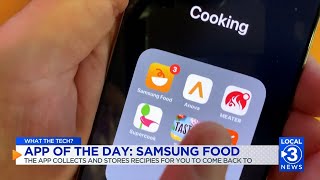
最新テック事情:今日のアプリ「Samsung Food」
Local 3 News
Introducing Samsung Food
Samsung Food

SAMSUNG FOOD APP REVIEW - IS IT WORTH IT? (EXPLAINED)
TutorialLore
YouTube returned 6 videos for “Samsung Food”, and we withheld 2: 2 did not mention Samsung Food. Showing the 4 we can prove are about Samsung Food.
Official links
What are the best Samsung Food alternatives?
The closest alternatives to Samsung Food we list are Flavorish, CookBook and CookGo. Ranked by direct product-type match, not category overlap.
| Alternative | Pricing | Starts at | Last verified |
|---|---|---|---|
| Flavorish | Freemium | Pricing not published | — |
| CookBook | Freemium | Pricing not published | — |
| CookGo | Freemium | Pricing not published | — |
Alternatives to Samsung Food
View all


Tools that pair well with Samsung Food
Common stack mates teams adopt alongside Samsung Food, with the specific reason each pairing earns its keep.

Flavorish
Flavorish saves recipes from Instagram, TikTok and the web, then builds meal plans and aisle-sorted grocery lists.

CookBook
CookBook is a recipe manager app that imports recipes from TikTok, Instagram, photos and websites, then plans meals and builds shopping

CookGo
CookGo turns TikTok, Instagram, and YouTube cooking videos into editable recipes, meal plans, and grocery lists.
Samsung Food vs its closest rival
Samsung Food's closest head-to-head is with Poke Interaction Co — Choose Samsung Food if you need a dedicated meal planning and recipe organizer—it's free or cheap and ties into Samsung appliances. Choose Poke if you want an AI assistant that manages email, calendar, and tasks from your chat apps, especially with proactive automations on Pro/Ultra. They serve completely different needs; pick based on whether your priority is food or productivity. Verdict generated
Head-to-head comparisons
Samsung Food vs Poke Interaction Co
Choose Samsung Food if you need a dedicated meal planning and recipe organizer—it's free or cheap and ties into Samsung appliances. Choose Poke if you want an AI assistant that manages email, calendar, and tasks from your chat apps, especially with proactive automations on Pro/Ultra. They serve completely different needs; pick based on whether your priority is food or productivity.
GeneratedSamsung Food vs Gem
Gem and Samsung Food serve completely different purposes—recruitment vs. meal planning. Choose Gem if you're a talent acquisition team needing AI-powered sourcing, screening, and fraud detection. Choose Samsung Food if you're a home cook looking to save recipes, plan meals, and integrate with Samsung smart appliances. They are not competitors.
GeneratedSamsung Food vs Guesty
These tools serve completely different domains. Guesty is for scaling vacation rental operations with AI automation across 60+ channels; Samsung Food is for organizing recipes and planning meals at home. Choose based on your need: property management or culinary efficiency. There's no overlap — pick the one that matches your primary activity.
GeneratedFrequently asked questions
Categories
Topics
Used Samsung Food? Help shape our editorial sentiment research.