Sigma Computing
Warehouse-native AI analytics runtime for governed apps, agents, and reporting on live cloud data.
Sigma makes the most sense when two things are true: you already run Snowflake, Databricks, ClickHouse, or a hyperscaler warehouse, and you want agents that act rather than just visualize. The July 2026 release — Agents with distribution and management beyond a single workbook, AI Columns, Sigma Assistant, Workbooks as Code, and AI cost monitoring — is what separates it from Power BI, Tableau, and Looker, which remain dashboard-and-exploration tools. The AWS strategic agreement announced 2026-08-06 signals deepening cloud alignment, not a new product. The catch is structural: every query runs in your warehouse, so cost and performance track your warehouse, and there is no warehouse-free
Verified 9d ago · liveness 97/100 · cite: rightaichoice.com/tools/sigma-computing
- Enterprises already running Snowflake, Databricks, ClickHouse, AWS, Azure, or Google Cloud
- Finance and FP&A teams turning reporting into governed apps and agents
- Operations teams automating commission reconciliation, approvals, and variance workflows
- Companies needing white-label embedded analytics in their own products
- Small teams wanting a low-cost BI tool with no cloud data warehouse
- Organizations expecting the vendor to supply a managed warehouse
- Teams whose only need is static dashboards with no agents, writeback, or app building
We scan live Reddit threads, YouTube comments, X posts, G2 reviews and other communities — and hand you an honest verdict in under a minute.
- Honest verdict, not marketing
- Real pros & cons from real users
- Attributed quotes with receipts
3 free scans · no card needed
Skip Sigma if you have no cloud data warehouse — it queries Snowflake, Databricks, ClickHouse, AWS, Azure, or Google Cloud live and cannot act as a standalone warehouse or file-based BI tool.
AI Toolkit, Agents, writeback, and advanced governance are all on the $75 per user/month Business tier, so planning at the $25 per user/month Essential rate misses most of what Sigma markets.
Free tier for trying the platform on sample or your own data; Essential at $25 per user/month covers analytics, the spreadsheet UX, and dashboards; Business at $75 per user/month adds AI Toolkit, Agents, writeback, and advanced governance — a 3x step that is the real entry point for the agent workloads Sigma leads with. That puts Business above mainstream BI per-seat pricing and in the range of enterprise analytics platforms, which is defensible only if you are using the agent and writeback
In short
Sigma Computing — Warehouse-native AI analytics runtime for governed apps, agents, and reporting on live cloud data. Best for Enterprises already running Snowflake, Databricks, ClickHouse, AWS, Azure, or Google Cloud, Finance and FP&A teams turning reporting into governed apps and agents, Operations teams automating commission reconciliation, approvals, and variance workflows. Free to start; paid plans from $25/user/mo.
What's new in Sigma Computing
Checked 9 days agoAcross the latest 3 updates: 2 feature updates and 1 launch.
New in Sigma July 2026: Agents, Assistant for building, and AI cost monitoring
The July release covers Agents, AI Columns, Sigma Assistant for building inside the workbook, Workbooks as Code, and AI cost monitoring.
Scaling Sigma Agents Beyond the Workbook: Distribution, Management & What's Next
Covers distributing and managing Sigma Agents beyond a single workbook, indicating broader agent deployment capabilities.
Powering Sigma Agents with Data Models, Warehouse Search & Usage Insights
Sigma Agents now draw on Data Models, warehouse search, and usage insights to improve their effectiveness.
Viability Score
How well maintained and how widely used is Sigma Computing? Built from what the vendor actually publishes (docs, changelog, tutorials, integrations, pricing), whether the site is live, and how much real users discuss it. How we calculate this
Last calculated: October 2026
How we score →Key Features
- Live queries against Snowflake, Databricks, ClickHouse, AWS, Azure, and Google Cloud
- Spreadsheet UX for editing, exploring, and writing back to warehouse data
- Natural language query chat over live warehouse data
- Sigma Agents that automate workflows and take actions in external systems
- Agent distribution and management beyond a single workbook (July 2026)
- Agents backed by Data Models, warehouse search, and usage insights
- AI Toolkit for building AI and ML workflows on live data
- AI Columns for in-workbook predictions
- Sigma Assistant for building inside workbooks
- AI-assisted formulas and AI in spreadsheet formulas
- AI cost monitoring to track AI spend
- Writeback to update warehouse data directly from the interface
- Data Models for trusted, reusable metrics at scale
- Workbooks as Code for version control
- Pixel-perfect reports with PDF export and bursting
About Sigma Computing
Sigma Computing is an AI runtime for business analytics. It queries your cloud data warehouse directly — Snowflake, Databricks, ClickHouse, AWS, Azure, or Google Cloud — so permissions, audit, lineage, and governance always resolve at the source rather than in a copied extract. Teams build in one workspace using chat, a spreadsheet interface, SQL, or Python. The July 2026 release added Sigma Agents that run multi-step workflows and take actions in external systems, AI Columns for in-workbook predictions, Sigma Assistant for building inside a workbook, Workbooks as Code for version control, and AI cost monitoring to track AI spend. July 2026 posts describe giving Agents distribution and management beyond the workbook, and powering them with Data Models, warehouse search, and usage insights. Sigma also ships pixel-perfect PDF reports with bursting to large recipient lists, embedded analytics through a white-label React SDK, and writeback that updates warehouse data from the interface. On 2026-08-06 Sigma announced a strategic agreement with AWS covering AI apps, agents, and analytics. It is built for enterprises that already run a cloud warehouse: finance teams building P&L and variance apps, operations teams automating commission reconciliation and approvals, and product teams embedding analytics. It holds SOC 2 Type II, HIPAA, and GDPR compliance. If you have no cloud warehouse, or you want a lightweight dashboard tool, this is not the right fit.
Behind the Verdict
Sigma's core bet is architectural: instead of copying data into a BI layer, every query executes in your warehouse and governance is inherited from it. That means a permission change in Snowflake or Databricks takes effect in Sigma without a second access model to maintain — the single control plane for permissions, audit, lineage, and change management is the piece regulated buyers care about most, and it is why SOC 2 Type II, HIPAA, and GDPR attestations are listed up front. The second bet is that analytics stops being read-only. Writeback updates warehouse data from the interface, and Sigma Agents act across external systems — triggering alerts, routing approvals, updating forecasts. The July 2026 work extends this from single-workbook agents to distributed, managed agents backed by Data Models, warehouse search, and usage insights. Combined with AI Columns, AI-assisted formulas, natural-language query, and Sigma Assistant, the platform covers the full path from question to automated workflow. Where it earns its keep: finance and FP&A on live data (P&L with variance diagnosis down to payroll detail, budget-vs-actuals with approval routing, headcount and compensation modeling), operations workflows like commission reconciliation, and embedded white-label analytics in customer-facing products via the React SDK. Pixel-perfect PDF reports with bursting cover the batch-distribution need that app-only platforms often skip. Weaknesses worth naming. It is warehouse-dependent — no warehouse, no Sigma. Because queries are live, dashboard responsiveness and cost are functions of your warehouse sizing and data model quality, so a poorly modeled warehouse produces a slow, expensive Sigma. The pricing ladder moves quickly: $25 per user/month for Essential to $75 per user/month for Business is a 3x step, and Business is where AI Toolkit, Agents, writeback, and advanced governance live — the features most of the marketing describes. Agent-heavy deployments also introduce a new cost surface, which is presumably why AI cost monitoring shipped. And the platform assumes governance maturity; teams without warehouse-side RBAC discipline will find the inherited-governance model exposes existing gaps rather than papering over them. Where it fits: enterprises with an existing warehouse and a governance mandate, finance and operations teams that need apps rather than dashboards, and product teams that need white-label embedded analytics. Where it does not: teams without a warehouse, teams that want a cheap self-serve dashboard, and anyone whose workload is a static monthly PDF.
Researching Sigma Computing? Get your full AI stack in 60 seconds.
Free, no signup — tell us your goal and get tools matched to your budget & existing stack.
Real-world workflow fit
Concrete scenarios for the personas Sigma Computing actually fits — and what changes day-one when you adopt it.
Connects Sigma to the Snowflake warehouse, builds a budget-vs-actuals workbook on live general ledger data, then configures an agent to diagnose variances and route approval requests to department owners.
Outcome: Variance review moves from a monthly email cycle to an app where approvals are tracked in one place and the underlying numbers are never copied out of the warehouse.
Builds a commission reconciliation AI app that shows reps the structure behind their payouts, lets them submit tickets, and lets ops resolve cases inside the same tool, with an agent doing the segment math.
Outcome: Commission disputes fall by 75% and ops stops reconciling across spreadsheets and email threads.
Uses the white-label React SDK to embed Sigma dashboards and AI applications into the product, inheriting permissions from the warehouse instead of building a separate access model.
Outcome: Ships embedded analytics without standing up a second data pipeline or a parallel security review.
Use Cases
- Finance builds a live P&L with an agent that diagnoses variances down to payroll-level detail
- Business partners enter expected relief in a manufacturing FP&A portal while finance reviews gross margin and an agent runs variance math on Databricks
- Commission reconciliation app cuts disputes by 75% by showing reps payout structure, taking tickets, and letting ops resolve cases in one place
- Lifecycle marketing analyzes performance, builds a cohort, and activates it into a marketing automation tool, with an agent doing segment math
- Executive briefing workbook with a natural-language interface returns a one-line recap and escalates without leaving the page
- Headcount and compensation planning models multi-year salary, bonus, and expense impact on live data
- Product teams embed white-label analytics and AI applications into customer-facing apps via the React SDK
- Demand planning and promotion pricing scenarios modeled and acted on in a governed app
Models Under the Hood
as of 2026-09-15
Limitations
- Sigma only works against a cloud data warehouse — Snowflake, Databricks, ClickHouse, AWS, Azure, or Google Cloud — so without one there is no product to evaluate.
- Because every query runs live in your warehouse, speed and cost are functions of your warehouse sizing and how well your data is modeled; a slow or expensive warehouse produces a slow or expensive Sigma.
- The capabilities most associated with the brand — AI Toolkit, Agents, writeback, and advanced governance — sit on the Business tier at $75 per user/month, three times the Essential tier at $25 per user/month, so budgeting at the entry rate understates real deployment cost.
- Agent workloads add their own spend, which is why AI cost monitoring exists.
- The platform inherits your warehouse's permission model, which surfaces existing governance gaps rather than hiding them.
as of 2026-09-29
Verification history
We have re-verified Sigma Computing 18 times since . Each pass re-reads the vendor's own pages and re-checks every listed field against that evidence; passes where nothing had changed are marked as such.
- — re-verified summary, description, our verdict, our analysis, pricing model, pricing tiers, features, integrations, who it suits, who should skip it
- — re-verified summary, description, our verdict, our analysis, pricing model, pricing tiers, features, integrations, who it suits, who should skip it
- — re-verified summary, description, our verdict, our analysis, pricing model, pricing tiers, features, integrations, who it suits, who should skip it
- — re-verified summary, description, our verdict, our analysis, pricing model, pricing tiers, features, integrations, who it suits, who should skip it
- — re-verified summary, description, our verdict, our analysis, pricing model, pricing tiers, features, integrations, who it suits, who should skip it
- — re-verified summary, description, our verdict, our analysis, pricing model, pricing tiers, features, integrations, who it suits, who should skip it
Showing the 6 most recent of 18 verification passes.
Free to cite with attribution — this page re-verifies continuously.
12-month cost
Project the real annual outlay, including the implied monthly cost when only an annual tier is published.
Vendor list price only. Add-on usage, seat overages, and contract minimums are surfaced under Hidden costs & gotchas.
Plans compared
For each published Sigma Computing tier: who it actually fits, and what it adds vs. the previous tier. Cross-reference the cost calculator above for projected annual outlay.
Free
$0/mo
Ideal for
Individual evaluators or a small team testing whether Sigma fits, using sample data or their own warehouse before committing to seats.
What this tier adds
Free entry point with limited users and access to core BI and analytics.
Essential
$25 per user/month
Ideal for
Analytics teams that want the spreadsheet UX, dashboards, and self-service exploration on live warehouse data without agents or writeback.
What this tier adds
Adds full analytics features, the spreadsheet UX, and dashboards and charts at $25 per user/month.
Business
$75 per user/month
Ideal for
Finance, operations, and product teams actually deploying AI Agents, writeback, and embedded governance in production.
What this tier adds
Adds AI Toolkit access, Agents, writeback, and advanced governance on top of Essential at $75 per user/month.
Where the pricing makes sense
The company stage and team size where Sigma Computing's pricing actually pencils out — and where peers do it cheaper.
Free tier for trying the platform on sample or your own data; Essential at $25 per user/month covers analytics, the spreadsheet UX, and dashboards; Business at $75 per user/month adds AI Toolkit, Agents, writeback, and advanced governance — a 3x step that is the real entry point for the agent workloads Sigma leads with. That puts Business above mainstream BI per-seat pricing and in the range of enterprise analytics platforms, which is defensible only if you are using the agent and writeback
Setup time & first value
How long it actually takes to get something useful out of Sigma Computing — broken out by persona, not the marketing-page minute.
If your warehouse is already connected and governed, a first workbook or dashboard is a same-day task — Sigma's onboarding path is connect your data, then build your first workbook. Getting to a governed AI app or a distributed agent is longer: it depends on having Data Models in place, since that is what Agents draw on. Embedded analytics via the React SDK is a developer project measured in
Switching to or from Sigma Computing
How to bring data in from common predecessors and how to get it back out — written for the switcher, not the buyer.
- →From Tableau or Power BI: rebuild workbooks against live warehouse tables so governance is inherited rather than duplicated in the BI layer.
- →From Looker: move LookML-modeled metrics into Sigma Data Models, then re-point dashboards at the same warehouse.
- →From spreadsheet-based FP&A: import the workbook logic into the spreadsheet UX, then attach writeback so updates land in the warehouse.
- ↗To Power BI or Tableau: expect to rebuild modeling logic in their semantic layers, since Sigma Data Models do not transfer.
- ↗To a warehouse-native notebook stack: keep the SQL and Python from Sigma workbooks, but agent workflows and embedded apps must be re-implemented.
Integrations
Resources & Guides
- Documentationsigmacomputing.com
Sigma Computing Documentation
The official documentation for Sigma provides guidance to help you analyze and interact with data using AI apps, data models, dashboards, and reports.
- Resourcesigmacomputing.com
Business Intelligence Resources
Catch up on the latest case studies, demos, eBooks, webinars, infographics, reports, and more from Sigma's business intelligence and data analytics experts.
- Resourcesigmacomputing.com
Business Intelligence & Data Analytics Blog
A one-stop platform that demystifies the world of analytics and BI with the latest industry news, trends, and tips to help everyone get the most out of their data.
Tutorials & Learning

Sigma Computing Full Course (2025) | Learn Cloud BI & Data Analytics | Beginner to Advanced | 2 hrs
Techknowledgehub
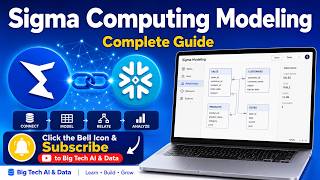
Sigma Computing Modeling — Complete Guide (Connect, Model, Relate & Analyze)
Big Tech AI & Data
Sigma Computing Explained to a Tableau User | A conversation with Katrina Menne
Just Tim
YouTube returned 6 videos for “Sigma Computing”, and we withheld 3: 3 did not mention Sigma Computing. Showing the 3 we can prove are about Sigma Computing.
Tools that pair well with Sigma Computing
Common stack mates teams adopt alongside Sigma Computing, with the specific reason each pairing earns its keep.
Domo
Domo prepares governed data for AI agents, giving you a platform for BI dashboards, workflows, and embedded analytics.
Hightouch
Warehouse-native CDP and agentic marketing platform that activates customer data across 300+ ad, CRM and lifecycle tools without copying it out of Snowflake or

Formula Bot
Better Analyst — formerly Formula Bot — turns plain-English data questions into charts, dashboards, spreadsheets, and scheduled analytics workflows.
Featured Head-to-Head Comparisons
Alternatives to Sigma Computing
View allDomo
Domo prepares governed data for AI agents, giving you a platform for BI dashboards, workflows, and embedded analytics.
Hightouch
Warehouse-native CDP and agentic marketing platform that activates customer data across 300+ ad, CRM and lifecycle tools without copying it out of Snowflake or
Formula Bot
Better Analyst — formerly Formula Bot — turns plain-English data questions into charts, dashboards, spreadsheets, and scheduled analytics workflows.
Frequently Asked Questions
Best-of guides
Used Sigma Computing? Help shape our editorial sentiment research.