
Study Fetch
StudyFetch turns your lecture slides, PDFs, and videos into AI flashcards, quizzes, notes, and a tutor named Sparky.
If your problem is 400 slides and 72 hours, StudyFetch is one of the more complete answers you can buy: notes, flashcards, quizzes, games, and a material-grounded tutor in one loop, all built from your own files. The free tier exists specifically so you can check extraction quality on your real professor's slides before paying anything. For $7.99/mo Plus you get unlimited document processing, Live Lecture capture, and Arcade; $14.99/mo Pro adds Anki and Quizlet export, explainer videos, and audio recaps. Students who only want a flashcard manager should compare against a free Anki setup before subscribing — export is a Pro feature here, so you cannot generate cheaply and drill elsewhere.
Verified 6d ago · liveness 73/100 · cite: rightaichoice.com/tools/study-fetch
- College students with lecture slides, PDFs, and recordings who need a full study system before finals
- High school students converting class notes into flashcards and quizzes without manual deck building
- Teachers assembling practice questions and study guides from existing curriculum material
- Self-learners working through online course content who want structured, milestone-based review
- Course creators or program admins wanting an LMS with authoring, assignments, and grading
- Anki loyalists who want a free flashcard manager and nothing else
- Learners working only from messy handwritten notes, where AI extraction mirrors the source quality
We scan live Reddit threads, YouTube comments, X posts, G2 reviews and other communities — and hand you an honest verdict in under a minute.
- Honest verdict, not marketing
- Real pros & cons from real users
- Attributed quotes with receipts
3 free scans · no card needed
Skip StudyFetch if you already have a free Anki workflow and only need a flashcard manager — exporting your generated decks here requires the Pro plan, so the generation itself becomes the thing you pay for.
Exporting flashcards to Anki or Quizlet sits behind the Pro plan at $14.99/mo, so a Free or Plus subscriber who wants spaced repetition elsewhere pays again.
At $7.99/mo Plus and $14.99/mo Pro, StudyFetch sits in the same band as single-purpose study apps but bundles notes, quizzes, practice tests, games, and a grounded tutor. It undercuts 1-on-1 human tutoring by an order of magnitude and roughly matches a generic AI chatbot subscription while grounding answers in your own material. It is overkill for a student who just needs free flashcard drilling.
In short
Study Fetch — StudyFetch turns your lecture slides, PDFs, and videos into AI flashcards, quizzes, notes, and a tutor named Sparky. Best for College students with lecture slides, PDFs, and recordings who need a full study system before finals, High school students converting class notes into flashcards and quizzes without manual deck building, Teachers assembling practice questions and study guides from existing curriculum material. Free to start; paid plans from $7.99/mo.
What's new in Study Fetch
Checked 6 days agoAcross the latest 4 updates: 3 feature updates and 1 launch.
StudyFetch rebuilds Calendar with syllabus upload and Sparky scheduling
Upload a syllabus to fill in the semester, open a study session to see what to work on, and let Sparky schedule study time around commitments you already have.
StudyFetch rolls out a new interface design
StudyFetch introduced a redesigned look across the platform.
Spaced Learning Hub collects all flashcard sets in one place
The Spaced Learning Hub groups every flashcard set, shows what is due and what is new, and supports studying one set or all sets combined in a single session.
Guided Chatting lets Spark.E build and walk through a study plan
Spark.E now generates a study plan and guides users through it step by step.
What people actually say about Study Fetch — is it worth it?
We ran a structured research pass across product reviews, community discussions, and post-purchase forum threads to surface the patterns vendors won't publish themselves. Below: the recurring strengths, the hidden costs people mention most, and the cohort that consistently regrets adopting this tool.
22 mentions across 2 sources (YouTube, Lemmy) · researched Jul 2, 2026.
Average across the 2 sources that answered — each source counts once, not each post.
- +Converts PDFs and slides into flashcards and quizzes automatically.
- +AI tutor answers questions based on personal uploaded materials.
- +Spaced repetition algorithm built into flashcard review.
- +Supports exporting flashcards to Anki and Quizlet (Pro plan).
- +Organizes documents into decks by subject or course.
- −Almost no real user reviews to validate effectiveness.
- −Relies entirely on quality of uploaded materials for accurate content.
- −Free tier likely has limited document uploads or features.
- −Community support is extremely sparse or non-existent.
- −Lacks independent verification of AI accuracy in generated quizzes.
- • Exact pricing for Pro is not disclosed in available data
- • Export features likely locked behind paywall
Viability Score
How well maintained and how widely used is Study Fetch? Built from what the vendor actually publishes (docs, changelog, tutorials, integrations, pricing), whether the site is live, and how much real users discuss it. How we calculate this
Last calculated: October 2026
How we score →Key Features
- Upload PDFs, PowerPoints, videos, and lecture slides to generate study material
- AI Notes that restructure uploaded material into clean, study-ready form
- Automatic flashcard generation from your own course documents
- QuizFetch auto-generated multiple-choice quizzes from your material
- Exam-Specific Questions in real exam formats
- Full-length Practice Tests that simulate the real exam
- Study Plan that extracts topics and sequences them so foundations come first
- Sparky AI tutor answering from your uploaded material, not the open web
- Guided Chatting: Spark.E builds a study plan and walks you through it step by step
- Tutor Me 1-on-1 sessions tailored to how you learn
- Live Lecture recording with real-time notes, tips, and question suggestions
- Sparky Visuals for visual explanations of diagrams and difficult concepts
- Arcade game-style challenges generated from course content
- Spaced Learning Hub collecting all flashcard sets with due and new cards
- Calendar rebuilt with syllabus upload and Sparky scheduling around commitments
About Study Fetch
StudyFetch is an AI study platform built for students rather than course administrators. You upload your own course material — PDFs, PowerPoints, videos, lecture slides, even a syllabus — and it generates structured notes, flashcards, multiple-choice quizzes via QuizFetch, exam-format practice questions, full-length practice test simulations, and game-style Arcade challenges. Sparky, its AI tutor, is grounded in your uploaded files rather than the open web, so explanations stay tied to your actual course. Around that core sits a Study Plan builder that sequences topics so foundational ideas come first, Live Lecture recording that produces enhanced notes in real time, Tutor Me 1-on-1 sessions, Sparky Visuals for diagrams, an explainer video generator, an audio recap you can listen to on a commute, and an Essay Grader. You can also text Sparky from iMessage and export flashcards to Anki or Quizlet on the Pro plan. Recent 2026 releases include a rebuilt Calendar with syllabus upload and Sparky scheduling (August 2026), a Spaced Learning Hub that collects every flashcard set and shows what's due (July 2026), and Guided Chatting, where Spark.E builds a study plan and walks you through it (June 2026). The company reports 8M+ users worldwide, a 4.9 App Store rating from 10k reviews, and a December 2024 finals study of 1,000 students in which 92% of regularly active users reported grade improvements and average study time fell 30% — vendor-run research, so treat it as directional rather than independent. It is not an LMS: no course authoring, no gradebook, no institutional admin layer.
Behind the Verdict
The strongest thing about StudyFetch is not any single feature — it is that the whole loop stays inside one place. You upload a PDF, PowerPoint, video, or slide deck, and the same material feeds Notes, Flashcards, QuizFetch, Exam-Specific Questions, Practice Tests, Arcade, and Sparky. That matters at finals time, because the usual failure mode is not a lack of study apps but the friction of moving material between them. Study Plan takes this a step further by extracting every topic from your files, grouping them by theme, and sequencing them so foundational ideas come first — for a chemistry course that means Atomic Structure and the Periodic Table before Stoichiometry, not a random deck order. Sparky is the differentiator the marketing leans on, and it is a real distinction: it answers from your uploaded material instead of the open web, so you are not auditing a general chatbot's recollection of a course it never took. The tutor is available through Tutor Me sessions, Sparky Visuals for diagrams, an iMessage text option, and — since June 2026 — Guided Chatting, where Spark.E generates a study plan and walks you through it rather than waiting for you to ask the right question. Live Lecture is the other feature that earns its keep: record the class and Sparky generates notes in real time and surfaces questions while the lecture is still running. The 2026 releases show the product is still moving. The rebuilt Calendar (August 2026) accepts a syllabus upload to populate the semester and schedules sessions around commitments you already have; the Spaced Learning Hub (July 2026) gathers every flashcard set in one view with what's due and what's new, and lets you drill one set or all sets combined. Together those close the two biggest gaps a student notices after the novelty wears off — knowing what to do next, and knowing what to review today. Where it falls short is honesty about scope. It is not an LMS: no authoring, no assignments, no gradebook — teachers get AI educator tools, but institutions needing infrastructure go to the separate Honen product, and program admins should look elsewhere. Output quality is bounded by input quality: messy handwritten notes extract poorly, and the tutor can misread unusual course content, so a badly formatted PDF is a real risk on an important exam. Export to Anki and Quizlet sits behind Pro, which is the single most annoying gate for anyone who already lives in Anki. The free tier caps documents and AI tutor interactions, so it is a genuine test-drive rather than a primary tool. And the research — 92% of regular active users reporting grade improvements, 30% less study time — comes from the company's own December 2024 study of 1,000 students, not an independent trial. Where it fits: high school and college students juggling multiple courses with mixed file types, self-learners working through online courses who want milestones rather than an open-ended chat window, and learners who retain better through
Researching Study Fetch? Get your full AI stack in 60 seconds.
Free, no signup — tell us your goal and get tools matched to your budget & existing stack.
Real-world workflow fit
Concrete scenarios for the personas Study Fetch actually fits — and what changes day-one when you adopt it.
Uploads four courses' worth of lecture slides, readings, and two recorded lectures. Study Plan sequences topics across all of them, Spaced Learning Hub shows which flashcard sets are due today, and QuizFetch generates practice quizzes per chapter.
Outcome: A single daily review queue instead of four separate decks, with Anki export on Pro for drilling on the phone between classes.
Uploads class PDFs and slide exports, generates auto flashcards, and uses Arcade games plus Sparky Visuals for the topics that don't stick from reading.
Outcome: Flashcards and quizzes without manual deck building, with game-style review that makes repeat sessions less of a chore.
Uploads existing curriculum documents and generates practice questions, study guides, and quiz sets from them, then shares the generated decks with students.
Outcome: Practice material built from curriculum already in hand, without writing every question by hand.
Use Cases
- Upload your professor's lecture slides and generate flashcards and quizzes for exam review.
- Record a live lecture and get enhanced notes plus real-time questions while class is still running.
- Upload a syllabus so Sparky fills in the semester and schedules study sessions around your commitments.
- Open the Spaced Learning Hub to see which flashcard sets are due and drill them individually or combined.
- Create practice quizzes from a textbook chapter to test your understanding before a midterm.
- Chat with Sparky to clarify a confusing concept, with Sparky Visuals for the diagram you don't follow.
- Summarize lengthy research articles into bullet-point notes, or listen to an audio recap on your commute.
- Export a deck to Anki for spaced repetition on your phone (Pro plan).
Limitations
- The free tier is limited to 5 documents and AI tutor interactions are capped, so it works as a test-drive rather than a daily driver.
- Export to Anki and Quizlet is gated to the Pro plan, which means generating cheaply and drilling elsewhere isn't an option on Free or Plus.
- The AI tutor can occasionally misinterpret specific course content, especially when uploaded documents are poorly formatted — output quality tracks input quality.
- There is no LMS layer: no course authoring, no assignments, no gradebook, and institutions needing that go through the separate Honen product.
as of 2026-10-02
Verification history
We have re-verified Study Fetch 6 times since . Each pass re-reads the vendor's own pages and re-checks every listed field against that evidence; passes where nothing had changed are marked as such.
- — re-verified summary, description, our verdict, our analysis, pricing model, pricing tiers, features, integrations, who it suits, who should skip it
- — re-checked, vendor evidence unchanged
- — re-checked, vendor evidence unchanged
- — re-checked, vendor evidence unchanged
- — re-verified summary, description, our verdict, our analysis, pricing model, pricing tiers, features, integrations, who it suits, who should skip it
- — re-checked, vendor evidence unchanged
Free to cite with attribution — this page re-verifies continuously.
12-month cost
Project the real annual outlay, including the implied monthly cost when only an annual tier is published.
Vendor list price only. Add-on usage, seat overages, and contract minimums are surfaced under Hidden costs & gotchas.
Plans compared
For each published Study Fetch tier: who it actually fits, and what it adds vs. the previous tier. Cross-reference the cost calculator above for projected annual outlay.
Free
$0/mo
Ideal for
A student who wants to check extraction quality on their own professor's slides before paying anything
What this tier adds
Starting tier at $0/mo: limited document uploads, automatic flashcards, quiz generation, Sparky chat access, and notes summarization
Plus
$7.99/mo
Ideal for
A student carrying several courses who needs unlimited processing, recorded lectures, and game-style review
What this tier adds
Adds unlimited document processing, advanced quiz types, full study plan generation with deadlines, Live Lecture capture, and Arcade over Free
Pro
$14.99/mo
Ideal for
A student who wants the full system including Anki or Quizlet export, video, and audio study formats
What this tier adds
Adds Anki and Quizlet export, AI-generated study guides, explainer video generation, audio recaps, and Sparky visual explanations over Plus
Where the pricing makes sense
The company stage and team size where Study Fetch's pricing actually pencils out — and where peers do it cheaper.
At $7.99/mo Plus and $14.99/mo Pro, StudyFetch sits in the same band as single-purpose study apps but bundles notes, quizzes, practice tests, games, and a grounded tutor. It undercuts 1-on-1 human tutoring by an order of magnitude and roughly matches a generic AI chatbot subscription while grounding answers in your own material. It is overkill for a student who just needs free flashcard drilling.
Setup time & first value
How long it actually takes to get something useful out of Study Fetch — broken out by persona, not the marketing-page minute.
A student gets first value in about 10 minutes: create a free account, upload one PDF or slide deck, and flashcards, notes, and a QuizFetch quiz appear without configuration. Sparky and Tutor Me work immediately after. Live Lecture and Calendar scheduling — including syllabus upload — take one session to set up because they need your real schedule. Teachers generating practice material from
Switching to or from Study Fetch
How to bring data in from common predecessors and how to get it back out — written for the switcher, not the buyer.
- →From Anki: upload your source PDFs or slides to StudyFetch for generation, then export to Anki on Pro if you want to keep drilling in Anki.
- →From Quizlet: upload course documents instead of building sets by hand, and export generated flashcards back to Quizlet on Pro.
- →From ChatGPT: move the same uploaded course files into StudyFetch so answers are grounded in your material rather than the open web.
- →From handwritten note apps: upload any typed or scanned course files you have, though poorly formatted handwriting extracts less reliably.
- ↗To Anki: Pro subscribers export generated flashcards directly into Anki for spaced repetition.
- ↗To Quizlet: Pro subscribers export flashcard sets to Quizlet.
- ↗To a general chatbot: download your uploaded PDFs and prompts, though you lose material grounding.
- ↗To an LMS: there is no export path for assignments or grading because StudyFetch does not manage courses.
Integrations
Resources & Guides
- Resourcestudyfetch.com
Study Plan · Study Fetch
Helpful link from studyfetch.com
- Resourcestudyfetch.com
Documentation · Study Fetch
Helpful link from studyfetch.com
- Resourcestudyfetch.com
Question Bank · Study Fetch
Helpful link from studyfetch.com
- Resourcestudyfetch.com
Blog · Study Fetch
Helpful link from studyfetch.com
Tutorials & Learning
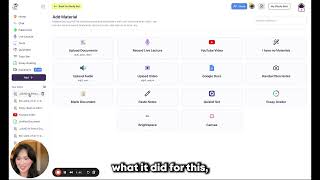
StudyFetch Beginner's Guide - Averie Bishop
StudyFetchAI
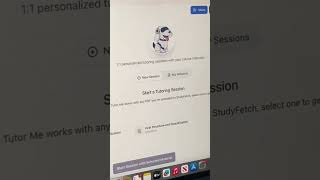
Study Fetch is 100% free to download! Try it out now! #study #college #studytip #exam #ai #studytool
Liv
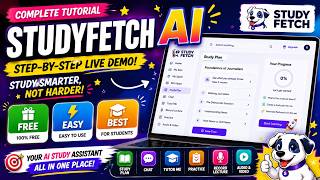
StudyFetch AI Explained & Tutorial | Best AI Study Assistant for Students?
Brainrot Studio
YouTube returned 6 videos for “Study Fetch”, and we withheld 1: 1 did not mention Study Fetch. Showing the 5 we can prove are about Study Fetch.
Official links
Tools that pair well with Study Fetch
Common stack mates teams adopt alongside Study Fetch, with the specific reason each pairing earns its keep.

Studley
Studley turns your lecture slides, PDFs, videos, and recordings into flashcards, quizzes, and audio recaps you can practise right away.

Knowunity
Free mobile-first AI study app that turns your notes and lectures into flashcards, quizzes, mock exams, and personalised study plans.

Algor Education
Algor Education turns your notes, PDFs, images, audio and YouTube videos into concept maps, flashcards, quizzes and study notes with AI.
Featured Head-to-Head Comparisons
Study Fetch vs Praktika
Study Fetch and Praktika serve completely different needs: Study Fetch is for students who want to turn lecture slides and PDFs into interactive study aids, while Praktika is for language learners who need speaking practice with AI tutors. If you're a student managing dense course materials, Study Fetch is your answer. If you're an intermediate language learner wanting to improve fluency through conversation, Praktika wins.
Study Fetch vs Surge Ai
Study Fetch is the clear choice if you're a student or educator wanting to turn lectures into flashcards and quizzes cheaply. Surge AI is built for frontier AI labs that need expert human evaluators for RLHF and red-teaming—think Microsoft using it to benchmark MAI-Thinking-1. Pick based on your actual job: studying vs. AI alignment.
Alternatives to Study Fetch
View all
Studley
Studley turns your lecture slides, PDFs, videos, and recordings into flashcards, quizzes, and audio recaps you can practise right away.

Knowunity
Free mobile-first AI study app that turns your notes and lectures into flashcards, quizzes, mock exams, and personalised study plans.

Algor Education
Algor Education turns your notes, PDFs, images, audio and YouTube videos into concept maps, flashcards, quizzes and study notes with AI.
Frequently Asked Questions
Best-of guides
Used Study Fetch? Help shape our editorial sentiment research.