
Subcap
Phone-first AI captioning app that writes synced subtitles and shows two languages on screen at once
Choose Subcap if you publish short-form video entirely from your phone and want two languages burned into one export. The bilingual on-screen display is the reason to pick it over generic phone caption apps, and the style controls draw consistent praise in the testimonials on the site — a video editor quoted there changes size, font, colour and position and says it handles German and his mumbling well. Do not buy it as an editor replacement: there is no timeline, no team workspace and no desktop counterpart on the site, so long-form multi-speaker post-production belongs in a browser suite like Kapwing or VEED.io.
Verified 1d ago · liveness 68/100 · cite: rightaichoice.com/tools/subcap
- Short-form social creators shooting and posting entirely from a phone
- Students captioning presentations, lectures and class videos
- Small-business owners making accessible marketing clips without a desktop
- Creators who need two languages displayed on screen in the same video
- Teams doing long-form or multi-speaker post-production
- Anyone who needs a video editor, not just captions
- Desktop-first editors who want a browser timeline and team collaboration
We scan live Reddit threads, YouTube comments, X posts, G2 reviews and other communities — and hand you an honest verdict in under a minute.
- Honest verdict, not marketing
- Real pros & cons from real users
- Attributed quotes with receipts
3 free scans · no card needed
Skip Subcap if you need a timeline — cutting, colour, multi-clip assembly or multi-speaker long-form post-production — rather than subtitles for an already-finished clip.
On the Free plan, exported videos carry a watermark according to the plan description, so every clip you publish publicly needs the paid tier first.
Subcap prices as a consumer phone app rather than a seat-based studio subscription, which puts it in the same bracket as other single-purpose mobile caption tools and well below browser suites like Kapwing or VEED.io where you pay for a timeline and team seats you may never use from a handset. The Pro tier is the one that carries the bilingual overlay and styling.
In short
Subcap — Phone-first AI captioning app that writes synced subtitles and shows two languages on screen at once. Best for Short-form social creators shooting and posting entirely from a phone, Students captioning presentations, lectures and class videos, Small-business owners making accessible marketing clips without a desktop. Free to use.
What's new in Subcap
Checked yesterdayAcross the latest 3 updates: 3 news mentions.
The Automatic Subtitle Generator That Works Super Fast— No Desktop Required
Blog post arguing that fast automatic captioning on a phone removes the need for a desktop workflow.
The Best Subtitle Generator Online Free — And Why Your Phone Is Enough
Blog post making the case that a phone-only subtitle generator covers most creators' captioning needs.
The Easiest Way to Automatically Add Subtitles to Videos on iPhone (2026)
Walkthrough of adding automatic subtitles to videos on iPhone in 2026 using the app's shoot-or-import flow.
What people actually say about Subcap — is it worth it?
We ran a structured research pass across product reviews, community discussions, and post-purchase forum threads to surface the patterns vendors won't publish themselves. Below: the recurring strengths, the hidden costs people mention most, and the cohort that consistently regrets adopting this tool.
75 mentions across 4 sources (YouTube, Product Hunt, App Store, Bluesky) · researched Jul 27, 2026.
Average across the 4 sources that answered — each source counts once, not each post.
- +One-tap caption generation is fast for short videos.
- +Bilingual subtitles in over 100 languages are a standout feature.
- +Clean, intuitive UI praised by early adopters on Product Hunt.
- +Mobile-only workflow is convenient for on-the-go creators.
- +Export options with burned-in captions at 720p or 1080p.
- −App frequently does not work at all, per multiple reviews.
- −Hidden annual charge of $48 after short trial with no refunds.
- −No free trial to test caption quality before paying.
- −Auto-captions are often inaccurate, especially for non-English.
- −Free tier limits translation to only two lines per use.
- • Annual $48 charge appears after 3-day trial without clear warning
- • Refund policy is non-existent; users report being charged even after unsubscribing
Viability Score
How well maintained and how widely used is Subcap? Built from what the vendor actually publishes (docs, changelog, tutorials, integrations, pricing), whether the site is live, and how much real users discuss it. How we calculate this
Last calculated: October 2026
How we score →Key Features
- AI speech-to-text transcription of your video's spoken audio
- Bilingual subtitles displaying two languages on screen at once
- Translation into more than 100 languages (the site also cites 125)
- Automatic caption syncing to spoken words — no manual timing
- Caption alignment that holds through pauses, fast speech and background noise
- Custom subtitle styles: font, colour, size and position
- Manual subtitle editing and hand-added captions
- Burned-in caption export at 720p or 1080p
- Copy caption text out for reuse in other tools
- Shoot a new video in-app or import one from your gallery
- Share captioned videos directly from the app
- Mobile app for iOS and Android
- Captions reported ready in seconds
- Switch between languages inside the dual-language view
About Subcap
Subcap is a mobile captioning app for iOS and Android. You shoot a clip inside the app or pull one from your gallery, and Subcap transcribes the spoken audio into subtitles that are aligned to the words — the vendor says captions are ready in seconds, and that alignment holds through pauses, fast speech and background noise. The distinguishing feature is the dual-language view: Subcap translates captions into more than 100 languages (the site says 125 in one place and "over 100" in another) and can display two languages on screen in the same video, so one export serves your local audience and an international one. Styling is editable — font, colour, size and position — and there is a manual editor for fixing the words any speech-to-text engine gets wrong, plus the ability to add captions by hand. Video exports at 720p or 1080p with captions burned in, caption text can be copied out for reuse, and finished clips can be shared from the app. Everything happens on the handset: there is no desktop or browser workspace described anywhere on the site. The vendor's "only true 99% accuracy in the mobile app industry" line is a self-reported marketing claim, not a benchmark, and one reviewer on the site says plainly that there is a little editing to do because the AI isn't 100% accurate. Subcap captions video; it does not cut, grade or assemble it.
Behind the Verdict
Subcap's case rests on two things a browser suite does badly on a phone: speed of getting from clip to captioned export, and the dual-language overlay. What it does well. The workflow is short by design — shoot in-app or import from the gallery, let the app transcribe and align, restyle, export at 720p or 1080p. Timing is automatic, and the vendor claims alignment survives pauses, fast speech and background noise. The bilingual feature is genuinely differentiated at this price point: rather than exporting twice for two audiences, you put both languages on screen at once. Caption styling (font, colour, size, position) is exposed rather than hidden behind a preset, which matters if you want a house look. Caption text can be copied out and reused as a post description, and the app has a manual editor plus hand-added captions for the words the engine misses. Where it is thin. It is a captioner, not an editor — no cutting, no colour, no multi-clip assembly. It is phone-only: no desktop or browser workspace is described on the site, so a laptop-first pipeline starts somewhere else. Accuracy is the vendor's own claim — the homepage's "only true 99% accuracy in the mobile app industry" is marketing copy, and one of the testimonials printed on that same homepage concedes the AI is not 100% accurate and needs a short edit. A different testimonial references a past update that broke millisecond display, which is a reasonable reminder that small display details can shift between versions. The free tier's exports carry a watermark according to the plan description in our seed data; the plans page was not reachable for this refresh, so confirm current terms inside the app before you commit a publishing schedule to it. Where it fits. Solo short-form creators on TikTok, Reels and Shorts; students captioning presentations and lecture recordings; small businesses making accessible marketing clips without touching a laptop; anyone whose audience spans two languages and who wants both visible in a single cut. Where it doesn't. Teams doing long-form or multi-speaker post-production, desktop-first editors who want a browser timeline and shared seats, and developers who need to call a captioning engine from their own pipeline. Against Kapwing or VEED.io, Subcap wins on phone-native speed and the dual-language overlay and loses on everything timeline-shaped.
Researching Subcap? Get your full AI stack in 60 seconds.
Free, no signup — tell us your goal and get tools matched to your budget & existing stack.
Real-world workflow fit
Concrete scenarios for the personas Subcap actually fits — and what changes day-one when you adopt it.
You shoot a 40-second clip in the Subcap app, let it transcribe and auto-sync, restyle the captions to your usual font and colour, then export at 1080p with captions burned in and share straight from the phone.
Outcome: A publishable captioned clip without opening a laptop or timing a single subtitle by hand.
You import a recorded class presentation, generate captions in English, add a second language so international classmates can follow, then fix the handful of words the engine got wrong in the manual editor.
Outcome: An accessible version of the presentation that works for a mixed-language class, produced on the device you already had with you.
You record a short product demo, generate subtitles, copy the caption text out to reuse as the post description, and export at 720p for social.
Outcome: An accessible marketing clip and its post copy from a single pass, with no desktop editor involved.
Use Cases
- Caption a TikTok or Instagram Reel straight from your phone
- Publish one video with English and a second language shown together
- Add accessible subtitles to a class presentation or lecture recording
- Translate a product demo for an audience in another market
- Style and export a captioned clip without opening a desktop editor
- Copy the caption text out to reuse as a post description
Limitations
- Subcap is positioned as a phone app — no desktop or browser workspace is described on the site, so if your pipeline starts on a laptop this is not the tool.
- It captions video, it does not edit it: no cutting, no colour work, no multi-clip assembly.
- The accuracy figure the vendor publishes ("the only true 99% accuracy in the mobile app industry") is a self-reported claim, not a third-party benchmark, and a testimonial printed on the same homepage concedes the AI isn't 100% accurate and needs a short edit.
- The site itself is inconsistent on language count — "over 100 languages" in most places, "125 languages" in another — so treat both as approximate.
- Testimonials also reference a past update that dropped millisecond display, a reminder that small details can shift between versions.
- Free-plan exports carry a watermark according to the plan description in our records; the plans page could not be reached for this refresh, so verify current terms in the app before relying on them.
as of 2026-10-17
Verification history
We have re-verified Subcap 8 times since . Each pass re-reads the vendor's own pages and re-checks every listed field against that evidence; passes where nothing had changed are marked as such.
- — re-checked, vendor evidence unchanged
- — re-verified summary, description, our verdict, our analysis, pricing model, pricing tiers, features, integrations, who it suits, who should skip it
- — re-checked, vendor evidence unchanged
- — re-checked, vendor evidence unchanged
- — re-checked, vendor evidence unchanged
- — re-checked, vendor evidence unchanged
Showing the 6 most recent of 8 verification passes.
Free to cite with attribution — this page re-verifies continuously.
12-month cost
Project the real annual outlay, including the implied monthly cost when only an annual tier is published.
Vendor list price only. Add-on usage, seat overages, and contract minimums are surfaced under Hidden costs & gotchas.
Plans compared
For each published Subcap tier: who it actually fits, and what it adds vs. the previous tier. Cross-reference the cost calculator above for projected annual outlay.
Free
$0
Ideal for
Creators testing whether phone captioning fits their workflow before paying, and students captioning the occasional class clip.
What this tier adds
Starting tier: in-app capture or gallery import, AI transcription and auto-sync, manual subtitle editing, and sharing — with a watermark on exports per the plan description.
Pro
Contact for pricing
Ideal for
Short-form creators and small businesses publishing regularly enough that a watermark and single-language captions are no longer acceptable.
What this tier adds
Adds the bilingual two-language overlay, translation into 100+ languages, full style controls (font, colour, size, position), and burned-in 720p/1080p export.
Where the pricing makes sense
The company stage and team size where Subcap's pricing actually pencils out — and where peers do it cheaper.
Subcap prices as a consumer phone app rather than a seat-based studio subscription, which puts it in the same bracket as other single-purpose mobile caption tools and well below browser suites like Kapwing or VEED.io where you pay for a timeline and team seats you may never use from a handset. The Pro tier is the one that carries the bilingual overlay and styling.
Setup time & first value
How long it actually takes to get something useful out of Subcap — broken out by persona, not the marketing-page minute.
Expect minutes, not days: install the app, shoot or import one clip, and the vendor says captions arrive in seconds. Short-form creators reach a first publishable export in under ten minutes; students and small-business owners should add a short proofread pass in the manual editor before the first real export, since the vendor's own testimonials concede the AI isn't perfect.
Switching to or from Subcap
How to bring data in from common predecessors and how to get it back out — written for the switcher, not the buyer.
- →From manual caption typing in a phone editor: import the raw clip into Subcap and let auto-sync replace hand-timed subtitles.
- →From a browser suite like VEED.io: keep long-form work there and move only the phone-shot short-form clips to Subcap.
- →From CapCut's auto-captions: import the finished clip and use the dual-language view when you need a second on-screen language.
- →From a generic transcription app: paste-free path — Subcap transcribes from the video itself and burns captions in on export.
- ↗To Kapwing or VEED.io: export the captioned video, then rebuild anything needing a timeline or team seats in the browser suite.
- ↗To CapCut: move the raw footage across and re-run auto-captions if you need editing tools Subcap does not have.
- ↗To a desktop NLE: export at 1080p with captions burned in, or copy the caption text out and re-time it in the editor.
Resources & Guides
Tutorials & Learning
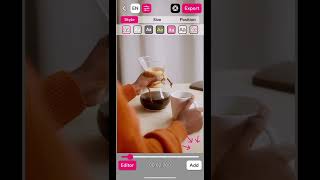
Manually Add Subtitles on Subcap #shorts #accessibility
Subcap
Add Captions On the Go with Subcap
Subcap
YouTube returned 6 videos for “Subcap”, and we withheld 4: 4 could not be judged, because “Subcap” is a single word that other videos use for other things. Showing the 2 we can prove are about Subcap.
Official links
Tools that pair well with Subcap
Common stack mates teams adopt alongside Subcap, with the specific reason each pairing earns its keep.

Dubverse.ai
Browser-based AI dubbing, subtitles and text-to-speech across 30+ languages, with an API for developers.

Rask AI
Rask AI dubs your videos into 135+ languages with cloned voices and lip-sync.

GhostCut
GhostCut is cloud AI video localization: remove hard subtitles, translate, dub, and batch-render finished videos at scale.
Featured Head-to-Head Comparisons
Subcap vs Landr Mastering
LANDR Mastering and Subcap serve completely different needs: one masters audio, the other generates subtitles. If you're a musician needing professional-grade mastering on a budget, choose LANDR. If you're a social media creator needing fast, accurate captions on mobile, Subcap is your tool. They are not direct competitors.
Subcap vs Splice
Splice and Subcap serve completely different workflows — Splice is a production toolkit for musicians, Subcap is a captioning app for social media. Your choice depends on whether you need royalty-free samples/plugins or quick mobile subtitles. If you're a producer, Splice wins; if you make short videos, Subcap is the obvious pick.
Subcap vs Storyfile
StoryFile and Subcap serve completely different needs. Choose StoryFile if you require authentic, conversational AI from real filmed individuals for museums, legacy, or enterprise digital twins—be prepared for custom pricing and professional recording. Choose Subcap if you need fast, mobile-friendly subtitles and bilingual captions for social media or presentations at minimal cost.
Alternatives to Subcap
View allDubverse.ai
Browser-based AI dubbing, subtitles and text-to-speech across 30+ languages, with an API for developers.


Frequently Asked Questions
Used Subcap? Help shape our editorial sentiment research.