
Syntetica.ai
Syntetica.ai builds no-code AI content workflows that turn your files into decks, courses, and contracts on repeat.
Syntetica earns its place when the same document gets rebuilt every week and you want a junior teammate to run it without asking an engineer. The published token estimates (687 tokens for a 10-page document, 1,500 for a 30-page deck) make budgeting unusually concrete for this category. What it won't do is serve as a general-purpose AI writer or a developer platform — judge it as a content assembly line, not a model.
Verified 7d ago · liveness 69/100 · cite: rightaichoice.com/tools/syntetica-ai
- Teams that rebuild the same proposal, report, or contract every week and want it delegated
- Content marketers scaling complex document workflows without engineering help
- Educators and e-learning teams generating structured course modules with exercises
- Operations leads handing a repeatable content process to junior staff
- Developers who need an API or SDK to wire content generation into their own pipeline
- Teams expecting real-time co-editing inside a shared document
- Anyone wanting open-ended one-off writing rather than a fixed output structure
We scan live Reddit threads, YouTube comments, X posts, G2 reviews and other communities — and hand you an honest verdict in under a minute.
- Honest verdict, not marketing
- Real pros & cons from real users
- Attributed quotes with receipts
3 free scans · no card needed
Skip Syntetica if you need API access, real-time document collaboration, or deep AI model customization—these aren't offered.
The PRO and Advanced tiers have unpublished prices (estimated $20-50/mo and $50-100/mo), so you may face sticker shock after signing up.
Syntetica's freemium model with a 10,000-token bonus suits small teams exploring workflow automation. Compared to competitors like Zapier AI or custom GPTs, its token-based pricing is transparent but may become costlier at high volume. For heavy users, check if annual commitments or custom plans offer savings.
In short
Syntetica.ai — Syntetica.ai builds no-code AI content workflows that turn your files into decks, courses, and contracts on repeat. Best for Teams that rebuild the same proposal, report, or contract every week and want it delegated, Content marketers scaling complex document workflows without engineering help, Educators and e-learning teams generating structured course modules with exercises. Free to use.
What's new in Syntetica.ai
Checked 5 days agoAcross the latest 5 updates: 5 news mentions.
Execution and Metrics for Innovation
Guide covering OKR, KPI, A/B tests, DevOps, and SRE—16 min read.
Technology Implementation with Purpose
2026 guide to achieving measurable results with technology implementation.
Align Purpose, Processes, and Metrics
Guide to scaling safely with pilots, OKR, KPI, and MVP—12 min read.
Data Strategy Focused on Value
Explore how to align data strategy with business value using KPI, OKR, ETL, governance, observability—19 min read.
Data-Driven Strategic Execution
Guide with OKR, KPI, sprints and roadmap—14 min read.
Viability Score
How well maintained and how widely used is Syntetica.ai? Built from what the vendor actually publishes (docs, changelog, tutorials, integrations, pricing), whether the site is live, and how much real users discuss it. How we calculate this
Last calculated: September 2026
How we score →Key Features
- No-code visual workflow builder for AI content processes
- Ready-made app: convert a file into a PowerPoint presentation
- Ready-made app: generate structured programming courses with exercises
- Ready-made app: draft customized sales contracts
- Multi-format file input (documents, spreadsheets, presentations, images)
- Token-based usage with published cost estimates per output type
- Share processes so any team member can run them
- 10,000 token welcome bonus on new accounts
- AI Assistant for content generation
- Apps and Agents building blocks
- Customizable process templates without coding
- Basic support on free; dedicated support on custom plans
- More than 10 free extensions for third-party tools
- Discord community for support and idea sharing
About Syntetica.ai
Syntetica.ai is a no-code AI workflow builder for teams that produce the same kinds of complex documents over and over. Instead of prompting a chatbot for one-off output, you assemble a visual process once — drop in your source files, set the steps — and anyone on the team can rerun it later. The pitch is delegation: build it, share it, hand it off. The platform ships with ready-made apps you can clone as a starting point. The PowerPoint generator reads a file, picks out its main sections, and writes a deck from them. A programming-course template produces structured modules with theory, practical exercises, and assessments. A contracts app drafts customized sales contracts. Inputs accept text documents, spreadsheets, presentations, images, and more, and every step is editable without touching code. Costs run on tokens you can actually predict. Syntetica publishes estimates: a 10-page document with a figure and a table lands around 687 tokens, a 30-page presentation around 1,500, a 20-page summary about 1,000, and a 4-page email roughly 200. A new account starts with a 10,000-token welcome bonus, which is enough to test several real workflows before you spend anything. The fit is narrower than a general writing assistant. Syntetica is for repeatable production lines — the Metaphase07 proposal process, Aera Health's personalized nutrition plans, H2IDi's technical reports and grant management — not for drafting a single blog post. If your team keeps rebuilding the same document by hand, this is worth a trial.
Behind the Verdict
Pick Syntetica when your bottleneck is repetition, not ideation. The strongest signal is the case-study list: a business manager at Metaphase07 speeding up proposal prep, Aera Health standardizing nutrition recommendations, H2IDi generating technical reports and managing grants. Those are all situations where a good process exists and just needs to run without the original author present. We'd reach for it when a process owner wants to stop being the bottleneck. Build the workflow once, share it inside the account, and let someone else execute it. The 10,000-token welcome bonus covers real testing — a handful of documents and a presentation or two — before you commit. The token math is the part buyers should actually study. Published examples span roughly 200 tokens for a 4-page email up to 1,500 for a 30-page presentation, so a heavy deck habit costs multiples of a text-heavy one. Estimate your monthly volume against those figures before choosing a tier. Where it bites: this is a web app for document workflows, and the vendor material documents no public API or developer SDK, so teams that need to wire Syntetica into a custom pipeline should verify that first. Real-time co-editing isn't part of the picture either — the model is build-then-share, not edit-together. The closest comparison is a generic AI writer, and the split is clean. A chatbot wins on one-off copy and open-ended drafting. Syntetica wins when the output has a fixed shape — a deck, a contract, a course module — and the same shape returns next month with new inputs. Support scales with price: basic on the free plan, better on PRO and Advanced, dedicated only on custom plans. The vendor page for plan pricing didn't load for us, so check the live pricing page before you budget.
Researching Syntetica.ai? Get your full AI stack in 60 seconds.
Free, no signup — tell us your goal and get tools matched to your budget & existing stack.
Real-world workflow fit
Concrete scenarios for the personas Syntetica.ai actually fits — and what changes day-one when you adopt it.
You need to turn a weekly data report into a branded PowerPoint deck.
Outcome: Use the PowerPoint generator app, drop in the report, and get a structured deck in minutes—saving hours of manual formatting.
You want to create a structured programming course with modules and assessments.
Outcome: Use the programming course template, input your topic and level, and receive a complete course outline with theory, exercises, and quizzes.
You need to draft a detailed sales contract quickly.
Outcome: Use the contracts of sale app, provide key details, and get a legally-sound contract draft ready for review.
Use Cases
- Generate a sales contract from a template with AI.
- Convert a text file into a PowerPoint presentation automatically.
- Create a structured programming course with modules and assessments.
- Automate personalized nutritional recommendations for clients.
- Design repeatable workflows to share with your team for efficient content production.
Limitations
- Pricing and changelog pages currently return a 404, so plan tiers and feature upgrades are not documented on the live site.
- Usage is token-based, with costs published only as approximate estimates per output type (e.g., a 30-page presentation ≈ 1500 tokens).
- The platform centers on ready-made, no-code content-generation apps rather than a described underlying model.
as of 2026-08-31
Verification history
We have re-verified Syntetica.ai 8 times since . Each pass re-reads the vendor's own pages and re-checks every listed field against that evidence; passes where nothing had changed are marked as such.
- — re-verified summary, description, our verdict, our analysis, pricing model, pricing tiers, features, integrations, who it suits, who should skip it
- — re-checked, vendor evidence unchanged
- — re-checked, vendor evidence unchanged
- — re-verified summary, description, our verdict, our analysis, pricing model, pricing tiers, features, integrations, who it suits, who should skip it
- — re-verified summary, description, our verdict, our analysis, pricing model, pricing tiers, features, integrations, who it suits, who should skip it
- — re-verified summary, description, our verdict, our analysis, pricing model, pricing tiers, features, integrations, who it suits, who should skip it
Showing the 6 most recent of 8 verification passes.
Free to cite with attribution — this page re-verifies continuously.
12-month cost
Project the real annual outlay, including the implied monthly cost when only an annual tier is published.
Vendor list price only. Add-on usage, seat overages, and contract minimums are surfaced under Hidden costs & gotchas.
Plans compared
For each published Syntetica.ai tier: who it actually fits, and what it adds vs. the previous tier. Cross-reference the cost calculator above for projected annual outlay.
Free
$0/mo
Ideal for
Solo users or small teams exploring AI workflow automation with a 10,000-token welcome bonus—enough to test multiple templates.
What this tier adds
Starting tier with 10,000 tokens, basic support, access to free integrations, and the ability to run pre-configured apps.
PRO
Not published
Ideal for
Individuals or small teams needing higher token allowances and better support than the free tier.
What this tier adds
Adds better support, increased token allowance, and advanced features compared to the Free plan.
Advanced
Not published
Ideal for
Growing teams with more frequent content generation needs and a desire for deeper customization.
What this tier adds
Offers more tokens and advanced customization options compared to PRO.
Custom
Custom
Ideal for
Enterprises with specific workflow, token, and support requirements that standard plans can't accommodate.
What this tier adds
Tailored to company needs, includes dedicated support, and features custom plan pricing.
Where the pricing makes sense
The company stage and team size where Syntetica.ai's pricing actually pencils out — and where peers do it cheaper.
Syntetica's freemium model with a 10,000-token bonus suits small teams exploring workflow automation. Compared to competitors like Zapier AI or custom GPTs, its token-based pricing is transparent but may become costlier at high volume. For heavy users, check if annual commitments or custom plans offer savings.
Setup time & first value
How long it actually takes to get something useful out of Syntetica.ai — broken out by persona, not the marketing-page minute.
For a ready-made app, you can get first results within 5 minutes: sign up, pick a template, and run it. Building custom workflows takes 15-30 minutes as you design steps and test with your own inputs. Sharing a process for your team requires a bit more planning, but the drag-and-drop interface keeps it approachable.
Resources & Guides
Tutorials & Learning
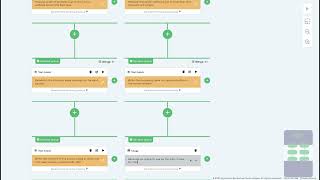
YouTube returned 6 videos for “Syntetica.ai”, and we withheld 5: 5 could not be judged, because “Syntetica.ai” is a single word that other videos use for other things. Showing the 1 we can prove is about Syntetica.ai.
Official links
Tools that pair well with Syntetica.ai
Common stack mates teams adopt alongside Syntetica.ai, with the specific reason each pairing earns its keep.


Featured Head-to-Head Comparisons
Syntetica Ai vs Locus Robotics
These tools serve completely different domains. Choose Syntetica.ai if your challenge is automating repetitive document generation without coding. Choose Locus Robotics if you need to scale warehouse fulfillment and reduce labor costs with autonomous mobile robots. There is no overlap; your decision depends entirely on whether your bottleneck is content production or physical order fulfillment.
Syntetica Ai vs Truleo
If you are a law enforcement agency needing to connect siloed data and generate case leads, Truleo is the clear choice. For teams automating repetitive document workflows without coding, Syntetica.ai offers a flexible, freemium platform. These tools serve completely different purposes and overlap only in that both use AI, so your decision depends entirely on your domain.
Syntetica Ai vs Presto Voice
Choose Syntetica.ai if you need a no-code platform to automate document creation workflows. Choose Presto Voice if you run a QSR drive-thru chain and want to boost revenue via voice AI upselling. They serve completely different markets — compare only if your need spans both content automation and restaurant operations.
Alternatives to Syntetica.ai
View all
Anakin.ai
One no-code AI platform for content generation, agents, workflows, and batch processing.

Z.ai
Z.ai is a free conversational AI assistant for presentations, writing, and agentic coding with ZCode.

SheetAI.app
Bulk AI text, image, video, and music generation inside Google Sheets formulas.
Frequently Asked Questions
Best-of guides
Used Syntetica.ai? Help shape our editorial sentiment research.