
Timestamp Camera
Mobile camera app that burns live date, time, GPS, weather and altitude onto photos and videos as you shoot them.
Timestamp Camera does one job well: it writes live sensor data onto your media at the moment you shoot, and that capture-time stamp is genuinely hard to replicate afterwards. If you photograph construction progress, inspect properties, survey sites or want travel photos that carry where and when, install it. If you need timestamping applied to an existing library, EXIF-level editing or batch metadata work on a desktop, use a desktop photo manager or an EXIF editor instead — Timestamp Camera is a phone utility, and its Android listing is where the current feature set and any paid unlock are described.
Verified 4d ago · liveness 68/100 · cite: rightaichoice.com/tools/timestamp-camera
- Construction and site documentation
- Property inspection and field surveying
- Travel and location-heavy photo logging
- Solo operators and small field teams
- Photo editors needing retouching, grading or compositing
- Workflows requiring centralised team storage, retention policy or audit logs
- Anyone needing a desktop or browser-based timestamping workflow
We scan live Reddit threads, YouTube comments, X posts, G2 reviews and other communities — and hand you an honest verdict in under a minute.
- Honest verdict, not marketing
- Real pros & cons from real users
- Attributed quotes with receipts
3 free scans · no card needed
Skip Timestamp Camera if you need a timestamp applied to photos you have already shot, or if your team needs a shared archive with retention and audit logging rather than a stamp burned into each individual file.
Timestamp Camera is a free-to-install phone utility from a publisher whose portfolio spans 50+ camera and utility apps, so the relevant comparison is not against subscription documentation platforms but against desktop photo managers and EXIF editors, which typically charge a one-time or annual desktop licence for library-wide metadata control.
In short
Timestamp Camera — Mobile camera app that burns live date, time, GPS, weather and altitude onto photos and videos as you shoot them. Best for Construction and site documentation, Property inspection and field surveying, Travel and location-heavy photo logging. Free to use.
What people actually say about Timestamp Camera — is it worth it?
We ran a structured research pass across product reviews, community discussions, and post-purchase forum threads to surface the patterns vendors won't publish themselves. Below: the recurring strengths, the hidden costs people mention most, and the cohort that consistently regrets adopting this tool.
56 mentions across 6 sources (Hacker News, YouTube, Product Hunt, App Store, Bluesky, Lemmy) · researched Jul 14, 2026.
Average across the 6 sources that answered — each source counts once, not each post.
- +Free version offers live timestamp, GPS, and weather overlay.
- +Easy to use — open and shoot with automatic stamps.
- +Great for construction daily documentation and inspections.
- +Highly recommended for evidence of life/time/place in niche communities.
- +Supports both photo and real-time video timestamping.
- −Audio recording on video often fails on iOS without warning.
- −Cannot add timestamps to existing photos in gallery.
- −Import photos from iPhone 13 broken even after paying.
- −GPS location sometimes fails to update when moving.
- −Pro version bugs not fixed for years — no visible support.
- • Pro version reported broken on iPhone 13 import — no refund mentioned
- • No subscription but one-time purchase may not include future updates
Viability Score
How well maintained and how widely used is Timestamp Camera? Built from what the vendor actually publishes (docs, changelog, tutorials, integrations, pricing), whether the site is live, and how much real users discuss it. How we calculate this
Last calculated: October 2026
How we score →Key Features
- Live date and time stamp burned into photos
- Live timestamp overlay on recorded video
- GPS coordinates stamped on the image
- Map stamp showing capture location
- Weather and temperature overlay
- Altitude and weekday display
- Customizable font, colour, size and position
- Multiple timestamp format and layout templates
- AI-assisted timestamp templates
- Batch stamping of multiple photos
- Auto-updating timestamp when you edit
- Share stamped images with embedded metadata
- No-watermark output option
- Android app
About Timestamp Camera
Timestamp Camera is a mobile camera app that writes real-time data — date, time, GPS coordinates, weather, altitude and weekday — directly onto the photos and videos you capture. Because the stamp is burned into the image, the record travels with the file instead of sitting in EXIF metadata that gets stripped by uploads, messaging apps and social platforms. You choose a template (font, size, colour, position, format) and the app overlays live sensor readings at the moment of capture, then optionally embeds metadata on export. It is built for people whose photos have to prove where and when something happened: construction crews photographing daily site progress, property inspectors documenting condition, surveyors and field engineers logging installations with coordinates burned in, and travellers building geotagged albums that carry location and weather on the image itself. The app runs on Android; the publisher, Shanghai Zonghong Information Technology Co., Ltd. (上海宗翃信息科技有限公司), describes itself as a Shanghai-based software company with 10 million+ users across 50+ camera and utility apps and more than 10 years of development. The difference from a desktop photo editor is timing: Timestamp Camera stamps at capture, so the record is created once rather than applied retroactively.
Behind the Verdict
The value proposition here is narrow and real. Metadata is fragile: EXIF timestamps and GPS coordinates are routinely stripped by chat apps, social platforms and CMS uploads. Burning the stamp into the pixels at capture time is the only way to guarantee the information survives that trip, and it is exactly what Timestamp Camera does. The live overlay covers the basics a field record needs — date and time, GPS coordinates, a map stamp showing capture location, weather and temperature, altitude and weekday. Beyond the raw data, you control font, colour, size and position and pick from multiple format and layout templates, so the output can be made legible over a bright construction site or a dark interior. The app advertises AI-assisted timestamp templates and batch stamping of multiple photos, plus a no-watermark output option, along with video timestamping so recorded clips carry the same live overlay. Where it stops is equally important. This is not a media management system: there is no described shared team archive, retention policy or chain-of-custody logging, so a compliance workflow that needs centralised records has to be built around the app rather than inside it. It is not a photo editor either — no grading, retouching, compositing or RAW pipeline. And the publisher's public site is a corporate overview of its camera and utility portfolio with no product-level documentation, so confirm current feature behaviour in the app store listing before you standardise a team on it. For a solo operator or a small field crew that needs proof-of-when-and-where on each shot, the trade-off is fair: a cheap focused utility in exchange for doing one thing rather than ten.
Researching Timestamp Camera? Get your full AI stack in 60 seconds.
Free, no signup — tell us your goal and get tools matched to your budget & existing stack.
Real-world workflow fit
Concrete scenarios for the personas Timestamp Camera actually fits — and what changes day-one when you adopt it.
Walks the site each morning and photographs progress points with the date, time and GPS coordinates burned into each frame, then shares the images with the project manager the same day.
Outcome: Every progress photo carries its own timestamp and location, so the project record cannot be confused or quietly backdated when the images leave the phone.
Captures condition photos room by room during an inspection, using the map stamp and weather overlay alongside the date so the visit conditions are visible on the image.
Outcome: The client receives photos that show exactly when and where each condition was recorded without needing a separate log to interpret them.
Logs boundary markers, poles and installations with coordinates stamped on the image, choosing a layout template that keeps the coordinate text legible in sunlight.
Outcome: Coordinate-stamped images serve as a field reference that survives upload into reports, message threads and job folders.
Use Cases
- Construction crews photographing daily site progress with a date and GPS stamp for the project record
- Property inspectors capturing condition photos that show exactly when and where they were taken
- Surveyors and field engineers logging boundary markers, poles and installations with coordinates burned in
- Travellers building geotagged albums that carry location and weather on the image itself
- Freelancers timelogging daily work progress with date and location visible in each shot
Limitations
- Timestamp Camera is a capture-time stamping app, not a media management system.
- There is no described shared team archive, retention policy or chain-of-custody logging, so compliance workflows that require centralised records have to be built around it.
- It is not a photo editor — no grading, retouching, compositing or RAW pipeline.
- The publisher's public website is a corporate overview of its camera and utility portfolio and does not carry product-level documentation, so confirm current feature behaviour in the app store listing before standardising on it.
as of 2026-10-13
Verification history
We have re-verified Timestamp Camera 8 times since . Each pass re-reads the vendor's own pages and re-checks every listed field against that evidence; passes where nothing had changed are marked as such.
- — re-checked, vendor evidence unchanged
- — re-checked, vendor evidence unchanged
- — re-checked, vendor evidence unchanged
- — re-checked, vendor evidence unchanged
- — re-checked, vendor evidence unchanged
- — re-checked, vendor evidence unchanged
Showing the 6 most recent of 8 verification passes.
Free to cite with attribution — this page re-verifies continuously.
12-month cost
Project the real annual outlay, including the implied monthly cost when only an annual tier is published.
Vendor list price only. Add-on usage, seat overages, and contract minimums are surfaced under Hidden costs & gotchas.
Where the pricing makes sense
The company stage and team size where Timestamp Camera's pricing actually pencils out — and where peers do it cheaper.
Timestamp Camera is a free-to-install phone utility from a publisher whose portfolio spans 50+ camera and utility apps, so the relevant comparison is not against subscription documentation platforms but against desktop photo managers and EXIF editors, which typically charge a one-time or annual desktop licence for library-wide metadata control.
Setup time & first value
How long it actually takes to get something useful out of Timestamp Camera — broken out by persona, not the marketing-page minute.
Solo operators and field crew members: minutes — install from the app store, pick a timestamp template and shoot your first stamped photo. Small teams standardising on a shared template: allow a short session to agree font, position and format, then confirm current feature behaviour against the app store listing before rolling it out.
Resources & Guides
Tutorials & Learning
INSTRUCTIVO APLICACION TIMESTAMP CAMERA
amdeval
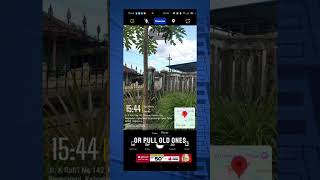
How to Edit and Add Timestamps & Location to Photos for Workplace Reporting | Camsta App
Appnovasi Studio
YouTube returned 6 videos for “Timestamp Camera”, and we withheld 4: 4 did not mention Timestamp Camera. Showing the 2 we can prove are about Timestamp Camera.
Official links
Tools that pair well with Timestamp Camera
Common stack mates teams adopt alongside Timestamp Camera, with the specific reason each pairing earns its keep.

VidMage
VidMage does free no-watermark AI face swap for photos, videos and GIFs, with a Mac app for local and live swap.

PixelMotion
Turn product photos into professional marketing videos with 57 AI models, from $29/mo.

Instories
Instories turns prompts, photos, and long videos into stories, reels, and shorts with AI
Featured Head-to-Head Comparisons
Timestamp Camera vs Splice
Splice and Timestamp Camera serve completely different needs. If you're a music producer hunting for royalty-free samples or rent-to-own plugins like Serum 2, Splice is your go-to. If you need to add live timestamps, GPS, and weather data to photos/videos for evidence or documentation, choose Timestamp Camera. There's no overlap—pick based on your creative or professional field.
Timestamp Camera vs The New Black
If you're in fashion design, The New Black is purpose-built to accelerate concept-to-prototype with AI. For anyone needing verifiable timestamps on media, Timestamp Camera is the specialized tool. Choose based on your core need: creating designs or documenting evidence.
Timestamp Camera vs Storyfile
If you need cheap, reliable timestamping for photos and videos as evidence or documentation, Timestamp Camera is your tool. If you want to create interactive AI conversations from real people for museums or legacy preservation, StoryFile is the powerful but pricier choice. They serve completely different needs—don't compare them on price alone.
Alternatives to Timestamp Camera
View all
VidMage
VidMage does free no-watermark AI face swap for photos, videos and GIFs, with a Mac app for local and live swap.

PixelMotion
Turn product photos into professional marketing videos with 57 AI models, from $29/mo.

Frequently Asked Questions
Categories
Used Timestamp Camera? Help shape our editorial sentiment research.