
Ultralytics
Annotate, train, and deploy Ultralytics YOLO vision models in one browser-based workflow
If your stack is YOLO, Ultralytics Platform removes a lot of glue work — SAM-powered annotation, 26 rentable GPUs priced with no markup, and 21 export formats under one login. The $25 company-email credit (or $5 on a personal email) lets you run a real dataset before committing. Companies already standardized on Roboflow for labeling should weigh whether migrating datasets is worth it; teams that need non-YOLO architectures, multi-framework benchmarking, or an air-gapped install should look elsewhere. Buy it as a YOLO pipeline, not a general vision platform.
Verified 11d ago · liveness 81/100 · cite: rightaichoice.com/tools/ultralytics
- Computer vision teams shipping production YOLO detection, segmentation, or pose models
- Data scientists who want annotation, training, and export in one browser tab
- Teams that need rentable H100 or B300 GPUs without markup or commitment
- Enterprises that require ISO 27001 and SOC 2 paperwork before adopting a vision platform
- Teams whose roadmap includes non-YOLO architectures or multi-framework benchmarking
- Anyone needing an air-gapped or fully on-premise deployment
- Complete beginners with no computer vision fundamentals
We scan live Reddit threads, YouTube comments, X posts, G2 reviews and other communities — and hand you an honest verdict in under a minute.
- Honest verdict, not marketing
- Real pros & cons from real users
- Attributed quotes with receipts
3 free scans · no card needed
Skip Ultralytics Platform if your roadmap requires non-YOLO architectures, multi-framework benchmarking, or an air-gapped on-premise install — the platform is built specifically around Ultralytics YOLO and runs as a hosted browser service.
GPU compute is billed by the hour with no commitment, so a long H100 SXM 80 GB run at $3.29/hr or a B300 288 GB run at $7.39/hr adds up fast once your free credits are gone.
The platform fits teams that want bursty GPU access without a reserved-instance contract: RTX 2000 Ada 16 GB starts at $0.24/hr and H100 SXM 80 GB at $3.29/hr, with $25 in free credits on a company email to test before spending. Teams running continuous multi-GPU training should compare total monthly spend against a reserved cloud instance commitment, since pay-as-you-go wins on short campaigns and loses on always-on ones.
In short
Ultralytics — Annotate, train, and deploy Ultralytics YOLO vision models in one browser-based workflow. Best for Computer vision teams shipping production YOLO detection, segmentation, or pose models, Data scientists who want annotation, training, and export in one browser tab, Teams that need rentable H100 or B300 GPUs without markup or commitment. Free to start; paid plans from $0.24.
What people actually say about Ultralytics — is it worth it?
We ran a structured research pass across product reviews, community discussions, and post-purchase forum threads to surface the patterns vendors won't publish themselves. Below: the recurring strengths, the hidden costs people mention most, and the cohort that consistently regrets adopting this tool.
5 mentions across 5 sources (Hacker News, YouTube, Stack Overflow, GitHub, Lemmy), 55 more we could not attribute · researched Sep 15, 2026.
Weighted by the 60 posts each of 5 sources contributed.
- +Enormous open-source community with 61,603 GitHub stars and years of real-world usage
- +YOLO26 delivered faster CPU inference users specifically said they wanted
- +Integrated platform connects annotation, cloud training, export, and deployment in one UI
- +SAM-powered one-click masks and bounding boxes claim up to 10x labeling speedup
- +Transparent GPU pricing at $0.24/hr with no markup or minimum commitment
- −AGPL enforcement described as overreaching, pushing projects like Frigate to remove models
- −YOLO26 scored worse than v9 and v11 for at least one production team
- −Unresolved NaN tensor bug during deterministic training on B200 hardware
- −Open bug truncates long OCR text fields and elongated objects intermittently
- −Platform tutorials lack coverage of custom architecture and layer modification
- • AGPL licensing exposure requiring a paid enterprise license for closed-source products
- • Cloud GPU compute costs accumulate quickly on long training runs
- • Unclear what free-tier platform limits actually are before you hit paywalls
Viability Score
How well maintained and how widely used is Ultralytics? Built from what the vendor actually publishes (docs, changelog, tutorials, integrations, pricing), whether the site is live, and how much real users discuss it. How we calculate this
Last calculated: October 2026
How we score →Key Features
- SAM-powered smart annotation for one-click masks and bounding boxes
- Full AI task coverage: detection, instance segmentation, semantic segmentation, classification, pose, OBB
- Universal annotation format support: YOLO, COCO, and more
- Team review and dataset versioning for collaboration
- Train on 26 cloud NVIDIA GPUs from Ampere to Blackwell, from $0.24/hr
- Real-time training metrics and side-by-side experiment comparison
- AutoTrain with Ask AI to set a baseline and propose the next run
- Drag-and-drop inference testing with real-time object detection
- Community dataset library with thousands of ready-to-train datasets
- Export trained models to 21 formats including ONNX, TensorRT, CoreML, OpenVINO, PyTorch
- Deploy models across 42 global regions
- Browser-based workflow, no installation required
- YOLO26 available now, YOLO27 waitlist open, YOLOv8 and YOLO11 supported
- ISO 27001:2022 certification and SOC 2 Type I compliance
- Industry solution templates for aerial imagery, aerospace, security, robotics, logistics, retail, healthcare, manufacturing, automotive, agriculture
About Ultralytics
Ultralytics Platform is the official web workflow for building computer vision models on Ultralytics YOLO architectures. It connects dataset annotation, cloud GPU training, evaluation, export, and deployment in a single browser interface, aimed at computer vision teams already committed to YOLO who don't want to maintain separate labeling, training, and serving tools. Annotation uses SAM-powered smart annotation that produces masks and bounding boxes in one click; Ultralytics claims labeling up to 10x faster. Task coverage spans detection, instance segmentation, semantic segmentation, classification, pose, and oriented bounding boxes, with YOLO, COCO, and other universal formats plus team review and dataset versioning. A community dataset library offers thousands of ready-to-train sets, from a 37.8k-image weapon detection set to a 17.9k-image rice leaf disease set. Training runs on 26 NVIDIA GPUs spanning Ampere, Ada, Hopper, and Blackwell, with listed shop rates including RTX 2000 Ada 16 GB at $0.24/hr, RTX A5000 24 GB at $0.27/hr, L40S 48 GB at $0.86/hr, H100 SXM 80 GB at $3.29/hr, H200 SXM 141 GB at $4.39/hr, and B300 288 GB at $7.39/hr. Runs show real-time metrics, side-by-side experiment comparison, and an AutoTrain path that uses Ask AI to set a baseline and propose the next run. Finished models export to 21 formats and deploy to 42 global regions. YOLO26 is available now and YOLO27 is on the waitlist; YOLOv8 and YOLO11 are also supported. Industry solution pages cover aerial imagery, aerospace, security, robotics, logistics, retail, healthcare, manufacturing, automotive, and agriculture. Against hand-assembling a labeling tool, a GPU rental, and an inference stack, the pitch is one pipeline and one bill built specifically around YOLO.
Behind the Verdict
The strongest argument for Ultralytics Platform is that it is built by the same team that maintains the YOLO models you are training. That shows up in places that matter: YOLO26 is available in the platform at launch, YOLO27 is already collecting a waitlist, and the AutoTrain path uses Ask AI to establish a baseline run and propose the next one rather than making you hand-tune every hyperparameter start. The annotation layer is where most teams save the most time. SAM-powered smart annotation generates masks and bounding boxes in one click, and Ultralytics claims labeling up to 10x faster. Coverage of detection, instance segmentation, semantic segmentation, classification, pose, and oriented bounding boxes in one tool means you are not stitching together separate annotators per task type. Team review workflows and dataset versioning handle the coordination problem that shows up once more than one person touches a dataset. Compute is the second differentiator. 26 NVIDIA GPUs span Ampere through Blackwell with published shop rates: RTX 2000 Ada 16 GB at $0.24/hr, RTX A5000 24 GB at $0.27/hr, L40S 48 GB at $0.86/hr, H100 SXM 80 GB at $3.29/hr, H200 SXM 141 GB at $4.39/hr, and B300 288 GB at $7.39/hr. The rates are listed as no markup, no minimums, no commitment, which matters if your training cadence is bursty rather than continuous. Real-time metrics and side-by-side experiment comparison are the evaluation surface you'd otherwise build yourself. Deployment closes the loop. Export to 21 formats — ONNX, TensorRT, CoreML, OpenVINO, LiteRT, TorchScript, PaddlePaddle, NCNN, MNN, Sony IMX500, Rockchip RKNN, Axelera AI, DeepX, Qualcomm, Hailo, and Huawei among them — and deploy across 42 global regions. If your target is an edge device, checking that export path exists before you annotate anything is the right first step. Where it doesn't fit: the platform is YOLO-centric by design, so teams that need to benchmark against non-YOLO architectures or swap frameworks per project will fight it. There is no indication of an air-gapped or fully on-premise option, which rules it out for classified or regulated environments that cannot egress to a hosted training service. Complete beginners with no computer vision fundamentals will find the platform assumes you know what a class, an annotation, and a training run are. If you only need labeling and already trust your training stack, the compute and deployment halves are dead weight you'd be paying for.
Researching Ultralytics? Get your full AI stack in 60 seconds.
Free, no signup — tell us your goal and get tools matched to your budget & existing stack.
Real-world workflow fit
Concrete scenarios for the personas Ultralytics actually fits — and what changes day-one when you adopt it.
You have 5,000 images of production-line defects and no labels. You upload them, use SAM-powered smart annotation to generate one-click masks and boxes, set up a review pass for a colleague, then train a YOLO26 detection model on an L40S 48 GB at $0.86/hr while watching metrics in real time.
Outcome: A labeled, versioned dataset and a trained detection model you can export to TensorRT for an edge camera on the line — without leaving the browser or wiring up a separate labeling tool.
You need a pose model but only have a few hundred of your own frames. You start from a community pose dataset to validate the training pipeline on an RTX A5000 24 GB at $0.27/hr, then swap in your own annotated frames once collection catches up.
Outcome: A working baseline pose model in a day rather than a week, plus a repeatable pipeline you can point at your own data when it arrives.
You are building perimeter monitoring and license-plate recognition for a client site. You pull a public weapon-detection and license-plate dataset from the community library, retrain, export to ONNX and CoreML, and deploy across the platform's regional endpoints for a multi-site rollout.
Outcome: Prototype-to-deployment on a single platform, with ISO 27001 and SOC 2 documentation available for the client's procurement review.
Use Cases
- Label custom datasets for defect detection in manufacturing
- Train a YOLO model to detect hard hats on construction sites
- Deploy pose estimation for sports analytics
- Prototype object detection pipelines for self-driving cars
- Annotate thousands of images with SAM-powered tools
- Export trained models to TensorRT for edge deployment
- Evaluate model performance with side-by-side experiment comparison
- Access ready-to-train community datasets for quick prototyping
Models Under the Hood
as of 2026-10-04
Limitations
- The platform is centered on Ultralytics YOLO variants — YOLO27 (waitlist/coming soon), YOLO26, YOLO11, and YOLOv8 — so teams needing non-YOLO architectures or multi-framework benchmarking will find the model coverage narrow.
- It is browser-based and requires no installation, which also means there is no indicated air-gapped or fully on-premise option for environments that cannot use a hosted service.
- GPU pricing and availability vary by region across the 26 listed cards, so the rate you plan around may not be the rate available at the moment you train.
- Compute is billed pay-as-you-go, so long training campaigns on the larger Blackwell cards accumulate cost quickly regardless of the free credits that get you started.
as of 2026-09-27
Verification history
We have re-verified Ultralytics 7 times since . Each pass re-reads the vendor's own pages and re-checks every listed field against that evidence; passes where nothing had changed are marked as such.
- — re-verified summary, description, our verdict, our analysis, pricing model, pricing tiers, features, integrations, who it suits, who should skip it
- — re-verified summary, description, our verdict, our analysis, pricing model, pricing tiers, features, integrations, who it suits, who should skip it
- — re-verified summary, description, our verdict, our analysis, pricing model, pricing tiers, features, integrations, who it suits, who should skip it
- — re-verified summary, description, our verdict, our analysis, pricing model, pricing tiers, features, integrations, who it suits, who should skip it
- — re-verified summary, description, our verdict, our analysis, pricing model, pricing tiers, features, integrations, who it suits, who should skip it
- — re-verified summary, description, our verdict, our analysis, pricing model, pricing tiers, features, integrations, who it suits, who should skip it
Showing the 6 most recent of 7 verification passes.
Free to cite with attribution — this page re-verifies continuously.
12-month cost
Project the real annual outlay, including the implied monthly cost when only an annual tier is published.
Vendor list price only. Add-on usage, seat overages, and contract minimums are surfaced under Hidden costs & gotchas.
Plans compared
For each published Ultralytics tier: who it actually fits, and what it adds vs. the previous tier. Cross-reference the cost calculator above for projected annual outlay.
Free credits (company email)
$25 credit
Ideal for
A team evaluating the platform on a real internal dataset before committing budget — the $25 credit covers meaningful annotation and a short training run.
What this tier adds
Starting tier: $25 in free credits with no credit card required and full platform access to annotate, train, and deploy, then pay-as-you-go GPU rates.
Free credits (personal email)
$5 credit
Ideal for
An individual developer or student prototyping on public community datasets without a company budget.
What this tier adds
Same full platform access as the company-email tier but a smaller $5 credit, which covers a shorter training run before pay-as-you-go rates apply.
Pay-as-you-go GPU compute
From $0.24/hr
Ideal for
Teams with bursty training cadence — a few big runs a month rather than continuous multi-GPU jobs — who don't want a reserved-instance contract.
What this tier adds
Metered hourly compute on 26 NVIDIA GPUs from $0.24/hr to $7.39/hr, with no markup, no minimums, and no commitment.
Where the pricing makes sense
The company stage and team size where Ultralytics's pricing actually pencils out — and where peers do it cheaper.
The platform fits teams that want bursty GPU access without a reserved-instance contract: RTX 2000 Ada 16 GB starts at $0.24/hr and H100 SXM 80 GB at $3.29/hr, with $25 in free credits on a company email to test before spending. Teams running continuous multi-GPU training should compare total monthly spend against a reserved cloud instance commitment, since pay-as-you-go wins on short campaigns and loses on always-on ones.
Setup time & first value
How long it actually takes to get something useful out of Ultralytics — broken out by persona, not the marketing-page minute.
Most engineers reach first annotation within 15-20 minutes of signing up — there is no install and no credit card to enter, just a browser session with $25 in credits on a company email. First trained model depends on dataset size and GPU choice: a small community dataset on an RTX 2000 Ada 16 GB at $0.24/hr can finish in under an hour, while a custom dataset needing annotation plus a YOLO26 run
Switching to or from Ultralytics
How to bring data in from common predecessors and how to get it back out — written for the switcher, not the buyer.
- →From Roboflow: export your dataset in COCO or YOLO format and re-upload to the platform's universal format support, then re-run annotation only where SAM smart labeling improves the existing boxes.
- →From a self-hosted Label Studio plus a cloud GPU account: replace both with the platform's annotation and training in one login, keeping your existing YOLO weights as the AutoTrain baseline.
- →From Ultralytics Python CLI training: upload the same dataset, use AutoTrain with Ask AI to establish the baseline, and compare runs side-by-side against your local results.
- ↗To a self-hosted training stack: export your finalized dataset in YOLO or COCO format and your trained weights, then retrain locally on your own GPUs.
- ↗To an edge deployment framework: export the trained model to ONNX, TensorRT, CoreML, OpenVINO, or one of the other 21 supported formats and serve it with your own inference code.
Integrations
Resources & Guides
Tutorials & Learning
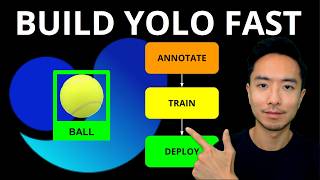
YouTube returned 6 videos for “Ultralytics”, and we withheld 5: 5 could not be judged, because “Ultralytics” is a single word that other videos use for other things. Showing the 1 we can prove is about Ultralytics.
Official links
Tools that pair well with Ultralytics
Common stack mates teams adopt alongside Ultralytics, with the specific reason each pairing earns its keep.

Teachable Machine
Free browser tool from Google for training image, sound, and pose classifiers with no code and no account.

Roboflow
Roboflow is an end-to-end computer vision platform for labeling data, training custom models, and deploying them to cloud, edge, VPC, or on-prem.

Reka
Reka builds omni models for real-time video reasoning that run on-device, not just in the cloud.
Featured Head-to-Head Comparisons
Ultralytics vs Geologicai
Choose GeologicAI if you're in mining and need an integrated sensor-to-model pipeline for drill cores; it's purpose-built for sub-48h turnaround and critical mineral detection. Choose Ultralytics for general-purpose computer vision (any industry) where you want to train and deploy custom YOLO models quickly, especially if you need flexible export formats and cloud GPU training. They are not direct competitors—they serve entirely different domains.
Ultralytics vs Screenplayiq
Choose ScreenplayIQ if you write feature film scripts and need data-backed marketability analysis and box office predictions. Choose Ultralytics if you build computer vision models and need annotation, training, and deployment with YOLO26’s latest end-to-end capabilities. They serve completely different workflows – the choice depends on whether your output is a screenplay or a vision model.
Ultralytics vs Versatile
Versatile and Ultralytics serve entirely different domains: Versatile is a niche crane intelligence tool for steel erectors needing passive real-time tracking, while Ultralytics is a general computer vision platform for teams building and deploying YOLO models. Choose Versatile if your priority is steel erection efficiency without workflow changes; choose Ultralytics if you need end-to-end vision AI for detection, segmentation, or pose tasks.
Alternatives to Ultralytics
View all
Teachable Machine
Free browser tool from Google for training image, sound, and pose classifiers with no code and no account.


Frequently Asked Questions
Categories
Best-of guides
Used Ultralytics? Help shape our editorial sentiment research.