Universal Data Tool is live · free plan, paid from $49/mo · last verified 22 Oct 2026 · viability healthy

Universal Data Tool
Browser and offline desktop data labeling for image, text, document, and video annotation.
Pick Universal Data Tool when the job is manual, scoped, and privacy-sensitive. Polygon and NER work, PDF/OCR review, offline desktop mode, and clean COCO/CSV/JSONL exports cover most small-team needs. The ceiling is throughput: no model-assisted pre-labeling on the documented feature set, so scaling means adding people, not prompts. Once pre-labeling is your bottleneck, look to Label Studio or Roboflow.
Verdict generatedVerified 8d ago · liveness 70/100 · cite: rightaichoice.com/tools/universal-data-tool
- Researchers labeling sensitive data that cannot leave a local machine
- Small ML teams needing image, text, document, and video labeling in one tool
- Freelance annotators who want capable labeling without infrastructure setup
- Privacy-first organizations wanting an offline desktop annotation workflow
- Annotation factories scaling to hundreds of thousands of items per project
- Teams that depend on model-assisted or auto-labeling for throughput
- Projects requiring consensus scoring or advanced inter-annotator QA
We scan live Reddit threads, YouTube comments, X posts, G2 reviews and other communities — and hand you an honest verdict in under a minute.
- Honest verdict, not marketing
- Real pros & cons from real users
- Attributed quotes with receipts
3 free scans · no card needed
Skip Universal Data Tool if your labeling throughput target assumes model-assisted pre-annotation, since there is no auto-labeling in the documented feature set and every label is drawn by hand.
Universal Data Tool sits well below enterprise labeling platforms such as Labelbox and Scale AI, which typically require a sales conversation and contract. The trade is capability, not price: those platforms bundle model-assisted labeling and quality tooling that this tool does not document. Compare it against Label Studio, which offers a self-hosted open-source path, before committing a growing team.
In short
Universal Data Tool — Browser and offline desktop data labeling for image, text, document, and video annotation. Best for Researchers labeling sensitive data that cannot leave a local machine, Small ML teams needing image, text, document, and video labeling in one tool, Freelance annotators who want capable labeling without infrastructure setup. Free to start; paid plans from $49/mo.
What is Universal Data Tool?
Universal Data Tool — Browser and offline desktop data labeling for image, text, document, and video annotation. Best for Researchers labeling sensitive data that cannot leave a local machine, Small ML teams needing image, text, document, and video labeling in one tool, Freelance annotators who want capable labeling without infrastructure setup. Free to start; paid plans from $49/mo.
Universal Data Tool is a data-labeling workspace for building training datasets across images, text, documents, and video. You work either in the browser or in a native desktop app that runs offline and keeps source files on your own machine. That local-first option is the reason many researchers and privacy-bound teams even shortlist it: legally restricted data never has to leave the laptop. Task coverage is broad for a manual annotator. Bounding boxes, polygons, points and lines for image annotation sit alongside text classification and named entity recognition, sequence labeling, PDF and OCR-assisted document review, and video annotation. You shape each project through custom label schemas and an ontology instead of fixed templates, so a quirky research task doesn't force a compromise. Collaboration runs as real-time multi-user editing with role-based project management. Data arrives from URLs, local files, or cloud object storage (AWS S3, Google Cloud Storage, Azure Blob Storage), and exports land as COCO JSON, CSV, JSONL and other standard formats suitable for a training pipeline. Keyboard shortcuts, auto-save, and version history handle the day-to-day grind. Positioning: it sits between bare-bones open-source labelers and enterprise annotation suites. It's for freelancers, researchers, and small ML teams that want capable multi-format labeling without a procurement cycle, not for label farms chasing six-figure item counts.
Key features
- Image annotation with bounding boxes, polygons, points, and lines
- Text classification and named entity recognition (NER)
- Sequence labeling for token-level text annotation
- Document annotation with PDF import and OCR
- Video annotation
- Real-time multi-user collaboration
- Role-based project management
- Custom label schemas and ontology
- Import from URLs, local files, and cloud storage
- Export to COCO JSON, CSV, JSONL, and other formats
- Native desktop app with offline mode
- Keyboard shortcuts for fast manual annotation
- Auto-save and version history
Behind the verdict
Where it bites first is speed. Every label here is a human keystroke, and the documented feature set includes no auto-labeling or model-assisted annotation. If your project is five thousand images, fine. If it's five hundred thousand, you'll feel the wall long before you finish. We'd reach for it on three kinds of work. Research groups annotating data they're not allowed to upload, where the offline desktop app is the deciding feature. Small teams that want image, text, and document labeling in one tool rather than stitching three. And freelancers who need something more capable than a spreadsheet but don't want to spin up Label Studio infrastructure. The closest alternative is Label Studio, which is open source and has a wider ecosystem of ML backends for pre-labeling. Roboflow makes more sense when computer vision is the entire job and you want model-assisted workflows from day one. Universal Data Tool's edge over both is narrower but real: the offline desktop path and one workspace covering multiple data types. Set expectations before you commit a team. Collaboration is real-time editing with roles, which suits a handful of annotators sharing a project. Quality-control machinery like consensus scoring is not in the documented feature set, so plan a manual review step. Likewise for workflow automation and custom plugins: assume manual coordination. One caveat on pricing. We could not confirm the vendor's current pricing page, so treat the tiers below as the last known figures and verify before budgeting. The freemium entry point is the low-risk way to test fit: run one real project, time your throughput, then decide whether adding people or switching to a pre-labeling tool is the cheaper route.
Limitations
- There is no auto-labeling or model-assisted annotation, so throughput scales only with human annotators.
- Quality tooling is thin at the project level: no consensus scoring or inter-annotator agreement metrics are documented, which is the usual way teams catch a drifting labeler.
- The offline desktop app helps with privacy, but advanced deployment controls sit behind the Enterprise tier rather than in the standard plans.
- Bulk operations can hit API rate limits.
- Collaboration is real-time editing plus roles — it is not a workforce management or review-and-approve workflow layer.
as of 2026-10-12
Researching Universal Data Tool? Get your full AI stack in 60 seconds.
Free, no signup — tell us your goal and get tools matched to your budget & existing stack.
Is Universal Data Tool still active?
Universal Data Tool is live · free plan, paid from $49/mo · last verified 22 Oct 2026 · viability healthy.
Viability score
How well maintained and how widely used is Universal Data Tool? Built from what the vendor actually publishes (docs, changelog, tutorials, integrations, pricing), whether the site is live, and how much real users discuss it. How we calculate this
Last calculated: October 2026
How we score →What do users say about Universal Data Tool?
What people actually say about Universal Data Tool — is it worth it?
Our community sentiment research written Jul 30, 2026 is more than 90 days old, so it is being re-reviewed against current data and is not shown.
How we verified this
Every listed fact about Universal Data Tool — pricing, features, links, status — is re-read from the vendor's own pages by our verification pipeline and each change is logged with a date; the last pass ran on 22 Oct 2026. Pages mix model-assisted synthesis with human review; see how we verify.
Verification history
We have re-verified Universal Data Tool 14 times since . Each pass re-reads the vendor's own pages and re-checks every listed field against that evidence; passes where nothing had changed are marked as such.
- — changed pricing page
- — changed pricing page
- — changed features, description, summary, who it suits, integrations, who should skip it, our verdict, pricing tiers
- — changed SSL certificate, link health
- — changed our verdict, who it suits, description, features, hidden costs, limitations, switching in, switching out, who should skip it, pricing fit, setup time, summary, use cases
- — changed summary, description, who should skip it, pricing tiers, who it suits, features, our verdict
Showing the 6 most recent of 14 verification passes.
Free to cite with attribution — this page re-verifies continuously.
How much does Universal Data Tool cost in 2026?
Universal Data Tool: Free to start; paid plans from $49/mo. Pricing last verified 22 Oct 2026.
Plans compared
Every published Universal Data Tool tier, its price as the vendor publishes it, who it fits, and what it adds over the tier below. The 12-month cost projection follows.
| Plan | Price | Billing | Who it's for |
|---|---|---|---|
| Free | Free | — | Freelance annotators and researchers running a small number of bounded annotation jobs, including offline desktop work.Adds: Starting tier: image, text, document, and video annotation with real-time collaboration and COCO/CSV/JSONL export, capped by your project and annotation limits. |
| Pro | $49/mo | monthly | Small ML teams running multiple concurrent labeling projects that need shared roles and cloud storage connections.Adds: Adds higher project and annotation capacity plus role-based project management, custom label schemas, and AWS S3, Google Cloud Storage, and Azure Blob integrations. |
| Enterprise | Custom | quote | Organizations that need deployment and control options beyond the standard plans, typically with security or compliance review.Adds: Adds advanced controls and enterprise deployment options on top of the Pro tier. |
12-month cost
Project the real annual outlay, including the implied monthly cost when only an annual tier is published.
Vendor list price only. Add-on usage, seat overages, and contract minimums are surfaced under Hidden costs & gotchas.
Where the pricing makes sense
The company stage and team size where Universal Data Tool's pricing actually pencils out — and where peers do it cheaper.
Universal Data Tool sits well below enterprise labeling platforms such as Labelbox and Scale AI, which typically require a sales conversation and contract. The trade is capability, not price: those platforms bundle model-assisted labeling and quality tooling that this tool does not document. Compare it against Label Studio, which offers a self-hosted open-source path, before committing a growing team.
Has Universal Data Tool's pricing changed?
No plan price for Universal Data Tool has moved since we began logging in Aug 2026; the pricing page is re-read on every verification pass.
Who should pick Universal Data Tool?
Pick Universal Data Tool if you are Researchers labeling sensitive data that cannot leave a local machine, Small ML teams needing image, text, document, and video labeling in one tool, Freelance annotators who want capable labeling without infrastructure setup, Privacy-first organizations wanting an offline desktop annotation workflow.
Look elsewhere if you are Annotation factories scaling to hundreds of thousands of items per project, Teams that depend on model-assisted or auto-labeling for throughput, Projects requiring consensus scoring or advanced inter-annotator QA, Buyers needing complex workflow automation or custom plugin development.
Skip it if Skip Universal Data Tool if your labeling throughput target assumes model-assisted pre-annotation, since there is no auto-labeling in the documented feature set and every label is drawn by hand.
GeneratedReal-world workflow fit
Concrete scenarios for the personas Universal Data Tool actually fits — and what changes day-one when you adopt it.
You take a 3,000-image object detection job and install the desktop app so the client's files never leave your laptop. You set a bounding-box schema, annotate with keyboard shortcuts, and auto-save keeps version history as you go.
Outcome: You deliver a COCO JSON export the client can train on, without ever uploading their source images.
Your IRB and data agreement forbid sending scans to a third-party cloud. You import PDFs into the offline desktop app, use OCR-assisted document annotation and NER to mark the fields you need across the cohort.
Outcome: A labeled, exportable document set that satisfies the data-handling constraint the browser tools could not meet.
Two annotators share one project with role-based access, importing support tickets from URLs and labeling categories and entities in tandem with real-time collaboration rather than passing files back and forth.
Outcome: A CSV or JSONL training set ready for the pipeline, with both annotators working the same queue instead of reconciling separate spreadsheets.
Use cases
- Create training datasets for object detection models using bounding boxes.
- Annotate named entities in text for natural language understanding.
- Label medical images with polygons for pathology detection.
- Classify customer support tickets into categories for sentiment analysis.
- Extract fields from scanned documents for automated data entry.
- Annotate video frames for action or object recognition datasets.
- Run annotation work offline on a desktop app when data cannot be uploaded.
Setup time & first value
How long it actually takes to get something useful out of Universal Data Tool — broken out by persona, not the marketing-page minute.
Freelance annotator: download the desktop app and start a first bounding-box job in roughly 15 minutes. Researcher on a restricted dataset: allow an hour to install, import PDFs and define the schema. Small ML team: plan half a day to set roles, connect cloud storage, and agree the label schema before the first annotator starts.
Switching to or from Universal Data Tool
How to bring data in from common predecessors and how to get it back out — written for the switcher, not the buyer.
- →From Label Studio: export your existing annotations to COCO JSON or CSV, then re-import into a matching Universal Data Tool schema.
- →From spreadsheet or CSV labeling: import the source rows directly and rebuild the category columns as a label schema.
- →From Roboflow: export annotations in COCO JSON and bring the images and labels across as a new project.
- ↗To Labelbox: export to COCO JSON or JSONL for import into a managed labeling pipeline.
- ↗To Scale AI: export annotations in COCO JSON and hand off for managed workforce labeling.
- ↗To Supervisely: export image annotations as COCO JSON and re-import into a Supervisely project.
- ↗To a custom training pipeline: export directly as CSV, JSONL, or COCO JSON with no conversion step.
Integrations
Resources & guides
Tutorials & Learning
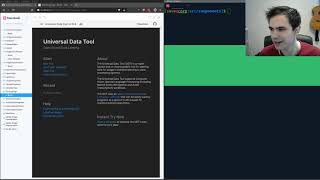
Getting Started with Open-Source Contribution to the Universal Data Tool
Universal Data Tool
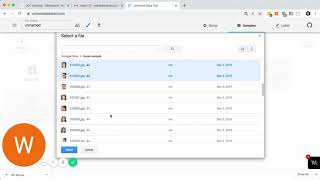
How to use image classification on the Universal Data Tool
Universal Data Tool
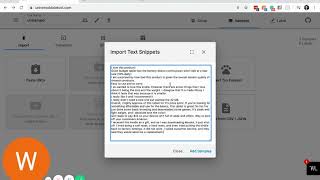
How to use text classification on the Universal Data Tool
Universal Data Tool
YouTube returned 6 videos for “Universal Data Tool”, and we withheld 1: 1 did not mention Universal Data Tool. Showing the 5 we can prove are about Universal Data Tool.
Official links
What are the best Universal Data Tool alternatives?
The closest alternatives to Universal Data Tool we list are LabelStudio, Labelbox and Cvat. Ranked by direct product-type match, not category overlap.
| Alternative | Pricing | Starts at | Last verified |
|---|---|---|---|
| LabelStudio | Freemium | Pricing not published | — |
| Labelbox | Freemium | Pricing not published | — |
| Cvat | Freemium | Pricing not published | — |
Alternatives to Universal Data Tool
View allLabelStudio
Open-source data labeling and AI evaluation across every data modality, self-hosted.


Tools that pair well with Universal Data Tool
Common stack mates teams adopt alongside Universal Data Tool, with the specific reason each pairing earns its keep.
LabelStudio
Open-source data labeling and AI evaluation across every data modality, self-hosted.

Labelbox
Labelbox builds Reinforcement Learning environments frontier labs train on and background agents engineering teams hand their backlog to.

Cvat
CVAT is an open-source data annotation platform for image, video, 3D point cloud, and audio labeling.
Universal Data Tool vs its closest rival
Universal Data Tool's closest head-to-head is with Geologicai — GeologicAI and Universal Data Tool serve completely different domains: the former is a high-end mining platform for scanning core samples and generating resource models; the latter is a simple data labeling tool for ML teams. Choose GeologicAI if you are in critical minerals mining needing rapid, integrated core analysis. Choose Universal Data Tool if you need lightweight, collaborative annotation for images/text/documents on a budget. Verdict generated
Head-to-head comparisons
Universal Data Tool vs Geologicai
GeologicAI and Universal Data Tool serve completely different domains: the former is a high-end mining platform for scanning core samples and generating resource models; the latter is a simple data labeling tool for ML teams. Choose GeologicAI if you are in critical minerals mining needing rapid, integrated core analysis. Choose Universal Data Tool if you need lightweight, collaborative annotation for images/text/documents on a budget.
GeneratedUniversal Data Tool vs Screenplayiq
If you need data-driven screenplay analysis with market predictions and pitch deck generation, ScreenplayIQ is the clear choice despite per-analysis pricing. For ML teams needing free, collaborative data labeling across images, text, and documents, Universal Data Tool offers a robust no-setup solution. They serve completely different workflows—choose based on whether your raw material is scripts or datasets.
GeneratedUniversal Data Tool vs Versatile
If you're a steel erector or construction PM needing real-time crane intelligence with no workflow changes, Versatile is your only choice—but expect enterprise pricing. For ML teams who need fast, collaborative data labeling without breaking the bank, Universal Data Tool (free tier available) is a practical pick. The two products serve completely different domains; your decision hinges on whether you're building a building or building a dataset.
GeneratedFrequently asked questions
Categories
Best-of guides
Used Universal Data Tool? Help shape our editorial sentiment research.