Upscale.Media Plugins Suite is live · free plan, paid from $69.99/yr · last verified 25 Oct 2026 · viability healthy

Upscale.Media Plugins Suite
AI image upscaling up to 4x inside Figma, Photoshop, and ChatGPT plugins — no export, no tab switch.
The core pitch is real: upscale and clean up images without leaving Figma, Photoshop, or a ChatGPT chat, and bulk it through Pixelbin presets when volume picks up. The free tier is genuinely free — 3 credits monthly, no auto-charge — so you can test the output before spending. Buy credit packs if your volume is spiky; the yearly subscription only pays off for steady monthly processing, since unused monthly credits expire.
Verdict generatedVerified 4d ago · liveness 77/100 · cite: rightaichoice.com/tools/upscale-media-plugins-suite
- Design teams in Figma who want AI upscaling without leaving the canvas
- Photoshop editors after one-click upscaling and background removal inside their editing app
- Ecommerce sellers running catalog-scale background removal and upscaling through Pixelbin presets
- Marketers and creators using ChatGPT who need quick in-conversation image fixes
- Anyone needing video upscaling — the suite handles images, not footage
- Workflows requiring upscaling beyond the 4x plugin ceiling
- Teams that need offline or on-premise deployment — everything runs via web, plugins, or API
We scan live Reddit threads, YouTube comments, X posts, G2 reviews and other communities — and hand you an honest verdict in under a minute.
- Honest verdict, not marketing
- Real pros & cons from real users
- Attributed quotes with receipts
3 free scans · no card needed
Skip Upscale.Media Plugins Suite if you need video upscaling, offline or on-premise deployment, or upscaling beyond the 4x plugin ceiling, or if expiring non-refundable credits are a dealbreaker for your team.
Pay-as-you-go credits are non-refundable and expire one year from purchase, so buying a large pack you don't use in twelve months means the balance simply disappears.
Our price-reality note written Oct 9, 2026 quotes $44.99, $120, which no longer matches the verified price table, so it is being re-reviewed and is not shown.
In short
Upscale.Media Plugins Suite — AI image upscaling up to 4x inside Figma, Photoshop, and ChatGPT plugins — no export, no tab switch. Best for Design teams in Figma who want AI upscaling without leaving the canvas, Photoshop editors after one-click upscaling and background removal inside their editing app, Ecommerce sellers running catalog-scale background removal and upscaling through Pixelbin presets. Free to start; paid plans from $69.99/yr.
What is Upscale.Media Plugins Suite?
Upscale.Media Plugins Suite — AI image upscaling up to 4x inside Figma, Photoshop, and ChatGPT plugins — no export, no tab switch. Best for Design teams in Figma who want AI upscaling without leaving the canvas, Photoshop editors after one-click upscaling and background removal inside their editing app, Ecommerce sellers running catalog-scale background removal and upscaling through Pixelbin presets. Free to start; paid plans from $69.99/yr.
Upscale.Media Plugins Suite is a set of first-party plugins that put AI image upscaling and cleanup inside the tools designers already have open. Install the Figma, Photoshop, or ChatGPT plugin and you can enhance image quality up to 4x without exporting the asset to a separate web app and re-importing it. The Figma and Photoshop builds keep you on the canvas; the ChatGPT plugin handles a quick quality fix mid-conversation. Beyond upscaling, the plugins cover background removal, background change, and JPEG artifact reduction, with face enhancement included on every plan. Repeat or heavy work runs through the Pixelbin console, where you chain transformations — background removal plus upscaling, for example — into custom presets and apply them across a whole image library in bulk. A published API exposes the same transformations to programmatic pipelines. A July 2026 addition widened the scope past asset cleanup: a selfie-to-business-headshot converter that turns a phone snap into a professional-looking portrait, pitched at marketers and personal-brand builders rather than pure design work. Metering is credit-based, generally about one credit per upscale depending on transformation complexity. The Free Plan gives 3 credits and 3 downloads a month with no auto-charge when they run out, and unsigned visitors can upscale one image per day. Paid routes are one-time credit packs or a yearly subscription, with a running Mega Offer doubling credits at the same price. Against Magnific and Topaz Labs, the draw is workflow placement — inside Figma, Photoshop, and ChatGPT — rather than raw processing muscle.
Key features
- AI image upscaling up to 4x inside the Figma plugin
- First-party Photoshop plugin for one-click upscaling and enhancement
- ChatGPT plugin that enhances image quality inside AI conversations
- Background removal as a standalone edit or a chained step
- Background change as an alternative to removal
- Selfie to professional business headshot conversion (added July 2026)
- JPEG artifact reduction and image quality cleanup
- Face enhancement included on all paid tiers
- Reusable custom presets that chain transformations
- Bulk editing across image libraries via the Pixelbin console
- API integration for programmatic image transformation
- Credit-based usage tracking across plugins, console, and API
- Free image downloads on all paid tiers
- Top-up add-on credits purchasable anytime
- Web platform for single-image upscaling
Behind the verdict
The question with upscaling tools isn't usually output quality anymore — most modern engines get close enough that the deciding factor is friction. That's where this suite earns its place: the plugin lives inside Figma, Photoshop, and ChatGPT, so you skip the export-upload-download loop that eats time on a busy design day. For a designer nudging a low-res comp to 4x on the canvas, or a marketer fixing an image mid-ChatGPT session, that's the whole value proposition and it holds up. Where I'd push back is expecting this to be a Magnific or Topaz Labs replacement for pure restoration work. The suite is built for workflow convenience, not pixel-peeping. If you're upscaling archival photography or fine detail at extreme ratios, run a side-by-side before committing. Bulk catalog work is the sleeper feature. The Pixelbin console lets you chain background removal and upscaling into presets and fire them across a library — that's ecommerce-scale utility the plugins alone don't advertise loudly. If you're processing hundreds of product shots, evaluate the console path, not just the Figma plugin. Watch the credit math. Pay-as-you-go credits are valid for a year and non-refundable, and monthly subscription credits expire each billing cycle. Spiky usage belongs on credit packs; steady monthly volume justifies the yearly plan. The Mega Offer doubling credits softens the entry price, so time a purchase around it if you can. On fit: pick this if your team already works in Figma or Photoshop and wants upscaling in place, or if you need bulk transformation presets for ecommerce assets. Pass if you need video upscaling, on-premise deployment, or upscaling beyond the 4x plugin ceiling — none of that is here.
Limitations
- Plugins are advertised for Figma, Photoshop, and ChatGPT, with enhancement cited up to 4x inside Figma while the standalone service advertises upscaling up to 8x.
- Each image upscale generally uses 1 credit, though this varies with transformation complexity.
- Pay-as-you-go credits are valid for 1 year and are non-refundable, refunds are not offered due to the high cost of AI, and unused monthly subscription credits expire at the end of the billing cycle.
- Sign-up is required for bulk transformations and full console access; without signing up you can upscale one image per day for free.
as of 2026-10-09
Researching Upscale.Media Plugins Suite? Get your full AI stack in 60 seconds.
Free, no signup — tell us your goal and get tools matched to your budget & existing stack.
Is Upscale.Media Plugins Suite still active?
Upscale.Media Plugins Suite is live · free plan, paid from $69.99/yr · last verified 25 Oct 2026 · viability healthy.
Viability score
How well maintained and how widely used is Upscale.Media Plugins Suite? Built from what the vendor actually publishes (docs, changelog, tutorials, integrations, pricing), whether the site is live, and how much real users discuss it. How we calculate this
Last calculated: October 2026
How we score →What's new in Upscale.Media Plugins Suite
Checked 5 days agoAcross the latest 1 update: 1 feature update.
What do users say about Upscale.Media Plugins Suite?
What people actually say about Upscale.Media Plugins Suite — is it worth it?
We ran a structured research pass across product reviews, community discussions, and post-purchase forum threads to surface the patterns vendors won't publish themselves. Below: the recurring strengths, the hidden costs people mention most, and the cohort that consistently regrets adopting this tool.
ResearchedDiscussed by users across 2 sources (YouTube, Product Hunt) · researched Oct 23, 2026.
Weighted by the 37 posts each of 2 sources contributed.
- +Upscaling runs inside Figma, Photoshop, and ChatGPT without tab switching or export
- +Product Hunt reviewers score it 4.88★ across 67 reviews
- +Rated beginner-friendly with a low-skill entry path
- +Credit tracking is consistent across plugins, console, and API
- +Background removal, background change, and JPEG artifact cleanup chain in one flow
- −No Reddit, HN, or GitHub discussion exists to verify long-term reliability
- −A PH commenter asked about file-size/resolution limits and got no answer
- −Only 3 free credits and 3 downloads per month is very restrictive
- −Most YouTube reviews are about a competing plugin, not this one
- −Face enhancement and headshot quality are claimed but not independently tested here
- • Credit consumption scales with transformation complexity, so costs aren't always predictable
- • Chaining background removal plus upscaling consumes more credits per asset
- • Annual lock-in means unused credits may go to waste
How we verified this
Every listed fact about Upscale.Media Plugins Suite— pricing, features, links, status — is re-read from the vendor's own pages by our verification pipeline and each change is logged with a date; the last pass ran on 25 Oct 2026. Pages mix model-assisted synthesis with human review; see how we verify.
Verification history
We have re-verified Upscale.Media Plugins Suite 12 times since . Each pass re-reads the vendor's own pages and re-checks every listed field against that evidence; passes where nothing had changed are marked as such.
- — changed who it suits, features, description, pricing tiers, who should skip it, our verdict, summary
- — changed pricing page
- — changed our verdict, who it suits, features, pricing tiers, description, summary
- — changed limitations, pricing page
- — changed description, who should skip it, features, pricing tiers, summary, our verdict
- — changed limitations, pricing page
Showing the 6 most recent of 12 verification passes.
Free to cite with attribution — this page re-verifies continuously.
How much does Upscale.Media Plugins Suite cost in 2026?
Upscale.Media Plugins Suite: Free to start; paid plans from $69.99/yr. Pricing last verified 25 Oct 2026.
Plans compared
Every published Upscale.Media Plugins Suite tier, its price as the vendor publishes it, who it fits, and what it adds over the tier below. The 12-month cost projection follows.
| Plan | Price | Billing | Who it's for |
|---|---|---|---|
| Free Plan | Free | — | A designer or marketer who wants to test upscaling on a couple of real assets before spending anything, and who values no auto-charge when credits run out.Adds: Starting tier: 3 credits and 3 free downloads every month, no payment required to sign up. |
| 60 Credits (One-time) | $7.99 one-timeVendor: “$7.99 billed once” | one-time | A solo user with an occasional one-off job — a few product photos or a print asset — who doesn't want a recurring subscription.Adds: Adds 60 one-time credits at $0.10 per credit, valid for 1 year, plus face enhancement and API access on top of the free allowance. |
| 125 Credits (One-time) | $11.99 one-timeVendor: “$11.99 billed once” | one-time | A freelancer or small team running periodic batches who wants bulk edits without committing to a yearly auto-renewing plan.Adds: Adds Pixelbin console access for bulk edits and custom presets for chained transformations at $0.08 per credit. |
| 500 Credits (One-time) | $29.99 one-timeVendor: “$29.99 billed once” | one-time | An eCommerce seller or studio clearing a mid-size catalog project in one push without signing up to a subscription.Adds: Drops the per-credit rate to $0.05 and adds bulk processing via the Pixelbin dashboard with preset automation for background removal plus upscaling. |
| 1200 Credits (One-time) | $54.99 one-timeVendor: “$54.99 billed once” | one-time | A team running a large one-off catalog-scale batch, such as a seasonal product refresh, that would blow past 500 credits.Adds: Same $0.05 per-credit rate with more than double the volume, aimed at catalog-scale batch jobs rather than ongoing monthly work. |
| Subscription Plan (Yearly) | $69.99/yrVendor: “$69.99 billed yearly” | yearly | Anyone with ongoing monthly volume — agencies, eCommerce teams with regular uploads, or content libraries needing continuous API-driven transforms.Adds: Switches to billed-yearly tiers from $44.99/year for 3000 credits up to $120.00/year for 30000 credits, reaching $0.01 per credit at the 70%-off annual rate, with auto-renewal and top-up credits available. |
| Enterprise Plan | Custom | quote | Businesses transforming images at scale whose requirements don't fit a published credit tier and who want a tailored quote plus a scoped walkthrough.Adds: Custom pricing and solutions, a quote tailored to requirements, and a 1:1 session with Pixelbin experts booked via sales@pixelbin.io. |
12-month cost
Project the real annual outlay, including the implied monthly cost when only an annual tier is published.
Vendor list price only. Add-on usage, seat overages, and contract minimums are surfaced under Hidden costs & gotchas.
Our price-fit note written Oct 9, 2026 quotes $44.99, $120, which no longer matches the verified price table, so it is being re-reviewed and is not shown.
Has Upscale.Media Plugins Suite's pricing changed?
No plan price for Upscale.Media Plugins Suite has moved since we began logging in Aug 2026; the pricing page is re-read on every verification pass.
Who should pick Upscale.Media Plugins Suite?
Pick Upscale.Media Plugins Suite if you are Design teams in Figma who want AI upscaling without leaving the canvas, Photoshop editors after one-click upscaling and background removal inside their editing app, Ecommerce sellers running catalog-scale background removal and upscaling through Pixelbin presets, Marketers and creators using ChatGPT who need quick in-conversation image fixes.
Look elsewhere if you are Anyone needing video upscaling — the suite handles images, not footage, Workflows requiring upscaling beyond the 4x plugin ceiling, Teams that need offline or on-premise deployment — everything runs via web, plugins, or API, Buyers uncomfortable with non-refundable credits that expire after one year.
Skip it if Skip Upscale.Media Plugins Suite if you need video upscaling, offline or on-premise deployment, or upscaling beyond the 4x plugin ceiling, or if expiring non-refundable credits are a dealbreaker for your team.
GeneratedReal-world workflow fit
Concrete scenarios for the personas Upscale.Media Plugins Suite actually fits — and what changes day-one when you adopt it.
A hero illustration came in at 800px and the marketing page needs it at 3200px. Instead of exporting and opening a separate upscaler, the designer runs the Upscale.media Figma plugin on the frame, gets a 4x upscale plus JPEG cleanup, and drops it straight back into the layout.
Outcome: The asset ships without leaving the canvas, and the designer spends the saved export-and-reupload time on layout instead.
A 500-SKU product catalog needs white backgrounds and sharper detail across the board. The manager builds a Pixelbin preset that chains background removal plus upscaling, then applies it in bulk through the dashboard and lets the API handle scheduled re-runs.
Outcome: The catalog is standardized in one pass, and new SKUs drop into the same preset rather than being hand-edited one by one.
A client has a usable phone selfie but no professional headshot, and a shoot isn't in the budget. Using the July 2026 selfie-to-headshot converter, the consultant delivers a business headshot from the existing photo.
Outcome: The client gets a personal-branding asset in the time it takes to run one transform, and the consultant adds a deliverable they couldn't offer before.
Use cases
- Upscale product images to 4x for eCommerce listings
- Batch background removal plus upscaling across a product catalog using Pixelbin presets
- Enhance low-res graphics for print brochures
- Remove or change backgrounds directly inside Figma or Photoshop
- Run programmatic upscales through the API for large content libraries
- Convert a phone selfie into a professional business headshot for LinkedIn
- Clean up JPEG artifacts on AI-generated art without exporting files
Setup time & first value
How long it actually takes to get something useful out of Upscale.Media Plugins Suite — broken out by persona, not the marketing-page minute.
Figma, Photoshop, and ChatGPT users can install the relevant plugin and run their first upscale in a few minutes; the first transform comes out of the 3 monthly Free Plan credits, and you can upscale one image per day without signing up at all. Pixelbin console setup is heavier — expect a short session to build the first preset that chains background removal and upscaling. API access ships on all
Switching to or from Upscale.Media Plugins Suite
How to bring data in from common predecessors and how to get it back out — written for the switcher, not the buyer.
- →From Magnific AI: move recurring image-enhancement work into the Figma or Photoshop plugin so you stop round-tripping through a browser tab, then rebuild your favourite recipe as a Pixelbin preset.
- →From Topaz Photo AI: keep Topaz for offline or high-ceiling jobs, and move catalog-scale background removal plus upscaling into Pixelbin presets you can re-run through the API.
- →From manual Photoshop actions: replace recorded actions with Pixelbin presets, which chain background removal and upscaling and apply in bulk across a library.
- →From Unsplash or stock sourcing for low-res assets: run the originals through the 4x plugin upscale instead of replacing them, and use face enhancement on portrait shots.
- ↗To Topaz Photo AI: move there if offline or on-premise processing becomes a hard requirement, since the plugin suite is web, plugin, or API only.
- ↗To Magnific AI: move there if you need enhancement beyond the 4x plugin ceiling and would rather pay for one high-ceiling tool than split work across two services.
- ↗To a dedicated headshot service: move there if the July 2026 selfie-to-headshot converter isn't giving you the styling control your branding work needs.
Resources & guides
Tutorials & Learning
Upscale.Mediaの使い方 - 数秒で画質を向上させる方法!(無料ツール)
Stellar Media
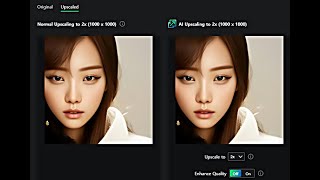
upscale.media│Upscale and Enhance Your Images for FREE
e-datanews
YouTube returned 6 videos for “Upscale.Media Plugins Suite”, and we withheld 4: 4 did not mention Upscale.Media Plugins Suite. Showing the 2 we can prove are about Upscale.Media Plugins Suite.
Official links
What are the best Upscale.Media Plugins Suite alternatives?
The closest alternatives to Upscale.Media Plugins Suite we list are Let's Enhance, Fotor and Image Outliner. Ranked by direct product-type match, not category overlap.
| Alternative | Pricing | Starts at | Last verified |
|---|---|---|---|
| Let's Enhance | Freemium | Pricing not published | — |
| Fotor | Freemium | Pricing not published | — |
| Image Outliner | Freemium | Pricing not published | — |
Alternatives to Upscale.Media Plugins Suite
View all
Let's Enhance
Let's Enhance is an AI image upscaler that takes photos to print-ready 300 DPI at up to 512 megapixels

Fotor
Fotor bundles a full AI photo editor with a multi-model AI image generator and AI video generator in one browser tab

Image Outliner
Free browser-side image-to-outline converter with optional credit-based AI cleanup.
Tools that pair well with Upscale.Media Plugins Suite
Common stack mates teams adopt alongside Upscale.Media Plugins Suite, with the specific reason each pairing earns its keep.

Let's Enhance
Let's Enhance is an AI image upscaler that takes photos to print-ready 300 DPI at up to 512 megapixels

Fotor
Fotor bundles a full AI photo editor with a multi-model AI image generator and AI video generator in one browser tab

Image Outliner
Free browser-side image-to-outline converter with optional credit-based AI cleanup.
Upscale.Media Plugins Suite vs its closest rival
Upscale.Media Plugins Suite's closest head-to-head is with The New Black — If you need to upscale and enhance images within design tools like Figma or Photoshop, go with Upscale.Media Plugins Suite. For AI-generated fashion designs with tech pack exports, choose The New Black. They serve completely different purposes. Verdict generated
Head-to-head comparisons
Upscale Media Plugins Suite vs The New Black
If you need to upscale and enhance images within design tools like Figma or Photoshop, go with Upscale.Media Plugins Suite. For AI-generated fashion designs with tech pack exports, choose The New Black. They serve completely different purposes.
GeneratedUpscale Media Plugins Suite vs Adobe Firefly Services
For quick, high-quality image upscaling and basic editing directly inside design tools, Upscale.Media Plugins Suite offers a simpler, cheaper solution ideal for designers and small businesses. Adobe Firefly Services is the better choice for enterprises needing scalable, compliant generative AI APIs for custom content production, but it requires more investment and technical expertise.
GeneratedUpscale Media Plugins Suite vs Qoves
QOVES and Upscale.Media Plugins Suite serve entirely different needs: QOVES is a niche AI facial analysis tool for personalized, non-surgical beauty insights (paid, no free trial), while Upscale.Media is a freemium image upscaling plugin suite for designers and eCommerce. Choose QOVES if you want data-driven facial advice; choose Upscale.Media if you need quick, high-resolution image enhancement within your design tools.
GeneratedFrequently asked questions
Our FAQ set (2 answers) written Oct 9, 2026 quotes $44.99, which no longer matches the verified price table, so it is being re-reviewed and is not shown.
Used Upscale.Media Plugins Suite? Help shape our editorial sentiment research.