Vany is live · free · last verified 21 Oct 2026 · viability monitor

Vany
Vany turns any typed topic into a shareable AI video in under 60 seconds, with narration and visuals handled for you.
Vany is a speed play: type a topic, get a short narrated video, share it. The sample set — GDPR compliance, "Animals That Have a Backbone," Odysseus and the Cyclops — is its exact lane, and it does not pretend to be an editor. Pass if you need brand-locked templates or frame-level cuts.
Verdict generatedVerified 9d ago · liveness 51/100 · cite: rightaichoice.com/tools/vany
- Educators and trainers who need a lesson or policy clip in minutes
- Social media managers pushing several short video angles per week
- Internal comms teams explaining a process or compliance topic visually
- Knowledge workers who'd rather watch a 60-second answer than read a doc
- Teams that need locked brand templates and a fixed visual identity
- Producers who want frame-level editorial control over cuts and pacing
- Long-form content creators — output is short by design
We scan live Reddit threads, YouTube comments, X posts, G2 reviews and other communities — and hand you an honest verdict in under a minute.
- Honest verdict, not marketing
- Real pros & cons from real users
- Attributed quotes with receipts
3 free scans · no card needed
Skip Vany if you need locked brand templates, a hand-picked voice or frame-level control over cuts — Vany runs the whole pipeline for you and offers no described way to override the narration, visuals or branding after generation.
Vany's pricing fits teams whose volume aligns with the published tiers. Compare against the alternatives listed below for stage-specific value.
In short
Vany — Vany turns any typed topic into a shareable AI video in under 60 seconds, with narration and visuals handled for you. Best for Educators and trainers who need a lesson or policy clip in minutes, Social media managers pushing several short video angles per week, Internal comms teams explaining a process or compliance topic visually. Free to use.
What is Vany?
Vany — Vany turns any typed topic into a shareable AI video in under 60 seconds, with narration and visuals handled for you. Best for Educators and trainers who need a lesson or policy clip in minutes, Social media managers pushing several short video angles per week, Internal comms teams explaining a process or compliance topic visually. Free to use.
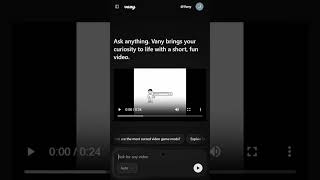
Vany is a browser-based text-to-video generator built around a single input: a plain-language topic. You sign in with Google, type a subject like "Employee GDPR Compliance 101" or "How Odysseus Escaped the Cyclops," and Vany returns a short clip with AI narration, matched visuals and on-screen text automatically. The pitch is "Turn Curiosity into Content" — the point is speed over polish. The product is pitched at short-form output: explainers, training videos, ads, stories and quick educational snippets rather than cinematic spots. A prompt bar with an Auto mode lets you fire off one topic after another, a "See all" gallery shows sample outputs (including a Hebrew-language science clip), and your own video history appears in the sidebar after login. Because the pipeline is fully automated, Vany leans away from editor-led production. You hand over creative control in exchange for a near-instant turnaround, and prompts can carry tone and style direction such as "explained in 1 minute" or "professional tone, photorealistic." If the job is "get this topic onto a screen, now," Vany is aimed at you. If you need locked brand templates, hand-picked voices, or frame-level editing, a scripted editor like Pictory or an avatar-first studio like Synthesia is the better comparison.
Key features
- Text-topic-to-video generation from a plain-language prompt
- Videos produced in under 60 seconds
- Automatic AI voiceover and narration
- Auto-matched visuals drawn from the query topic
- On-screen text overlays included in the output
- No script writing or timeline editing required
- Auto mode in the prompt bar for rapid topic-by-topic creation
- Tone and style direction accepted inside the prompt
- Sample gallery via "See all" to preview output style
- Video history listed in the sidebar after login
- Multi-language topic support (Hebrew sample on site)
- Web-based app, no install needed
- Google sign-in for access
Behind the verdict
We'd reach for Vany when the answer to "can you make a quick video on this?" needs to be yes today, not next week. Type the topic, let Auto mode handle the pipeline, and you have something shareable. That is the whole product, and for internal explainers, policy updates or social snippets it is enough. Where it bites is control. Because Vany selects the voice, visuals and pacing, you cannot swap a generated shot or lock a visual identity after the fact. Teams with a strict brand kit will find that a dealbreaker, not a limitation to work around. Compare alternatives by intent rather than feature count: Pictory if you want to edit a script against your own footage, Synthesia if a talking avatar is the format you need. Vany competes on turnaround, not fidelity, and that is the trade you are accepting. The sample gallery is worth a look before you commit — the Hebrew-language clip and the explainer examples tell you more about output style than the marketing copy does. Run your own topic through once and judge the result on whether it is good enough to send, not whether it is broadcast-grade.
Limitations
- Vany's homepage frames the tool around fully automatic, short, "fun" video — you type a query and Vany produces the narration, visuals and text overlays.
- The consequence is limited authorial control: there is no described workflow for choosing the voice, swapping generated visuals, or applying your own branding after generation.
- Output length is short-form by design, so in-depth tutorials and long explainers are out of scope, and the homepage examples skew toward explainer/entertainment/ad formats rather than polished brand filmmaking.
- This research pass only reached the vendor's homepage — the pricing page, documentation and any integrations page were not retrieved, so treat cost, plan terms and integrations as unknown rather than absent.
as of 2026-10-15
Researching Vany? Get your full AI stack in 60 seconds.
Free, no signup — tell us your goal and get tools matched to your budget & existing stack.
Is Vany still active?
Vany is live · free · last verified 21 Oct 2026 · viability monitor.
Viability score
How well maintained and how widely used is Vany? Built from what the vendor actually publishes (docs, changelog, tutorials, integrations, pricing), whether the site is live, and how much real users discuss it. How we calculate this
Last calculated: October 2026
How we score →What do users say about Vany?
What people actually say about Vany — is it worth it?
We ran a structured research pass across product reviews, community discussions, and post-purchase forum threads to surface the patterns vendors won't publish themselves. Below: the recurring strengths, the hidden costs people mention most, and the cohort that consistently regrets adopting this tool.
ResearchedDiscussed by users across 4 sources (Hacker News, YouTube, Product Hunt, Lemmy) · researched Oct 21, 2026.
Weighted by the 56 posts each of 4 sources contributed.
- +Concept validates instantly: one typed topic produces a narrated video in under a minute
- +No prompt engineering or timeline skills needed — beginners can produce clips on first try
- +The free tier's 50 videos per day drew genuine praise as unusually generous
- +Strong fit for visual learners and quick explainers, per multiple Product Hunt users
- +Multi-language prompts supported, including non-English samples shown on the homepage
- −No described way to choose voice, swap visuals, or apply branding after generation
- −At least one launch-day user blocked by a failed Google sign-in
- −Complex topics get oversimplified in the short format, per Product Hunt reviewers
- −Full-motion video was still a roadmap item at launch, not the current output
- −No public support channel or reply cadence beyond launch-day founder comments
- • Paid pricing is not documented in the available community data — verify before relying on it
- • If you need voice or branding control, you effectively pay twice by adding a separate editor
How we verified this
Every listed fact about Vany— pricing, features, links, status — is re-read from the vendor's own pages by our verification pipeline and each change is logged with a date; the last pass ran on 21 Oct 2026. Pages mix model-assisted synthesis with human review; see how we verify.
Verification history
We have re-verified Vany 9 times since . Each pass re-reads the vendor's own pages and re-checks every listed field against that evidence; passes where nothing had changed are marked as such.
- — changed who should skip it, pricing tiers, our verdict, who it suits, features, description, summary
- — changed who should skip it, limitations, setup time, use cases, pricing tiers, switching out, features, switching in, our verdict, summary, description
- — changed pricing tiers, our verdict, features, who it suits, who should skip it, description, summary
- — changed SSL certificate
- — changed our verdict, who it suits, description, features, hidden costs, limitations, switching out, who should skip it, pricing fit, setup time, summary, use cases
- — changed domain expiry, SSL certificate
Showing the 6 most recent of 9 verification passes.
Free to cite with attribution — this page re-verifies continuously.
How much does Vany cost in 2026?
Vany: Free to use. Pricing last verified 21 Oct 2026.
12-month cost
Project the real annual outlay, including the implied monthly cost when only an annual tier is published.
Vendor list price only. Add-on usage, seat overages, and contract minimums are surfaced under Hidden costs & gotchas.
Where the pricing makes sense
The company stage and team size where Vany's pricing actually pencils out — and where peers do it cheaper.
Vany's pricing fits teams whose volume aligns with the published tiers. Compare against the alternatives listed below for stage-specific value.
Has Vany's pricing changed?
No plan price for Vany has moved since we began logging in Aug 2026; the pricing page is re-read on every verification pass.
Who should pick Vany?
Pick Vany if you are Educators and trainers who need a lesson or policy clip in minutes, Social media managers pushing several short video angles per week, Internal comms teams explaining a process or compliance topic visually, Knowledge workers who'd rather watch a 60-second answer than read a doc.
Look elsewhere if you are Teams that need locked brand templates and a fixed visual identity, Producers who want frame-level editorial control over cuts and pacing, Long-form content creators — output is short by design, High-production-value launch films or cinematic marketing spots.
Skip it if Skip Vany if you need locked brand templates, a hand-picked voice or frame-level control over cuts — Vany runs the whole pipeline for you and offers no described way to override the narration, visuals or branding after generation.
GeneratedReal-world workflow fit
Concrete scenarios for the personas Vany actually fits — and what changes day-one when you adopt it.
You have a new GDPR policy and a 15-minute slot in the Monday all-hands. You open vany.ai, sign in with Google, type "GDPR compliance guide for employees" into the prompt bar and let it run.
Outcome: A short compliance explainer video with narration, matched visuals and on-screen text appears in under a minute, ready to share straight from the generation flow — no script, no editor, no stock-footage search.
You want a one-topic primer before tomorrow's lesson and don't want to build slides. You type the topic in the prompt bar using Auto mode so you can fire off a second and third topic without resetting anything between runs.
Outcome: Several short clips sit in your sidebar video history, each one watchable in class or embedded in an LMS, produced in the time it would have taken to open a slide deck.
You have one product and five possible hooks. You run each hook through Vany as its own prompt, adding tone direction in the text itself — as in the homepage's "professional tone, photorealistic" HR example — to steer the look per angle.
Outcome: Five short, distinct videos you can post or share instantly, generated before committing any production budget to the angle that performs.
Use cases
- Turn a single question into a shareable explainer video in under a minute
- Produce a short classroom or LMS clip on a topic from one typed query
- Repurpose an article or report headline into a social-ready video
- Generate a quick ad from a product description with tone direction like "photorealistic"
- Create an employee-facing policy or compliance explainer such as a GDPR guide
- Make entertainment-style recaps and comparisons (e.g. Elden Ring lore, Odysseus and the Cyclops)
- Localise a topic into another language for a specific audience, as in the Hebrew science sample
Setup time & first value
How long it actually takes to get something useful out of Vany — broken out by persona, not the marketing-page minute.
Fastest of any tool in this category: sign in with Google and type your first topic — call it 2-3 minutes to a first finished video, since there is no project setup, no template picker and no asset upload. Budget an extra run or two per topic while you learn how much tone and style direction the prompt string will absorb (e.g. "professional tone, photorealistic").
Switching to or from Vany
How to bring data in from common predecessors and how to get it back out — written for the switcher, not the buyer.
- →From manual editing in CapCut or Premiere: stop assembling clips for short explainers and type the topic into Vany instead, keeping your editor for the pieces that need frame-level control.
- →From Pictory or similar scripted AI editors: accept Vany's fully automatic pipeline for throwaway explainers and social angles, and keep the scripted editor for branded template work.
- →From slide-based training decks: replace one-off policy or lesson slides with a short Vany clip typed from the topic itself.
- ↗To Pictory or Synthesia: move across when you need locked brand templates, a chosen voice or avatar-led delivery that Vany's automatic pipeline doesn't expose.
- ↗To a timeline editor like Premiere or CapCut: move across for any piece needing frame-level cuts, pacing control or a cinematic finish.
- ↗To a long-form AI video tool: move across when output needs to run past the short-form slot Vany is built for.
Resources & guides
Tutorials & Learning
YouTube returned 6 videos for “Vany”, and we withheld 5: 5 could not be judged, because “Vany” is a single word that other videos use for other things. Showing the 1 we can prove is about Vany.
Official links
What are the best Vany alternatives?
The closest alternatives to Vany we list are Pictory, AI Powered Video Generator and ai-shortVideo-pipeline. Ranked by direct product-type match, not category overlap.
| Alternative | Pricing | Starts at | Last verified |
|---|---|---|---|
| Pictory | Paid | Pricing not published | — |
| AI Powered Video Generator | Freemium | Pricing not published | — |
| ai-shortVideo-pipeline | Free | Free | — |
Alternatives to Vany
View allPictory
Pictory turns scripts, URLs, decks and recordings into narrated, captioned AI videos with an agent that plans the scenes for you.

AI Powered Video Generator
Visla's AI video generator turns scripts, PDFs, webpages, or a typed idea into a rendered draft video with voiceover, music, and avatars.

ai-shortVideo-pipeline
Self-hosted, MIT-licensed pipeline that turns one topic into a finished Chinese-language short video.
Tools that pair well with Vany
Common stack mates teams adopt alongside Vany, with the specific reason each pairing earns its keep.
Pictory
Pictory turns scripts, URLs, decks and recordings into narrated, captioned AI videos with an agent that plans the scenes for you.

AI Powered Video Generator
Visla's AI video generator turns scripts, PDFs, webpages, or a typed idea into a rendered draft video with voiceover, music, and avatars.

ai-shortVideo-pipeline
Self-hosted, MIT-licensed pipeline that turns one topic into a finished Chinese-language short video.
Vany vs its closest rival
Vany's closest head-to-head is with Splice — Splice and Vany serve completely different creative needs. Splice is essential for music producers needing royalty-free samples and rent-to-own plugins like Serum 2, with deep DAW integration including a new beta plugin and MCP support. Vany is a niche tool for quickly turning queries into short videos without editing, best for educators or social media managers. Choose Splice for music production, Vany for simple video explainers. Verdict generated
Head-to-head comparisons
Vany vs Splice
Splice and Vany serve completely different creative needs. Splice is essential for music producers needing royalty-free samples and rent-to-own plugins like Serum 2, with deep DAW integration including a new beta plugin and MCP support. Vany is a niche tool for quickly turning queries into short videos without editing, best for educators or social media managers. Choose Splice for music production, Vany for simple video explainers.
GeneratedVany vs Landr Mastering
Vany and LANDR Mastering serve entirely different needs. Vany is for creating quick, AI-generated short videos from text queries—ideal for social media or education. LANDR Mastering is a mature AI audio mastering platform for musicians seeking affordable, professional-sounding masters. Choose Vany if you need rapid video content; choose LANDR for audio mastering.
GeneratedVany vs Storyfile
Choose Vany for instant, no‑effort short videos from any query – ideal for fast content creation on a budget. Choose StoryFile for high‑impact, authentic interactive experiences with real people, perfect for museums and legacy projects where emotional accuracy matters. They serve entirely different needs: speed vs. depth.
GeneratedFrequently asked questions
Categories
Topics
Used Vany? Help shape our editorial sentiment research.