
Vectr
Free browser-based AI vector editor and logo maker with text-to-SVG generation and one-click background removal.
Vectr is a good starting point if you need logos, icons, and SVG conversions without learning Illustrator. The Text to SVG generator produces editable, layered output, and the Background Remover plus Image to Vector converter handle the routine jobs in a couple of clicks. Real-time collaboration through a shared workspace URL is genuinely useful for small teams and classrooms. Where it stops: node-by-node path precision, print production workflows, and deep automation are not what this tool is built around, so Affinity Designer or Illustrator remain the call for professional vector work. Treat the AI image, upscale, and video tools as convenience features layered on an editor, not the other
Verified 6h ago · liveness 58/100 · cite: rightaichoice.com/tools/vectr
- Beginners learning vector graphics with a low learning curve
- Small business owners creating their own logos and branding
- Content creators who need fast JPG/PNG to SVG conversion
- Remote and distributed design teams collaborating in real time
- Professional designers who need exhaustive path, typographic, and print-production control
- Teams that must work fully offline without a browser or an account
- Workflows that depend on a large plugin or third-party automation ecosystem
We scan live Reddit threads, YouTube comments, X posts, G2 reviews and other communities — and hand you an honest verdict in under a minute.
- Honest verdict, not marketing
- Real pros & cons from real users
- Attributed quotes with receipts
3 free scans · no card needed
Skip Vectr if your vector work depends on exhaustive path and typographic control, print-production tooling, or offline desktop use — this is a browser editor built around speed of learning, not maximum depth.
Nano Banana 2, the Premium Image Generator, Crystal Upscaler, Magic Edit and Image to Image are grouped as Pro-tier tools, so teams that adopt them across the board should expect a paid tier rather than the free editor
Vectr positions itself as a free entry point to vector editing and logo creation, with a Pro tier covering Nano Banana 2 and the premium AI image tools. That puts it below paid Illustrator or Affinity Designer seats for a small business or classroom that mainly needs conversions and simple logo work, but the trade-off is depth: the money you save goes toward a lighter editing toolset, not a production-grade vector suite.
In short
Vectr — Free browser-based AI vector editor and logo maker with text-to-SVG generation and one-click background removal. Best for Beginners learning vector graphics with a low learning curve, Small business owners creating their own logos and branding, Content creators who need fast JPG/PNG to SVG conversion. Free to use.
What people actually say about Vectr — is it worth it?
We scanned public community sources for Vectr on Jul 3, 2026 and could not establish that the discussion we found is about this tool rather than something else sharing its name. Our own analysis of that scan says the posts were off-subject. Rather than publish a sentiment score built on the wrong subject, we publish nothing here and re-run the scan.
Viability Score
How well maintained and how widely used is Vectr? Built from what the vendor actually publishes (docs, changelog, tutorials, integrations, pricing), whether the site is live, and how much real users discuss it. How we calculate this
Last calculated: October 2026
How we score →Key Features
- Text to SVG: generate fully editable vector graphics from text prompts
- AI Logo Maker: create brand logos online from text descriptions
- Image to Vector and AI Vectorizer: raster to editable scalable vectors
- JPG to SVG and PNG to SVG converter
- Background Remover: one-click background removal for photos
- Nano Banana 2: AI image creation, blending, repair and enhancement
- Premium Image Generator with AI Smart Prompt helper
- Crystal Upscaler: high-precision upscaling optimized for portraits and faces
- Auto Enhance: clarity, sharpness and high-resolution upscale
- Image to Image: change styles, backgrounds, text, or combine multiple images
- Magic Edit: text-prompt photo retouching for backgrounds, styles and poses
- Inpainting: fill and alter parts of an image to blend with existing content
- Outpainting: extend an image in any direction
- Remove Object: erase unwanted elements and reconstruct missing detail
- AI Face Swap for realistic face replacement
About Vectr
Vectr is a cloud-based vector graphics editor that runs in your browser and pairs a beginner-friendly SVG editor with a set of AI generation and image-editing tools. The site states it is trusted by 3M+ users, including schools and professionals. On the vector side you get Text to SVG, which turns a prompt into an editable SVG with fine paths and clean layers, an Image to Vector converter, and an AI Logo Maker for brand marks. On the image side the toolset includes Background Remover, Image to Image style and background transfer, Magic Edit for text-prompt retouching, Inpainting, Outpainting, Remove Object, Auto Enhance, AI Face Swap, Crystal Upscaler for portraits and faces, a Premium Image Generator, a Video Generator that does text-to-video and image-to-video with first/last frame control and audio, and Nano Banana 2 for creation, blending, repair and local edits. Collaboration is built in: you share a live workspace URL and work with your team in the same file with integrated chat, and cross-platform sync means you can pick the project up on another device. The interface is deliberately easy to learn, so beginners progress quickly, while the vector output stays scalable and print-ready. It fits people making logos, icons, and illustrations and anyone who needs to convert JPG or PNG files into clean SVG without desktop software. Precision vector work — node-level path control, complex type handling, plugin-driven automation — is where Illustrator or Affinity Designer still win.
Behind the Verdict
Vectr's pitch is that vector editing shouldn't require a semester of Illustrator tutorials, and the product backs that up. The editor is SVG-native and browser-based, so a file opens on any machine with a browser, and the output stays scalable rather than pixel-locked. The two features that carry the most weight for a buyer are Text to SVG and the conversion pipeline. Text to SVG takes a written prompt and returns vector graphics with fine paths and clean layers — meaning you can actually open the result and move a node, recolor a shape, or delete a stray path, which is the difference between a usable asset and a flattened picture. The conversion side covers JPG to SVG, PNG to SVG, raster to vector and image to vector, which is the everyday job for anyone who has been handed a low-res logo and needs something that scales for print or embroidery. The image and video tools are broader than the seed data implied. Image to Image handles style, background, and text changes and can combine multiple images. Magic Edit retouches photos from text prompts. Inpainting fills gaps, Outpainting extends a canvas in any direction, and Remove Object erases unwanted elements while filling detail behind them. Crystal Upscaler targets portraits and faces specifically, restoring texture and sharpness, with Auto Enhance as a general clarity and resolution boost. AI Face Swap handles face replacement. Nano Banana 2 is positioned as the heavy-duty model for creation, blending, repair, and enhancement with hi-res output, advanced lighting, consistent characters, and precise local edits. The Premium Image Generator produces images from text or an upload, aimed at logos and print work, and there's an AI Smart Prompt helper. The Video Generator does text-to-video and image-to-video with first and last frame control and audio. Collaboration is the quiet differentiator. You share a live workspace URL and teammates edit alongside you with integrated chat, which is a much lower-friction model for a small agency or a classroom than exporting files back and forth. Cross-platform sync keeps a project aligned across devices. The trade-off is that this is a cloud product: real-time collaboration depends on that shared URL, sync is tied to a Vectr account, and working without a browser connection isn't the design point. The honest limits: the tool is optimized for ease of use, so designers who want exhaustive path tools, typographic control, or plugin-driven automation will hit walls and should look at Illustrator or Affinity Designer. The generative image and video features sit alongside the editor rather than inside a single production pipeline, so if your whole workflow is photo retouching at volume, a dedicated image tool may be a better fit. Pick Vectr when speed and accessibility matter more than depth.
Researching Vectr? Get your full AI stack in 60 seconds.
Free, no signup — tell us your goal and get tools matched to your budget & existing stack.
Real-world workflow fit
Concrete scenarios for the personas Vectr actually fits — and what changes day-one when you adopt it.
They type a description of their brand into the AI Logo Maker, pick a direction, then open the generated SVG in the editor to adjust colors and remove an element they don't want.
Outcome: A scalable vector logo file they can hand to a printer or drop onto a website, produced without hiring a designer or installing software.
They run a supplied low-res product photo through the Background Remover, upscale it with Crystal Upscaler or Auto Enhance, then convert it with Image to Vector so it stays sharp on a large banner.
Outcome: Print-ready assets from mediocre source files in one browser session instead of a round trip to a designer.
They share a live workspace URL with two teammates and a client, and everyone edits the same logo file and chats inside the workspace while working through revisions.
Outcome: Version confusion drops because there is one live file rather than a chain of exported attachments.
Use Cases
- Generate a logo from a text prompt with the AI Logo Maker, then refine paths in the SVG editor.
- Convert a JPG or PNG photo into a scalable SVG for print or signage.
- Strip the background from a product photo or headshot in one click for transparent PNGs.
- Produce vector icons and stickers from text descriptions with Text to SVG.
- Collaborate live with a remote team on a vector file through a shared workspace URL.
- Upscale a low-resolution portrait with Crystal Upscaler for crisp output.
- Build short social or ad videos from text or a still image with the Video Generator.
- Repair a damaged photo with Inpainting or extend a tight crop with Outpainting.
Models Under the Hood
as of 2026-09-25
Limitations
- Vectr is a browser-based, cloud product, so real-time collaboration runs through a shared live workspace URL and cross-platform sync is tied to a Vectr account.
- The interface is deliberately optimized for ease of use, which means designers who need exhaustive path editing, advanced typographic control, or print-production tooling will find it shallow compared with Illustrator or Affinity Designer.
- The AI features — Nano Banana 2, the Premium Image Generator, Crystal Upscaler, the Video Generator — sit alongside the vector editor rather than inside one continuous production pipeline, so heavy retouching workflows may still want a dedicated image tool.
- Beyond what the homepage lists, the site does not publish usage limits or quotas for the generative tools.
as of 2026-10-08
Verification history
We have re-verified Vectr 9 times since . Each pass re-reads the vendor's own pages and re-checks every listed field against that evidence; passes where nothing had changed are marked as such.
- — re-checked, vendor evidence unchanged
- — re-verified summary, description, our verdict, our analysis, pricing model, pricing tiers, features, integrations, who it suits, who should skip it
- — re-verified summary, description, our verdict, our analysis, pricing model, pricing tiers, features, integrations, who it suits, who should skip it
- — re-verified summary, description, our verdict, our analysis, pricing model, pricing tiers, features, integrations, who it suits, who should skip it
- — re-verified summary, description, our verdict, our analysis, pricing model, pricing tiers, features, integrations, who it suits, who should skip it
- — re-checked, vendor evidence unchanged
Showing the 6 most recent of 9 verification passes.
Free to cite with attribution — this page re-verifies continuously.
12-month cost
Project the real annual outlay, including the implied monthly cost when only an annual tier is published.
Vendor list price only. Add-on usage, seat overages, and contract minimums are surfaced under Hidden costs & gotchas.
Plans compared
For each published Vectr tier: who it actually fits, and what it adds vs. the previous tier. Cross-reference the cost calculator above for projected annual outlay.
Free
$0/mo
Ideal for
Students, hobbyists, and small business owners who need an SVG editor, logo maker, background removal, and JPG/PNG to SVG conversion at no cost.
What this tier adds
Starting tier: core SVG editor, logo maker, real-time collaboration, background remover, and Text to SVG generation.
Pro (Nano Banana 2)
Contact for pricing
Ideal for
Creators and marketers who regularly generate and edit images and need Nano Banana 2, the Premium Image Generator, Crystal Upscaler, Magic Edit, and Image to Image.
What this tier adds
Adds the advanced AI image creation and editing stack — Nano Banana 2, premium image generation, Crystal Upscaler, Magic Edit, and Image to Image — on top of the free editor.
Where the pricing makes sense
The company stage and team size where Vectr's pricing actually pencils out — and where peers do it cheaper.
Vectr positions itself as a free entry point to vector editing and logo creation, with a Pro tier covering Nano Banana 2 and the premium AI image tools. That puts it below paid Illustrator or Affinity Designer seats for a small business or classroom that mainly needs conversions and simple logo work, but the trade-off is depth: the money you save goes toward a lighter editing toolset, not a production-grade vector suite.
Setup time & first value
How long it actually takes to get something useful out of Vectr — broken out by persona, not the marketing-page minute.
For a beginner: minutes, since the editor runs in the browser with no install and the AI Logo Maker and Background Remover are single-action tools. For a small team: allow a short session to share a workspace URL and confirm everyone can edit the same file and use the integrated chat. For a professional designer migrating in: expect a quick start but a longer adjustment period once you reach the
Switching to or from Vectr
How to bring data in from common predecessors and how to get it back out — written for the switcher, not the buyer.
- →From Canva: export your existing design as SVG, open it in Vectr's editor, and continue with editable paths rather than fixed layout blocks.
- →From raster-only editors (Photoshop, GIMP): run your flattened artwork through Image to Vector or the JPG/PNG to SVG converter to get an editable starting point.
- →From Illustrator or Affinity Designer: import your SVG and use Vectr for quick conversions, background removal and collaborative review rather than full production work.
- ↗To Adobe Illustrator or Affinity Designer: export from Vectr as SVG and reopen there when you need deep path, typographic, and print-production control.
- ↗To a dedicated photo editor: move image work out once retouching volume or precision exceeds what Magic Edit and Inpainting cover for you.
Resources & Guides
Tutorials & Learning
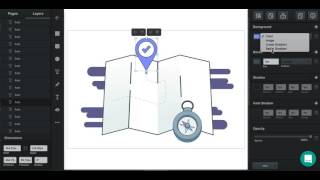
YouTube returned 6 videos for “Vectr”, and we withheld 5: 5 could not be judged, because “Vectr” is a single word that other videos use for other things. Showing the 1 we can prove is about Vectr.
Official links
Tools that pair well with Vectr
Common stack mates teams adopt alongside Vectr, with the specific reason each pairing earns its keep.

Envato Elements
Envato Elements is an unlimited-download creative asset subscription with built-in AI video, image, audio and voice generation.

X-Design
On-brand AI design agent that keeps logos, posters, social posts, and videos tied to your Brand Kit.

Dreamina
CapCut's free AI video and image generator, now running the Seedance 2.5 video model alongside Seedream 5.0 and Nano Banana image models.
Featured Head-to-Head Comparisons
Vectr vs The New Black
Choose The New Black if you are a fashion brand needing AI-generated apparel designs with production-ready outputs; choose Vectr if you need a free vector editor with AI logo creation and real-time collaboration for general design tasks.
Vectr vs Adobe Firefly Services
For budget-conscious creators needing a simple AI-powered vector editor with collaboration, Vectr is a strong free choice. For enterprises requiring scalable, compliant generative AI APIs integrated into their workflows, Adobe Firefly Services is the clear winner—but it demands development resources and budget.
Vectr vs Polycam
For professionals needing reality capture, floor plans, and 3D models, Polycam is the clear choice with its LiDAR scanning, drone support, and wide export options. For beginners or small businesses creating 2D logos, icons, and vector art with AI assistance, Vectr's free, collaborative platform offers excellent value. They serve entirely different domains—choose based on whether your output is 3D or 2D.
Alternatives to Vectr
View all
Envato Elements
Envato Elements is an unlimited-download creative asset subscription with built-in AI video, image, audio and voice generation.


Frequently Asked Questions
Used Vectr? Help shape our editorial sentiment research.