Vidoly AI
Vidoly AI bundles 30+ text-to-image and text-to-video models under one Universal Credits subscription for e-commerce and ad creative.
Vidoly makes the most sense for sellers and social teams who need volume across many model styles, not one perfect render. The single Universal Credits pool plus a real commercial license on paid tiers is the actual value; the watermarked, personal-use Free plan is a test drive, not a workflow. If you need timeline editing or API-driven automation, this is the wrong shelf — pick a dedicated editor instead.
Verified 4d ago · liveness 64/100 · cite: rightaichoice.com/tools/vidoly-ai
- E-commerce sellers who need product, listing and ad visuals from one subscription
- Social media managers producing high volumes of varied creative for TikTok and Meta
- Small teams replacing several separate AI model subscriptions with one credit pool
- Creators testing try-on, room redesign or character styles without buying per-model access
- Professional video editors who need timeline control and frame-level editing
- Teams requiring API access or automation inside their own pipeline
- High-volume users who will outrun a 30-day credit pool that does not roll over
We scan live Reddit threads, YouTube comments, X posts, G2 reviews and other communities — and hand you an honest verdict in under a minute.
- Honest verdict, not marketing
- Real pros & cons from real users
- Attributed quotes with receipts
3 free scans · no card needed
Skip Vidoly AI if you need API access for automation, require deep manual editing control, or generate at volumes that will outgrow the 30-day credit expiry.
Credits reset every 30 days and unused credits don't roll over, so if you don't use your full allocation, you lose it.
Freemium with a free tier, but annual plans give better value for regular creators. For a single creator or small team that needs variety, Vidoly's pricing is competitive vs. buying separate subscriptions for GPT Image and Kling. However, if you only need one model, dedicated tools like Midjourney ($10/mo) or Runway ($12/mo) may be cheaper.
In short
Vidoly AI — Vidoly AI bundles 30+ text-to-image and text-to-video models under one Universal Credits subscription for e-commerce and ad creative. Best for E-commerce sellers who need product, listing and ad visuals from one subscription, Social media managers producing high volumes of varied creative for TikTok and Meta, Small teams replacing several separate AI model subscriptions with one credit pool. Free to use.
What's new in Vidoly AI
Checked 6 days agoAcross the latest 6 updates: 1 feature update and 5 community discussions.
Text-to-Video vs Image-to-Video: What's the Difference and Which Should You Use?
Vidoly guide compares text-to-video and image-to-video workflows, with prompt frameworks and how to combine both in one production pipeline.
Vidoly publishes text-to-video vs image-to-video workflow guide
Vidoly blog post contrasts the two AI video entry points and outlines prompt frameworks for combining them end-to-end.
AI Video Ad Generator for Ecommerce: Create More Ad Creatives Faster
Vidoly outlines a template-driven pipeline that turns one product asset into 18 ad variations for TikTok, Meta and PDPs using AI presenters.
Can AI Wedding Dress Try-On Help You Find Your Dream Dress? We Tested It
Vidoly tests its AI wedding dress try-on across four silhouettes, fabrics and necklines using a single consistent model photo.
Can AI Redesign a Room From a Photo? We Tested an AI Room Planner
Vidoly's Room Planner restyled one living-room photo into four interior styles while preserving layout and architecture, per a company case study.
Can SeeDance 2.5 Generate Ecommerce Video Ads That Actually Convert?
Vidoly case study covers DTC brands turning raw product photos into video ads with SeeDance 2.5 inside the Vidoly workflow.
What people actually say about Vidoly AI — is it worth it?
We scanned public community sources for Vidoly AI on Aug 4, 2026 and could not establish that the discussion we found is about this tool rather than something else sharing its name. Our own analysis of that scan says the posts were off-subject. Rather than publish a sentiment score built on the wrong subject, we publish nothing here and re-run the scan.
Viability Score
How well maintained and how widely used is Vidoly AI? Built from what the vendor actually publishes (docs, changelog, tutorials, integrations, pricing), whether the site is live, and how much real users discuss it. How we calculate this
Last calculated: September 2026
How we score →Key Features
- Text-to-image generation across 30+ bundled models
- Image-to-image editing and style remixing
- Text-to-video generation
- Image-to-video generation
- Seedance 2.5 AI video generator for e-commerce ads
- Kling V3 video and Kling V3 Image models
- GPT Image 2, Seedream 5.0 and Nano Banana Pro image models
- Vidoly 1.0 and Vidoly 1.5 in-house models
- Ad Studio agent that scripts and renders ad videos from a prompt
- AI Virtual Try-On and AI Clothes Changer
- AI Background Replace and Product Background Generator
- AI Image Upscaler and AI Image Expander
- AI Room Planner that restyles a photo while preserving layout
- Shopify, Amazon and product marketing image generators
- Universal Credits pool shared across every model and tool
About Vidoly AI
Vidoly AI is a browser-based creative suite that puts more than 30 external AI models behind one login and one Universal Credits pool. The model roster spans Seedance 2.5 and Kling V3 for video, GPT Image 2, Seedream 5.0 and Nano Banana Pro for stills, plus Vidoly's own 1.0 and 1.5 releases. Buyers who are tired of stacking Midjourney, Kling and image-model subscriptions can move from a product shot to an ad clip without opening a second billing relationship. The library is organized around e-commerce and social output rather than abstract generation. You get AI Virtual Try-On, an AI Clothes Changer, AI Background Replace, an image upscaler and template generators for Shopify product images, Amazon listing images and product marketing images. Ad Studio acts as an agent that scripts and renders ad video from a prompt, and a September 2026 blog post describes a template-driven pipeline that turns one product asset into 18 ad variations for TikTok, Meta and PDPs using AI presenters. Recent case-study posts push the same commercial angle: testing an AI wedding dress try-on across four silhouettes, fabrics and necklines from a single model photo, and restyling one living-room photo into four interior styles with the Room Planner while keeping layout and architecture intact. SeeDance 2.5 is the model Vidoly spotlights for DTC brands converting raw product photos into video ads. Pricing is freemium and credit-based. The Free tier is $0/mo with up to roughly 20 image generations and 2 video generations, watermarked outputs, personal use only and no commercial license. Paid Basic and Pro subscriptions add advanced models, standard-to-faster generation and a full commercial license for ads and branded work. Credits reset every 30 days and do not roll over. Where Midjourney or Runway reward deep manual control, Vidoly sells breadth, templates and speed of iteration instead.
Behind the Verdict
The pitch here is consolidation, and for a certain buyer it lands. Instead of three subscriptions and three quota systems, you top up one credit balance and switch between an image model and a video model in the same session. If your week is product shots Monday and ad clips Thursday, that saves real admin time. Where Vidoly earns its keep is the commerce-shaped tooling. Virtual Try-On, the Clothes Changer, background replacement, the Shopify and Amazon listing generators, and Ad Studio all assume you are producing assets for a storefront or a paid channel. The September 2026 post about one product asset becoming 18 ad variations for TikTok, Meta and PDPs is the clearest statement of intent the company has made. We'd reach for it when iteration speed beats pixel-level control. Feeding one consistent model photo through wedding dress try-on across several silhouettes, or restyling a living room into four interior schemes from one photo, is exactly the kind of repetitive variation work these tools handle cheaply. Watch the credit math before you commit. Credits are valid for 30 days and unused ones do not roll over, so a plan sized for a heavy launch month will waste money in a quiet one. Advanced models also burn more credits per generation than the basic model the tier estimates are based on, which means the headline "~20 images" on Free is a ceiling, not a promise. The commercial license is the line that matters. Free-plan creations are personal and non-commercial; you need Basic or Pro before you can put anything in an ad. If you are selling, the Free tier is for testing prompts only. When to pass: you need deep manual editing, a timeline, or automation wired into your own systems. Vidoly is a browser workspace of models, and the profile's own caveat holds — it
Researching Vidoly AI? Get your full AI stack in 60 seconds.
Free, no signup — tell us your goal and get tools matched to your budget & existing stack.
Real-world workflow fit
Concrete scenarios for the personas Vidoly AI actually fits — and what changes day-one when you adopt it.
Generate a product photo for an Amazon listing
Outcome: Sign up, use the Shopify product image generator with a source photo, get a clean, branded image in minutes, and download with commercial license (paid plan).
Create a meme or casual post for a brand account
Outcome: Use the Graffiti Art generator or AI Character generator to produce a unique visual quickly, ready to post without watermark if on a paid plan.
Produce an ad video for a Facebook campaign
Outcome: Use Ad Studio to input a prompt, auto-generate a video ad with SKU branding, cut costs from thousands to a few dollars, and export for paid social.
Use Cases
- E-commerce sellers creating product photos, listings, and ad videos
- Social media managers generating memes, posts, and profile pictures
- Creators exploring different AI models without multiple subscriptions
- Individuals previewing hair color or clothing changes on their own photos
- Marketers producing video ads from a single product image with Ad Studio
Models Under the Hood
as of 2026-09-27
Limitations
- Free tier outputs are watermarked and carry no commercial license, and the free plan explicitly excludes the SeeDance 2.0 video model.
- Generation counts quoted on the pricing page (e.g. up to ~20 images and ~2 videos on Free) are estimates based on basic models; advanced models consume more universal credits and yield fewer generations.
- The site's evidence covers only the web product pages (homepage, pricing, changelog, whats-new), so no mobile, desktop or API distribution is documented.
as of 2026-09-08
Verification history
We have re-verified Vidoly AI 7 times since . Each pass re-reads the vendor's own pages and re-checks every listed field against that evidence; passes where nothing had changed are marked as such.
- — re-verified summary, description, our verdict, our analysis, pricing model, pricing tiers, features, integrations, who it suits, who should skip it
- — re-verified summary, description, our verdict, our analysis, pricing model, pricing tiers, features, integrations, who it suits, who should skip it
- — re-verified summary, description, our verdict, our analysis, pricing model, pricing tiers, features, integrations, who it suits, who should skip it
- — re-verified summary, description, our verdict, our analysis, pricing model, pricing tiers, features, integrations, who it suits, who should skip it
- — re-verified summary, description, our verdict, our analysis, pricing model, pricing tiers, features, integrations, who it suits, who should skip it
- — re-verified summary, description, our verdict, our analysis, pricing model, pricing tiers, features, integrations, who it suits, who should skip it
Showing the 6 most recent of 7 verification passes.
Free to cite with attribution — this page re-verifies continuously.
12-month cost
Project the real annual outlay, including the implied monthly cost when only an annual tier is published.
Vendor list price only. Add-on usage, seat overages, and contract minimums are surfaced under Hidden costs & gotchas.
Plans compared
For each published Vidoly AI tier: who it actually fits, and what it adds vs. the previous tier. Cross-reference the cost calculator above for projected annual outlay.
Free
$0/mo
Ideal for
New users exploring Vidoly AI; limited but useful for testing basic image generation, with watermarked, non-commercial output.
What this tier adds
Starting tier: includes ~20 image generations and ~2 video generations, basic models, standard speed, watermarked outputs, no commercial license.
Basic
Custom
Pro
Custom
Where the pricing makes sense
The company stage and team size where Vidoly AI's pricing actually pencils out — and where peers do it cheaper.
Freemium with a free tier, but annual plans give better value for regular creators. For a single creator or small team that needs variety, Vidoly's pricing is competitive vs. buying separate subscriptions for GPT Image and Kling. However, if you only need one model, dedicated tools like Midjourney ($10/mo) or Runway ($12/mo) may be cheaper.
Setup time & first value
How long it actually takes to get something useful out of Vidoly AI — broken out by persona, not the marketing-page minute.
Sign up and get credits instantly—can generate the first image within 1 minute. Creating an ad video with Ad Studio may take a few minutes for processing. For first-time users, 5 minutes to understand the credit system and tool library.
Switching to or from Vidoly AI
How to bring data in from common predecessors and how to get it back out — written for the switcher, not the buyer.
- ↗To Runway for serious video editing: Export your assets and rebuild timelines in Runway's editor.
- ↗To Midjourney for higher-quality stills: Use your prompts on Midjourney, but note you'll need a separate subscription and lose Vidoly's all-in-one convenience.
Resources & Guides
Tutorials & Learning
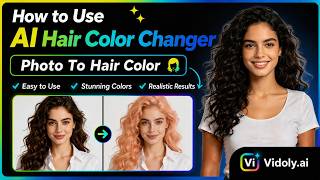
How to Change Hair Color with AI in Seconds! 💇♀️ | Vidoly.ai Tutorial
Vidoly AI
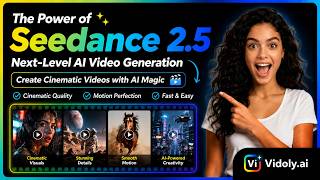
Make Commercial AI Videos in Seconds (No Camera Required) | Vidoly.ai
Vidoly AI
YouTube returned 6 videos for “Vidoly AI”, and we withheld 4: 4 could not be judged, because “Vidoly AI” is a single word that other videos use for other things. Showing the 2 we can prove are about Vidoly AI.
Official links
Tools that pair well with Vidoly AI
Common stack mates teams adopt alongside Vidoly AI, with the specific reason each pairing earns its keep.

Envato Elements
Envato Elements is an unlimited-download creative asset subscription with built-in AI video, image and audio generation tools.

Dreamina
Free AI video and image generator with Seedance 2.5 and Seedream 5.0 models built in

mnml AI
Sketch to photoreal AI architectural rendering: mnml AI turns sketches, photos, and SketchUp, Revit or Rhino views into client-ready images
Featured Head-to-Head Comparisons
Vidoly Ai vs Runway Gen 4
If you need fast, template-driven visuals for social media or e-commerce without a steep learning curve, Vidoly AI is your shortcut. But if you're a serious filmmaker or marketer who needs timeline editing, node-based automation, and analytics, Runway Gen-4 is the industry-standard choice—just be ready to pay more and learn a more complex tool.
Vidoly Ai vs Genmo
If you're a developer or researcher who wants to own and customize a state-of-the-art video model, Genmo is the clear pick—its open-source Mochi 1, CLI, and ComfyUI integration give you control that Vidoly can't match. But if you're a marketer or small business owner who needs quick, polished visuals for social ads or product listings, Vidoly's template-driven suite (including AI virtual try-on and ad studio) is far more practical. Choose based on whether you value flexibility or speed.
Vidoly Ai vs The New Black
Choose The New Black if you're a fashion brand that needs end-to-end design, tech packs, and branded model imagery. Choose Vidoly AI if you're a creator or small business needing a versatile, template-driven toolkit for images and short videos without a fashion-specific focus.
Alternatives to Vidoly AI
View all
Envato Elements
Envato Elements is an unlimited-download creative asset subscription with built-in AI video, image and audio generation tools.


Frequently Asked Questions
Used Vidoly AI? Help shape our editorial sentiment research.