
Visual LabX
Visual LabX is a one-tap retro preset photo app for iOS and Android, from Nexus Apps.
Pick Visual LabX if your bottleneck is decision fatigue rather than capability — the preset-first flow gets a cohesive set of edits out in minutes, and the bundled retouch plugin with skin smoothing and one-touch blemish removal is genuinely useful for portrait work. Pass if you need masks, layers or raw conversion, or if you want one predictable recurring charge instead of buying curated preset packs individually on top of access to the collections. It's a social-content tool that knows what it is, and Nexus Apps runs it as one of six products rather than a standalone studio.
Verified 12d ago · liveness 68/100 · cite: rightaichoice.com/tools/visual-labx
- Influencers who need a consistent retro aesthetic across a posting schedule
- Portrait photographers wanting fast skin smoothing and blemish removal
- Hobbyists who want stylized edits without learning a grading app
- Creators batch-restyling an existing library before a campaign
- Professional retouchers who need layers, masks or frequency separation
- Photographers shooting raw .dng files who need raw conversion
- Studios needing non-destructive editing pipelines shared across a team
We scan live Reddit threads, YouTube comments, X posts, G2 reviews and other communities — and hand you an honest verdict in under a minute.
- Honest verdict, not marketing
- Real pros & cons from real users
- Attributed quotes with receipts
3 free scans · no card needed
Skip Visual LabX if you need layers, masks, raw .dng conversion, shared team pipelines, or a single all-inclusive subscription rather than buying curated preset packs on top of app access.
Curated retro and aesthetic filter collections are sold as packs at $4.99 one-time each, so a full-year look can cost more than the app itself.
The free tier at $0/mo fits hobbyists testing whether presets beat their own slider work. Curated packs at $4.99 one-time per pack suit creators who want one specific retro collection rather than an ongoing plan. Against Adobe Lightroom, which bundles raw conversion and layered editing into a recurring subscription, Visual LabX trades control and raw support for faster, cheaper one-tap output.
In short
Visual LabX — Visual LabX is a one-tap retro preset photo app for iOS and Android, from Nexus Apps. Best for Influencers who need a consistent retro aesthetic across a posting schedule, Portrait photographers wanting fast skin smoothing and blemish removal, Hobbyists who want stylized edits without learning a grading app. Free to start; paid plans from $4.99.
What people actually say about Visual LabX — is it worth it?
We ran a structured research pass across product reviews, community discussions, and post-purchase forum threads to surface the patterns vendors won't publish themselves. Below: the recurring strengths, the hidden costs people mention most, and the cohort that consistently regrets adopting this tool.
20 mentions across 1 source (App Store) · researched Jul 3, 2026.
Average across the 1 source that answered — each source counts once, not each post.
- +Clean UI and smooth editing workflow.
- +One-tap presets deliver quick stylish results.
- +Edits don't look overprocessed or fake.
- +Fast performance for basic photo edits.
- +Retro filters and text-on-filter aesthetic are unique.
- −Misleading 'free lifetime pro' offer leads to unexpected charges.
- −Restore purchase fails, locking users out of paid features.
- −Does nothing unique compared to free alternative editors.
- −Video LabX add-on feels overpriced at $29.99.
- −Requires payment info for supposedly free promotions.
- • Charges for 'free lifetime pro' after entering payment info
- • Video LabX costs $29.99 extra
- • Restore purchase failures may require re-buying
Viability Score
How well maintained and how widely used is Visual LabX? Built from what the vendor actually publishes (docs, changelog, tutorials, integrations, pricing), whether the site is live, and how much real users discuss it. How we calculate this
Last calculated: October 2026
How we score →Key Features
- One-tap AI Magic Presets for vintage transformations
- Curated retro and aesthetic filter packs
- Free retouch plugin with skin smoothing
- One-touch blemish removal tool
- Portrait-focused enhancement presets
- Influence-style presets for social feeds
- Export up to 4K resolution on paid plans
- 1080p export on the free tier
- Batch processing across multiple images
- Batch processing limits on the free tier
- Preset-first workflow with no manual slider tuning
- Crop and rotate tools
- Brightness and contrast adjustment
- Undo and redo history
- Mobile app for iOS and Android
About Visual LabX
Visual LabX is a mobile photo editing app from Nexus Apps, built around high-performance presets rather than manual slider work. You tap a Magic Preset and get a finished vintage look — grainy film tones, faded highlights, warm shadows — and the same recipe applies across a whole batch of shots so a feed reads as one photographer's work instead of five. The parent company publishes 500K+ global users, 200K+ monthly actives and 10,000+ paying members across its product portfolio, which tells you this is a subscription-and-pack business rather than a one-off filter sale. The workflow is preset-first. Curated retro and aesthetic filter collections ship as packs, an influence-style range targets creators posting to Instagram and TikTok, and a retouch plugin handles skin smoothing and one-touch blemish removal without leaving the app. Paid plans export up to 4K; the free tier caps at 1080p and limits batch processing. Rounding out the edit are crop, rotate, brightness and contrast, plus undo/redo history for the corrections a preset won't fix. Everything runs on the phone, so shoot-tap-export-post closes in minutes. Nexus Apps describes Visual LabX as a "professional-grade mobile photo editing platform" on its product page, alongside sibling apps Photo CamAI, iScreen AI Wallpapers, Retro Cam Neo, Clear Wave Pro and ASO Rocket — the company acquires and scales apps rather than shipping hobby projects. Where it sits: Lightroom and Photoshop still own layered, non-destructive professional work and Visual LabX isn't trying to displace them. Against other mobile preset apps the pitch is speed and consistency over control — fewer decisions, faster output, repeatable results.
Behind the Verdict
Visual LabX's real differentiator is consistency, not power. Most mobile editors give you sliders and leave you to invent a look; Visual LabX gives you a fixed recipe — grainy film tones, faded highlights, warm shadows — and lets you push it across a set of images at once. If you post on a schedule to Instagram or TikTok and your problem is that your grid looks like it was shot by different people, that is exactly the fix. The supporting cast is sensible. A free retouch plugin with skin smoothing and one-touch blemish removal covers the most common portrait chore without a second app. Crop, rotate, brightness and contrast plus undo/redo history handle the small corrections a preset can't. Export goes to 4K on paid tiers, 1080p on free, and batch processing lets you apply one style across a travel set or a campaign library rather than editing frame by frame. Nexus Apps reports 500K+ global users, 200K+ monthly actives and 10,000+ paying members across its portfolio, which suggests the products are actually retained rather than downloaded and abandoned. The honest limitations are structural. There are no layers, masks or frequency separation, so professional retouchers will find it a dead end. There is no raw .dng conversion, so photographers shooting raw can't use it as a primary tool. There is no cloud storage and no team collaboration, which rules out studio pipelines. And it is a phone app first — iOS and Android — not a desktop editing environment. Where it fits: influencers and creators who want a consistent retro aesthetic across a posting schedule, portrait photographers who need fast skin work without a full retouch suite, hobbyists who don't want to learn a grading application, and anyone restyling an existing library in batches before a campaign. Where it doesn't: studios with shared non-destructive pipelines, raw shooters, and high-volume batch workflows that outrun what the app will process. Treat it as a fast lane for social output, not a replacement for Lightroom or Photoshop.
Researching Visual LabX? Get your full AI stack in 60 seconds.
Free, no signup — tell us your goal and get tools matched to your budget & existing stack.
Real-world workflow fit
Concrete scenarios for the personas Visual LabX actually fits — and what changes day-one when you adopt it.
Shoot a set of portraits on your phone, open Visual LabX, tap a Magic Preset from an influence-style pack, run the retouch plugin for skin smoothing, then batch-apply the same preset across the rest of the set before exporting.
Outcome: A grid that reads as one consistent retro look, produced in minutes rather than an evening of slider work.
Import client selects, use the free retouch plugin for blemish removal and skin smoothing, apply a portrait-focused preset, fix framing with crop and rotate, and export up to 4K on a paid plan.
Outcome: Fast social-ready deliverables without opening a full retouch suite, while the layered master edit stays in Lightroom or Photoshop.
Pick one curated retro collection, batch-apply the preset across travel or event shots, and use undo/redo plus brightness and contrast to correct the few images the preset misses.
Outcome: A whole library given a single vintage character without learning color grading.
Use Cases
- Apply a retro Magic Preset to a portrait and export an Instagram-ready look in one tap.
- Smooth skin and remove blemishes with the free retouch plugin before posting.
- Keep an influencer feed cohesive by applying one preset pack to every photo.
- Give product photos an artistic vintage filter so ads stand out in a feed.
- Batch-apply one style across a set of travel shots on a paid plan.
- Restyle an existing photo library before a campaign instead of editing frame by frame.
- Fix framing and exposure after a preset with crop, rotate, brightness and contrast.
Limitations
- Free tier caps export at 1080p and limits batch processing.
- No layers, masks or advanced manual controls.
- No raw file support.
- No cloud storage or team collaboration.
- Nexus Apps' product page does not publish a formal support SLA for the app.
- Export beyond 1080p and unrestricted batch work sit behind paid access.
as of 2026-09-26
Verification history
We have re-verified Visual LabX 8 times since . Each pass re-reads the vendor's own pages and re-checks every listed field against that evidence; passes where nothing had changed are marked as such.
- — re-verified summary, description, our verdict, our analysis, pricing model, pricing tiers, features, integrations, who it suits, who should skip it
- — re-verified summary, description, our verdict, our analysis, pricing model, pricing tiers, features, integrations, who it suits, who should skip it
- — re-checked, vendor evidence unchanged
- — re-checked, vendor evidence unchanged
- — re-verified summary, description, our verdict, our analysis, pricing model, pricing tiers, features, integrations, who it suits, who should skip it
- — re-verified summary, description, our verdict, our analysis, pricing model, pricing tiers, features, integrations, who it suits, who should skip it
Showing the 6 most recent of 8 verification passes.
Free to cite with attribution — this page re-verifies continuously.
12-month cost
Project the real annual outlay, including the implied monthly cost when only an annual tier is published.
Vendor list price only. Add-on usage, seat overages, and contract minimums are surfaced under Hidden costs & gotchas.
Plans compared
For each published Visual LabX tier: who it actually fits, and what it adds vs. the previous tier. Cross-reference the cost calculator above for projected annual outlay.
Free
$0
Ideal for
Hobbyists and first-time creators testing whether one-tap presets beat their own slider editing before paying anything.
What this tier adds
Free entry point: AI Magic Presets, the retouch plugin with skin smoothing, one-touch blemish removal, 1080p export and limited batch processing.
Premium Preset Pack
$4.99 one-time per pack
Ideal for
Creators who want one specific curated retro or influence-style collection rather than an ongoing commitment.
What this tier adds
Adds a curated retro or aesthetic filter collection plus influence-style presets for social feeds, bought as a $4.99 one-time purchase with no recurring charge.
Where the pricing makes sense
The company stage and team size where Visual LabX's pricing actually pencils out — and where peers do it cheaper.
The free tier at $0/mo fits hobbyists testing whether presets beat their own slider work. Curated packs at $4.99 one-time per pack suit creators who want one specific retro collection rather than an ongoing plan. Against Adobe Lightroom, which bundles raw conversion and layered editing into a recurring subscription, Visual LabX trades control and raw support for faster, cheaper one-tap output.
Setup time & first value
How long it actually takes to get something useful out of Visual LabX — broken out by persona, not the marketing-page minute.
Influencers: a few minutes — install, pick a preset pack and export the first post. Portrait photographers: under half an hour to test the retouch plugin on a real client image before trusting it. Hobbyists: roughly an hour to batch a small library and tune brightness and contrast where the preset overshoots.
Switching to or from Visual LabX
How to bring data in from common predecessors and how to get it back out — written for the switcher, not the buyer.
- →From Instagram's built-in filters: apply a curated retro or influence-style Visual LabX pack instead, then batch the same preset across your backlog for a uniform feed.
- →From manual Lightroom Mobile slider edits: move only the social-bound images to Visual LabX presets and keep layered raw work in Lightroom.
- →From a one-off filter app: consolidate to Visual LabX so skin smoothing, blemish removal and preset styling happen without app-switching.
- ↗To Adobe Lightroom or Photoshop: rebuild your look there if you need layers, masks, raw conversion or non-destructive pipelines Visual LabX doesn't offer.
- ↗To a desktop grading suite: move when batch volume or team-shared editing outgrows a phone-first preset workflow.
- ↗To raw-first workflows: leave if you shoot .dng and need conversion before styling.
Resources & Guides
Tutorials & Learning
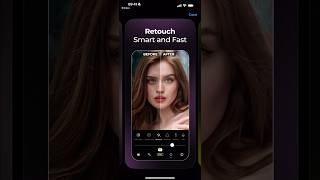
YouTube returned 6 videos for “Visual LabX”, and we withheld 5: 5 did not mention Visual LabX. Showing the 1 we can prove is about Visual LabX.
Official links
Tools that pair well with Visual LabX
Common stack mates teams adopt alongside Visual LabX, with the specific reason each pairing earns its keep.

Remini
One-tap AI photo and video enhancer that sharpens faces, unblurs phone shots, and restores old photos on iOS, Android, and the web.

FaceApp
FaceApp is a one-tap AI photo editor for selfies — retouch, makeup, virtual hair color, and expression changes on iOS and Android.

DaVinci Resolve
DaVinci Resolve 21 is Blackmagic's all-in-one editing, color, VFX, audio, and photo suite, free to download with a $295 one-time Studio license.
Featured Head-to-Head Comparisons
Visual Labx vs Adobe Firefly Services
Choose Adobe Firefly Services if you need enterprise-grade, API-driven generative AI with compliance and scalability for automated content production. Choose Visual LabX if you're an individual looking for a free, easy-to-use app to apply retro filters and occasional portrait retouching for social media, with no need for automation or integration.
Visual Labx vs Qoves
Choose QOVES if you want a science-backed, personalized facial analysis and glow-up plan without surgery; choose Visual LabX if you need quick, artistic photo filters and retouching for social media. They serve entirely different needs—QOVES is for self-improvement with data, Visual LabX is for visual content creation.
Visual Labx vs The New Black
Choose The New Black if you need AI-driven fashion design with production-ready outputs like tech packs and custom brand models. Choose Visual LabX if you want fast, retro-style photo edits and portrait retouching for social media. They serve entirely different markets.
Alternatives to Visual LabX
View all
Remini
One-tap AI photo and video enhancer that sharpens faces, unblurs phone shots, and restores old photos on iOS, Android, and the web.

FaceApp
FaceApp is a one-tap AI photo editor for selfies — retouch, makeup, virtual hair color, and expression changes on iOS and Android.

DaVinci Resolve
DaVinci Resolve 21 is Blackmagic's all-in-one editing, color, VFX, audio, and photo suite, free to download with a $295 one-time Studio license.
Frequently Asked Questions
Categories
Topics
Used Visual LabX? Help shape our editorial sentiment research.