
Visual Translate
AI tool that detects, erases, and rebuilds on-screen text in videos for any target language.
If your videos carry meaningful on-screen text — slides, labels, warnings, callouts — Visual Translate earns its keep. It automates what would otherwise be tedious manual overlay work in an editor. For videos with barely any burned-in text, a cheaper subtitle tool will do. The point-based pricing is worth budgeting for at high volume.
Verified 8d ago · liveness 78/100 · cite: rightaichoice.com/tools/visual-translate
- Localizing slide-based videos with titles, charts, and key points
- Translating on-screen instructions and labels in training videos
- Adapting product promo videos for international markets
- Video localization teams needing to handle visual text without source files
- Real-time or live-stream video translation
- Videos with minimal on-screen text
- Heavy motion graphics or fast-changing text
We scan live Reddit threads, YouTube comments, X posts, G2 reviews and other communities — and hand you an honest verdict in under a minute.
- Honest verdict, not marketing
- Real pros & cons from real users
- Attributed quotes with receipts
3 free scans · no card needed
Skip Visual Translate if your videos have little to no on-screen text, are live-streamed, or rely on heavy motion graphics — a simple subtitle tool is cheaper and faster for those cases.
Going past your plan's AI point allowance (e.g., 600 points on Studio) means buying extra point packs — a recurring cost that scales directly with video volume.
Visual Translate's point-based subscription is flexible but complex. The Free tier (20 points) suits trialists; Creator at $29/mo (~150 pts) fits solo creators sending a couple of short videos. Studio at $99/mo (~600 pts) is the value sweet spot for teams doing regular localization, undercutting outsourcing ($200–600/video) dramatically. For high-volume enterprises, Enterprise (custom) adds volume discounts and compliance, competing with major localization platforms.
In short
Visual Translate — AI tool that detects, erases, and rebuilds on-screen text in videos for any target language. Best for Localizing slide-based videos with titles, charts, and key points, Translating on-screen instructions and labels in training videos, Adapting product promo videos for international markets. Free to start; paid plans from $29/mo.
What people actually say about Visual Translate — is it worth it?
We scanned public community sources for Visual Translate on Aug 23, 2026 and could not establish that the discussion we found is about this tool rather than something else sharing its name. Our own analysis of that scan says the posts were off-subject. Rather than publish a sentiment score built on the wrong subject, we publish nothing here and re-run the scan.
Viability Score
How well maintained and how widely used is Visual Translate? Built from what the vendor actually publishes (docs, changelog, tutorials, integrations, pricing), whether the site is live, and how much real users discuss it. How we calculate this
Last calculated: September 2026
How we score →Key Features
- Automatic on-screen text detection
- Text erasure and visual rebuilding
- Context-aware translation engine
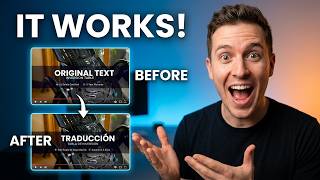
- Side-by-side original vs translated comparison
- Editable translations with full control
- Text styling (font, size, color)
- No original project files required
- Slide-based video text localization
- Training video text translation (instructions, labels, warnings)
- Product promo text translation (callouts, highlights)
- Proofread before export in built-in editor
- Integrated with Vozo Subtitles, Dubbing, Lip Sync
- Supports 111 source and 165 target languages
- Glossary and brand governance (Studio+)
- Bulk upload (Studio+)
About Visual Translate
Visual Translate by Vozo AI tackles a gap most video translation tools ignore: the text baked into your footage. It automatically detects on-screen text — slide titles, training labels, safety warnings, product callouts — erases the original, and rebuilds it in your target language. No original project files required, which matters when you're working with exported or client-supplied videos. The pipeline runs detect → translate with context → rebuild and proofread, so you're not just swapping words; you're preserving layout, styling, and visual intent. A built-in editor gives you full control: side-by-side original-vs-translated comparison, direct editing of any translated segment, and re-translation by updating the source text. You can refine tone, wording, and formality before export, then hand off to Vozo's Subtitles, Dubbing, or Lip Sync tools to complete a full localization workflow. Built for content creators, training teams, and enterprises localizing slide decks, instructional videos, and product promos, Visual Translate supports 111 source and 165 target languages. It fills the gap left by tools that only handle audio and subtitles, and is trusted by over 7 million creators in 40+ countries.
Behind the Verdict
Visual Translate is built to solve a specific, real problem: most video localization tools stop at audio and subtitles, leaving the text burned into your footage untouched. If you localize slide decks, training videos, or product promos, that on-screen text is often the most important layer — titles, instructions, warnings, and calls-to-action that viewers read and rely on. Visual Translate's detect-erase-rebuild pipeline addresses this directly, and does it without requiring original project files, a huge advantage when you're handed an exported MP4 from a client or another team. Where it shines: training and L&D teams localizing instructional content with labeled diagrams and step-by-step overlays; marketing teams adapting product promos with feature callouts and slogans; and educators localizing slide-based lectures. The built-in editor gives you control over every translated segment, with side-by-side comparison, direct editing, and re-translation by updating source text. You can refine tone and wording before export. It also integrates with Vozo's broader suite — dubbing, subtitles, lip sync — letting you complete the full localization workflow in one place. Where it falls short: it's not for real-time or live-stream translation. It struggles with heavy motion graphics or fast-changing text (the detection may miss or distort). It doesn't handle the audio or subtitle layer at all — you'd need Vozo's other tools for that. And the point-based pricing, while freeing you from per-minute fees, adds a mental tax: you have to track points across tools and plan limits. Compared to alternatives that only do subtitles or audio dubbing, Visual Translate is a step up for anyone who needs the visual layer localized. For teams already in Vozo's ecosystem, it's a natural fit. For those who only need subtitles, a dedicated subtitle tool is simpler and likely cheaper.
Researching Visual Translate? Get your full AI stack in 60 seconds.
Free, no signup — tell us your goal and get tools matched to your budget & existing stack.
Real-world workflow fit
Concrete scenarios for the personas Visual Translate actually fits — and what changes day-one when you adopt it.
You have a 10-minute YouTube tutorial with on-screen labels and want a Spanish version. You upload the video to Vozo, Visual Translate detects all text, you review translations in the editor, and export the localized video.
Outcome: You get a translated video in about an hour, without re-editing, and publish it to your channel for a new audience.
You have 50 training videos with safety warnings and equipment labels that need German versions. You use Visual Translate to handle all on-screen text, then dub using Vozo's dubbing tool.
Outcome: You deliver all 50 videos in a week, instead of weeks of outsourcing, and maintain consistent terminology.
You have a product promo video with feature callouts that needs French. You run it through Visual Translate, adjust the callout translations in the editor, and then use Vozo's lip sync to match the voiceover.
Outcome: You ship a localized promo in a day, complete with translated on-screen text and natural-sounding voice, ready for the French market.
Use Cases
- Localizing slide-based presentations with embedded text and charts for international audiences
- Translating tutorial videos with on-screen labels and captions for global teams
- Adapting marketing videos with animated text overlays for multilingual campaigns
- Rebuilding text in educational videos for cross-border eLearning
- Localizing product demos with feature callouts for new markets
- Translating safety instructions and warnings in training videos for global workforces
Models Under the Hood
as of 2026-08-30
Limitations
- The free tier provides limited AI points (approximately 2 minutes of visual translate) and restricts usage to 3 projects.
- Paid plans such as Creator and Studio offer higher point allowances (150 and 600 points per month, respectively), video length caps (up to 60 and 120 minutes per video), and increased concurrent tasks and seats.
- The tool is part of a suite and requires AI points for usage, though video length caps and concurrent task limits may affect high-volume production.
as of 2026-08-29
Verification history
We have re-verified Visual Translate 17 times since . Each pass re-reads the vendor's own pages and re-checks every listed field against that evidence; passes where nothing had changed are marked as such.
- — re-checked, vendor evidence unchanged
- — re-checked, vendor evidence unchanged
- — re-verified summary, description, our verdict, our analysis, pricing model, pricing tiers, features, integrations, who it suits, who should skip it
- — re-checked, vendor evidence unchanged
- — re-verified summary, description, our verdict, our analysis, pricing model, pricing tiers, features, integrations, who it suits, who should skip it
- — re-verified summary, description, our verdict, our analysis, pricing model, pricing tiers, features, integrations, who it suits, who should skip it
Showing the 6 most recent of 17 verification passes.
Free to cite with attribution — this page re-verifies continuously.
12-month cost
Project the real annual outlay, including the implied monthly cost when only an annual tier is published.
Vendor list price only. Add-on usage, seat overages, and contract minimums are surfaced under Hidden costs & gotchas.
Plans compared
For each published Visual Translate tier: who it actually fits, and what it adds vs. the previous tier. Cross-reference the cost calculator above for projected annual outlay.
Free
$0/mo
Ideal for
New users trying Vozo's AI tools for the first time — testing with up to 3 projects and 20 AI points (~2 visual translate minutes). No credit card required.
What this tier adds
Free entry point: 20 AI points, 1 seat, 1 concurrent task, up to 20-min videos, watermark on exports.
Creator
$29/mo
Ideal for
Independent creators producing a handful of translated videos each month who need more points and no watermark.
What this tier adds
Adds 150 points/month (~15 visual translate minutes), 2 concurrent tasks, 60-min max video, watermark removed.
Studio
$99/mo
Ideal for
Professional creators or small teams with higher usage needing collaboration, glossary control, and faster processing.
What this tier adds
Boosts points to 600/month (~60 minutes), 3 seats, 6 concurrent tasks, 120-min max video, plus bulk upload, glossary, and priority processing.
Studio XL
$249/mo
Ideal for
Larger-scale production teams needing more seats and concurrency than Studio.
What this tier adds
Scales to 1,500 points/month (~150 minutes), 6 seats, and 12 concurrent tasks; includes all Studio features.
Studio XXL
$649/mo
Ideal for
Highest-volume production houses and agencies localizing many videos monthly.
What this tier adds
Highest pre-Enterprise tier: 4,000 points/month (~400 minutes), 10 seats, 20 concurrent tasks.
Enterprise
Custom
Ideal for
Organizations with custom high-volume or governance needs — API access, security compliance, dedicated support.
What this tier adds
Adds large volume discounts, no training on your data, API access, human review add-on, SLA, dedicated manager, and flexible seats/concurrency.
Where the pricing makes sense
The company stage and team size where Visual Translate's pricing actually pencils out — and where peers do it cheaper.
Visual Translate's point-based subscription is flexible but complex. The Free tier (20 points) suits trialists; Creator at $29/mo (~150 pts) fits solo creators sending a couple of short videos. Studio at $99/mo (~600 pts) is the value sweet spot for teams doing regular localization, undercutting outsourcing ($200–600/video) dramatically. For high-volume enterprises, Enterprise (custom) adds volume discounts and compliance, competing with major localization platforms.
Setup time & first value
How long it actually takes to get something useful out of Visual Translate — broken out by persona, not the marketing-page minute.
Sign up and get started in minutes — upload a video, Visual Translate detects text automatically. The first project may take 5-10 minutes to process; review in the editor takes extra time depending on the amount of text. No technical setup required.
Resources & Guides
Tutorials & Learning
Official links
Tools that pair well with Visual Translate
Common stack mates teams adopt alongside Visual Translate, with the specific reason each pairing earns its keep.
Wondershare Virbo
AI avatar video generator that turns one sentence, image, or link into human-led product videos in 80+ languages.
HeyGen
AI avatar video generator for lifelike presenter videos with character consistency and 175+ language translation.
Jogg AI
Turn text, photos, and URLs into lifelike AI avatar videos in minutes
Alternatives to Visual Translate
View allWondershare Virbo
AI avatar video generator that turns one sentence, image, or link into human-led product videos in 80+ languages.
Frequently Asked Questions
Categories
Best-of guides
Topics
Used Visual Translate? Help shape our editorial sentiment research.