Voicetree is live · free · last verified 24 Oct 2026 · viability monitor

Voicetree
Voicetree is a macOS graph IDE that gives Claude Code and other AI coding agents shared context via a Markdown canvas.
Voicetree attacks the real multi-agent headache — context rot, manual handoffs, and four to ten terminals you can't tell apart — with a spatial graph instead of another chat pane. Shared memory read from the graph plus recursive decomposition into parallel subagents are the ideas worth testing, and since it drives your existing Claude Code or Gemini CLI agents in embedded terminals, trialing it costs time, not money. Free, open source, macOS-only, early.
Verdict generatedVerified 6d ago · liveness 65/100 · cite: rightaichoice.com/tools/voicetree
- macOS developers already running several AI coding agent CLIs
- Engineers coordinating multi-file refactors across parallel agents
- Researchers experimenting with recursive task decomposition
- Obsidian users who want a spatial, agent-aware layer over their vault
- Windows or Linux users — the build is macOS-only
- Anyone who wants a simple chat interface without graph navigation
- Teams that need vendor support and a production-ready release
We scan live Reddit threads, YouTube comments, X posts, G2 reviews and other communities — and hand you an honest verdict in under a minute.
- Honest verdict, not marketing
- Real pros & cons from real users
- Attributed quotes with receipts
3 free scans · no card needed
Skip Voicetree if you are on Windows or Linux, or if you want a supported, non-alpha product with a conventional chat interface rather than a graph you navigate yourself.
Enabling AI sends your note content to third-party APIs (Google, Soniox) for processing, so anything sensitive in the graph leaves your machine once an agent runs
Voicetree itself is free and open source via GitHub, which puts it below paid coding environments like Cursor on sticker price. The real cost sits in the agent subscriptions you point at it — Claude Code and Codex usage is billed by those vendors separately, so a solo macOS developer already paying for one agent CLI adds no licence fee, while a team needing support contracts and a stable release is paying elsewhere.
In short
Voicetree — Voicetree is a macOS graph IDE that gives Claude Code and other AI coding agents shared context via a Markdown canvas. Best for macOS developers already running several AI coding agent CLIs, Engineers coordinating multi-file refactors across parallel agents, Researchers experimenting with recursive task decomposition. Free to use.
What is Voicetree?
Voicetree — Voicetree is a macOS graph IDE that gives Claude Code and other AI coding agents shared context via a Markdown canvas. Best for macOS developers already running several AI coding agent CLIs, Engineers coordinating multi-file refactors across parallel agents, Researchers experimenting with recursive task decomposition. Free to use.
Voicetree is a standalone Electron desktop app for macOS that turns your workspace into a spatial, graph-based Markdown canvas rather than a chat window or a note list. Its core claim is that the graph holds your memory: instead of re-explaining a project at the start of every session, agents read context straight from the graph you both edit. It runs the agent CLIs already installed on your machine — Claude Code, Codex, Gemini CLI, OpenCode, OpenClaw — inside embedded terminals, so trying it doesn't mean rebuilding your stack. The second mechanic is recursive decomposition: AI splits a big task into subgraphs and spawns parallel subagents along the dependency graph, so each session stays short and scoped to relevant context instead of dragging a long, rotting transcript. Spatial navigation handles recall — jump back in and the workspace sits where you left it. Files stay on your machine as plain Markdown, and it opens existing Obsidian vaults without conversion. AI features are optional and off by default; disabled, it's a plain spatial Markdown editor. With AI on, content goes to third-party APIs (Google, Soniox) that the vendor says don't train on your data, and anonymous usage telemetry is collected. It began as an Obsidian plugin (agent-canvas on GitHub) and is now free and open source, currently early. The vendor's February 2026 Agentic Engineering Guide — covering talk, plan, decompose, review — maps directly onto the four-stage workflow Voicetree's decomposition features were built around. Against alternatives, it trades Cursor's polished single-agent IDE and Obsidian's plugin depth for a graph-first, multi-agent canvas.
Key features
- Spatial graph-based Markdown workspace you edit and navigate directly
- Shared memory: agents read context from the graph instead of your prompts
- Recursive decomposition of large tasks into subgraphs
- Parallel subagent spawning along the dependency graph
- Embedded terminals running your installed agent CLIs
- Works with Claude Code, Codex, Gemini CLI, OpenCode and OpenClaw
- Spatial navigation restores your workspace where you left it
- Graph grows indefinitely with short, scoped agent sessions
- Local-first storage as plain Markdown files
- Opens existing Obsidian vaults without conversion
- AI features optional and off by default
- Pure spatial Markdown editor when AI is disabled
- Standalone Electron desktop app for macOS
- Anonymous usage telemetry
- Free and open source, distributed via GitHub
Behind the verdict
The pitch lands because the problem is genuine. Anyone running several coding agents at once knows the drill: paste the same context four times, watch two sessions drift out of sync, forget which terminal holds the refactor. Voicetree's answer is to make the shared state a place — a graph of Markdown nodes both you and the agent read and write. Pick it if you're on macOS and already fluent in agent CLIs like Claude Code, Codex or Gemini CLI. The embedded-terminal approach means zero stack migration: your installed agents run unchanged, and AI stays off until you launch one. If you keep an Obsidian vault, it opens without conversion, which lowers the switching cost further. Pass if you want a single-agent, chat-style IDE with a supported release and vendor SLAs — Cursor is still the safer default there. The build is macOS-only, and it's early. Expect rough edges a funded product would have smoothed. Where it bites in practice: recursive decomposition into parallel subagents is powerful but adds coordination overhead you have to manage. Graph sprawl is real if you don't prune. And with AI on, your content leaves the machine for Google and Soniox APIs — the vendor says they don't train on it, but if data residency is a hard rule, that's a wall. The February 2026 Agentic Engineering Guide is worth reading before you commit; it frames talk, plan, decompose, review as the workflow Voicetree's features are shaped around, which tells you where the tool expects you to be disciplined. If you skip the review stage, the graph grows faster than it stays useful.
Limitations
- Voicetree is in early alpha, so expect bugs and incomplete features rather than a finished product.
- It is a standalone Electron desktop app and macOS-only today.
- The workflow assumes comfort with terminal-based agent CLIs, and when AI features are used, content is sent to third-party APIs (Google, Soniox) for processing while anonymous usage telemetry is collected; files otherwise stay local as plain Markdown.
as of 2026-10-19
Researching Voicetree? Get your full AI stack in 60 seconds.
Free, no signup — tell us your goal and get tools matched to your budget & existing stack.
Is Voicetree still active?
Voicetree is live · free · last verified 24 Oct 2026 · viability monitor.
Viability score
How well maintained and how widely used is Voicetree? Built from what the vendor actually publishes (docs, changelog, tutorials, integrations, pricing), whether the site is live, and how much real users discuss it. How we calculate this
Last calculated: October 2026
How we score →What do users say about Voicetree?
What people actually say about Voicetree — is it worth it?
Our community sentiment research written Jul 30, 2026 is more than 90 days old, so it is being re-reviewed against current data and is not shown.
How we verified this
Every listed fact about Voicetree— pricing, features, links, status — is re-read from the vendor's own pages by our verification pipeline and each change is logged with a date; the last pass ran on 24 Oct 2026. Pages mix model-assisted synthesis with human review; see how we verify.
Verification history
We have re-verified Voicetree 10 times since . Each pass re-reads the vendor's own pages and re-checks every listed field against that evidence; passes where nothing had changed are marked as such.
- — changed pricing tiers, who it suits, our verdict, who should skip it, description, summary
- — changed limitations
- — changed features, who it suits, description, our verdict, hidden costs, limitations, switching in, switching out, who should skip it, pricing tiers, pricing fit, setup time, summary, use cases
- — changed features, integrations, pricing tiers, who should skip it, our verdict, description, summary, who it suits
- — changed limitations
- — changed SSL certificate
Showing the 6 most recent of 10 verification passes.
Free to cite with attribution — this page re-verifies continuously.
How much does Voicetree cost in 2026?
Voicetree: Free to use. Pricing last verified 24 Oct 2026.
Plans compared
Every published Voicetree tier, its price as the vendor publishes it, who it fits, and what it adds over the tier below. The 12-month cost projection follows.
| Plan | Price | Billing | Who it's for |
|---|---|---|---|
| Free | Free | — | macOS developers already running Claude Code, Codex or Gemini CLI who want to test shared graph memory without a licence feeAdds: Starting tier: the full standalone Electron app, spatial Markdown workspace, embedded agent terminals and recursive decomposition, free and open source on GitHub |
12-month cost
Project the real annual outlay, including the implied monthly cost when only an annual tier is published.
Vendor list price only. Add-on usage, seat overages, and contract minimums are surfaced under Hidden costs & gotchas.
Where the pricing makes sense
The company stage and team size where Voicetree's pricing actually pencils out — and where peers do it cheaper.
Voicetree itself is free and open source via GitHub, which puts it below paid coding environments like Cursor on sticker price. The real cost sits in the agent subscriptions you point at it — Claude Code and Codex usage is billed by those vendors separately, so a solo macOS developer already paying for one agent CLI adds no licence fee, while a team needing support contracts and a stable release is paying elsewhere.
Has Voicetree's pricing changed?
No plan price for Voicetree has moved since we began logging in Aug 2026; the pricing page is re-read on every verification pass.
Who should pick Voicetree?
Pick Voicetree if you are macOS developers already running several AI coding agent CLIs, Engineers coordinating multi-file refactors across parallel agents, Researchers experimenting with recursive task decomposition, Obsidian users who want a spatial, agent-aware layer over their vault.
Look elsewhere if you are Windows or Linux users — the build is macOS-only, Anyone who wants a simple chat interface without graph navigation, Teams that need vendor support and a production-ready release, People wary of content being sent to third-party AI APIs (Google, Soniox).
Skip it if Skip Voicetree if you are on Windows or Linux, or if you want a supported, non-alpha product with a conventional chat interface rather than a graph you navigate yourself.
GeneratedReal-world workflow fit
Concrete scenarios for the personas Voicetree actually fits — and what changes day-one when you adopt it.
You open your existing Obsidian vault in Voicetree, launch both agent CLIs in embedded terminals, and let each read context from the graph instead of pasting a project brief at session start.
Outcome: You stop re-explaining the codebase every morning, and returning to the workspace puts you back exactly where you left off.
You hand the feature request to Voicetree, which breaks it into subgraphs and spawns parallel subagents along the dependency graph, each with a short scoped session.
Outcome: Work proceeds in parallel with narrower context per agent, and the finished subgraph outputs become building blocks you assemble into the larger change.
You use Voicetree as a plain spatial Markdown editor over an Obsidian vault, with AI left off by default so no agent reads or modifies your notes.
Outcome: You get graph navigation over plain Markdown files on your disk, with nothing sent to third-party APIs.
Use cases
- Run several Claude Code and Codex agents on one codebase with context shared through the graph
- Decompose a large feature request into subgraphs and hand each to a parallel subagent
- Edit and navigate an Obsidian vault as a live workspace while agents read from it
- Recursively spawn subagents for multi-step tasks without manual handoff
- Resume a multi-agent session from spatial memory exactly where you left it
- Use Voicetree as a plain spatial Markdown editor with AI switched off
Setup time & first value
How long it actually takes to get something useful out of Voicetree — broken out by persona, not the marketing-page minute.
If you already use Obsidian and have an agent CLI installed, first value is quick: download the macOS build from GitHub, open an existing vault, and launch a terminal — no conversion step. Budget longer for the graph navigation model itself, since spatial editing has a learning curve coming from chat tools.
Switching to or from Voicetree
How to bring data in from common predecessors and how to get it back out — written for the switcher, not the buyer.
- →From Obsidian plus separate terminals: open your existing vault directly in Voicetree and run the same agent CLIs in embedded terminals
- →From the agent-canvas Obsidian plugin: Voicetree grew out of it and reads the same plain Markdown files
- →From a single-agent chat UI: install your agent CLI, point Voicetree at your repo, and let the graph carry the context
- ↗To Obsidian alone: your notes are already plain Markdown, so the vault opens as-is
- ↗To a terminal multiplexer: keep the same agent CLIs and lose the shared graph memory
- ↗To a single-agent editor workflow: export nothing, just reopen the Markdown files in your editor
Integrations
Resources & guides
- Documentationvoicetree.io
Docs · Voicetree
Full product docs from voicetree.io
- Quickstartvoicetree.io
Getting Started With Obsidian Vaults · Voicetree
Get up and running fast from voicetree.io
- Documentationvoicetree.io
Voicetree For Tree Style Terminal Tabs · Voicetree
Full product docs from voicetree.io
- Resourcevoicetree.io
Blog · Voicetree
Helpful link from voicetree.io
Tutorials & Learning
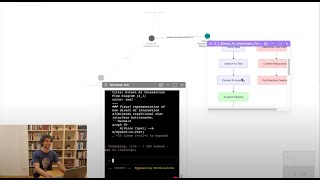
VoiceTree Demo: build your thoughts through speaking
Manu Masson
VoiceTree: Gemini API Competition submission
Manu Masson
YouTube returned 6 videos for “Voicetree”, and we withheld 4: 4 could not be judged, because “Voicetree” is a single word that other videos use for other things. Showing the 2 we can prove are about Voicetree.
Official links
What are the best Voicetree alternatives?
The closest alternatives to Voicetree we list are GitNexus (Akon Labs), omnigent and Inngest. Ranked by direct product-type match, not category overlap.
| Alternative | Pricing | Starts at | Last verified |
|---|---|---|---|
| GitNexus (Akon Labs) | Freemium | Pricing not published | — |
| omnigent | Free | Free | — |
| Inngest | Freemium | Pricing not published | — |
Alternatives to Voicetree
View all
GitNexus (Akon Labs)
GitNexus turns any codebase into a deterministic knowledge graph of call chains and execution flows that AI coding agents query through 7 MCP tools.
Tools that pair well with Voicetree
Common stack mates teams adopt alongside Voicetree, with the specific reason each pairing earns its keep.

GitNexus (Akon Labs)
GitNexus turns any codebase into a deterministic knowledge graph of call chains and execution flows that AI coding agents query through 7 MCP tools.

omnigent
Open-source meta-harness that runs Claude Code, Codex, Pi and your own agents under one policy, sandbox and cost layer

Inngest
Open source durable execution SDK for background jobs, workflows, and AI agents — wrap code in step.run() and get retries, flow control,
Voicetree vs its closest rival
Voicetree's closest head-to-head is with Truleo — Truleo and Voicetree serve completely different audiences. Truleo is a paid, purpose-built law enforcement intelligence platform that unifies siloed data (jail calls, BWC, RMS) to automate casework and briefings. Voicetree is a free, macOS-only spatial IDE for developers orchestrating multiple AI coding agents recursively. Your choice depends entirely on whether you need police investigation tools or agentic coding workflows. Verdict generated
Head-to-head comparisons
Voicetree vs Truleo
Truleo and Voicetree serve completely different audiences. Truleo is a paid, purpose-built law enforcement intelligence platform that unifies siloed data (jail calls, BWC, RMS) to automate casework and briefings. Voicetree is a free, macOS-only spatial IDE for developers orchestrating multiple AI coding agents recursively. Your choice depends entirely on whether you need police investigation tools or agentic coding workflows.
GeneratedVoicetree vs Presto Voice
Presto Voice is the clear choice for large QSR chains wanting to automate drive-thru ordering and boost revenue via upselling. Voicetree is a niche tool for developers orchestrating multiple AI agents in a spatial graph environment. If you run a quick-service restaurant, pick Presto. If you manage recursive multi-agent coding workflows, pick Voicetree. They address completely different problems.
GeneratedVoicetree vs Locus Robotics
Choose Locus Robotics if you run a warehouse needing up to 3x productivity gains with autonomous AMRs and can commit to a RaaS subscription. Choose Voicetree if you're a developer managing multiple AI coding agents and need a spatial graph to organize complex, recursive workflows without spending money.
GeneratedFrequently asked questions
Used Voicetree? Help shape our editorial sentiment research.