
WeShop
AI image and video generator for e-commerce product photos, AI fashion models, and virtual try-on
WeShop earns its place if your bottleneck is sellable product and apparel visuals at volume. Try-on, pose control and the Hands & Feet Fixer cover the parts general image models still fumble, and the model catalogue is unusually broad for an e-commerce-first tool. Paid plans start at $7.99/mo billed annually ($9.99 month-to-month) for Pro, with Ultra at $36/mo billed annually ($45 month-to-month). Go elsewhere if you need art-directed image generation or long-form cinematic video — this is catalogue production, not a creative studio. If you already pay for Midjourney alone, compare: WeShop bundles Midjourney v7 alongside Kling 3.0, Sora 2 and Veo 3 at a similar monthly cost.
Verified 6d ago · liveness 67/100 · cite: rightaichoice.com/tools/weshop
- E-commerce merchants needing product and apparel visuals without a photoshoot
- Fashion and apparel brands producing on-model shots across many styles
- Marketing teams generating short-form ad video from existing product images
- Catalogue operations teams with high SKU turnover and frequent listing refreshes
- Photographers who want manual control over lighting, lenses and composition
- Teams needing long-form cinematic video rather than short product clips
- Offline-only or air-gapped environments
We scan live Reddit threads, YouTube comments, X posts, G2 reviews and other communities — and hand you an honest verdict in under a minute.
- Honest verdict, not marketing
- Real pros & cons from real users
- Attributed quotes with receipts
3 free scans · no card needed
Skip WeShop if you need art-directed, single-look image generation or long-form cinematic video rather than catalog production, or if points-expire-each-cycle billing will not suit an irregular creative calendar.
Points do not roll over — on monthly plans unused credits expire at the end of each billing cycle, so a slow month still costs you the full allocation.
Free covers 200 registration points and selected models only. Pro at $7.99/mo billed annually (or $9.99 month-to-month) gives 12,000 points and 16 concurrent jobs — roughly the individual seller's range. Ultra at $36/mo billed annually ($45 month-to-month) and Enterprise at $365.60/mo billed annually ($457 month-to-month) serve high-SKU teams. Compared with a photoshoot day rate, even Ultra is inexpensive; compared with a single flat-rate Midjourney subscription, WeShop costs more because you
In short
WeShop — AI image and video generator for e-commerce product photos, AI fashion models, and virtual try-on. Best for E-commerce merchants needing product and apparel visuals without a photoshoot, Fashion and apparel brands producing on-model shots across many styles, Marketing teams generating short-form ad video from existing product images. Free to start; paid plans from $7.99/mo.
What's new in WeShop
Checked 6 days agoAcross the latest 5 updates: 2 feature updates and 3 news mentions.
How to Cancel Your WeShop AI Subscription on iOS & Android
WeShop published cancellation steps for App Store-billed subscriptions on iOS and Android; cancellation stops auto-renewal while the paid period stays active.
How to Cancel Your WeShop AI Subscription on Shopify
WeShop documented how Shopify-billed subscribers cancel: renewal stops and the current plan runs to the end of the paid billing period.
How to Cancel Your WeShop AI Subscription
WeShop added a four-step web cancellation flow on the Pricing page; existing plans remain active until the paid period ends.
Crush the Catalog Copy Trap With AI Product Detail Page
WeShop's AI Product Detail Page generates varied PDP copy across large SKU catalogs instead of duplicating a single description.
AI Packaging Design Generator
WeShop's AI Packaging Design Generator lets brands test packaging families and review concepts before production.
What people actually say about WeShop — is it worth it?
We ran a structured research pass across product reviews, community discussions, and post-purchase forum threads to surface the patterns vendors won't publish themselves. Below: the recurring strengths, the hidden costs people mention most, and the cohort that consistently regrets adopting this tool.
12 mentions across 3 sources (YouTube, App Store, Lemmy) · researched Jul 2, 2026.
Average across the 3 sources that answered — each source counts once, not each post.
- +Saves time and cost on traditional photoshoots for small brands.
- +Generates high-quality model images quickly with AI.
- +Useful for clothing brands needing diverse model visuals.
- +Video generation and virtual try-on are convenient features.
- +Easy to use once it works—minimal learning curve.
- −App frequently fails to apply edits, outputting the same photo.
- −Free tier severely limited; constant payment prompts anger users.
- −Old version was better, new paywalled updates frustrate fans.
- −Promotional reviews lack honesty about real performance.
- −Very few user reviews make reliability assessment difficult.
- • Free tier severely limited; paywall hits after a few uses
- • No clear pricing page; users surprised by sudden payment demands
Viability Score
How well maintained and how widely used is WeShop? Built from what the vendor actually publishes (docs, changelog, tutorials, integrations, pricing), whether the site is live, and how much real users discuss it. How we calculate this
Last calculated: October 2026
How we score →Key Features
- AI Fashion Model generation from a prompt or product image
- Virtual Try-On placing clothes and accessories on AI models
- AI Product Photography with no studio setup
- Model to Mannequin conversion for apparel display
- AI Pose Generator to change model stance
- AI Outfit Generator for new clothing designs and look variants
- Background Remover and background replacement
- AI Hands & Feet Fixer for finger and toe render artifacts
- Magic Eraser and AI Photo Enhancer
- AI Relight for flat or bad product lighting
- AI Video Generator running Seedance 2.5, Kling 3.0, Sora 2 and Veo 3
- AI Sales Video turning one static image into a short sales clip
- Seedance 2.5 native 30-second single-segment video generation
- Watermark Video Remover and AI Video Enhancer
- Web, iOS, Android and desktop apps with an API entry point
About WeShop
WeShop AI is a browser, mobile and desktop app for producing e-commerce product and apparel visuals without a studio shoot. You upload a product photo or type a prompt, pick a model, and get finished product shots, apparel-on-model renders, virtual try-on images and short marketing videos. The toolset is apparel-centric: AI Fashion Model, Virtual Try-On, Model to Mannequin, AI Pose Generator, AI Outfit Generator, and AI Hands & Feet Fixer for the finger and toe artifacts that usually break generated human renders. Around those sit Background Remover, Magic Eraser, AI Photo Enhancer and AI Relight. On the model side you choose from a hosted catalogue that currently names GPT Image 2.5, Nano Banana and Nano Banana Pro, Seedream 5.0 Pro, Midjourney v7, Qwen Image Edit, FireRed, Z-Image and Grok Imagine for images, and Seedance 2.5, Seedance 2.0, MiniMax H3, Kling 3.0, Kling 2.6, Sora 2, Veo 3, Wan, Vidu Q3, Hailuo, HappyHorse and Grok Video for video. Seedance 2.5 is built for native 30-second single-segment generation; Kling 3.0 is positioned as a 4K cinematic director model. AI Sales Video, built on MiniMax H3, turns one still product image into a short-form campaign clip. It is aimed at sellers, fashion brands, marketing teams and catalogue operations that need volume across many SKUs, and it is backed by MOGU (NYSE: MOGU).
Behind the Verdict
WeShop's real differentiator is not one model, it is the workflow wrapped around many models. Product images, on-model apparel, pose variations, mannequin conversions, relighting and short video all sit behind one credit balance, which is exactly what a seller with 400 SKUs does not want to assemble from four subscriptions. The apparel features are the strongest part. Virtual Try-On places garments on a model you control; AI Fashion Model generates on-model shots across body types, including the AI Fat plus-size conversion; Model to Mannequin handles flat-lay and display needs; AI Pose Generator changes stance without regenerating the garment badly; and AI Hands & Feet Fixer addresses the artifact that most often ruins a human render. That combination is genuinely hard to replicate with a generic image model plus a prompt. Model breadth is the second strength and also the honest caveat. Output style and quality track whichever model you pick, so a Qwen Image Edit export and a Seedream 5.0 Pro export will not look alike. You are renting a catalogue, not buying a look. Teams that want one consistent house style should settle on one or two models and stay there. Video is where expectations need calibrating. Seedance 2.5's native 30-second single-segment generation and the AI Sales Video path produce short product-led clips, not long-form edit. The Watermark Video Remover and AI Video Enhancer fill the cleanup gap. Cost mechanics matter as much as headline price. Credits are points, points do not roll over, and monthly plans expire them at the end of each billing cycle, so a quiet month still burns allocation. Cheap models cost 20 points per generation while premium video is far heavier — the published comparison shows Seedance 2.0 at 4 generations and Kling 3.0 at 3 per allowance unit where Qwen Image Edit gives 100. Budget for the model mix you actually use, not the cheapest line in the table. Only Ultra and Enterprise can buy top-up compute packs. Where it does not fit: photographers who want manual lighting and lens control, teams needing long-form cinema, and anyone working offline — it runs in browser, mobile and desktop apps.
Researching WeShop? Get your full AI stack in 60 seconds.
Free, no signup — tell us your goal and get tools matched to your budget & existing stack.
Real-world workflow fit
Concrete scenarios for the personas WeShop actually fits — and what changes day-one when you adopt it.
Upload a flat-lay of a new dress, run Virtual Try-On on a chosen AI Fashion Model, adjust stance with AI Pose Generator, then clean up hands with AI Hands & Feet Fixer.
Outcome: Listing-ready on-model images across several colorways in an afternoon instead of booking a model and studio.
Take one existing product image, run AI Sales Video (MiniMax H3) to get a short camera-move sales clip, then remove the watermark and enhance it.
Outcome: A batch of short-form ad variants from assets already on hand, with no reshoot.
Use the API, once enabled on their plan, to batch product shots and standardized PDP copy across thousands of SKUs.
Outcome: Consistent imagery and copy across the catalog without per-item manual editing.
Use Cases
- Generate product photos from text prompts without booking a studio
- Create on-model apparel shots across body types and poses
- Run virtual try-on for clothing and accessories on uploaded model photos
- Convert flat or mannequin shots into on-model renders
- Fix bad product photos with relighting, enhancement and eraser tools
- Produce short AI videos for social and ad creative from one product image
- Produce varied product detail page copy across a large SKU catalog
- Test packaging design families before committing to production
Models Under the Hood
as of 2026-09-24
Limitations
- WeShop AI is organized around e-commerce visuals: product photography, fashion models, virtual try-on, pose and outfit generation, plus image and video generation.
- Output style and quality vary by model choice, because generation runs on a large third-party catalogue (GPT Image 2.5, Nano Banana Pro, Seedream 5.0 Pro, Midjourney v7, Kling 3.0, Sora 2, Veo 3 and others) rather than one house model.
- Credits are points that do not roll over: on monthly plans they expire at the end of each billing cycle, and annual plans receive one allocation per year with no monthly rollover.
- Premium video models consume points far faster than image models — the published allowance table shows roughly 3 Kling 3.0 5-second audio generations where an image model gives around 100.
- Only Ultra and Enterprise subscribers can buy top-up compute packs.
- Downgrades take effect only after the current cycle ends, and you must cancel the current plan before purchasing a new one.
as of 2026-10-01
Verification history
We have re-verified WeShop 7 times since . Each pass re-reads the vendor's own pages and re-checks every listed field against that evidence; passes where nothing had changed are marked as such.
- — re-verified summary, description, our verdict, our analysis, pricing model, pricing tiers, features, integrations, who it suits, who should skip it
- — re-verified summary, description, our verdict, our analysis, pricing model, pricing tiers, features, integrations, who it suits, who should skip it
- — re-verified summary, description, our verdict, our analysis, pricing model, pricing tiers, features, integrations, who it suits, who should skip it
- — re-verified summary, description, our verdict, our analysis, pricing model, pricing tiers, features, integrations, who it suits, who should skip it
- — re-verified summary, description, our verdict, our analysis, pricing model, pricing tiers, features, integrations, who it suits, who should skip it
- — re-verified summary, description, our verdict, our analysis, pricing model, pricing tiers, features, integrations, who it suits, who should skip it
Showing the 6 most recent of 7 verification passes.
Free to cite with attribution — this page re-verifies continuously.
12-month cost
Project the real annual outlay, including the implied monthly cost when only an annual tier is published.
Vendor list price only. Add-on usage, seat overages, and contract minimums are surfaced under Hidden costs & gotchas.
Plans compared
For each published WeShop tier: who it actually fits, and what it adds vs. the previous tier. Cross-reference the cost calculator above for projected annual outlay.
Free
$0/mo
Ideal for
Individual seller trialling output quality on one product before committing to a paid plan
What this tier adds
Starting tier: 200 registration points, selected models only, 1 concurrent job, free-trial access
Pro
$7.99/mo billed annually
Ideal for
Solo seller or small shop producing listings regularly at roughly $9.99 month-to-month or $7.99 billed annually
What this tier adds
Adds all-model access, 12,000 points per year, 16 concurrent jobs and API access to Standard Agents
Ultra
$36/mo billed annually
Ideal for
Growing DTC brand or agency running frequent image and video batches across several channels
What this tier adds
Adds 72,000 points per year, 48 concurrent jobs, a high-priority queue and faster premium models
Enterprise
$365.60/mo billed annually
Ideal for
High-SKU catalog or enterprise e-commerce operation needing top-up compute and broader API access
What this tier adds
Adds 180,000 points per year plus eligibility to purchase pay-as-you-go compute packs
Where the pricing makes sense
The company stage and team size where WeShop's pricing actually pencils out — and where peers do it cheaper.
Free covers 200 registration points and selected models only. Pro at $7.99/mo billed annually (or $9.99 month-to-month) gives 12,000 points and 16 concurrent jobs — roughly the individual seller's range. Ultra at $36/mo billed annually ($45 month-to-month) and Enterprise at $365.60/mo billed annually ($457 month-to-month) serve high-SKU teams. Compared with a photoshoot day rate, even Ultra is inexpensive; compared with a single flat-rate Midjourney subscription, WeShop costs more because you
Setup time & first value
How long it actually takes to get something useful out of WeShop — broken out by persona, not the marketing-page minute.
Individual sellers: first image in a few minutes after uploading a product photo and picking a model. Marketing teams: about an hour to settle on a preferred model and template set for recurring ad creative. Catalogue operations: plan on days rather than hours, since API-driven batching and copy standards need internal review before they run at scale.
Switching to or from WeShop
How to bring data in from common predecessors and how to get it back out — written for the switcher, not the buyer.
- →From manual photoshoots: replace studio and model shots with AI Fashion Model and Virtual Try-On renders for catalog images.
- →From a single-model subscription such as Midjourney: keep the same output style by selecting Midjourney v7 inside WeShop while adding try-on and video in one balance.
- →From clip-art or stock imagery: swap generic product visuals for AI Product Photography and AI Relight generated from your own catalog photos.
- ↗To manual photography: export finished renders as references, then reshoot hero products with a studio for brand-controlled lighting.
- ↗To a long-form video editor: take WeShop's short clips into a dedicated editor when you need narrative or runtime beyond short-form.
Resources & Guides
Tutorials & Learning
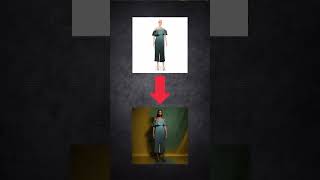
Weshop.ai is a platform that utilizes AI to revolutionize the e-commerce industry #ai
Kajal Andani

Create Professional Product Photos Instantly with WeShop.ai | Quick Tutorial!
troating
YouTube returned 6 videos for “WeShop”, and we withheld 4: 4 could not be judged, because “WeShop” is a single word that other videos use for other things. Showing the 2 we can prove are about WeShop.
Official links
Tools that pair well with WeShop
Common stack mates teams adopt alongside WeShop, with the specific reason each pairing earns its keep.

PixelMotion
Turn product photos into professional marketing videos with 57 AI models, from $29/mo.

soona
All-in-one platform for ecommerce product photos, video, and UGC

Pixelcut (now Pixa)
Pixelcut is an AI image and video editor for online sellers, combining background removal, batch editing, and 500+ generative models in one workspace.
Featured Head-to-Head Comparisons
Weshop vs Storyfile
WeShop and StoryFile serve completely different markets. WeShop is the go-to for e-commerce merchants needing fast, affordable product and model imagery without a photoshoot. StoryFile is for museums and legacy projects requiring authentic, conversational AI based on real people. Choose WeShop if you sell products; choose StoryFile if you preserve human stories.
Weshop vs The New Black
Choose WeShop if you need fast, AI-generated product images, model photos, and short videos for e-commerce with frequent updates like AI Relight and Virtual Try-On. Choose The New Black if you're a fashion designer aiming to create apparel concepts with export-ready tech packs and brand-consistent designs.
Weshop vs Splice
If you sell products online and need fast, AI-generated product photos, model shots, or marketing videos, WeShop is the clear choice with its e-commerce-focused toolkit. If you produce music and need royalty-free samples or want to rent-to-own premium plugins like Serum 2, Splice dominates with its vast library and DAW integration. These tools serve completely different workflows, so your decision hinges on whether you’re creating product visuals or composing audio tracks.
Alternatives to WeShop
View all
PixelMotion
Turn product photos into professional marketing videos with 57 AI models, from $29/mo.


Pixelcut (now Pixa)
Pixelcut is an AI image and video editor for online sellers, combining background removal, batch editing, and 500+ generative models in one workspace.
Frequently Asked Questions
Best-of guides
Used WeShop? Help shape our editorial sentiment research.