
Wonder Studio
Autodesk's cloud VFX studio that turns live-action footage into editable CG characters, mocap, and USD exports.
Most AI video tools sell you a finished take; Flow Studio sells you the shot as data, and that is a materially different purchase. For compositing a CG character into real footage on a small crew, getting back editable mocap, camera tracks, and clean plates beats any prettier render — and USD export into Maya, Blender, Unreal, or 3ds Max means the shot survives into the next revision. If you want one-click text-to-video with no 3D handoff, Runway or Kling will feel simpler. Go in knowing it's cloud-only and credit-metered.
Last checked 50m ago · cite: rightaichoice.com/tools/wonder-studio
- Solo VFX artists compositing CG characters into live-action shots
- Indie filmmakers who need editability after the render, not just a clip
- Small studios wanting one AI-to-3D pipeline instead of stitched tools
- Teams where shot revisions are guaranteed and re-rolling a clip isn't viable
- One-click text-to-video fans who never touch the 3D export
- Offline, air-gapped, or on-prem GPU pipelines
- High-volume productions needing unlimited rendering
We scan live Reddit threads, YouTube comments, X posts, G2 reviews and other communities — and hand you an honest verdict in under a minute.
- Honest verdict, not marketing
- Real pros & cons from real users
- Attributed quotes with receipts
3 free scans · no card needed
Skip Flow Studio if you only want a finished AI video clip and will never open a 3D package — the editable USD export you'd be paying for goes unused.
Credit consumption scales with footage length, so long-form projects burn through a plan faster than short social clips do
Flow Studio publishes a free entry point for curious creators and an Autodesk Education Plan for students, which puts it in reach of solo artists where a full VFX pipeline would not be. If your work is pure generative video with no 3D handoff, a single-model generator is a cheaper fit; if you need rigs, mocap, and USD exports, the alternative is a studio pipeline budget, not another app subscription.
In short
Wonder Studio — Autodesk's cloud VFX studio that turns live-action footage into editable CG characters, mocap, and USD exports. Best for Solo VFX artists compositing CG characters into live-action shots, Indie filmmakers who need editability after the render, not just a clip, Small studios wanting one AI-to-3D pipeline instead of stitched tools. Free to use.
What people actually say about Wonder Studio — is it worth it?
We ran a structured research pass across product reviews, community discussions, and post-purchase forum threads to surface the patterns vendors won't publish themselves. Below: the recurring strengths, the hidden costs people mention most, and the cohort that consistently regrets adopting this tool.
7 mentions across 4 sources (YouTube, Product Hunt, App Store, Lemmy), 29 more we could not attribute · researched Oct 8, 2026.
Weighted by the 36 posts each of 4 sources contributed.
- +Returns editable 3D data — rigs, tracks, masks, passes — instead of a flattened AI clip
- +Markerless face, body, and hand mocap removes the need for suits or markers
- +USD export keeps output usable in Maya, Blender, Unreal, and 3ds Max
- +Clean plate and alpha mask generation saves hours of manual roto per shot
- +Free for eligible students 18+ through the Autodesk Education Plan
- −Early users report imperfect seclusion and tracking that needs manual cleanup
- −No verified 2025-2026 hands-on community reviews appear in this dataset
- −Quality degrades on uncontrolled footage with random people, per launch-era commenters
- −App Store reviews in circulation describe a different 'Wonder' app entirely
- −Up to 30 seconds per 1080p clip is a real ceiling for narrative work
- • DCC-side costs: Maya, 3ds Max, and Unreal seats to actually use the exported data
- • Manual cleanup time when tracking and seclusion miss on uncontrolled footage
- • Credit burn on iteration — every re-render of a shot with a new character consumes credits
Viability Score
How well maintained and how widely used is Wonder Studio? Built from what the vendor actually publishes (docs, changelog, tutorials, integrations, pricing), whether the site is live, and how much real users discuss it. How we calculate this
Last calculated: October 2026
How we score →Key Features
- Live-action to CG: composite CG characters into real footage
- Markerless AI motion capture for face, body, and hands
- Enhanced AI motion capture with improved grounding and natural 3D motion
- 3D character generation from text or images
- AI auto-rigging for animation-ready characters
- Enhanced Neural Layer with LoRA for character consistency across angles and cuts
- 3D Editor + Canvas unified build, direct, render, refine workspace
- Editable camera tracking and clean plate generation
- Alpha mask and character pass generation
- USD export to Maya, Blender, Unreal, 3ds Max, and 3D printing software
- Third-party models: Seedance 2.5, Wan 3.0, Flux 3, Nano Banana 2, Gemini 3.1, TTS Flash
- Up to 30 seconds of 1080p video with native audio
- Up to 50 multimodal references per scene
- Multi-shot scenes with camera changes, keyframes, dialogue, and sound effects
- Multi-speaker dialogue with control over vocal style, pace, and delivery
About Wonder Studio
Autodesk Flow Studio (formerly Wonder Dynamics' Wonder Studio) is a cloud 3D VFX toolset that takes live-action footage and hands back editable CG assets rather than a flattened clip. It delivers markerless face, body, and hand motion capture, editable camera tracking, alpha masks, clean plates, and character passes, then exports them through USD into Maya, Blender, Unreal, 3ds Max, or 3D printing software. That export path is the purchase: the shot stays in the pipeline your team already runs. The newer surface is the 3D Editor + Canvas, a single workspace to build, direct, render, and refine AI scenes. You generate fully textured 3D characters from text or images, auto-rig them for animation, and cast them into real footage. An Enhanced Neural Layer with LoRA holds character consistency across angles, motion, and cuts, and enhanced AI mocap now returns better grounding and more natural 3D motion. On top, Flow Studio aggregates third-party generative models — the vendor publishes Seedance 2.5, Wan 3.0, Flux 3, Nano Banana 2, Gemini 3.1, and TTS Flash on its roster. That supports up to 30 seconds of 1080p video with native audio, up to 50 multimodal references per scene, multi-shot sequences with camera changes and keyframes, and multi-speaker dialogue with controls over vocal style, pace, and delivery. It targets indie filmmakers, VFX artists, and small studios doing live-action-to-CG compositing without standing up a full pipeline, plus students on the Autodesk Education Plan. Against standalone AI video generators, the difference is what lands in your hands at the end: rigs, tracks, masks, and passes you can still change — not a rendered file you can only re-roll.
Behind the Verdict
Flow Studio's real product is the handoff. Any AI generator will give you a clip; Flow Studio returns motion capture data, camera tracking, alpha masks, clean plates, and character passes that you can open in Maya, Blender, Unreal, or 3ds Max via USD. On a small crew where the director wants a CG creature in a live-action plate and the shot will change three times before lock, that editability is the entire value. The vendor's own framing — 'refine mocap, camera tracking, clean plates, and more in Maya, Blender, Unreal, or USD' — is exactly the pitch a compositor needs to hear. The stronger recent story is the 3D Editor + Canvas, which consolidates character generation from text or images, AI auto-rigging, scene direction, and rendering into one workspace. The Enhanced Neural Layer with LoRA addresses the hardest problem in AI character work — keeping the same character recognizable across angles, motion, and cuts — and the enhanced AI mocap now returns better grounding and more natural 3D motion. For a filmmaker building a multi-shot sequence with a recurring character, that combination is genuinely hard to replicate in a stitched-together toolchain. The aggregated model roster is a practical strength and a philosophical caveat. Having Seedance 2.5, Wan 3.0, Flux 3, Nano Banana 2, Gemini 3.1, and TTS Flash under one roof means you can pick the model that fits the shot instead of the one your subscription locks you into, and up to 50 multimodal references per scene plus 30 seconds of 1080p video with native audio and multi-speaker dialogue covers short-form work well. But those models are not Flow Studio's, and a competitor can license the same ones. The durable moat is the 3D pipeline around them: rigging, mocap, camera solves, USD export. Where it thins out: the platform is cloud-based, so there is no offline or on-prem GPU path, which rules it out for air-gapped or security-restricted facilities. The AI is built for artistic direction, not frame-accurate control, so a senior compositor will still finish shots in Maya or Blender — the export is expected, not optional. Credit consumption scales with footage length, which bites on long-form projects. And if you never intend to touch the 3D export, you are paying for a pipeline you will not use; a straight AI video generator is the better buy.
Researching Wonder Studio? Get your full AI stack in 60 seconds.
Free, no signup — tell us your goal and get tools matched to your budget & existing stack.
Real-world workflow fit
Concrete scenarios for the personas Wonder Studio actually fits — and what changes day-one when you adopt it.
You shoot a short plate on a phone, upload it, and use markerless AI mocap plus the 3D Editor to cast a generated, auto-rigged CG character into the shot.
Outcome: You export mocap, camera tracking, and a clean plate as USD, then polish the composite in Blender instead of hand-rotoing every frame.
You build a three-shot sequence with the same character across cuts, using LoRA consistency and multi-shot keyframes so the character holds together between angles.
Outcome: You get one coherent sequence with native audio and multi-speaker dialogue instead of three clips that don't match.
You turn concept sketches into textured, animation-ready 3D characters and stage them against reference imagery before committing to a shoot.
Outcome: The client approves blocking and camera moves in pre-vis, and the approved assets carry into the final pipeline via USD.
Use Cases
- Insert a CG character into live-action footage for a YouTube video
- Generate and rig a 3D character from a concept sketch for pre-visualization
- Capture facial expressions for a dialogue scene with AI mocap and no suit
- Create a fully lit and animated CG scene for an indie short film
- Convert a 2D image to a 3D asset for a commercial storyboard
- Build a coherent multi-shot sequence with the same character across cuts
- Export mocap and camera tracks as USD for a final pass in Maya or Blender
- Draft multi-speaker dialogue with native audio for a short sequence
Models Under the Hood
as of 2026-10-15
Limitations
- Flow Studio is cloud-based and needs a stable internet connection — there's no offline or on-prem GPU option.
- The AI is built for artistic control and may not match the fine-grained, frame-accurate control of traditional VFX tools, so a senior compositor may still finish shots in Maya or Blender.
- Credit consumption scales with footage length, which bites on long-form projects.
- Exports go out as USD for Maya, Blender, Unreal, and 3ds Max; you're expected to bring the data into another tool for the final pass rather than deliver from inside the platform.
- Generated video caps out at 30 seconds per clip and 1080p, so longer or higher-resolution sequences need to be assembled rather than generated whole.
as of 2026-10-18
Verification history
We have re-verified Wonder Studio 21 times since . Each pass re-reads the vendor's own pages and re-checks every listed field against that evidence; passes where nothing had changed are marked as such.
- — re-verified summary, description, our verdict, our analysis, pricing model, pricing tiers, features, integrations, who it suits, who should skip it
- — re-verified summary, description, our verdict, our analysis, pricing model, pricing tiers, features, integrations, who it suits, who should skip it
- — re-verified summary, description, our verdict, our analysis, pricing model, pricing tiers, features, integrations, who it suits, who should skip it
- — re-verified summary, description, our verdict, our analysis, pricing model, pricing tiers, features, integrations, who it suits, who should skip it
- — re-verified summary, description, our verdict, our analysis, pricing model, pricing tiers, features, integrations, who it suits, who should skip it
- — re-verified summary, description, our verdict, our analysis, pricing model, pricing tiers, features, integrations, who it suits, who should skip it
Showing the 6 most recent of 21 verification passes.
Free to cite with attribution — this page re-verifies continuously.
12-month cost
Project the real annual outlay, including the implied monthly cost when only an annual tier is published.
Vendor list price only. Add-on usage, seat overages, and contract minimums are surfaced under Hidden costs & gotchas.
Plans compared
For each published Wonder Studio tier: who it actually fits, and what it adds vs. the previous tier. Cross-reference the cost calculator above for projected annual outlay.
Free
$0/mo
Ideal for
Solo creators and students testing whether live-action-to-CG and the 3D Editor fit their workflow before committing budget
What this tier adds
Free entry point: access to AI image, video, and audio models, live-action to CG, the 3D Editor + Canvas, and editable USD exports
Where the pricing makes sense
The company stage and team size where Wonder Studio's pricing actually pencils out — and where peers do it cheaper.
Flow Studio publishes a free entry point for curious creators and an Autodesk Education Plan for students, which puts it in reach of solo artists where a full VFX pipeline would not be. If your work is pure generative video with no 3D handoff, a single-model generator is a cheaper fit; if you need rigs, mocap, and USD exports, the alternative is a studio pipeline budget, not another app subscription.
Setup time & first value
How long it actually takes to get something useful out of Wonder Studio — broken out by persona, not the marketing-page minute.
A solo artist can get a first CG character into a live-action plate in an afternoon — upload footage, run mocap, pick a character. A small studio should budget a few days to learn the 3D Editor + Canvas and confirm the USD round-trip into Maya or Blender before putting it on a paying shot.
Switching to or from Wonder Studio
How to bring data in from common predecessors and how to get it back out — written for the switcher, not the buyer.
- →From standalone AI video generators: keep your prompt-to-clip habit for look development, then move approved shots into Flow Studio for rigging and USD export instead of re-rolling
- ↗To a traditional VFX pipeline: export mocap, camera tracking, and clean plates as USD and finish in Maya, Blender, Unreal, or 3ds Max
Integrations
Resources & Guides
- Documentationwonderdynamics.com
Autodesk Flow Studio | Buy Official Flow Studio
Explore powerful features like AI-driven mocap, camera tracking, animation, and compositing tools in Autodesk Flow Studio.
- Tutorialwonderdynamics.com
Autodesk Flow Studio | Buy Official Flow Studio
Explore powerful features like AI-driven mocap, camera tracking, animation, and compositing tools in Autodesk Flow Studio.
- Guidewonderdynamics.com
Autodesk Flow Studio | Buy Official Flow Studio
Explore powerful features like AI-driven mocap, camera tracking, animation, and compositing tools in Autodesk Flow Studio.
- Resourcewonderdynamics.com
Autodesk Flow Studio | Buy Official Flow Studio
Explore powerful features like AI-driven mocap, camera tracking, animation, and compositing tools in Autodesk Flow Studio.
- Resourcewonderdynamics.com
Autodesk Flow Studio | Buy Official Flow Studio
Explore powerful features like AI-driven mocap, camera tracking, animation, and compositing tools in Autodesk Flow Studio.
- Resourcewonderdynamics.com
Autodesk Flow Studio | Buy Official Flow Studio
Explore powerful features like AI-driven mocap, camera tracking, animation, and compositing tools in Autodesk Flow Studio.
- Learnwonderdynamics.com
Autodesk Flow Studio | Buy Official Flow Studio
Explore powerful features like AI-driven mocap, camera tracking, animation, and compositing tools in Autodesk Flow Studio.
- Quickstartwonderdynamics.com
Autodesk Flow Studio | Buy Official Flow Studio
Explore powerful features like AI-driven mocap, camera tracking, animation, and compositing tools in Autodesk Flow Studio.
Tutorials & Learning
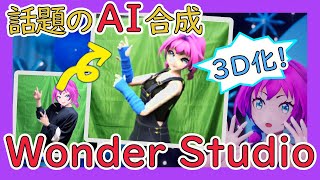
YouTube returned 6 videos for “Wonder Studio”, and we withheld 5: 5 could not be judged, because “Wonder Studio” is a single word that other videos use for other things. Showing the 1 we can prove is about Wonder Studio.
Official links
Tools that pair well with Wonder Studio
Common stack mates teams adopt alongside Wonder Studio, with the specific reason each pairing earns its keep.

mnml AI
mnml AI turns sketches, photos and SketchUp, Revit or Rhino views into photoreal architectural renders.

Immersity AI
Convert 2D images and video into 3D stereoscopic output — headset-free — on the phone, tablet, or laptop you already own.
Luma Dream Machine
Luma Dream Machine is an AI video generator that routes work across Luma's Ray3.2, Uni-1.1, Veo, Kling, and Seedance models on one credit
Featured Head-to-Head Comparisons
Alternatives to Wonder Studio
View all
mnml AI
mnml AI turns sketches, photos and SketchUp, Revit or Rhino views into photoreal architectural renders.

Immersity AI
Convert 2D images and video into 3D stereoscopic output — headset-free — on the phone, tablet, or laptop you already own.
Luma Dream Machine
Luma Dream Machine is an AI video generator that routes work across Luma's Ray3.2, Uni-1.1, Veo, Kling, and Seedance models on one credit
Best-of guides
Used Wonder Studio? Help shape our editorial sentiment research.