Wordtune
Wordtune is an AI writing assistant from AI21 Labs that paraphrases, rewrites, proofreads, and summarizes text and YouTube videos.
If rewriting and summarizing are the job, Wordtune does them for a price Grammarly can't match: Unlimited at $6.99/mo billed annually covers unlimited rewrites, AI suggestions, and AI summarizations, and $9.99/mo if you pay month to month. Its summarizing extends to YouTube videos and webpages, which most writing assistants skip. The ceiling is real, though: it writes in English only, has no plagiarism checker, and its style rules are not as deep as Grammarly's. Pick Wordtune when paraphrasing, tone-shifting, and condensing long reads are the daily work; keep Grammarly in the stack if you need forensic style enforcement.
Verified 8h ago · liveness 95/100 · cite: rightaichoice.com/tools/wordtune
- Students paraphrasing sources and summarizing research
- Non-native English speakers translating into English and rewriting for natural phrasing
- Professionals shifting email and report tone between formal and casual
- Content creators generating, shortening, and humanizing blog or social copy
- Writers who need output in languages other than English
- Academics who need built-in plagiarism detection
- Buyers who want Grammarly-depth style rule enforcement rather than paraphrasing
We scan live Reddit threads, YouTube comments, X posts, G2 reviews and other communities — and hand you an honest verdict in under a minute.
- Honest verdict, not marketing
- Real pros & cons from real users
- Attributed quotes with receipts
3 free scans · no card needed
Skip Wordtune if you need writing output in a language other than English or built-in plagiarism detection — it translates into English only and verifies facts against at least five sources but does not run originality checks.
The 3-day free trial requires payment information up front, so if you forget to cancel before day three you're charged for the full plan.
Wordtune sits below Grammarly on price: Unlimited at $6.99/mo billed annually ($9.99/mo monthly) gives unlimited rewrites, AI suggestions, and AI summarizations, while Grammarly Premium runs higher per month. Advanced at $4.89/mo billed annually ($6.99/mo monthly) is the fit for individuals who rewrite daily but don't need unlimited summaries. Students and educators with a valid .edu address or non-profit affiliation get a 30% discount on annual and monthly plans. Business pricing is custom
In short
Wordtune — Wordtune is an AI writing assistant from AI21 Labs that paraphrases, rewrites, proofreads, and summarizes text and YouTube videos. Best for Students paraphrasing sources and summarizing research, Non-native English speakers translating into English and rewriting for natural phrasing, Professionals shifting email and report tone between formal and casual. Free to start; paid plans from $4.89/mo.
No head-to-head comparison for Wordtune yet — the alternatives below are the closest matches we list.
What people actually say about Wordtune — is it worth it?
We ran a structured research pass across product reviews, community discussions, and post-purchase forum threads to surface the patterns vendors won't publish themselves. Below: the recurring strengths, the hidden costs people mention most, and the cohort that consistently regrets adopting this tool.
36 mentions across 2 sources (Product Hunt, App Store) · researched Aug 18, 2026.
Average across the 2 sources that answered — each source counts once, not each post.
- +Paraphrasing and rewriting suggestions are high-quality and improve clarity.
- +Multiple rewrite options let users pick the best fit for context.
- +Integrates smoothly with Chrome, Gmail, Docs, and other major apps.
- +Helps non-native English speakers sound more polished and articulate.
- +Daily use boosts productivity and writing speed significantly.
- −Billing issues: unauthorized charges and hard cancellations are recurring complaints.
- −Customer support is nearly non-existent, with no phone or clear email.
- −iOS keyboard functionality broke for some users, making the app unusable.
- −2023 UI redesign made the interface confusing and worse for long-time users.
- −May lack deep grammar checks and plagiarism detection compared to Grammarly.
- • Annual billing is a common complaint, with users reporting unexpected $119.99 charges.
- • Cancellation is difficult, leading to charges continuing until the user figures out how to stop them.
Viability Score
How well maintained and how widely used is Wordtune? Built from what the vendor actually publishes (docs, changelog, tutorials, integrations, pricing), whether the site is live, and how much real users discuss it. How we calculate this
Last calculated: October 2026
How we score →Key Features
- One-click context-based rewrite suggestions
- Formal/casual tone switching
- Lengthen or shorten a sentence to a target length
- AI spell, grammar, and phrasing proofreading while you type
- Summarize documents, articles, and webpages
- Summarize YouTube videos
- AI text generation matched to your writing style
- Continue writing from where your draft stops
- Elaborate on, explain, or add emphasis to a point
- Propose an alternate viewpoint on your text
- Add a conclusion to a paragraph
- Smart synonym generator
- Smart Translate into English from 10 languages
- Humanize AI-generated content
- Fact-checking that checks at least 5 sources before calling a fact credible
About Wordtune
Wordtune is a paraphrasing and reading assistant made by AI21 Labs. Highlight a sentence and it returns a list of context-based rewrite options; you can flip any sentence between formal and casual tone with a click, or stretch/shorten it to fit a word count. Spelling, grammar, and phrasing get cleaned up as you type. The reading side condenses documents, articles, webpages, and YouTube videos so you can triage long material before committing to a full read. Beyond rewriting it generates original copy in your style, continues a stalled draft, proposes an alternate viewpoint, adds a conclusion, and offers a smart synonym finder. Smart Translate turns Spanish, Mandarin, Arabic, Hindi, Korean, Hebrew, Russian, German, French, or Portuguese into English; a Humanize AI mode reworks AI-generated text; and a fact-check layer says it verifies claims against at least five sources. It runs as a Chrome or Microsoft Edge extension and an iOS app, working inside Gmail, Google Docs, Outlook, LinkedIn, and WordPress instead of a separate editor. AI21 Labs reports 10M+ users, a 4.7/5 Chrome extension rating, a 97% App Store rating, and 782M rewrite suggestions chosen. Free Basic covers 10 rewrites/AI suggestions per day and 3 AI summarizations per month; Advanced is $4.89/mo billed annually ($6.99/mo monthly) at 30 rewrites/day and 15 summaries/month; Unlimited is $6.99/mo billed annually ($9.99/mo monthly) with unlimited rewrites and summaries plus vocabulary, clarity, and fluency enhancements. Wordtune writes in English only — it translates into English, it doesn't produce other languages — and it's a paraphrasing specialist rather than a Grammarly-depth style suite, with no plagiarism detection.
Behind the Verdict
Wordtune's strength is narrow and honest: it is very good at taking a sentence you're unhappy with and giving you several different ways to say it. The rewrite suggestions are context-aware and come with one-click formal/casual toggling plus lengthen/shorten controls — the mechanisms you actually use when drafting an email, tightening a paragraph, or hitting a word count. AI21 Labs says 782M rewrite suggestions have been chosen, which is consistent with a tool people reach for sentence by sentence rather than as a full editor. The reading side is the underrated half. You can paste a document, article, or YouTube link and get a summary, which changes how you triage research: skim summaries, then read the two items worth reading in full. Its fact-check layer claims to check at least five sources before calling a fact credible — treat it as a starting signal, not an audit trail. Where it fits: non-native English speakers who can translate from Spanish, Mandarin, Arabic, Hindi, Korean, Hebrew, Russian, German, French, or Portuguese into English and then rewrite for native-sounding phrasing; students paraphrasing sources and summarizing papers; professionals shifting tone between formal and casual across Gmail, Google Docs, Outlook, LinkedIn, and WordPress; and content teams humanizing AI-generated copy. Free Basic is genuinely usable at 10 rewrites and 3 summaries a day/month; Advanced at $4.89/mo billed annually ($6.99/mo monthly) is the tier for someone who hits that wall daily; Unlimited at $6.99/mo billed annually ($9.99/mo monthly) removes the caps and adds vocabulary, clarity, and fluency enhancements. Where it doesn't: Wordtune writes in English only, so anyone needing output in Spanish, German, or Mandarin is in the wrong tool — the translation feature runs into English, not out of it. There is no plagiarism checker, so academic integrity workflows need another product. And its grammar and style checks are not as deep as a dedicated grammar suite, so teams enforcing a strict style guide should treat Wordtune as the rewriting layer and something else as the rule engine. Teams that need one shared collaborative document with tracked co-authoring should also look elsewhere; Wordtune is an assistant that sits inside your existing apps rather than a shared writing workspace.
Researching Wordtune? Get your full AI stack in 60 seconds.
Free, no signup — tell us your goal and get tools matched to your budget & existing stack.
Real-world workflow fit
Concrete scenarios for the personas Wordtune actually fits — and what changes day-one when you adopt it.
Write the email in your head, run sentences through Wordtune's Smart Translate from German or Portuguese into English, then use context-based rewrites and the formal/casual toggle to match the client's register inside Gmail.
Outcome: An email that reads as native English without a separate editing pass, produced in the same Gmail window via the Chrome or Edge extension.
Paste journal article links and YouTube lecture links into Wordtune's summarizer to get 3 summaries on the Basic tier or 15 per month on Advanced, then rewrite the key paragraphs you quote into your own phrasing.
Outcome: You decide which two of ten sources deserve a full read, and paraphrased passages come back in your own voice rather than the source's.
Draft in Google Docs with the Wordtune extension open, use Continue Writing when a section stalls, add a conclusion at the end, run AI-assisted copy through Humanize AI, and generate multiple social caption options for the same post.
Outcome: First-draft-to-publishable copy stays inside Google Docs and WordPress, with the Unlimited tier removing the rewrite and summarization caps so output volume isn't throttled.
Use Cases
- A non-native English speaker rewrites a client email so it sounds natural to a native reader.
- A student paraphrases source material and summarizes papers before reading them in full.
- A content creator condenses a long research article or YouTube video into key points.
- A business professional flips a proposal paragraph from casual to formal tone in one click.
- A blogger runs AI-generated draft copy through Humanize AI before publishing.
- A social media manager generates multiple caption options for a post.
- A marketer continues a stalled draft with context-matched AI writing suggestions.
- A writer tightens an overlong paragraph by shortening sentences against a word count.
Models Under the Hood
as of 2026-10-22
Limitations
- Wordtune is a freemium assistant with usage-based caps.
- Free Basic allows 10 rewrites and AI suggestions per day and 3 AI summarizations per month, with unlimited spelling and grammar checks.
- Advanced ($4.89/mo billed annually, $6.99/mo monthly) raises that to 30 rewrites/suggestions per day and 15 summarizations per month, plus unlimited AI recommendations.
- Unlimited ($6.99/mo billed annually, $9.99/mo monthly) removes those caps and adds vocabulary enhancements, clarity improvements, fluency increases, and premium support.
- It writes in English only — translation runs into English from Spanish, Mandarin, Arabic, Hindi, Korean, Hebrew, Russian, German, French, or Portuguese, not the other direction.
- There is no plagiarism checker.
- The vendor states it does not offer refunds, though you can cancel before the next billing cycle or before your trial ends via the account page.
as of 2026-09-30
Verification history
We have re-verified Wordtune 110 times since . Each pass re-reads the vendor's own pages and re-checks every listed field against that evidence; passes where nothing had changed are marked as such.
- — re-checked, vendor evidence unchanged
- — re-checked, vendor evidence unchanged
- — re-checked, vendor evidence unchanged
- — re-checked, vendor evidence unchanged
- — re-checked, vendor evidence unchanged
- — re-checked, vendor evidence unchanged
Showing the 6 most recent of 110 verification passes.
Free to cite with attribution — this page re-verifies continuously.
12-month cost
Project the real annual outlay, including the implied monthly cost when only an annual tier is published.
Vendor list price only. Add-on usage, seat overages, and contract minimums are surfaced under Hidden costs & gotchas.
Plans compared
For each published Wordtune tier: who it actually fits, and what it adds vs. the previous tier. Cross-reference the cost calculator above for projected annual outlay.
Basic
$0/mo
Ideal for
Casual writers who mostly want free spelling and grammar cleanup and only occasional rewrites — students between assignments or someone testing the tool before paying.
What this tier adds
Free entry point: unlimited spelling and grammar checks, but capped at 10 rewrites and AI suggestions per day and 3 AI summarizations per month, with limited AI generations.
Advanced
$4.89/mo billed annually ($6.99/mo monthly)
Ideal for
Individuals who rewrite something every working day — a non-native speaker polishing daily emails, or a student paraphrasing sources weekly — but don't need unlimited summaries.
What this tier adds
Triples the daily rewrite allowance to 30 and raises AI summarizations to 15 per month, and adds unlimited AI recommendations over Basic. $4.89/mo billed annually, $6.99/mo monthly.
Unlimited
$6.99/mo billed annually ($9.99/mo monthly)
Ideal for
Content marketers, bloggers, and professionals whose daily output regularly exceeds 30 rewrites — anyone who wants the caps gone for under $7/mo billed annually.
What this tier adds
Removes all rewrite, AI suggestion, and AI summarization caps and adds vocabulary enhancements, clarity improvements, fluency increases, and premium support. $6.99/mo billed annually, $9.99/mo monthly.
Business
Custom
Ideal for
Organizations that need company-wide deployment with single sign-on and one consolidated invoice rather than individual subscriptions.
What this tier adds
Adds SAML SSO, centralized billing, and business support on top of the writing features. Priced as Custom, so procurement talks to the vendor rather than a self-serve checkout.
Where the pricing makes sense
The company stage and team size where Wordtune's pricing actually pencils out — and where peers do it cheaper.
Wordtune sits below Grammarly on price: Unlimited at $6.99/mo billed annually ($9.99/mo monthly) gives unlimited rewrites, AI suggestions, and AI summarizations, while Grammarly Premium runs higher per month. Advanced at $4.89/mo billed annually ($6.99/mo monthly) is the fit for individuals who rewrite daily but don't need unlimited summaries. Students and educators with a valid .edu address or non-profit affiliation get a 30% discount on annual and monthly plans. Business pricing is custom
Setup time & first value
How long it actually takes to get something useful out of Wordtune — broken out by persona, not the marketing-page minute.
For an individual writer, first value comes in a few minutes: install the Chrome or Microsoft Edge extension or the iOS app, sign in, and start rewriting in Gmail, Google Docs, or Outlook. Teams evaluating it should budget for a 3-day free trial on Advanced or Unlimited, which requires payment information up front. Business-tier buyers adding SAML SSO and centralized billing should expect an
Switching to or from Wordtune
How to bring data in from common predecessors and how to get it back out — written for the switcher, not the buyer.
- →From Grammarly: keep Grammarly for deep style rules and add Wordtune as the rewriting and summarizing layer, since Wordtune covers paraphrase, tone switching, and AI summaries rather than full style enforcement.
- →From a manual editing pass: install the Chrome or Edge extension and work inside Gmail, Google Docs, Outlook, LinkedIn, or WordPress instead of a separate editor.
- →From drafting in a second language: use Smart Translate from Spanish, Mandarin, Arabic, Hindi, Korean, Hebrew, Russian, German, French, or Portuguese into English, then rewrite for natural phrasing.
- →From copy-pasting into a chatbot: use Continue Writing and context-based suggestions that match your existing style instead of re-prompting from scratch.
- ↗To Grammarly: move if you need deep style-rule enforcement and plagiarism detection, accepting that you'll lose Wordtune's video and webpage summarization.
- ↗To a full AI writing suite: move if you need non-English output, since Wordtune only writes in English despite translating into it.
- ↗To a shared collaborative doc: move if your team needs real-time co-authoring in one document rather than an assistant inside each person's apps.
- ↗To a free tool: move to Wordtune's own Basic tier first — $0/mo with unlimited spelling and grammar checks covers light editing before you pay for anything.
Integrations
Resources & Guides
Tutorials & Learning
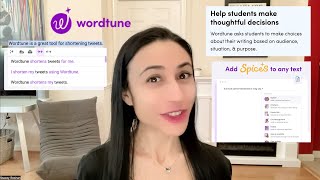
YouTube returned 6 videos for “Wordtune”, and we withheld 5: 5 could not be judged, because “Wordtune” is a single word that other videos use for other things. Showing the 1 we can prove is about Wordtune.
Official links
Tools that pair well with Wordtune
Common stack mates teams adopt alongside Wordtune, with the specific reason each pairing earns its keep.
Quillbot
AI paraphrasing tool and writing suite for rewriting, grammar checks, and originality scans.

Eskritor
Eskritor is a free AI text generator that drafts blogs, essays, emails, resumes, stories, and citations from a prompt, with style and length controls.
Sassbook
Sassbook is a freemium AI writing suite with specialised tools for articles, stories, summaries, paraphrasing, and headlines.
Alternatives to Wordtune
View all
Frequently Asked Questions
Categories
Best-of guides
Used Wordtune? Help shape our editorial sentiment research.