
Wrench Board
AI microsoldering diagnostic assistant that reads schematics, simulates board faults, and outputs step-by-step repair protocols.
WrenchBoard is a focused tool for a narrow job: diagnosing dead boards and getting a repeatable repair protocol. The schematic-reading and fault-simulation workflow is the reason to pick it over ChatGPT, which can talk about BGA rework but won't walk a specific board's fault path. The $5/month free diagnostic allowance with no card is a genuinely low-risk way to test it on one real board before you commit. If your bench is mostly microsoldering, this fits. If you mostly do general electronics, high-voltage, or automotive ECU work, the tool won't help and you should stay with a general assistant.
Verified 10d ago · liveness 61/100 · cite: rightaichoice.com/tools/wrench-board
- Independent electronics repair shop owners
- Apprentice technicians learning BGA and trace repair
- Veteran technicians wanting a second opinion on dead boards
- Repair training organizations
- General electronics troubleshooting beyond soldering
- High-voltage or automotive ECU repair
- Technicians who need hands-on soldering tool control
We scan live Reddit threads, YouTube comments, X posts, G2 reviews and other communities — and hand you an honest verdict in under a minute.
- Honest verdict, not marketing
- Real pros & cons from real users
- Attributed quotes with receipts
3 free scans · no card needed
Skip WrenchBoard if your bench work is general electronics, high-voltage, or automotive ECU repair rather than board-level microsoldering — the agent is scoped specifically to microsoldering diagnostics.
The $5 monthly diagnostic allowance is a usage credit, not a fixed query count — every diagnostic you run draws down that balance, so heavy weeks cost more than light ones.
WrenchBoard's entry point is a $5 monthly diagnostic credit with no card required, which is cheap enough for a solo tech or apprentice to test on one real board. That puts it below general-purpose assistant subscriptions you'd otherwise adapt to board work, and well below the cost of a bad reflow. Pricing above the free credit is not published in the material available here.
In short
Wrench Board — AI microsoldering diagnostic assistant that reads schematics, simulates board faults, and outputs step-by-step repair protocols. Best for Independent electronics repair shop owners, Apprentice technicians learning BGA and trace repair, Veteran technicians wanting a second opinion on dead boards. Plans from $5/mo.
What people actually say about Wrench Board — is it worth it?
We ran a structured research pass across product reviews, community discussions, and post-purchase forum threads to surface the patterns vendors won't publish themselves. Below: the recurring strengths, the hidden costs people mention most, and the cohort that consistently regrets adopting this tool.
37 mentions across 4 sources (YouTube, Bluesky, GitHub, Lemmy) · researched Jul 5, 2026.
Average across the 4 sources that answered — each source counts once, not each post.
- +Narrow focus on microsoldering provides deep specialized knowledge.
- +Powered by high-end Claude Opus 4.8 model for accurate guidance.
- +24/7 availability – helpful for shift workers or urgent repairs.
- +Step-by-step instructions tailored to specific device scenarios.
- +Visual references and diagrams aid learning for beginners.
- −Almost no community feedback exists to validate tool quality.
- −Cannot handle general electronics troubleshooting – only soldering.
- −Pricing not disclosed; may be costly for small shops.
- −No mobile app – requires web browser access.
- −Relies on internet connection; no offline mode available.
- • No clear pricing published – potential for unexpected charges on usage-based plans
Viability Score
How well maintained and how widely used is Wrench Board? Built from what the vendor actually publishes (docs, changelog, tutorials, integrations, pricing), whether the site is live, and how much real users discuss it. How we calculate this
Last calculated: October 2026
How we score →Key Features
- Dead board diagnostics from schematic input
- Fault simulation before you touch the board
- Step-by-step diagnostic protocol output
- BGA rework guidance
- Connector repair guidance
- Trace repair guidance
- Component replacement guidance
- Runs on Claude Opus 4.7
- Web-based, no install required
- Self-serve account creation with email and password
- $5 of AI diagnostics free every month, no card required
- Reads the schematic as part of the diagnostic loop
About Wrench Board
WrenchBoard is an AI diagnostic assistant built for microsoldering and board-level repair technicians. You describe a dead board's symptoms, and the agent reads the relevant schematic, simulates the fault, and hands you a structured step-by-step diagnostic protocol — BGA rework, connector replacement, trace repair, and component swaps. It runs on Claude Opus 4.7 and placed 2nd in Anthropic's "Built with Opus 4.7" competition in April 2026. The product is made by RepairMind Ltd, a company registered in England and Wales (no. 16938919), and is currently in early access. Onboarding is self-serve: create an account with an email address and password and you get $5 of AI diagnostics free every month with no card required. It is aimed at independent repair shops, apprentices learning board-level work, veterans who want a second opinion before they start reflowing, and training organizations that want consistent diagnostic protocols. It is deliberately narrow — microsoldering only — which is what separates it from general assistants like ChatGPT that have no schematic-reading workflow and no fault-simulation step.
Behind the Verdict
WrenchBoard's value proposition is narrow and that's its strength. General assistants like ChatGPT can describe what BGA rework is, but they don't have a diagnostic workflow that starts from a schematic, simulates a fault, and outputs a protocol you can follow at the bench. WrenchBoard structures that loop, which is what a working tech actually needs when a board is dead and the customer is waiting. The headline credential is real: the product placed 2nd in Anthropic's April 2026 "Built with Opus 4.7" competition, and it names Claude Opus 4.7 as the model it runs on. That competition placement is a useful quality signal for a niche tool — it means the team is building seriously on top of the model, not shipping a thin wrapper. Strengths: domain-specific schematic reading, fault simulation, and protocol output; a genuinely low-commitment entry point ($5 of diagnostics free every month, no card required); and a self-serve signup that takes an email and password. It's web-based, so there's nothing to install on a bench PC. Weaknesses: the tool works purely from what you describe, so garbage input means garbage output. It's web-only, so no offline bench use. The scope is deliberately limited to microsoldering — it won't help with general electronics, high-voltage, or automotive ECU repair, and the vendor says so. And it's in early access, which means the product surface is still moving. Where it fits: independent repair shops doing board-level work, apprentices learning BGA and trace repair under supervision, veterans who want a second opinion before committing to a reflow, and training orgs that want structured, repeatable protocols instead of tribal knowledge. Where it doesn't: shops that don't do microsoldering regularly. If board-level work is a once-a-quarter event for you, the free $5 allowance is enough to check it and you don't need more. Don't buy this expecting general electronics troubleshooting — the vendor explicitly scopes that out.
Researching Wrench Board? Get your full AI stack in 60 seconds.
Free, no signup — tell us your goal and get tools matched to your budget & existing stack.
Real-world workflow fit
Concrete scenarios for the personas Wrench Board actually fits — and what changes day-one when you adopt it.
A customer's phone comes in dead. You photograph or pull the schematic, describe the symptom to WrenchBoard, and let it simulate the fault and return a diagnostic protocol. You work the protocol at the bench, then log the outcome.
Outcome: You start the repair from a structured protocol instead of guessing, which cuts the time the board sits on your bench before you commit to rework.
You're learning BGA rework. Before you touch a customer board, you run the fault through WrenchBoard, read the protocol, and walk your supervisor through your plan.
Outcome: You build diagnostic reasoning on a real board with a safety net, rather than learning by destroying the first few.
You're fairly sure it's a trace issue but want a check. You describe the board and your hypothesis to WrenchBoard and compare its protocol against your own read.
Outcome: You either confirm your call and proceed with confidence, or catch a step you'd have skipped before applying heat.
Use Cases
- Diagnosing a dead board by describing symptoms and receiving a step-by-step BGA rework protocol
- Getting trace repair guidance on a damaged motherboard before you start scraping mask
- Confirming component polarity and suitable replacements before soldering
- Using fault simulation to test your diagnostic reasoning before committing heat to the board
- Supervised apprenticeship: letting a newcomer query the agent on a real board while you watch
Models Under the Hood
as of 2026-09-09
Limitations
- WrenchBoard is web-only, so you need internet access while you work.
- The agent works purely from your descriptions and the schematic — it cannot physically inspect or manipulate the board, so the quality of your input determines the quality of the output.
- Its expertise is scoped to microsoldering; the vendor states it will not help with general electronics troubleshooting, high-voltage work, or automotive ECU repair.
- The product is currently in early access, so the feature surface is still changing.
as of 2026-09-28
Verification history
We have re-verified Wrench Board 6 times since . Each pass re-reads the vendor's own pages and re-checks every listed field against that evidence; passes where nothing had changed are marked as such.
- — re-checked, vendor evidence unchanged
- — re-checked, vendor evidence unchanged
- — re-checked, vendor evidence unchanged
- — re-checked, vendor evidence unchanged
- — re-verified summary, description, our verdict, our analysis, pricing model, pricing tiers, features, integrations, who it suits, who should skip it
- — re-verified summary, description, our verdict, our analysis, pricing model, pricing tiers, features, integrations, who it suits, who should skip it
Free to cite with attribution — this page re-verifies continuously.
12-month cost
Project the real annual outlay, including the implied monthly cost when only an annual tier is published.
Vendor list price only. Add-on usage, seat overages, and contract minimums are surfaced under Hidden costs & gotchas.
Where the pricing makes sense
The company stage and team size where Wrench Board's pricing actually pencils out — and where peers do it cheaper.
WrenchBoard's entry point is a $5 monthly diagnostic credit with no card required, which is cheap enough for a solo tech or apprentice to test on one real board. That puts it below general-purpose assistant subscriptions you'd otherwise adapt to board work, and well below the cost of a bad reflow. Pricing above the free credit is not published in the material available here.
Setup time & first value
How long it actually takes to get something useful out of Wrench Board — broken out by persona, not the marketing-page minute.
Solo tech or apprentice: minutes. Signup is email and password on the WrenchBoard web app, and the $5 monthly diagnostic credit applies immediately with no card required — you can be running your first diagnostic on a real board in the same sitting. There's no install step, since it's browser-based.
Switching to or from Wrench Board
How to bring data in from common predecessors and how to get it back out — written for the switcher, not the buyer.
- →From ChatGPT (board-level work): keep it for general questions, but move schematic-led diagnosis into WrenchBoard, which reads the schematic and returns a protocol instead of a chat reply.
- ↗To a general assistant like ChatGPT: if your work shifts away from microsoldering toward general electronics or automotive ECU repair, a general assistant covers that ground — WrenchBoard explicitly does not.
Resources & Guides
- Quickstartapp.wrenchboard.cloud
Getting Started · Wrench Board
Get up and running fast from app.wrenchboard.cloud
- Tutorialapp.wrenchboard.cloud
Bga Rework Basics · Wrench Board
Step-by-step walkthrough from app.wrenchboard.cloud
- Tutorialapp.wrenchboard.cloud
Connector Repair Guide · Wrench Board
Step-by-step walkthrough from app.wrenchboard.cloud
- Tutorialapp.wrenchboard.cloud
Trace Repair Techniques · Wrench Board
Step-by-step walkthrough from app.wrenchboard.cloud
- Tutorialapp.wrenchboard.cloud
Component Replacement · Wrench Board
Step-by-step walkthrough from app.wrenchboard.cloud
- Tutorialapp.wrenchboard.cloud
Advanced Soldering Tips · Wrench Board
Step-by-step walkthrough from app.wrenchboard.cloud
- Tutorialapp.wrenchboard.cloud
Error Diagnosis · Wrench Board
Step-by-step walkthrough from app.wrenchboard.cloud
- Tutorialapp.wrenchboard.cloud
Using Logs · Wrench Board
Step-by-step walkthrough from app.wrenchboard.cloud
- Tutorialapp.wrenchboard.cloud
Api Integration · Wrench Board
Step-by-step walkthrough from app.wrenchboard.cloud
- Tutorialapp.wrenchboard.cloud
Multi Language · Wrench Board
Step-by-step walkthrough from app.wrenchboard.cloud
Tutorials & Learning
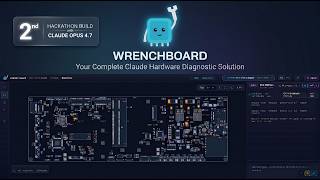
Wrench Board - Agent-Native Diagnostic Workbench for Board-Level Repair · Built with Opus 4.7
Alexis @ RepairMind

Universal Torx Wrench Self-tightening Adjustable Glasses Wrench Board Double-head Spanner Hand Tools
Cool Gadgets and Fashion Designs

8-22mm Universal Torx Wrench Self-tightening Adjustable Glasses Wrench Board Double-head
Daily Home gadgets
YouTube returned 6 videos for “Wrench Board”, and we withheld 3: 3 did not mention Wrench Board. Showing the 3 we can prove are about Wrench Board.
Official links
Tools that pair well with Wrench Board
Common stack mates teams adopt alongside Wrench Board, with the specific reason each pairing earns its keep.

Stardrift
Stardrift is an AI travel planner that turns a chat thread into personalized, multi-city itineraries with real-time flight and hotel pricing.

QOVES
AI facial analysis scoring 160+ beauty markers into a personalized, non-surgical glow-up protocol backed by named research.

Layla
AI trip planner that drafts day-by-day itineraries with live pricing, then hands you a human travel expert.
Featured Head-to-Head Comparisons
Wrench Board vs Praktika
Praktika and Wrench Board serve completely different needs: language learning vs. electronics repair. Praktika is the clear choice for anyone wanting to practice speaking a new language with AI tutors, offering a freemium model and mobile-first experience. Wrench Board is a niche but powerful tool for microsoldering technicians who need expert guidance 24/7, but its paid plans and specialized focus make it irrelevant for general users. If you're learning a language, go with Praktika; if you're repairing circuit boards, Wrench Board is your pick.
Wrench Board vs Surge Ai
Surge AI and Wrench Board serve entirely different domains: Surge is a high-end human feedback platform for frontier AI alignment, used by labs like Microsoft for RLHF and expert-graded benchmarks. Wrench Board is a niche AI assistant for electronics repair technicians, providing step-by-step soldering guidance via Claude Opus 4.8. Your choice depends on whether you need rigorous human-in-the-loop AI training or specialized microsoldering support.
Alternatives to Wrench Board
View all


Frequently Asked Questions
Categories
Used Wrench Board? Help shape our editorial sentiment research.