
WriteMyPRD
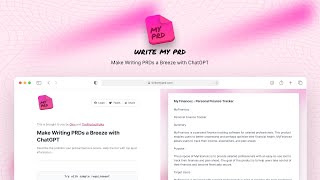
WriteMyPRD turns a few sentences about your product into a structured PRD draft you can edit, download, or paste into Slack.
WriteMyPRD is honest about what it is: a ChatGPT-backed form that gets your first PRD draft onto the screen. The blank-page problem is real, and the "Less is better!" instruction on the form is the right instinct — over-specifying inputs produces worse output. The Copy-and-Open-Slack button is a small but genuinely useful touch for teams that live in Slack. Where it stops is equally clear: the site markets itself as a way to "kickstart your PRD writing journey," which is exactly the limit. If you need shared editing, review workflows, or docs that live alongside your backlog, Notion, Confluence, or Jira with a PRD template will serve you better — not because WriteMyPRD is worse at drafting,
Verified 1d ago · liveness 61/100 · cite: rightaichoice.com/tools/writemyprd
- Product managers who stall at the start of a PRD
- Founders writing their first product documentation
- Small teams that review drafts in Slack
- Teams that need shared editing and comments inside the PRD tool
- Anyone who needs the PRD to live next to their backlog
- Programs requiring documented API or developer access
We scan live Reddit threads, YouTube comments, X posts, G2 reviews and other communities — and hand you an honest verdict in under a minute.
- Honest verdict, not marketing
- Real pros & cons from real users
- Attributed quotes with receipts
3 free scans · no card needed
Skip WriteMyPRD if you need the PRD itself to be a shared living document with comments, review state, and a home next to your backlog — this generates a draft you then carry into Confluence, Notion, or Jira.
WriteMyPRD's pricing fits teams whose volume aligns with the published tiers. Compare against the alternatives listed below for stage-specific value.
In short
WriteMyPRD — WriteMyPRD turns a few sentences about your product into a structured PRD draft you can edit, download, or paste into Slack. Best for Product managers who stall at the start of a PRD, Founders writing their first product documentation, Small teams that review drafts in Slack. Free to start; paid plans from $19/mo.
What people actually say about WriteMyPRD — is it worth it?
We ran a structured research pass across product reviews, community discussions, and post-purchase forum threads to surface the patterns vendors won't publish themselves. Below: the recurring strengths, the hidden costs people mention most, and the cohort that consistently regrets adopting this tool.
16 mentions across 2 sources (Product Hunt, Bluesky) · researched Jul 3, 2026.
Average across the 2 sources that answered — each source counts once, not each post.
- +Generates a structured PRD draft from just a few sentences.
- +No account required to try—zero friction for first use.
- +Simple, distraction-free editor for quick customization.
- +Export options include PDF, Markdown, and Confluence-ready formats.
- +Specifically designed for PRDs, not a generic AI assistant.
- −Minimal community discussion or support outside launch.
- −No integrations with common tools like Jira or Slack.
- −Homepage still references GPT-3, raising obsolescence concerns.
- −Limited template customization on free tier.
- −No real-time collaboration or team features.
- • No hidden costs reported, but Pro pricing may be undisclosed in available data.
Viability Score
How well maintained and how widely used is WriteMyPRD? Built from what the vendor actually publishes (docs, changelog, tutorials, integrations, pricing), whether the site is live, and how much real users discuss it. How we calculate this
Last calculated: September 2026
How we score →Key Features
- Generates a structured PRD draft from a short product description
- Input form covering product name, feature name, and overview
- Feature list field for the capabilities you plan to build
- User feedback field for qualitative evidence
- Optional free-text field for additional details
- Copy and Open Slack button to hand the draft to chat
- Download the generated draft
- In-page editing of the generated output
- Sample requirement loader to try the tool without writing inputs
- ChatGPT-backed generation, per the vendor homepage
- Curated external PRD reading list on the homepage
- No login shown on the homepage before generating
About WriteMyPRD
WriteMyPRD is a browser-based drafting utility built on ChatGPT. You fill in a short form — product name, feature name, an overview, a feature list, and any user feedback — then click "Generate My PRD" and it returns a structured draft you can build on. The form is deliberately minimal; the site itself tells you "Less is better!" because the tool is designed to unblock you at the start of a document, not to produce a finished spec. Once generated, you edit the draft on the page, download it, or use "Copy and Open Slack" to drop it straight into a Slack conversation. The page also collects a small reading list of external PRD guidance — a step-by-step PRD guide from Razorpay, Lenny's Newsletter's curated product management templates, and a free downloadable PRD template. It's for product managers, founders, and anyone who stalls on the blank page. The trade-off is scope: it produces a draft, and everything after the draft — review, alignment, tracking — happens somewhere else.
Behind the Verdict
The clearest thing about WriteMyPRD is how narrow it is on purpose. The input form asks for four things: product name, feature name, an overview of what you're building, a feature list, and optionally qualitative user feedback. That's it. There is no project setup, no workspace, no template gallery to browse before you can start. You get a generated draft, edit it inline, and either download it or send it to Slack. The site's own framing is worth reading carefully, because it sets expectations better than most tools in this category: "WriteMyPrd is built to help you get started with writing your PRD, so don't over optimize." That's a drafting aid, and the value is almost entirely in the first ten minutes of a document that would otherwise sit empty. Strengths: the input form is short enough that you'll actually fill it in; the output is structured around recognizable PRD sections rather than being a wall of prose; the Slack handoff exists, which matters because PRDs get reviewed in chat, not in the tool that wrote them; and the page points you at external PRD reading (Razorpay's guide, Lenny's template collection, a free template download) instead of pretending its output is the final word. Weaknesses are scope, not execution. The homepage describes the generator as ChatGPT-backed, and the draft is only as good as the detail you put into a five-field form — thin inputs produce generic output. There is nothing on the page about collaboration, comments, version history, or a document library, so the draft is a file you carry elsewhere. The "Copy and Open Slack" button is a manual handoff, not an integration. Where it fits: a PM or founder who needs a starting structure for a feature PRD and would rather react to a draft than face an empty page. Where it doesn't: any workflow that needs the PRD to be a living, shared document with review state. For that, put the draft into Confluence, Notion, or Jira and do the real work there.
Researching WriteMyPRD? Get your full AI stack in 60 seconds.
Free, no signup — tell us your goal and get tools matched to your budget & existing stack.
Real-world workflow fit
Concrete scenarios for the personas WriteMyPRD actually fits — and what changes day-one when you adopt it.
You have a feature request and a vague sense of scope the morning before a planning meeting. You open WriteMyPRD, fill in the product name, feature name, a two-sentence overview, and a rough feature list, and generate a draft.
Outcome: You walk into the meeting with a structured draft to argue about instead of a blank page, and you can send it to the team channel using the Copy and Open Slack button.
You've got a product idea and a list of things it should do, but no format for writing it down. You enter the overview and feature list, add any early user feedback you've collected in the user feedback field, and generate.
Outcome: You get a draft structured around recognizable PRD sections that you edit down, rather than inventing a document format from scratch.
You want a junior PM to learn PRD structure quickly. You point them at WriteMyPRD, have them load the sample requirement, and ask them to critique and rewrite the generated draft.
Outcome: They see the shape of a PRD immediately and spend their effort on judgement, not on staring at an empty document.
Use Cases
- Get a first PRD structure on screen when you're staring at a blank document
- Turn a rough feature idea into a structured draft before a planning meeting
- Paste a draft PRD into Slack so your team can react to it in chat
- Generate a starting structure for a hackathon or internal tool
- Produce a baseline PRD you then refine in Confluence, Notion, or Jira
Models Under the Hood
as of 2026-09-14
Limitations
- WriteMyPRD makes no claim to be more than a drafting aid.
- The homepage describes the generator as ChatGPT-backed, so output quality tracks whatever you put into the five-field form — thin inputs give you generic text.
- The only handoff described on the page is a Copy and Open Slack button and a download, both manual; nothing on the page describes comments, version history, or a shared document library, so the draft becomes a file you manage elsewhere.
- There is no mobile or desktop app mentioned on the site.
as of 2026-09-28
Verification history
We have re-verified WriteMyPRD 7 times since . Each pass re-reads the vendor's own pages and re-checks every listed field against that evidence; passes where nothing had changed are marked as such.
- — re-checked, vendor evidence unchanged
- — re-checked, vendor evidence unchanged
- — re-checked, vendor evidence unchanged
- — re-checked, vendor evidence unchanged
- — re-verified summary, description, our verdict, our analysis, pricing model, pricing tiers, features, integrations, who it suits, who should skip it
- — re-checked, vendor evidence unchanged
Showing the 6 most recent of 7 verification passes.
Free to cite with attribution — this page re-verifies continuously.
12-month cost
Project the real annual outlay, including the implied monthly cost when only an annual tier is published.
Vendor list price only. Add-on usage, seat overages, and contract minimums are surfaced under Hidden costs & gotchas.
Where the pricing makes sense
The company stage and team size where WriteMyPRD's pricing actually pencils out — and where peers do it cheaper.
WriteMyPRD's pricing fits teams whose volume aligns with the published tiers. Compare against the alternatives listed below for stage-specific value.
Setup time & first value
How long it actually takes to get something useful out of WriteMyPRD — broken out by persona, not the marketing-page minute.
Effectively zero for a solo PM or founder — the form has five fields and a sample requirement loader if you want to see the output before writing anything. Expect a few minutes from landing on the page to a downloaded draft. Plan for additional time afterwards to move the draft into whatever system your team actually reviews documents in.
Switching to or from WriteMyPRD
How to bring data in from common predecessors and how to get it back out — written for the switcher, not the buyer.
- →From a blank Google Doc or Word file: fill in the WriteMyPRD form, generate a structured draft, then paste the sections back into your existing document.
- →From a static PRD template you reuse each time: enter your feature list and user feedback, generate, and use the output as the filled-in version of that template.
- ↗To Confluence or Notion: download or copy the generated draft and paste it into your team's PRD page, then continue editing there.
- ↗To Jira: copy the generated feature list into your epic and keep the draft itself in your docs tool.
Resources & Guides
Tutorials & Learning
YouTube returned 6 videos for “WriteMyPRD”, and we withheld 5: 5 could not be judged, because “WriteMyPRD” is a single word that other videos use for other things. Showing the 1 we can prove is about WriteMyPRD.
Official links
Tools that pair well with WriteMyPRD
Common stack mates teams adopt alongside WriteMyPRD, with the specific reason each pairing earns its keep.

Eskritor
Eskritor is a free AI text generator that drafts blogs, essays, emails, resumes, stories, and citations from a prompt, with style and length controls.

Typli.ai
Typli.ai packs 187 AI writing tools, AI image generation, and multi-model AI chat into one credit-based subscription.

xeditai
Multi-model AI workspace merging ChatGPT, Notion, and Gamma into one editable canvas.
Featured Head-to-Head Comparisons
Writemyprd vs Gem
Gem and WriteMyPRD serve entirely different domains: recruiting vs. product management. If you need an AI-powered all-in-one recruiting platform with ATS, CRM, and agentic AI, Gem is the clear choice. If you're a product manager looking to quickly generate a structured PRD from a few sentences, WriteMyPRD is a simple, low-cost tool. Choose based on your role—there's no overlap.
Writemyprd vs Poke Interaction Co
Choose Poke if you want a multipurpose AI assistant that lives in your messaging apps, manages email, calendar, tasks, and health data, and can automate workflows. Pick WriteMyPRD if you specifically need a fast, focused tool to generate a structured PRD draft from a few sentences. They serve completely different needs, so the choice depends on whether you need a broad assistant or a niche document generator.
Writemyprd vs Guesty
If you manage vacation rentals, Guesty’s AI agents and multi-channel sync are unmatched — but it’s expensive and overkill for small hosts. WriteMyPRD is a cheap, focused PRD generator perfect for overcoming blank-page anxiety, but lacks collaboration and integrations. Choose Guesty for rental ops; choose WriteMyPRD for product docs.
Alternatives to WriteMyPRD
View all
Eskritor
Eskritor is a free AI text generator that drafts blogs, essays, emails, resumes, stories, and citations from a prompt, with style and length controls.


Frequently Asked Questions
Categories
Best-of guides
Used WriteMyPRD? Help shape our editorial sentiment research.