Make Real Tldraw is live · free · last verified 24 Oct 2026 · viability at risk

Make Real Tldraw
Sketch a UI on the Tldraw canvas, select the shapes, click Make Real, and get clickable HTML/CSS/JS.
If your problem is that a layout is easier to draw than to describe, Make Real solves it in one gesture. Bringing your own key for OpenAI, Anthropic or Google means generation runs on your provider account and you can swap models per attempt — cheap and rough for a first pass, stronger for the final sketch. The exposed system prompt is the underrated part: it is what separates a usable result from a garbled one. Just don't mistake a clickable sketch for a codebase. Output is single-screen HTML/CSS/JS with no state, data or components, so teams that need a shared, versioned design file should be in Figma, Framer or a real repo.
Verdict generatedVerified 29d ago · liveness 37/100 · cite: rightaichoice.com/tools/make-real-tldraw
- UI/UX designers who want a sketch to become something clickable
- Product managers prototyping a screen during a live meeting
- Developers exploring what a chosen model produces as front-end code
- Workshop facilitators turning whiteboard layouts into working demos
- Production application development with real backend logic
- Multi-page apps or interfaces driven by live data
- Teams needing a shared design file, versioning or review flow
We scan public community discussion about Make Real Tldraw and hand you an honest verdict, or say plainly when we cannot tie the posts to this tool.
- Honest verdict, not marketing
- Real pros & cons from real users
- Attributed quotes with receipts
Free scans included · no card needed
Skip Make Real if you need a versioned, shareable design file with review comments, or markup wired to real data — it generates single-screen HTML/CSS/JS with no state, backend or collaboration.
Generation runs on your own provider API key, so every retry is billed by OpenAI, Anthropic or Google rather than by Tldraw.
There is no Tldraw subscription to compare. Your real cost is provider usage on your own OpenAI, Anthropic or Google key, which scales with how many sketches you generate and which model you pick — so a solo designer running occasional rough passes and a workshop facilitator generating dozens of variants are paying the same vendor, just different amounts.
In short
Make Real Tldraw — Sketch a UI on the Tldraw canvas, select the shapes, click Make Real, and get clickable HTML/CSS/JS. Best for UI/UX designers who want a sketch to become something clickable, Product managers prototyping a screen during a live meeting, Developers exploring what a chosen model produces as front-end code. Free to use.
What is Make Real Tldraw?
Make Real Tldraw — Sketch a UI on the Tldraw canvas, select the shapes, click Make Real, and get clickable HTML/CSS/JS. Best for UI/UX designers who want a sketch to become something clickable, Product managers prototyping a screen during a live meeting, Developers exploring what a chosen model produces as front-end code. Free to use.
Make Real is a browser-based experiment from the Tldraw team that turns a hand-drawn interface sketch into working front-end markup. You draw a layout on the Tldraw canvas with shapes, text and arrows, select the parts you want converted, and click Make Real. The selection is sent to a model provider you choose in the Settings panel — OpenAI, Anthropic or Google — and comes back as a rendered, clickable prototype alongside copyable HTML, CSS and JavaScript. The model picker is exposed rather than abstracted away: the current build lists gpt-6.1-sol, gpt-6-astra and gpt-6-luna alongside a broader model menu, and you can edit the system prompt (with a Reset control) to steer how literally or creatively the generated markup follows your drawing. The defining design decision is bring-your-own-key — you paste an API key per provider, generation runs against your own provider account, and there is no metered layer in between. It fits designers, product managers and developers who want a rough layout — a login form, a settings page, a dashboard shell — to become something clickable in the time it takes to sketch it. Canvas documents are page-scoped, so you can keep several screens side by side across Page 1, Page 2 and beyond. What you get is single-screen front-end markup, not an application. There is no backend, no data layer and no component library behind the output, which puts Make Real in a different category from Figma, Framer or a production React scaffold — it is the sketch-to-demo step that happens before any of those.
Key features
- Turn hand-drawn canvas sketches into clickable front-end prototypes
- Select shapes, then click Make Real to generate code
- Bring-your-own API key for OpenAI, Anthropic or Google
- Provider switcher across OpenAI, Anthropic and Google in Settings
- Model picker including gpt-6.1-sol, gpt-6-astra and gpt-6-luna
- Editable system prompt with a Reset control
- Copy generated HTML, CSS and JavaScript to clipboard
- Interactive clickable preview of the generated page
- Draw wireframes with shapes, text and arrows on the Tldraw canvas
- Page-scoped canvas documents (Page 1, add more pages)
- Zoom and canvas navigation controls
- Runs in the browser with no installation
Behind the verdict
Make Real's value is narrow and real: it collapses the gap between a whiteboard layout and something another person can click. The workflow is short enough to describe in one sentence — draw, select, click Make Real, look at the preview, copy the markup — and short enough to run inside a live meeting while a stakeholder is still watching. Strengths. The provider and model are exposed rather than hidden. You pick OpenAI, Anthropic or Google in Settings, paste the matching API key, and choose among named models (the current build lists gpt-6.1-sol, gpt-6-astra and gpt-6-luna). Because generation bills to your own provider account, there is no markup layer between you and the model, and you can retry the same sketch on a cheaper model and then a stronger one to compare results. The editable system prompt with its Reset control is the lever that most casual users miss: it lets you push output toward literal fidelity to your drawing or toward more interpretive markup, and it is the first thing to tune when a sketch comes back wrong. Page-scoped documents (Page 1, Page 2 and so on) let you keep several screens adjacent without a separate file per screen. Weaknesses. The output is a single screen of front-end markup. There is no backend logic, no data layer, no routing and no persistent state, so anything that depends on a server round-trip is out of scope by construction. Complex or ambiguous sketches get misread — a stray stroke near a shape can change what the model thinks it sees — and there is no version history, no collaboration and no multiplayer review, so if you want to keep a record of what you tried you are copying markup out by hand. Nothing exports into a design tool. And since you supply the key, quality and cost both track the provider and model you chose. Where it fits. Designers who want a rough layout to become clickable before committing to a design tool file; product managers prototyping a screen live in a meeting; developers curious what a given model produces as front-end code from a sketch; workshop facilitators turning a whiteboard layout into a working demo the same day. It is also a genuinely useful way to learn front-end structure by comparing your drawing against the generated HTML/CSS/JS. Where it doesn't. Production application development, multi-page apps driven by live data, teams that need shared files with versioning and review, and projects that must conform to a component library or design system. It is the step before a design tool or a repo, not a replacement for either.
Models under the hood
as of 2026-09-14
Limitations
- Output is a single screen of front-end markup — there is no backend logic, data layer, routing or persistent state.
- Complex or ambiguous sketches get misread, so an extra stroke near a shape can change the result.
- There is no version history, no collaboration and no multiplayer review, and nothing exports into a design tool, so record-keeping is manual copy-and-paste.
- Generation quality and cost depend on the provider API key and the model you select, since you run it on your own provider account.
as of 2026-10-19
Researching Make Real Tldraw? Get your full AI stack in 60 seconds.
Free, no signup — tell us your goal and get tools matched to your budget & existing stack.
Is Make Real Tldraw still active?
Make Real Tldraw is live · free · last verified 24 Oct 2026 · viability at risk.
Viability score
How well maintained and how widely used is Make Real Tldraw? Built from what the vendor actually publishes (docs, changelog, tutorials, integrations, pricing), whether the site is live, and how much real users discuss it. How we calculate this
Last calculated: November 2026
How we score →What do users say about Make Real Tldraw?
How we verified this
Every listed fact about Make Real Tldraw — pricing, features, links, status — is re-read from the vendor's own pages by our verification pipeline and each change is logged with a date; the last pass ran on 24 Oct 2026. Analysis is drafted with AI models and checked against our editorial standards before publishing; see how we verify.
Verification history
We have re-verified Make Real Tldraw 21 times since . Each pass re-reads the vendor's own pages and re-checks every listed field against that evidence; passes where nothing had changed are marked as such.
- — changed SSL certificate
- — changed limitations, switching out, switching in, summary, who should skip it, our verdict, description, setup time, features, use cases, pricing fit, hidden costs, models
- — changed who it suits, description, our verdict, features, who should skip it, pricing tiers, summary
- — changed switching out, models, hidden costs, summary, who should skip it, who it suits, pricing tiers, features, pricing fit, our verdict, setup time, description, use cases, switching in, limitations
- — changed domain expiry
- — changed SSL certificate
Showing the 6 most recent of 21 verification passes.
Free to cite with attribution — this page re-verifies continuously.
How much does Make Real Tldraw cost in 2026?
Make Real Tldraw: Free to use. Pricing last verified 24 Oct 2026.
Plans compared
Every published Make Real Tldraw tier, its price as the vendor publishes it, who it fits, and what it adds over the tier below. The 12-month cost projection follows.
| Plan | Price | Billing | Who it's for |
|---|---|---|---|
| Free | Free | — | Designers, PMs and developers with an OpenAI, Anthropic or Google key who want occasional sketch-to-prototype conversion in the browser.Adds: Starting tier: the full canvas-to-code flow at no charge from Tldraw, with generation billed to your own provider key. |
12-month cost
Project the real annual outlay, including the implied monthly cost when only an annual tier is published.
Prices as the vendor publishes them, including any current offer. Add-on usage, seat overages, and contract minimums are surfaced under Hidden costs & gotchas.
Where the pricing makes sense
The company stage and team size where Make Real Tldraw's pricing actually pencils out — and where peers do it cheaper.
There is no Tldraw subscription to compare. Your real cost is provider usage on your own OpenAI, Anthropic or Google key, which scales with how many sketches you generate and which model you pick — so a solo designer running occasional rough passes and a workshop facilitator generating dozens of variants are paying the same vendor, just different amounts.
Has Make Real Tldraw's pricing changed?
No plan price for Make Real Tldraw has moved since we began tracking it in Aug 2026; the pricing page is re-read on every verification pass.
Who should pick Make Real Tldraw?
Pick Make Real Tldraw if you are UI/UX designers who want a sketch to become something clickable, Product managers prototyping a screen during a live meeting, Developers exploring what a chosen model produces as front-end code, Workshop facilitators turning whiteboard layouts into working demos.
Look elsewhere if you are Production application development with real backend logic, Multi-page apps or interfaces driven by live data, Teams needing a shared design file, versioning or review flow, Projects that require a component library or design system.
Skip it if Skip Make Real if you need a versioned, shareable design file with review comments, or markup wired to real data — it generates single-screen HTML/CSS/JS with no state, backend or collaboration.
GeneratedReal-world workflow fit
Concrete scenarios for the personas Make Real Tldraw actually fits — and what changes day-one when you adopt it.
Draw the proposed settings screen with shapes and text on the canvas, select all of it, click Make Real, and open the clickable preview while the call is still going.
Outcome: Stakeholders react to something tappable instead of a verbal description, and you leave with a shared reference and copyable HTML/CSS/JS.
Sketch three variants of the same dashboard shell, regenerate each on a stronger model after a cheap first pass, and tune the system prompt until the markup follows the drawing closely.
Outcome: Three clickable directions to discuss before committing anything to a design tool or a codebase.
Paste an OpenAI, Anthropic and then Google key into Settings, run the same selected sketch on each provider, and diff the HTML/CSS/JS that comes back.
Outcome: A concrete read on which model produces front-end markup closest to your intent, at your own usage cost.
Use cases
- Sketch a login form on the canvas and get a clickable sign-in page in seconds.
- Try three layout variations for the same screen by redrawing and regenerating.
- Rebuild a whiteboard wireframe from a meeting photo as a shareable prototype.
- Produce a throwaway demo UI for user testing without writing markup.
- Compare your hand-drawn design against the generated HTML/CSS/JS to learn front-end structure.
- Generate starter markup for a settings page or dashboard shell before hand-building it.
- Pick a specific model per attempt — a cheaper one for rough passes, a stronger one for the final sketch.
- Tune the system prompt to make output follow your drawing more literally or interpret it more freely.
Setup time & first value
How long it actually takes to get something useful out of Make Real Tldraw — broken out by persona, not the marketing-page minute.
About five minutes: open the canvas, open Settings, paste an API key for at least one provider, and draw your first layout. A designer already comfortable with Tldraw tools gets to a first generated screen in under ten minutes; the rest of the learning curve is system-prompt tuning, which rewards time only after the first few generations.
Switching to or from Make Real Tldraw
How to bring data in from common predecessors and how to get it back out — written for the switcher, not the buyer.
- →From paper or whiteboard wireframes: redraw the layout on the Tldraw canvas using shapes, text and arrows, then select and generate.
- →From Figma: rebuild the frame with canvas shapes rather than importing — Make Real works from drawn geometry, not design files.
- →From a hand-coded mockup: sketch the same layout and compare against your existing HTML/CSS/JS to test whether generation matches intent.
- ↗To Figma or Framer: copy the generated HTML/CSS/JS as a visual reference and rebuild the layout in the design tool.
- ↗To a code repo: paste the copied markup into your project as a static starting point, then add state, routing and data yourself.
- ↗To a production React scaffold: treat the generated single screen as a visual spec and rebuild it against your component library.
Resources & guides
Tutorials & Learning
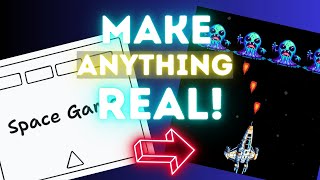
YouTube returned 6 videos for “Make Real Tldraw”, and we withheld 5: 5 did not mention Make Real Tldraw. Showing the 1 we can prove is about Make Real Tldraw.
Official links
What are the best Make Real Tldraw alternatives?
The closest alternatives to Make Real Tldraw we list are Framer, Figma and Tempo Labs. Ranked by direct product-type match, not category overlap.
| Alternative | Pricing | Starts at | Last verified |
|---|---|---|---|
| Framer | Freemium | $10/mo | 22 Nov 2026 |
| Figma | Freemium | $3/mo billed annually | 22 Nov 2026 |
| Tempo Labs | Freemium | $25/mo | 21 Nov 2026 |
Alternatives to Make Real Tldraw
View allFramer
Framer pairs a canvas-native AI design agent with the website builder pros actually ship on

Figma
Browser-based design canvas where your team and Figma's AI agent work in the same file.

Tempo Labs
Tempo Labs turns prompts into React components on a shared visual canvas the whole team can edit.
Make Real Tldraw vs its closest rival
Make Real Tldraw's closest head-to-head is with Refero Design.
Our Make Real Tldraw vs Refero Design verdict written Jul 2, 2026 is more than 90 days old, so it is being re-reviewed against current data and is not shown.
Head-to-head comparisons
Refero Design vs Make Real Tldraw
Verdict being re-reviewed against current pricing and data.
Creately Viz vs Make Real Tldraw
Verdict being re-reviewed against current pricing and data.
Floor Plan Maker vs Make Real Tldraw
Verdict being re-reviewed against current pricing and data.
Planner 5d vs Make Real Tldraw
Verdict being re-reviewed against current pricing and data.
Boast Image vs Make Real Tldraw
Verdict being re-reviewed against current pricing and data.
Iconscout vs Make Real Tldraw
Verdict being re-reviewed against current pricing and data.
Themepack vs Make Real Tldraw
Verdict being re-reviewed against current pricing and data.
Taste Lab vs Make Real Tldraw
Verdict being re-reviewed against current pricing and data.
Floor Plan Ai vs Make Real Tldraw
Verdict being re-reviewed against current pricing and data.
Colormind vs Make Real Tldraw
Verdict being re-reviewed against current pricing and data.
Ai House Plan vs Make Real Tldraw
Verdict being re-reviewed against current pricing and data.
House Of Esse vs Make Real Tldraw
Verdict being re-reviewed against current pricing and data.
Frequently asked questions
Categories
Best-of guides
For makers of Make Real Tldraw
- Get a Verified Listing for Make Real Tldraw ($39): a written decision within 1 working day.
- Free listing for another tool: Free reviews are decided in order, within 3 weeks of the review starting.
Used Make Real Tldraw? Help shape our editorial sentiment research.