
Adobe Firefly Services
Adobe Firefly Services APIs let enterprises generate and edit images programmatically at scale, with licensed training data.
Buy this when the bottleneck is hundreds of on-brand image variants a week and someone in legal has to sign off on training-data provenance. The Custom Models API plus a real editing chain is a genuinely different offer from a bare image endpoint. If you are not already living inside Adobe's stack, price it against your own pipeline before committing.
Verified 1d ago · liveness 60/100 · cite: rightaichoice.com/tools/adobe-firefly-services
- Enterprise marketing teams producing hundreds of on-brand image variants per campaign
- Retail and CPG brands that need product shots composited into generated scenes
- Developers embedding generative image and editing APIs into proprietary apps
- Regulated industries that require licensed training data and C2PA content credentials
- Individual designers who want a hands-on creative canvas rather than an API
- Teams that need generative image editing to run entirely offline
- Startups with no budget for per-request API pricing at volume
We scan live Reddit threads, YouTube comments, X posts, G2 reviews and other communities — and hand you an honest verdict in under a minute.
- Honest verdict, not marketing
- Real pros & cons from real users
- Attributed quotes with receipts
3 free scans · no card needed
Skip Adobe Firefly Services if you need a designer-facing creative tool rather than an API, or if your image volume is low enough that a Photoshop or Firefly subscription per seat costs less than per-request API calls.
Every image you generate is a billable API request, so a runaway batch job or a retry loop on a flaky integration shows up directly on the invoice.
Per the vendor's published tier list, Firefly Services runs a free entry tier with a small monthly request allowance, a pay-as-you-go plan billed per request across all 20+ APIs, and an enterprise tier priced on contact with volume discounts and custom SLAs. That structure fits organizations with predictable, high monthly image volume. Teams producing a few dozen images a month will usually spend less on per-seat Adobe creative subscriptions than on per-request API calls.
In short
Adobe Firefly Services — Adobe Firefly Services APIs let enterprises generate and edit images programmatically at scale, with licensed training data. Best for Enterprise marketing teams producing hundreds of on-brand image variants per campaign, Retail and CPG brands that need product shots composited into generated scenes, Developers embedding generative image and editing APIs into proprietary apps. Free to use.
What people actually say about Adobe Firefly Services — is it worth it?
We ran a structured research pass across product reviews, community discussions, and post-purchase forum threads to surface the patterns vendors won't publish themselves. Below: the recurring strengths, the hidden costs people mention most, and the cohort that consistently regrets adopting this tool.
2 mentions across 1 source (Lemmy) · researched Aug 18, 2026.
Average across the 1 source that answered — each source counts once, not each post.
- +Enterprise-grade compliance (SOC2, ISO27001, FedRAMP) for regulated industries
- +Commercial safety via licensed training data, reducing legal risks
- +Scalable cloud infrastructure on AWS supports high-volume generation
- +Tight integration with Adobe Experience Cloud and Workfront
- +Custom model fine-tuning allows brand-specific outputs
- −Lack of direct user reviews limits trust in performance claims
- −Potential for ethical misuse due to generative capabilities
- −Steep learning curve for non-expert developers
- −Dependency on Adobe ecosystem may reduce flexibility
- −Pricing can escalate with high-volume usage
- • Possible overage charges for exceeding rate limits
- • Enterprise add-ons like fine-tuning may be priced separately
Viability Score
How well maintained and how widely used is Adobe Firefly Services? Built from what the vendor actually publishes (docs, changelog, tutorials, integrations, pricing), whether the site is live, and how much real users discuss it. How we calculate this
Last calculated: October 2026
How we score →Key Features
- Text-to-image generation API driven by natural-language prompts
- Generative fill API for inpainting selected regions
- Generative extend API for outpainting beyond the original frame
- Generative remove API for erasing unwanted objects
- Composite Operations APIs: Object Composite, Adaptive Composite, Precise Composite
- Adaptive Composite bring-your-own-background for brand environments
- Intelligent object rotation matched to background perspective and lighting
- Generative Harmonization with adjustable strength from 0-100% or off
- Custom Models API for training subject and style models on brand assets
- Generate with custom model asset ID for repeatable brand consistency
- Upscale API with 2x, 4x, and 6x scale factors
- Instruct Edit capability for natural-language refinement of generated images
- SDKs for Node.js, Python, and Java
- Content credentials attached via Adobe C2PA integration
- SOC2, ISO27001, and FedRAMP compliance
About Adobe Firefly Services
Adobe Firefly Services is a developer platform that puts Adobe's generative image models behind REST APIs, aimed at enterprise teams that need to produce images in bulk instead of one at a time. You send a prompt or an image, you get an asset back — there is no canvas here. According to Adobe's developer documentation, the platform exposes text-to-image generation plus the full editing chain (generative fill, extend, and remove), alongside a newer set of Composite Operations APIs (Object Composite, Adaptive Composite, Precise Composite) built to drop product shots into generated scenes with matching lighting and shadows. The Custom Models API is the piece most brand teams care about: train a subject or style model on your own characters, products, or palette, get an asset ID back, and reference it in every Generate Image call so campaign visuals stay consistent without manual art direction. Adobe's docs also cover an Upscale API with 2×, 4×, and 6× factors, SDKs for Node.js, Python, and Java, and content credentials attached through C2PA. It fits marketing operations and platform engineering teams inside larger organizations; it fits badly with a solo designer who wants to poke at images by hand.
Behind the Verdict
The interesting thing about Firefly Services is not the text-to-image call — plenty of vendors sell that. It is the editing chain. Generative fill, extend, and remove are the operations that actually show up in production asset workflows: you have a product photo framed wrong, a background you need to swap, a region you need cleaned up. Adobe shipped those as discrete endpoints, and that is the part worth evaluating. We'd reach for this when a brand has visual rules that a general model keeps violating. The Custom Models API lets you train on a mascot, a product, or a palette, then pass that model asset ID into generation calls. For a retail or CPG team running seasonal campaigns, that is the difference between "generate 400 banners" and "generate 400 banners someone still has to art-direct." The Composite Operations APIs deserve a look if you shoot products. Precise Composite reports better edge accuracy and lighting realism, with harmonization you can dial between 0 and 100% or switch off. Bring-your-own-background and automatic object rotation are the kind of details that matter after the first ten test images, not before. Where it bites: this is infrastructure. There is no human-facing surface to experiment in, so your first week is authentication, SDK setup, and reading schemas. That is normal for an API product, but it means the buyer is a developer or a platform team, not a marketing manager. On price, Adobe's developer docs do not publish rate cards, so treat the free and pay-as-you-go tiers in this profile as the starting point and confirm current usage rates directly before you budget a campaign at volume. Per-request pricing scales linearly with output, and high-volume banner production adds up fast. The honest comparison is to other image-generation
Researching Adobe Firefly Services? Get your full AI stack in 60 seconds.
Free, no signup — tell us your goal and get tools matched to your budget & existing stack.
Real-world workflow fit
Concrete scenarios for the personas Adobe Firefly Services actually fits — and what changes day-one when you adopt it.
You need 400 localized banner variants for a seasonal campaign and your design team has two people. Your engineers wire the text-to-image and generative fill APIs into a template pipeline, pulling brand colors and copy from your campaign spreadsheet, then push finished assets into Adobe Experience Manager.
Outcome: Campaign variants are produced in a batch run rather than over two weeks of manual resizing, and every asset carries C2PA content credentials if legal asks where it came from.
You want shoppers to remove a background object from a product photo inside your own web app. You call the generative remove API from your Node.js backend and return the edited image to the browser.
Outcome: Editing ships as a feature inside your product instead of a link out to a third-party editor, with per-request costs you can model against your conversion data.
Legal blocks generative imagery because nobody can document the training data. You run a pilot using text-to-image with content credentials enabled and the SOC2/ISO27001 documentation Adobe publishes.
Outcome: You have a written provenance and compliance story to take to review, which is usually the actual blocker rather than image quality.
Use Cases
- Generate marketing banners in a fixed brand style from text prompts at campaign scale
- Recolor product vectors automatically for seasonal or regional campaign variants
- Batch-generate social media images with consistent composition across a product line
- Produce A/B test variants of ad creative images without a designer in the loop each time
- Let an internal web app call generative fill so users can edit images in the browser
- Create 3D textures for virtual product mockups on demand
- Feed generated assets directly into AEM or Workfront content workflows
Models Under the Hood
as of 2026-10-15
Limitations
- This is a developer-facing API service for programmatic image generation and editing; using it requires engineering work to integrate with your workflow, and there is no point-and-click substitute for the integration.
- Access is mediated through API calls, so teams without developers cannot use it directly.
- The evidence explicitly describes it as an API and documentation for developers, indicating it is not a standalone application.
as of 2026-09-28
Verification history
We have re-verified Adobe Firefly Services 21 times since . Each pass re-reads the vendor's own pages and re-checks every listed field against that evidence; passes where nothing had changed are marked as such.
- — re-checked, vendor evidence unchanged
- — re-verified summary, description, our verdict, our analysis, pricing model, pricing tiers, features, integrations, who it suits, who should skip it
- — re-checked, vendor evidence unchanged
- — re-checked, vendor evidence unchanged
- — re-checked, vendor evidence unchanged
- — re-checked, vendor evidence unchanged
Showing the 6 most recent of 21 verification passes.
Free to cite with attribution — this page re-verifies continuously.
12-month cost
Project the real annual outlay, including the implied monthly cost when only an annual tier is published.
Vendor list price only. Add-on usage, seat overages, and contract minimums are surfaced under Hidden costs & gotchas.
Plans compared
For each published Adobe Firefly Services tier: who it actually fits, and what it adds vs. the previous tier. Cross-reference the cost calculator above for projected annual outlay.
Free
$0/mo
Ideal for
Developers validating an integration or running a proof-of-concept with a handful of test images per month
What this tier adds
Starting tier: $0/mo with a monthly request cap, access to the core generative image APIs, and community support only
Pay-as-you-go
Usage-based
Ideal for
Teams moving from prototype to production with steady monthly image volume and no appetite for an annual contract
What this tier adds
Adds per-request billing across all 20+ APIs plus priority support, with custom model fine-tuning available as an enterprise add-on
Enterprise
Contact for pricing
Ideal for
Large organizations running high monthly image volume that need negotiated terms, compliance paperwork, and a named support contact
What this tier adds
Adds volume discounts, custom SLAs, dedicated support, on-premise deployment options, and advanced compliance including FedRAMP
Where the pricing makes sense
The company stage and team size where Adobe Firefly Services's pricing actually pencils out — and where peers do it cheaper.
Per the vendor's published tier list, Firefly Services runs a free entry tier with a small monthly request allowance, a pay-as-you-go plan billed per request across all 20+ APIs, and an enterprise tier priced on contact with volume discounts and custom SLAs. That structure fits organizations with predictable, high monthly image volume. Teams producing a few dozen images a month will usually spend less on per-seat Adobe creative subscriptions than on per-request API calls.
Setup time & first value
How long it actually takes to get something useful out of Adobe Firefly Services — broken out by persona, not the marketing-page minute.
Developers with an existing Adobe enterprise relationship can typically get an API key and a first successful text-to-image call in an afternoon using the developer portal docs and Node.js or Python SDK. Wiring a full pipeline into AEM or Workfront takes longer and depends on your own integration work. Custom model fine-tuning adds a procurement cycle because it is an enterprise add-on.
Switching to or from Adobe Firefly Services
How to bring data in from common predecessors and how to get it back out — written for the switcher, not the buyer.
- →From manual Photoshop production: replace repeatable resize and recolor steps with API calls while keeping Photoshop for one-off hero creative.
- →From a raw model image API: move to Firefly Services when licensed training data, C2PA credentials, or SOC2/FedRAMP documentation becomes a requirement.
- →From Adobe Express batch workflows: shift high-volume generation to API calls and keep Express for ad-hoc team edits.
- ↗To AWS Bedrock image models: if your stack is already AWS-native and you do not need Adobe's compliance and content-credential layer.
- ↗To OpenAI's image API: if you want a general-purpose generation endpoint and can source your own provenance story.
- ↗To per-seat Adobe creative apps: if your monthly image volume drops low enough that per-request pricing no longer beats subscriptions.
Integrations
Resources & Guides
Tutorials & Learning
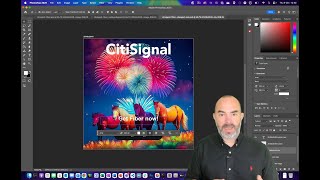
Overview of Adobe Firefly Services
Wouter Van Geluwe
Adobe Firefly Services Overview
Adobe Developers

Adobe Firefly Services: Accelerate Content Creation and Production
Adobe Developers
YouTube returned 6 videos for “Adobe Firefly Services”, and we withheld 3: 3 did not mention Adobe Firefly Services. Showing the 3 we can prove are about Adobe Firefly Services.
Official links
Tools that pair well with Adobe Firefly Services
Common stack mates teams adopt alongside Adobe Firefly Services, with the specific reason each pairing earns its keep.

Lalaland.ai
Enterprise AI fashion models for Browzwear's 3D design ecosystem — 3D assets in, on-brand product imagery out.

mnml AI
mnml AI turns sketches, photos and SketchUp, Revit or Rhino views into photoreal architectural renders.

Recraft
Recraft generates AI images as editable vector graphics, with reusable brand styles built from 1–10 reference images.
Featured Head-to-Head Comparisons
Advancedeast vs Adobe Firefly Services
Choose Adobe Firefly Services if you are an enterprise needing scalable, compliant generative image APIs for content production. Choose AdvancedEAST if you are a researcher or developer needing a free, open-source scene text detection algorithm for integration into custom OCR pipelines.
Perfectpixel Studio vs Adobe Firefly Services
PerfectPixel Studio is the clear choice for indie game developers who need free, local, privacy-preserving 2D sprite sheet generation with motion. Adobe Firefly Services is for enterprises requiring scalable, API-driven image generation with commercial safety. Choose PerfectPixel for pixel art games, Firefly for automated marketing visuals.
Zenctrl vs Adobe Firefly Services
Choose ZenCtrl for zero-training, subject-consistent image generation from a single reference, ideal for marketers needing quick product shots and background swaps. Choose Adobe Firefly Services for enterprise-scale content automation with robust compliance (SOC2, FedRAMP) and deep Adobe ecosystem integration, but expect usage costs and developer effort. Your decision hinges on whether open-source flexibility and freemium access outweigh enterprise security and commercial indemnity.
Bigjpg vs Adobe Firefly Services
For enterprise content automation with API scalability and compliance, Adobe Firefly Services is the clear choice. Bigjpg is purpose-built for high-quality upscaling of anime and illustrations at a low cost, but it can't match Firefly's breadth of generative features. Pick Firefly if you need to embed AI into workflows; pick Bigjpg for dedicated upscaling.
Image Translator vs Adobe Firefly Services
If you need to occasionally translate text from images for free, Image Translator is the easy choice. But if you're building enterprise-scale content automation with AI image generation and editing, Adobe Firefly Services is the clear winner—despite its usage costs.
Refloow Photo Studio vs Adobe Firefly Services
Choose Refloow Photo Studio if you need free, private, offline background removal without recurring costs. Choose Adobe Firefly Services if you are an enterprise or developer requiring scalable generative AI APIs with compliance and deep Adobe ecosystem integration. They serve fundamentally different needs.
Imgupscaler Ai vs Adobe Firefly Services
For individual users seeking effortless, free upscaling up to 16K, Imgupscaler AI is the straightforward winner. However, enterprises needing scalable, compliant generative AI pipelines with Adobe integration should choose Adobe Firefly Services despite its cost and complexity. Your choice hinges on whether you prioritize zero-cost simplicity or enterprise-grade power.
Get Floor Plan vs Adobe Firefly Services
For real estate professionals needing automated floor plans and virtual tours with human quality checks, Get Floor Plan is the clear choice due to its specialized focus and industry integrations. For enterprise teams requiring scalable generative image APIs with commercial safety and Adobe ecosystem integration, Adobe Firefly Services is better. Your use case and technical expertise should decide.
Imaginprompt Image To Prompt vs Adobe Firefly Services
If you're a creator who needs to reverse-engineer images into actionable prompts for Midjourney, DALL-E, or Stable Diffusion at a low cost, ImaginPrompt is the clear choice. For enterprises that require scalable, API-driven image generation with enterprise-grade compliance and Adobe ecosystem integration, Adobe Firefly Services is the robust solution.
Ai Design vs Adobe Firefly Services
AI Design is ideal for solo content creators needing quick, free social graphics with CapCut integration, but its 10/day limit and limited customization won't scale. Adobe Firefly Services wins for enterprise teams needing high-volume, compliant, and customizable generative APIs—though at a cost. Choose based on your team size, compliance needs, and integration requirements.
Evoto Ai vs Adobe Firefly Services
If you're a professional photographer needing AI-powered retouching and batch editing of thousands of images, Evoto AI is the clear choice with its latest v7.2.0 features like Old Photo Restoration and Belly Slimming. For enterprise developers embedding generative image APIs into workflows (e.g., banner generation, e-commerce), Adobe Firefly Services offers scalable APIs with commercial safety and FedRAMP compliance. They serve completely different use cases; pick based on whether you edit photos or generate images programmatically.
Muse Pro vs Adobe Firefly Services
If you're an iPad artist who wants to retain hand-drawn control while supercharging creativity with AI, Muse Pro is your tool. For enterprises needing to automate high-volume image generation with enterprise-grade compliance and seamless Adobe integration, Adobe Firefly Services is the clear choice. These tools target completely different needs – one is a personal creative companion, the other an industrial-scale API.
Alternatives to Adobe Firefly Services
View all
Lalaland.ai
Enterprise AI fashion models for Browzwear's 3D design ecosystem — 3D assets in, on-brand product imagery out.


Frequently Asked Questions
Used Adobe Firefly Services? Help shape our editorial sentiment research.