Aiarty Image Matting is live · free plan, paid from ¥6,980/yr · last verified 26 Oct 2026 · viability monitor

Aiarty Image Matting
Free Windows desktop AI background remover with hair-level matting precision and 3000-image batch processing.
Aiarty Image Matting is worth a look if you work on Windows and want local, private cutouts rather than uploading client images to a web service. The four V2 models give you genuine choice — AlphaStandard V2 for hair and fur, AlphaEdge V2 for hard-edged product shots — and up to 3000-image batch jobs cover most catalog work. The catch is the daily cap on the free version and the annual price of 7,880 yen per year (or a 2-year license for 6,980 yen per year, billed as a single 12,980 yen term). If you need Mac-first workflows or browser-based editing, look at Canva or Adobe Express instead.
Verdict generatedVerified 4d ago · liveness 61/100 · cite: rightaichoice.com/tools/aiarty-image-matting
- Windows users who need local, private background removal
- E-commerce sellers processing large image batches
- Graphic designers needing fast transparent PNG cutouts
- Portrait photographers working with hair and fur detail
- Mac-only or Linux-only workflows
- Developers who need an API or programmatic access
- Users needing browser-based editing with no install
We scan live Reddit threads, YouTube comments, X posts, G2 reviews and other communities — and hand you an honest verdict in under a minute.
- Honest verdict, not marketing
- Real pros & cons from real users
- Attributed quotes with receipts
3 free scans · no card needed
Skip Aiarty Image Matting if you need a browser-based or Mac-native tool, an API your pipeline can call, or more than one free background removal per day without buying a licence.
The free tier allows just one background removal per day, personal use only, so a real product shoot needs a paid licence the first week you rely on it.
The free tier (one removal per day, personal use) is a genuine zero-cost entry point. Paid access sits at 7,880 yen per year for an individual or 6,980 yen per year on the 2-year licence (12,980 yen billed in one term), with a 10-user business licence at 299,980 yen per term. That undercuts an Adobe Photoshop subscription for pure background removal, and unlike credit-metered web services there is no per-image charge on licensed tiers.
In short
Aiarty Image Matting — Free Windows desktop AI background remover with hair-level matting precision and 3000-image batch processing. Best for Windows users who need local, private background removal, E-commerce sellers processing large image batches, Graphic designers needing fast transparent PNG cutouts. Free to start; paid plans from ¥6,980/yr.
What is Aiarty Image Matting?
Aiarty Image Matting — Free Windows desktop AI background remover with hair-level matting precision and 3000-image batch processing. Best for Windows users who need local, private background removal, E-commerce sellers processing large image batches, Graphic designers needing fast transparent PNG cutouts. Free to start; paid plans from ¥6,980/yr.
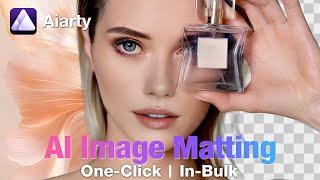
Aiarty Image Matting is a desktop application for Windows (with a Mac build listed on the pricing page) that removes and replaces image backgrounds using four on-device AI matting models. It is built for e-commerce sellers, graphic designers, and portrait photographers who want clean cutouts without sending images to a cloud service. The models are AlphaStandard V2, AlphaEdge V2, EdgeClear V2, and SolidMat V2 — AlphaStandard V2 preserves hair, fur, and soft detail, AlphaEdge V2 sharpens edges on product, jewelry, and icon shots, EdgeClear V2 handles logos, bags, and shoes, and SolidMat V2 targets industrial products and food. Published limits include 4K output up to 320,000 pixels, batch processing of up to 3000 images, 2X AI upscaling, AI denoise, transparency (alpha channel) output, and object detection. Processing runs locally and accelerates on NVIDIA, AMD, and Intel GPUs or CPU. The free tier allows one background removal per day; paid annual and perpetual licenses lift that cap and add model and software updates.
Key features
- Four AI matting models: AlphaStandard V2, AlphaEdge V2, EdgeClear V2, SolidMat V2
- Background removal with hair, fur, and soft-detail retention
- Background replacement with solid color, image, blur, or custom settings
- Batch processing up to 3000 images in one pass
- 4K output support up to 320,000 pixels
- Alpha channel (transparent PNG) output
- AI upscaling up to 2X with denoise and blur correction
- Brush, erase, restore, and smooth edge refinement tools
- Brightness adjustment up to 180% and scale up to 180%
- Automatic subject detection and multi-object segmentation
- Shadow and reflection preservation for composite realism
- Local/offline processing with no cloud upload
- GPU acceleration for NVIDIA, AMD, and Intel hardware
- Windows and Mac desktop builds listed on the pricing page
- Object rotation, flip, and crop within the tool
Our long-form take written Jul 15, 2026 is more than 90 days old, so it is being re-reviewed against current data and is not shown.
Models under the hood
as of 2026-10-24
Limitations
- Runs as an installed desktop app rather than a web tool, so it does not fit browser-only or shared-device workflows.
- The free tier is capped at one background removal per day for personal use, which is far below what a product catalog needs.
- It is not a layered compositing editor — edge tools are brush, erase, restore, and smooth, with no masks or blend modes for building complex composites.
- Upscaling tops out at 2X, enough for web but not for large-format print.
- Documentation, API availability, and the integrations list could not be verified from this run's sources, so treat those as unconfirmed rather than absent.
as of 2026-10-01
Researching Aiarty Image Matting? Get your full AI stack in 60 seconds.
Free, no signup — tell us your goal and get tools matched to your budget & existing stack.
Is Aiarty Image Matting still active?
Aiarty Image Matting is live · free plan, paid from ¥6,980/yr · last verified 26 Oct 2026 · viability monitor.
Viability score
How well maintained and how widely used is Aiarty Image Matting? Built from what the vendor actually publishes (docs, changelog, tutorials, integrations, pricing), whether the site is live, and how much real users discuss it. How we calculate this
Last calculated: October 2026
How we score →What do users say about Aiarty Image Matting?
What people actually say about Aiarty Image Matting — is it worth it?
We ran a structured research pass across product reviews, community discussions, and post-purchase forum threads to surface the patterns vendors won't publish themselves. Below: the recurring strengths, the hidden costs people mention most, and the cohort that consistently regrets adopting this tool.
ResearchedDiscussed by users across 2 sources (Product Hunt, Lemmy) · researched Oct 18, 2026.
Weighted by the 6 posts each of 2 sources contributed.
- +Runs fully offline with GPU acceleration on NVIDIA, AMD, and Intel, appealing to privacy-focused users.
- +Four specialized matting models target hair, products, logos, and food separately.
- +Batch processing up to 3000 images per pass could suit high-volume e-commerce sellers.
- +Supports 4K output and alpha channel PNGs for professional compositing.
- +Includes edge refinement, shadow preservation, and 2X upscaling in one tool.
- −Only one free background removal per day, making the free tier impractical for real testing.
- −No independent user reviews on Reddit, HN, or YouTube to verify hair-level precision claims.
- −Lemmy coverage is a single German review reposted four times, not diverse community feedback.
- −Mac build is listed but unverified by any community source in the data.
- −Batch processing of 3000 images is claimed but untested in public feedback.
- • Free tier's daily limit forces paid upgrade for any volume use
- • Perpetual license may not include future model updates, requiring repurchase
How we verified this
Every listed fact about Aiarty Image Matting— pricing, features, links, status — is re-read from the vendor's own pages by our verification pipeline and each change is logged with a date; the last pass ran on 26 Oct 2026. Pages mix model-assisted synthesis with human review; see how we verify.
Verification history
We have re-verified Aiarty Image Matting 10 times since . Each pass re-reads the vendor's own pages and re-checks every listed field against that evidence; passes where nothing had changed are marked as such.
- — changed pricing model
- — changed description, use cases, our verdict, features, hidden costs, limitations, switching in, switching out, who should skip it, pricing tiers, pricing fit, setup time, summary, who it suits
- — changed limitations
- — changed domain expiry
- — changed limitations
- — changed hidden costs, switching out, switching in, description, setup time, who should skip it, pricing fit, SSL certificate
Showing the 6 most recent of 10 verification passes.
Free to cite with attribution — this page re-verifies continuously.
How much does Aiarty Image Matting cost in 2026?
Aiarty Image Matting: Free to start; paid plans from ¥6,980/yr. Pricing last verified 26 Oct 2026.
Plans compared
Every published Aiarty Image Matting tier, its price as the vendor publishes it, who it fits, and what it adds over the tier below. The 12-month cost projection follows.
| Plan | Price | Billing | Who it's for |
|---|---|---|---|
| Free | Free | — | Individual testing the tool on occasional personal images, or evaluating matte quality before buying a licence.Adds: Starting tier — free entry point with background removal, but limited to one removal per day and one image per export. |
| Perpetual License | Contact vendor | quote | Buyers who prefer a one-time purchase and do not need recurring model refreshes.Adds: One-time payment for ongoing use with free updates, but without the annual model and software update cycle. |
| 2-Year License | ¥6,980/yrVendor: “6,980 yen/year (12,980 yen billed as one 2-year term)” | yearly | Individuals who know they will keep using the tool for two years and want the lowest effective yearly rate.Adds: Provides two years of access with unlimited exports and updates for 6,980 yen per year, billed as a single 12,980 yen term. |
| Annual License | ¥7,880/yrVendor: “7,880 yen/year” | yearly | Freelance designers and sellers who remove backgrounds regularly and want annual model and software updates.Adds: Adds unlimited annual exports on one device, annual AI model and software updates, annual AI training access, and GPU/API optimization for 7,880 yen per year. |
| Business License | ¥299,980/termVendor: “299,980 yen per term” | usage | Small teams and companies needing shared access plus one-to-one support and priority model updates.Adds: Covers 10 users with one-to-one sales support and priority technical support at 299,980 yen per term. |
| Aiarty 3-in-1 Software Suite | ¥25,980Vendor: “25,980 yen” | — | Buyers who want background removal alongside image upscaling and video enhancement in one purchase.Adds: Bundles Aiarty Video Enhancer and Aiarty Image Enhancer with Aiarty Image Matting at 25,980 yen, discounted from the 79,000 yen separate price. |
12-month cost
Project the real annual outlay, including the implied monthly cost when only an annual tier is published.
Vendor list price only. Add-on usage, seat overages, and contract minimums are surfaced under Hidden costs & gotchas.
Where the pricing makes sense
The company stage and team size where Aiarty Image Matting's pricing actually pencils out — and where peers do it cheaper.
The free tier (one removal per day, personal use) is a genuine zero-cost entry point. Paid access sits at 7,880 yen per year for an individual or 6,980 yen per year on the 2-year licence (12,980 yen billed in one term), with a 10-user business licence at 299,980 yen per term. That undercuts an Adobe Photoshop subscription for pure background removal, and unlike credit-metered web services there is no per-image charge on licensed tiers.
Has Aiarty Image Matting's pricing changed?
No plan price for Aiarty Image Matting has moved since we began logging in Aug 2026; the pricing page is re-read on every verification pass.
Who should pick Aiarty Image Matting?
Pick Aiarty Image Matting if you are Windows users who need local, private background removal, E-commerce sellers processing large image batches, Graphic designers needing fast transparent PNG cutouts, Portrait photographers working with hair and fur detail.
Look elsewhere if you are Mac-only or Linux-only workflows, Developers who need an API or programmatic access, Users needing browser-based editing with no install, Anyone compositing with layers, masks, and blend modes.
Skip it if Skip Aiarty Image Matting if you need a browser-based or Mac-native tool, an API your pipeline can call, or more than one free background removal per day without buying a licence.
GeneratedReal-world workflow fit
Concrete scenarios for the personas Aiarty Image Matting actually fits — and what changes day-one when you adopt it.
Shoot 400 catalog items on a white sweep, then drop the folder into Aiarty Image Matting, pick AlphaEdge V2 for hard product edges, and run one batch job up to the 3000-image cap.
Outcome: A folder of transparent PNGs plus color-replaced variants, produced locally with no per-image upload cost and no watermark.
Open a backlit portrait, choose AlphaStandard V2 to hold the flyaway hair, then use the restore and smooth brushes to clean stray strands before swapping in a blurred background.
Outcome: A hair-accurate cutout that would typically take 20 to 30 minutes in a layered editor, done in the matting tool without leaving the desktop.
Pull a client logo and a shoe shot from a messy background, use EdgeClear V2 for the logo and SolidMat V2 for the product, then export alpha-channel PNGs at 2X upscale for print-ready placement.
Outcome: Clean transparent assets ready for layout, generated offline so unreleased client work never leaves the machine.
Use cases
- Bulk-remove backgrounds from product photos for an e-commerce catalog
- Cut portraits from studio shots while keeping individual hair strands
- Produce transparent PNGs for logos, icons, and social graphics
- Replace cluttered backgrounds in old or low-light family photos
- Batch process a client shoot overnight on a local GPU without uploading files
- Prep marketplace listing images for Amazon, Etsy, or Shopify
- Isolate bags, shoes, and jewelry for lookbook layouts
- Clean up product shots for print or web without a subscription editor
Setup time & first value
How long it actually takes to get something useful out of Aiarty Image Matting — broken out by persona, not the marketing-page minute.
Install the desktop app and you can remove your first background in under five minutes — the main choice is which of the four V2 models suits your subject. Allow 15 to 30 minutes to dial in batch settings for a catalog run, and note that a first batch job of a few hundred images depends on your GPU rather than any cloud queue.
Switching to or from Aiarty Image Matting
How to bring data in from common predecessors and how to get it back out — written for the switcher, not the buyer.
- →From Remove.bg: run the same images through Aiarty's batch mode locally instead of spending credits per upload, then compare the AlphaStandard V2 matte against your saved web results.
- →From Photoshop: move one-off cutout jobs into Aiarty for speed, keeping Photoshop for anything needing layers, masks, or blend modes.
- →From a manual background eraser: load an existing batch and let the automatic subject detection handle the first pass, then refine with restore and smooth brushes.
- ↗To Canva: export transparent PNGs from Aiarty and place them into Canva designs when you need browser-based collaboration.
- ↗To Adobe Express: use Express when you want cloud templates over local batch processing, importing Aiarty's alpha-channel output as the starting asset.
- ↗To a full compositing editor: move to Photoshop or Affinity Photo when your project needs layers, masks, and blend modes that a matting tool cannot provide.
Resources & guides
Tutorials & Learning


Official links
What are the best Aiarty Image Matting alternatives?
The closest alternatives to Aiarty Image Matting we list are Remove.bg, Removal.AI and NoBG.space. Ranked by direct product-type match, not category overlap.
| Alternative | Pricing | Starts at | Last verified |
|---|---|---|---|
| Remove.bg | Freemium | Pricing not published | — |
| Removal.AI | Freemium | Pricing not published | — |
| NoBG.space | Freemium | Pricing not published | — |
Alternatives to Aiarty Image Matting
View allRemove.bg
Remove.bg removes image backgrounds automatically — transparent PNGs, white ecommerce backdrops, and bulk cutouts at up to 500 images per

Removal.AI
AI background remover with free unlimited previews, credit-priced HD cutouts, and bulk product photo processing

NoBG.space
Remove image backgrounds free in your browser with on-device processing — no uploads, no signup, no watermark.
Tools that pair well with Aiarty Image Matting
Common stack mates teams adopt alongside Aiarty Image Matting, with the specific reason each pairing earns its keep.
Remove.bg
Remove.bg removes image backgrounds automatically — transparent PNGs, white ecommerce backdrops, and bulk cutouts at up to 500 images per

Removal.AI
AI background remover with free unlimited previews, credit-priced HD cutouts, and bulk product photo processing

NoBG.space
Remove image backgrounds free in your browser with on-device processing — no uploads, no signup, no watermark.
Aiarty Image Matting vs its closest rival
Aiarty Image Matting's closest head-to-head is with The New Black — Choose Aiarty Image Matting if you need a free, offline background removal tool for e-commerce or photography with batch processing and 4K support. Choose The New Black if you are in fashion design and need AI to generate apparel concepts from text. They serve completely different needs. Verdict generated
Head-to-head comparisons
Aiarty Image Matting vs The New Black
Choose Aiarty Image Matting if you need a free, offline background removal tool for e-commerce or photography with batch processing and 4K support. Choose The New Black if you are in fashion design and need AI to generate apparel concepts from text. They serve completely different needs.
GeneratedAiarty Image Matting vs Adobe Firefly Services
For free, offline background removal with bulk 4K support on Windows, Aiarty Image Matting is unbeatable. If you need enterprise-grade generative image APIs, commercial safety, and compliance (SOC2/FedRAMP), Adobe Firefly Services is the clear choice. The right tool depends on whether your priority is zero-cost local processing or scalable cloud automation.
GeneratedAiarty Image Matting vs Qoves
Choose Aiarty Image Matting if you need free, local, high-volume background removal for Windows, especially for e-commerce or design work. Choose QOVES if you want a personalized, research-backed facial analysis to guide non-surgical improvement—though it's paid and web-only. They solve completely different problems, so your choice depends on whether you need image editing or beauty analytics.
GeneratedFrequently asked questions
Categories
Best-of guides
Topics
Used Aiarty Image Matting? Help shape our editorial sentiment research.