Remove.bg
Remove.bg is an AI background remover that cuts out photo subjects automatically, in bulk, or via API.
For recurring cutout work — a product catalog, a dealer lot, a headshot batch — remove.bg earns its place because the Figma, Photoshop, GIMP, Zapier and API hooks mean you rarely leave your existing tools. It removes and replaces backgrounds, then hands compositing back to Canva or Photoshop. Buy it for throughput and plumbing, not as a photo editor.
Verified 17h ago · liveness 83/100 · cite: rightaichoice.com/tools/removebg
- Ecommerce sellers cleaning product shots at catalog volume
- Car dealerships standardizing raw vehicle listing photos
- Developers wiring programmatic background removal into a pipeline via API
- Photographers batch-editing headshots, portraits and event galleries
- Anyone who needs flawless hair and fur masking with zero manual clean-up
- Projects requiring full manual, per-pixel control over every layer
- Low-volume users handling a few images a month — the free tier covers it
We scan live Reddit threads, YouTube comments, X posts, G2 reviews and other communities — and hand you an honest verdict in under a minute.
- Honest verdict, not marketing
- Real pros & cons from real users
- Attributed quotes with receipts
3 free scans · no card needed
Skip Remove.bg if you need a full photo editor with retouching, compositing and per-pixel layer control, or if your subjects are hair- and fur-heavy and you don't want to spend time in the Magic Brush.
Bulk throughput is capped at 500 images per minute, so a catalog beyond that needs splitting into sequential batches rather than one run.
Remove.bg fits solo creators and small teams on the free tool, and ecommerce or dealership operations at catalog volume on paid automation plans. The announced Black Friday promotion offers 50% off selected yearly plans (2025-11-17), which makes annual commitment cheaper than month-to-month but ties you in for the year. Buyers needing a full editor should compare against Canva or Photoshop rather than another cutout engine.
In short
Remove.bg — Remove.bg is an AI background remover that cuts out photo subjects automatically, in bulk, or via API. Best for Ecommerce sellers cleaning product shots at catalog volume, Car dealerships standardizing raw vehicle listing photos, Developers wiring programmatic background removal into a pipeline via API. Free to use.
What's new in Remove.bg
Checked todayAcross the latest 4 updates: 1 pricing change, 1 changelog entry and 2 news mentions.
Strava overlay: How to use it for Instagram stories and posts
A tutorial showing how to create Strava overlays for Instagram stories and posts using Remove.bg.
Black Friday offer: 50% off selected yearly plans
A limited-time 50% discount on selected annual plans for Black Friday.
Remove the background in GIMP
A guide to using Remove.bg with GIMP for background removal.
Fresh design, advanced features: What's new on remove.bg
A UI redesign and new features were introduced on Remove.bg.
What people actually say about Remove.bg — is it worth it?
We ran a structured research pass across product reviews, community discussions, and post-purchase forum threads to surface the patterns vendors won't publish themselves. Below: the recurring strengths, the hidden costs people mention most, and the cohort that consistently regrets adopting this tool.
59 mentions across 6 sources (Hacker News, YouTube, Product Hunt, App Store, Stack Overflow, GitHub) · researched Aug 18, 2026.
Average across the 6 sources that answered — each source counts once, not each post.
- +Fast and accurate background removal, often in seconds.
- +Handles fine details like hair reasonably well on simple images.
- +Bulk processing up to 500 images per minute for high-volume work.
- +Easy to use with no learning curve, perfect for beginners.
- +Integrates with popular tools like Photoshop, Figma, and Zapier.
- −Free tier limits downloads to 500px, frustrating for high-res needs.
- −Struggles with hair, fur, and complex backgrounds, needing manual fixes.
- −Output quality can degrade on some images, with noise or artifacts.
- −No built-in tool to correct mistakes within the app.
- −API costs can be high for heavy usage, especially for startups.
- • API usage beyond free credits incurs per-image costs
- • Pro subscription may be required for bulk or HD downloads
- • Some users find the API pricing expensive compared to open-source alternatives
Viability Score
How well maintained and how widely used is Remove.bg? Built from what the vendor actually publishes (docs, changelog, tutorials, integrations, pricing), whether the site is live, and how much real users discuss it. How we calculate this
Last calculated: October 2026
How we score →Key Features
- Automatic AI background removal that isolates the subject from an uploaded photo
- AI background generator that creates custom backdrops without writing a prompt
- Bulk editing that processes up to 500 images per minute
- Magic Brush for hand-refining tricky edges like hair and fur
- Transparent PNG output for logos, graphics and presentation assets
- White background replacement for ecommerce listings, car photos and headshots
- Video Background Removal that carries the cutout into moving footage
- Create automatic designs tool for quick graphic generation
- Design Templates for fast social and marketing visuals
- Strava overlay creator for Instagram stories and posts
- Photoshop extension for Windows, Mac and Linux
- Figma plugin for removing backgrounds inside the design canvas
- GIMP integration for background removal in an open-source editor
- Zapier integration to automate background removal in workflows
- REST API for programmatic background removal at scale
About Remove.bg
Remove.bg is an automated background remover for anyone who processes photos at volume rather than retouching one at a time. Drop in an image and the engine isolates the subject, returning a transparent PNG for logos and slide decks or a white backdrop for ecommerce listings, car photos and headshots. The vendor splits its guidance into dedicated tracks — individuals, photographers, marketing, developers, ecommerce, media, car dealerships and enterprise — so you land on a workflow page instead of a blank upload box. Around the core cutout sits a set of helpers. An AI background generator builds custom backdrops without writing a prompt, Magic Brush lets you scrub the edges automated masking misjudges on hair and fur, and Video Background Removal carries the cutout into moving footage. Design Templates and the Create automatic designs tool cover quick graphic production, while a Strava overlay creator turns activity data into story-ready cards. Throughput and reach are the pitch rather than editing range. Bulk editing processes up to 500 images per minute, and removal sits inside software you already open: a Photoshop extension for Windows, Mac and Linux, a Figma plugin, GIMP support, a Zapier connector and a REST API for programmatic runs. An Android app handles erases on the go. It's a Canva Austria GmbH brand, so treat it as a cutout engine feeding the wider Canva ecosystem, not a photo editor that replaces it. Rival cutout services claim the same automated masking; remove.bg's argument rests on batch speed plus the plugin and API surface layered around it. A September 2025 refresh brought a redesigned interface and new features.
Behind the Verdict
Where remove.bg wins is repetition. One image at a time, almost any modern cutout tool handles it. Feed it 500 product shots and the batch limit of 500 images per minute starts to matter, along with the fact that you can trigger it from Photoshop, Figma, GIMP or Zapier without a separate upload step. Pick it if background removal is a standing chore across a catalog, a dealership inventory or a portrait gallery, or if you're a developer who wants a REST API doing the cutout inside a pipeline. The AI background generator and Magic Brush cover the usual exceptions — a new backdrop for a listing, a hair edge the mask got wrong. Pass if you need flawless masking with zero touch-up, per-pixel manual control, or a full editor that composites and retouches after the cutout. This deletes and replaces backgrounds; the rest of the job belongs to Canva or Photoshop. Teams wanting one app for the whole edit will find it narrow by design. The practical caveat is edge quality on difficult subjects. Budget a few minutes of Magic Brush on fur, flyaway hair or semi-transparent fabric rather than assuming the automation is final. Low-volume users can lean on the free tier, but heavy monthly throughput pushes you toward paid plans — the vendor ran a Black Friday 50% discount on selected yearly plans in November 2025, so timing an annual purchase around promotions is worth it. Closest alternative is any competitor claiming the same one-click cutout. Remove.bg's differentiator isn't a secret algorithm; it's the volume ceiling and the plugin and API surface around it. If you only ever cut one image a week, that edge is invisible.
Researching Remove.bg? Get your full AI stack in 60 seconds.
Free, no signup — tell us your goal and get tools matched to your budget & existing stack.
Real-world workflow fit
Concrete scenarios for the personas Remove.bg actually fits — and what changes day-one when you adopt it.
Runs a batch of raw product photos through bulk editing to swap in white backgrounds, then routes the transparent PNGs back to the storefront CMS.
Outcome: Product listings go live with consistent white backdrops instead of manually masking each shot in Photoshop.
Uploads raw vehicle listing photos and replaces cluttered lot backdrops with clean studio-style backgrounds using the AI background generator.
Outcome: Inventory listings standardize across the lot without a photographer re-shooting each vehicle.
Wires the REST API into an automated workflow so every incoming image is background-stripped before it reaches the app.
Outcome: Background removal runs programmatically at scale instead of as a manual step in the pipeline.
Use Cases
- Ecommerce product photos with white background
- Professional headshots for LinkedIn
- Creating transparent logos for branding
- Car dealership listing photos with AI shadow
- Removing backgrounds from mobile photos on the go
- Automated background removal via API for apps
- Adding custom backdrops to marketing images
- Bulk processing product images for online stores
Limitations
- Remove.bg is a single-purpose background removal and generation tool, not a full photo editor — it cuts out subjects and swaps backdrops rather than retouching or compositing.
- Automated cutouts can misjudge hair and fur, which is why the Magic Brush exists for hand-refining edges.
- Bulk editing caps at 500 images per minute.
- Paid plans are aimed at automation and scale, while the free tool handles occasional use.
as of 2026-10-09
Verification history
We have re-verified Remove.bg 106 times since . Each pass re-reads the vendor's own pages and re-checks every listed field against that evidence; passes where nothing had changed are marked as such.
- — re-verified summary, description, our verdict, our analysis, pricing model, pricing tiers, features, integrations, who it suits, who should skip it
- — re-verified summary, description, our verdict, our analysis, pricing model, pricing tiers, features, integrations, who it suits, who should skip it
- — re-verified summary, description, our verdict, our analysis, pricing model, pricing tiers, features, integrations, who it suits, who should skip it
- — re-verified summary, description, our verdict, our analysis, pricing model, pricing tiers, features, integrations, who it suits, who should skip it
- — re-verified summary, description, our verdict, our analysis, pricing model, pricing tiers, features, integrations, who it suits, who should skip it
- — re-verified summary, description, our verdict, our analysis, pricing model, pricing tiers, features, integrations, who it suits, who should skip it
Showing the 6 most recent of 106 verification passes.
Free to cite with attribution — this page re-verifies continuously.
Where the pricing makes sense
The company stage and team size where Remove.bg's pricing actually pencils out — and where peers do it cheaper.
Remove.bg fits solo creators and small teams on the free tool, and ecommerce or dealership operations at catalog volume on paid automation plans. The announced Black Friday promotion offers 50% off selected yearly plans (2025-11-17), which makes annual commitment cheaper than month-to-month but ties you in for the year. Buyers needing a full editor should compare against Canva or Photoshop rather than another cutout engine.
Setup time & first value
How long it actually takes to get something useful out of Remove.bg — broken out by persona, not the marketing-page minute.
For one-off users, first cutout takes seconds after uploading to the browser tool. For teams embedding the Photoshop, Figma, GIMP or Zapier hook, first value lands in a single session once the extension or plugin is installed. API integration takes longer because the developer wires it into the pipeline.
Switching to or from Remove.bg
How to bring data in from common predecessors and how to get it back out — written for the switcher, not the buyer.
- →From manual Photoshop masking: install the Photoshop extension for Windows, Mac or Linux and skip the pen tool on routine cutouts.
- →From Canva's built-in background remover: use Remove.bg's dedicated cutout engine for higher throughput, then feed outputs back into Canva.
- →From GIMP manual masking: follow the October 2025 Remove.bg GIMP guide to integrate the cutout step into your open-source editor workflow.
- ↗To Canva: Remove.bg is a Canva Austria GmbH brand, so cutouts flow into the wider Canva ecosystem for the editing and compositing work.
- ↗To Adobe Photoshop: use the Photoshop extension for the cutout step and continue retouching and compositing inside Photoshop's full editor.
- ↗To a full photo editor: if you need per-pixel layer control, retouching or compositing, move those tasks to Photoshop or Canva and keep Remove.bg only for the cutout step.
Integrations
Resources & Guides
- Resourceremove.bg
remove.bg's Knowledge Hub – remove.bg
Everything you need to know about remove.bg through how-to guides, video tutorials and more.
- Resourceremove.bg
Helpcenter – remove.bg
Remove Image Background: 100% automatically – in 5 seconds – without a single click – for free.
- Resourceremove.bg
Blog
Remove Image Background: 100% automatically – in 5 seconds – without a single click – for free.
- Resourceremove.bg
Support – remove.bg
Remove Image Background: 100% automatically – in 5 seconds – without a single click – for free.
Tutorials & Learning
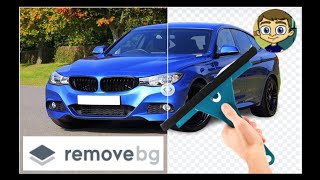
YouTube returned 6 videos for “Remove.bg”, and we withheld 5: 5 could not be judged, because “Remove.bg” is a single word that other videos use for other things. Showing the 1 we can prove is about Remove.bg.
Official links
Tools that pair well with Remove.bg
Common stack mates teams adopt alongside Remove.bg, with the specific reason each pairing earns its keep.

Slazzer
Slazzer removes image backgrounds automatically, then upscales, relights, and restores photos on one credit meter.

Cutout Pro
Cutout Pro is a credit-based AI background remover and video generation platform for bulk visual content.

NoBG.space
Free on-device background remover — remove image backgrounds in your browser with zero uploads.
Featured Head-to-Head Comparisons
Alternatives to Remove.bg
View all
Slazzer
Slazzer removes image backgrounds automatically, then upscales, relights, and restores photos on one credit meter.

Cutout Pro
Cutout Pro is a credit-based AI background remover and video generation platform for bulk visual content.

NoBG.space
Free on-device background remover — remove image backgrounds in your browser with zero uploads.
Frequently Asked Questions
Categories
Best-of guides
Topics
Used Remove.bg? Help shape our editorial sentiment research.