
Cutout Pro
Cutout Pro is a credit-based AI background remover and video generation platform for bulk visual content.
Cutout Pro is the pragmatic pick when volume, not precision, is the bottleneck. It beats remove.bg-class tools on breadth and most generators on e-commerce-specific output, and the API turns it into infrastructure rather than a desktop app. Buy it for throughput and keep Photoshop or a real NLE for the last 10% of polish.
Verified 19h ago · liveness 74/100 · cite: rightaichoice.com/tools/cutout-pro
- E-commerce sellers processing product photos at volume
- Print-on-demand and customized printing businesses
- Marketers and small teams producing visual content without design software
- Developers integrating image or video AI through an API
- Professional photographers needing layer-level manual retouching
- Editors needing multi-track video timelines and advanced NLE features
- Teams that require on-premises deployment
We scan live Reddit threads, YouTube comments, X posts, G2 reviews and other communities — and hand you an honest verdict in under a minute.
- Honest verdict, not marketing
- Real pros & cons from real users
- Attributed quotes with receipts
3 free scans · no card needed
Skip Cutout.Pro if you need layer-level manual retouching or multi-track video editing, or if you want to test heavily before any refund — the 14-day guarantee caps at 50 downloads.
Credits are not one-per-image across the board: cartoon selfie, passport photo, enhancer, and colorizer cost 2 credits per image, so those tools burn your monthly budget twice as fast as background removal.
Cutout.Pro's monthly credit subscriptions run $5.00/month for 80 credits up to $69.00/month for 1,450 credits, and pay-as-you-go packs start at $4.99 for 30 credits. That undercuts Photoshop plus a dedicated stock or retouch subscription for e-commerce and POD teams, and it lands cheaper than the flat seats many all-in-one creative suites charge. It is not aimed at agencies needing per-seat manual retouching control.
In short
Cutout Pro — Cutout Pro is a credit-based AI background remover and video generation platform for bulk visual content. Best for E-commerce sellers processing product photos at volume, Print-on-demand and customized printing businesses, Marketers and small teams producing visual content without design software. Free to start; paid plans from $4.99.
No head-to-head comparison for Cutout Pro yet — the alternatives below are the closest matches we list.
What's new in Cutout Pro
Checked yesterdayAcross the latest 3 updates: 3 news mentions.
AI Image Matting for Game Assets and Browser Game Covers
Cutout.pro blog post covers using its AI image matting for game assets and browser game cover art.
ImagineArt Review: The All-in-One AI Creative Suite for Images, Videos, and Ads
Cutout.pro blog reviews ImagineArt, a rival creative suite for images, video and ads. No Cutout.pro product change.
Top AI Art Generators in 2026: The Best Tools for AI Image Creation
Roundup of AI art generators published on the Cutout.pro blog. Outside the 90-day window as of today.
What people actually say about Cutout Pro — is it worth it?
We ran a structured research pass across product reviews, community discussions, and post-purchase forum threads to surface the patterns vendors won't publish themselves. Below: the recurring strengths, the hidden costs people mention most, and the cohort that consistently regrets adopting this tool.
17 mentions across 3 sources (Product Hunt, App Store, Lemmy), 15 more we could not attribute · researched Oct 11, 2026.
Weighted by the 32 posts each of 3 sources contributed.
- +Wide model menu (GPT Image 2, Flux, Imagen 4.0, Seedream, Nano Banana) avoids single-model lock-in for stills.
- +Background removal praised on Product Hunt for excellent segmentation on real user photos.
- +Video generation up to 30 seconds with Seedance 2.5 plus Veo 3.0, Sora 2.0, and Vidu Q2.
- +Free account includes free previews forever and 5 starting credits for initial testing.
- +Pay-as-you-go credit packs never expire, which suits bursty e-commerce or POD workflows.
- −Multiple App Store reviewers report being unable to cancel subscriptions from inside the app.
- −Users say output looks photoshopped and is unsuitable for passports or official documents.
- −Free version described as extremely limited and confusing to start a new project.
- −One reviewer brands it 'crippleware' that begs for money right out of the gate.
- −A 1-star Product Hunt review drags down launch perception despite positive comments.
- • 14-day money-back guarantee is restricted to 50 downloads, limiting refunds for volume users
- • Credits consumed by generation and video models can add up quickly beyond the base subscription
- • App Store reviewers complain of being unable to cancel subscriptions, risking unwanted renewals
Viability Score
How well maintained and how widely used is Cutout Pro? Built from what the vendor actually publishes (docs, changelog, tutorials, integrations, pricing), whether the site is live, and how much real users discuss it. How we calculate this
Last calculated: October 2026
How we score →Key Features
- AI background remover for complex subjects including hair, plants, and pets
- Face cutout and portrait retouch
- Object removal from photos
- Photo enhancer and upscaler including Photo Enhance Pro
- Photo colorizer for black-and-white images
- Photo to sketch and cartoon rendering
- AI image generation across GPT Image 2, Flux, Imagen 4.0, Nano Banana, and Seedream models
- AI video generation with Seedance 2.5 up to 30 seconds in one pass
- AI video generation across Seedance 2.0, Seedance 1.5 Pro with audio, Veo 3.0/3.1, and Sora 2.0 with audio
- Image-to-video conversion and sketch-to-video
- Video background remover and AI video enhancer
- Batch processing of large image and video volumes
- Developer API with a stated 98%+ uptime guarantee
- Desktop and mobile apps
- E-commerce generators for product posters, virtual models, and product staging
About Cutout Pro
Cutout Pro bundles AI background removal, image editing, and video generation into one credit-based account for teams that process pictures and short clips in volume. The core is a background remover that handles hair, plants, and pets, backed by face cutout, object removal, enhancement, upscaling, colorizing, and blur/diffusion tools. E-commerce sellers, print-on-demand shops, agencies, and developers buy credits instead of seats and run whole pipelines through the account. The generator menu is unusually broad. Image models include GPT Image 2, Flux, Krea, Imagen 4.0, Nano Banana, Nano Banana Pro, Nano Banana 2, Seedream 4.0/4.5/5.0 Lite, Qwen Image Edit, Wan2.7 Image, MiniMax H3, and Cutout's own Cutout Image. Video spans Seedance 2.5 (up to 30 seconds in a single pass), Seedance 2.0 and Fast/Mini, Seedance 1.5 Pro with audio, Veo 3.0 and 3.1, Sora 2.0 with audio, Vidu Q2, and Happy Horse. Around the editing tools sits a deep commerce shelf: product posters, virtual models, product staging, AI POD generation, auto design, plus niche generators for passports, wall art, embroidery, tattoos, nail art, headshots, and hairstyle changes. Batch processing, a developer API with a stated 98%+ uptime guarantee, desktop and mobile apps, and a Shopify plugin support high-volume workflows. Compared with single-purpose removers like remove.bg, Cutout Pro trades polish for breadth and throughput. It won't replace Photoshop for layer-level retouching or an NLE for edited video, but for sellers and POD shops that need thousands of assets monthly, credits plus batch tools do more per dollar than seat-based design suites.
Behind the Verdict
Cash-strapped e-commerce sellers need one thing from an AI visual tool: process a thousand product photos before lunch without paying per seat. Cutout Pro is built around that workflow, not around the individual editor who wants to finesse one hero image. In practice, the batch background remover plus face cutout plus product staging shelf covers most of what a Shopify or POD operation needs day to day, and the API gives a developer an escape hatch when the UI gets in the way. Where it bites is precision. The remover handles hair and edge cases better than it did a few years ago, but photographers doing layer-level retouching or editors cutting multi-track video will hit the ceiling fast. This is a throughput tool; treat it as such. If your work is one campaign image a week, a single-purpose remover or a full creative suite is cheaper and less cluttered. The closest alternative depends on your bottleneck. Against remove.bg, Cutout Pro wins on breadth and credits, loses on the polish of a single function. Against a generalist generator like ImagineArt or a seat-based design suite, it wins on e-commerce-specific output and batch processing, loses on design flexibility. The model roster is a real advantage: testing Seedance 2.5 against Sora 2.0 in one account beats subscribing to four separate generators. Watch the credits. Video generation burns credits much faster than a background removal, so a team mixing both should size its plan for the heavier workload. The desktop and mobile apps and Shopify plugin are nice, but the API is the reason a developer would pick this over a web-only tool. We'd reach for Cutout Pro when the queue is the problem, not the quality bar.
Researching Cutout Pro? Get your full AI stack in 60 seconds.
Free, no signup — tell us your goal and get tools matched to your budget & existing stack.
Real-world workflow fit
Concrete scenarios for the personas Cutout Pro actually fits — and what changes day-one when you adopt it.
You shoot 400 new SKUs, drop the folder into Cutout.Pro's background remover at 1 credit per image, then push the cutouts into product posters and product staging for the listing images.
Outcome: Listings go live the same day instead of waiting on overnight manual background removal, and the batch is covered by a single 550-credit subscription month.
You use E-commerce Auto Design and AI POD Generation to spin variants, then run AI wallpaper, wall art, and embroidery generators to widen the catalogue before pushing designs to Shopify.
Outcome: Catalogue expansion moves from a designer bottleneck to a credit budget you can forecast, with the Shopify plugin handling the storefront side.
You call the Cutout.Pro API for background removal and image-to-video inside your own app, using the new API platform's limited-time 20% off GPT Image 2 for generation calls.
Outcome: You ship image and video AI features without training your own models, under a documented 98%+ uptime guarantee and immediate discard of uploaded data.
Use Cases
- Remove backgrounds from thousands of e-commerce product photos in one batch
- Stage and generate product posters for online store listings
- Upscale and restore old family photos
- Generate AI art and wallpapers for social media posts
- Create passport photos at correct dimensions
- Animate still photos into short videos
- Remove or replace video backgrounds for talking-head content
- Generate short product videos up to 30 seconds from a still image
Models Under the Hood
as of 2026-10-16
Limitations
- Cutout.Pro is a credit-based platform, and output depends on which of the many exposed models you pick (e.g.
- Flux, Krea Image, Nano Banana/Nano Banana Pro, Imagen 4.0, Seedream 4.0 for images; Seedance 2.0/2.5 for video) rather than a single tuned pipeline.
- Video generation via Seedance 2.5 is capped at 30 seconds in a single pass.
- The vendor site is a broad multi-tool suite (image editing, design, portrait, e-commerce, video, API), so per-feature behavior and quality can vary across tools.
as of 2026-09-29
Verification history
We have re-verified Cutout Pro 20 times since . Each pass re-reads the vendor's own pages and re-checks every listed field against that evidence; passes where nothing had changed are marked as such.
- — re-verified summary, description, our verdict, our analysis, pricing model, pricing tiers, features, integrations, who it suits, who should skip it
- — re-verified summary, description, our verdict, our analysis, pricing model, pricing tiers, features, integrations, who it suits, who should skip it
- — re-verified summary, description, our verdict, our analysis, pricing model, pricing tiers, features, integrations, who it suits, who should skip it
- — re-checked, vendor evidence unchanged
- — re-verified summary, description, our verdict, our analysis, pricing model, pricing tiers, features, integrations, who it suits, who should skip it
- — re-verified summary, description, our verdict, our analysis, pricing model, pricing tiers, features, integrations, who it suits, who should skip it
Showing the 6 most recent of 20 verification passes.
Free to cite with attribution — this page re-verifies continuously.
12-month cost
Project the real annual outlay, including the implied monthly cost when only an annual tier is published.
Vendor list price only. Add-on usage, seat overages, and contract minimums are surfaced under Hidden costs & gotchas.
Plans compared
For each published Cutout Pro tier: who it actually fits, and what it adds vs. the previous tier. Cross-reference the cost calculator above for projected annual outlay.
Free
$0/mo
Ideal for
Anyone evaluating Cutout.Pro or handling occasional one-off images — free previews forever, 5 free credits on signup, and 5 more per invited friend.
What this tier adds
Starting tier: free previews and 5 starter credits rather than full-resolution output at volume.
Pay as you go
$4.99 for 30 credits
Subscription — 80 credits
$5.00/mo
Subscription — 170 credits
$9.90/mo
Subscription — 300 credits
$16.90/mo
Subscription — 550 credits
$29.00/mo
Subscription — 1,000 credits
$49.00/mo
Subscription — 1,450 credits
$69.00/mo
Where the pricing makes sense
The company stage and team size where Cutout Pro's pricing actually pencils out — and where peers do it cheaper.
Cutout.Pro's monthly credit subscriptions run $5.00/month for 80 credits up to $69.00/month for 1,450 credits, and pay-as-you-go packs start at $4.99 for 30 credits. That undercuts Photoshop plus a dedicated stock or retouch subscription for e-commerce and POD teams, and it lands cheaper than the flat seats many all-in-one creative suites charge. It is not aimed at agencies needing per-seat manual retouching control.
Setup time & first value
How long it actually takes to get something useful out of Cutout Pro — broken out by persona, not the marketing-page minute.
E-commerce sellers: minutes — sign up, take the 5 free credits, start background removal immediately. POD and marketers: under an hour to learn which tools cost 1 vs 2 credits and pick the model that fits. Developers: half a day to reach a first working API call, longer to tune model choice and rate-limit headroom against your plan.
Switching to or from Cutout Pro
How to bring data in from common predecessors and how to get it back out — written for the switcher, not the buyer.
- →From remove.bg: move your background-removal volume to Cutout.Pro at 1 credit per image and keep enhancement, colorizing, and product staging in the same account.
- →From Canva: use AI Design Generator, product posters, and greeting-card tools for templated output, and accept less manual layout control.
- →From a single image model subscription: test GPT Image 2, Flux, Imagen 4.0, Nano Banana, and Seedream 5.0 Lite side by side before committing your volume.
- →From manual Photoshop cutouts: batch background removal handles the repetitive bulk; keep Photoshop for the small share of images needing layer-level work.
- ↗To Photoshop: export your finished cutouts and finish retouching by hand where Cutout.Pro's automated output is not precise enough.
- ↗To a dedicated NLE: move projects needing multi-track timelines and advanced video editing off Cutout.Pro, which targets short generated clips rather than editing timelines.
- ↗To a single-model API provider: if you standardized on one model (for example GPT Image 2 alone) you can call that provider directly and drop the multi-model menu.
Integrations
Resources & Guides
Tutorials & Learning

Cutout.pro Full Review – The Ultimate AI Photo & Video Editing Tool!
Zorvex Tech
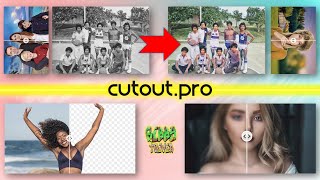
画像と動画をAIに任せよう | CutOut.Pro
Ribby Trivia
How To Use Cut Out Pro For Free - KevinHowTo
KevinHowTo
YouTube returned 6 videos for “Cutout Pro”, and we withheld 3: 3 could not be judged, because “Cutout Pro” is a single word that other videos use for other things. Showing the 3 we can prove are about Cutout Pro.
Official links
Tools that pair well with Cutout Pro
Common stack mates teams adopt alongside Cutout Pro, with the specific reason each pairing earns its keep.

Envato Elements
Envato Elements bundles unlimited stock downloads with built-in AI video, image, voice and audio generation under one commercial license.

Bria AI
Controllable visual AI that renders images and video from structured VGL direction, with licensed training data and IP indemnity.

PixelMotion
Turn product photos into professional marketing videos with 57 AI models, from $29/mo.
Alternatives to Cutout Pro
View all
Envato Elements
Envato Elements bundles unlimited stock downloads with built-in AI video, image, voice and audio generation under one commercial license.

Bria AI
Controllable visual AI that renders images and video from structured VGL direction, with licensed training data and IP indemnity.

PixelMotion
Turn product photos into professional marketing videos with 57 AI models, from $29/mo.
Frequently Asked Questions
Categories
Used Cutout Pro? Help shape our editorial sentiment research.