Envato Elements is live · pricing from $16.50/mo billed annually · last verified 25 Oct 2026 · viability healthy

Envato Elements
Envato Elements bundles 29.9M+ stock assets with built-in AI video, image, voice, music and sound tools under one lifetime commercial
If you download stock, templates or audio most weeks, Envato Elements is straightforward to justify: unlimited picks from 29.9M+ assets at $16.50/month billed annually, with a lifetime commercial license that also covers AI generations. The choice that actually matters is AI capacity — AI Video, AI Image and AI Voice allowances separate the tiers, so size your generation volume first. For rare archival imagery, stay with Shutterstock or Pond5.
Verdict generatedVerified 5d ago · liveness 74/100 · cite: rightaichoice.com/tools/envato
- Graphic designers pulling photos, mockups and templates every week
- Video editors sourcing footage, motion templates, music and SFX under one license
- Marketers producing social, presentation and campaign assets on a recurring cadence
- Freelancers and small agencies that bill clients and need a pass-through commercial license
- Occasional buyers who only need a handful of assets a year
- Specialists hunting rare, archival or deep-niche imagery
- Heavy AI generators who need uncapped video, image or voice output
We scan live Reddit threads, YouTube comments, X posts, G2 reviews and other communities — and hand you an honest verdict in under a minute.
- Honest verdict, not marketing
- Real pros & cons from real users
- Attributed quotes with receipts
3 free scans · no card needed
Skip Envato Elements if you need uncapped AI video, image or voice output, or you only buy a handful of assets a year and would rather license each one directly than carry a recurring subscription.
AI generation is metered per plan, so heavy AI Video or AI Voice use on the entry tier hits a ceiling mid-project and pushes you up a tier to keep working.
At $16.50/month billed annually for unlimited downloads, Envato Elements undercuts per-file libraries for anyone downloading more than a few assets a month, and bundling AI generation into the same seat saves a separate generator subscription. The $39/month and $109/month billed annually tiers only make sense when AI capacity — not downloads — is your bottleneck. Teams at $33–$35/user/mo billed annually suits small agencies billing clients.
In short
Envato Elements — Envato Elements bundles 29.9M+ stock assets with built-in AI video, image, voice, music and sound tools under one lifetime commercial. Best for Graphic designers pulling photos, mockups and templates every week, Video editors sourcing footage, motion templates, music and SFX under one license, Marketers producing social, presentation and campaign assets on a recurring cadence. Plans from $16.50/mo billed annually.
What is Envato Elements?
Envato Elements — Envato Elements bundles 29.9M+ stock assets with built-in AI video, image, voice, music and sound tools under one lifetime commercial. Best for Graphic designers pulling photos, mockups and templates every week, Video editors sourcing footage, motion templates, music and SFX under one license, Marketers producing social, presentation and campaign assets on a recurring cadence. Plans from $16.50/mo billed annually.
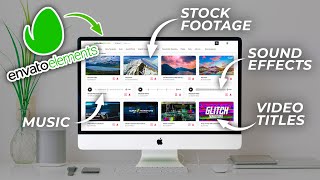
Envato Elements is a subscription library built for people who source creative assets constantly. Pay a flat monthly rate billed annually and download as much as your projects demand from a 29+ million catalog: 16.6M+ stock photos, 10.2M+ stock video clips, 160,000+ video templates, 350,000+ royalty-free music tracks, 950,000+ sound effects, 440,000+ graphic templates, 83,000+ fonts, 380,000+ 3D assets and 220,000+ presentation templates. A single lifetime commercial license covers everything you download, which matters when deliverables go to paying clients. The AI tools sit inside the same subscription rather than as a bolt-on: AI Video, AI Image, AI Image Edit, AI Voice, AI Music, AI Graphics, AI Mockup and AI Sound. Envato's pitch is find-then-iterate — pull a stock clip, photo or template, then refine it with generation until the output matches the brief. The lifetime commercial license extends to AI generations as well as downloads. Pricing starts at $16.50/month billed annually for Core, with Plus at $39/month and Ultimate at $109/month; Teams runs $33–$35 per user per month billed annually. Tiers differ mainly in AI generation capacity rather than stock download limits, so estimate your AI volume before choosing. It suits designers, video editors, marketers and small agencies that touch creative assets every week and want one license they can pass through to clients.
Key features
- Unlimited downloads from a 29.9M+ creative asset catalog
- Lifetime commercial license covering downloads and AI generations
- AI Video generation
- AI Image generation and AI Image Edit
- AI Voice generation
- AI Music generator
- AI Sound generation
- AI Graphics and AI Mockup generators
- 10.2M+ stock video clips and 160,000+ video templates
- 16.6M+ stock photos
- 350,000+ royalty-free music tracks and 950,000+ sound effects
- 440,000+ graphic templates, 83,000+ fonts and 380,000+ 3D assets
- 220,000+ presentation templates
- Curated collections for design and motion
- Student plans
Behind the verdict
Envato Elements earns its keep when creative assets are a weekly input, not an occasional purchase. Designers, editors and marketers who constantly pull photos, motion templates, fonts and SFX get one license and one bill rather than per-file checkout every time. The math flips hard in your favor the moment you cross a handful of downloads a month. Where it bites is AI generation volume. Core at $16.50/month billed annually is generous for stock but tight if you're leaning on AI Video or AI Image daily. Plus at $39 and Ultimate at $109 exist precisely for heavier generators — pick the tier from your AI output, not your download habit, because downloads are unlimited across the board. The lifetime commercial license is the quiet advantage. Everything you download or generate stays covered for client work, which is a simpler story to hand a legal team than the per-asset terms on most marketplaces. We'd pass if you buy assets a few times a year — a credit pack on Shutterstock or a one-off Pond5 purchase is cheaper. Specialists hunting rare, archival or deep-niche imagery will also hit the catalog's ceiling; Elements is broad, not exhaustive. And if your AI needs are uncapped video or voice at scale, a dedicated generator will beat the included allowances. The closest comparison is a per-file marketplace like Shutterstock or Pond5, or buying AI generation credits separately. Elements wins on volume plus license simplicity; they win on niche depth and pay-as-you-go flexibility. In practice, we'd start on Core, track AI usage for a month, and upgrade only if generations become the bottleneck.
Models under the hood
as of 2026-08-30
Limitations
- AI generation is metered, and metering is what varies by tier — lower-priced plans carry a smaller generation allowance, so heavy AI video, image or voice use can hit a ceiling mid-project.
- Asset quality across a catalog this size varies widely, so you will spend time filtering rather than browsing.
- The commercial license carries restrictions around broadcast, film and merchandise that need reviewing before you use an asset in those contexts.
- The catalog's depth is broad rather than specialist: if you need rare or archival imagery, per-asset marketplaces go deeper.
as of 2026-10-20
Researching Envato Elements? Get your full AI stack in 60 seconds.
Free, no signup — tell us your goal and get tools matched to your budget & existing stack.
Is Envato Elements still active?
Envato Elements is live · pricing from $16.50/mo billed annually · last verified 25 Oct 2026 · viability healthy.
Viability score
How well maintained and how widely used is Envato Elements? Built from what the vendor actually publishes (docs, changelog, tutorials, integrations, pricing), whether the site is live, and how much real users discuss it. How we calculate this
Last calculated: October 2026
How we score →What do users say about Envato Elements?
What people actually say about Envato Elements — is it worth it?
We ran a structured research pass across product reviews, community discussions, and post-purchase forum threads to surface the patterns vendors won't publish themselves. Below: the recurring strengths, the hidden costs people mention most, and the cohort that consistently regrets adopting this tool.
ResearchedDiscussed by users across 3 sources (YouTube, Product Hunt, Lemmy) · researched Sep 25, 2026.
Weighted by the 27 posts each of 3 sources contributed.
- +Unlimited downloads across 28.8 million assets for a single flat monthly fee
- +Commercial license included with every download, simplifying client work
- +Huge variety spanning photos, video, audio, fonts, templates, and 3D models
- +Excellent value for high-volume designers and video editors
- +Adobe Creative Cloud plugin brings assets directly into editing workflows
- −YouTube copyright strikes reported repeatedly despite licensed music usage
- −Customer support reportedly unhelpful when licensing disputes arise
- −Music catalog quality trails competitors like Motion Array
- −Library quality control issues with mislabeled or low-quality assets
- −Forum shutdown alienated community and removed avenue for complaints
- • AI generation caps require plan upgrades for heavy users
- • No refund for unused months on annual plans, per community complaints
- • Potential legal/administrative cost of resolving copyright strikes not covered
- • Individual item licenses may still be required for certain uses outside the standard license
How we verified this
Every listed fact about Envato Elements— pricing, features, links, status — is re-read from the vendor's own pages by our verification pipeline and each change is logged with a date; the last pass ran on 25 Oct 2026. Pages mix model-assisted synthesis with human review; see how we verify.
Verification history
We have re-verified Envato Elements 22 times since . Each pass re-reads the vendor's own pages and re-checks every listed field against that evidence; passes where nothing had changed are marked as such.
- — changed who it suits, pricing tiers, our verdict, features, summary, description, who should skip it
- — changed pricing tiers, setup time, our verdict, summary, switching out, features, use cases, hidden costs, who should skip it, limitations, description, switching in, pricing fit
- — changed pricing tiers, summary, pricing model, description, who should skip it, features, our verdict
- — changed features, pricing tiers, description, summary, our verdict, who it suits, who should skip it
- — changed description, who it suits, our verdict, features, hidden costs, limitations, switching in, switching out, models, who should skip it, pricing tiers, pricing fit, setup time, summary, use cases
- — changed our verdict, pricing tiers, who should skip it, description, summary, who it suits, features
Showing the 6 most recent of 22 verification passes.
Free to cite with attribution — this page re-verifies continuously.
How much does Envato Elements cost in 2026?
Envato Elements: Plans from $16.50/mo billed annually. Pricing last verified 25 Oct 2026.
Plans compared
Every published Envato Elements tier, its price as the vendor publishes it, who it fits, and what it adds over the tier below. The 12-month cost projection follows.
| Plan | Price | Billing | Who it's for |
|---|---|---|---|
| Core | $16.50/mo billed annually | monthly, billed annually | Solo designer or editor who downloads stock regularly but only generates AI video, image or voice occasionally.Adds: Starting tier: unlimited downloads from the 29.9M+ catalog, all AI tools and a lifetime commercial license at entry-level AI capacity, billed annually. |
| Plus | $39/mo billed annually | monthly, billed annually | Marketer or freelancer running a steady content cadence who uses AI Image and AI Video most weeks.Adds: Adds higher AI generation capacity over Core while keeping unlimited downloads across all categories, billed annually. |
| Ultimate | $109/mo billed annually | monthly, billed annually | Production-heavy freelancer or studio where AI generation, not download volume, is the bottleneck.Adds: Maximum AI generation capacity available on individual plans, on top of everything in Plus, billed annually. |
| Teams | $33–$35/user/mo billed annually | monthly, billed annually, per seat | Small agency or in-house creative team of several seats that needs shared access and client-passable licensing.Adds: Per-seat pricing at $33–$35/user/mo billed annually, with shared team access to unlimited downloads and team-level AI generation capacity. |
12-month cost
Project the real annual outlay, including the implied monthly cost when only an annual tier is published.
Vendor list price only. Add-on usage, seat overages, and contract minimums are surfaced under Hidden costs & gotchas.
Where the pricing makes sense
The company stage and team size where Envato Elements's pricing actually pencils out — and where peers do it cheaper.
At $16.50/month billed annually for unlimited downloads, Envato Elements undercuts per-file libraries for anyone downloading more than a few assets a month, and bundling AI generation into the same seat saves a separate generator subscription. The $39/month and $109/month billed annually tiers only make sense when AI capacity — not downloads — is your bottleneck. Teams at $33–$35/user/mo billed annually suits small agencies billing clients.
Has Envato Elements' pricing changed?
No plan price for Envato Elements has moved since we began logging in Aug 2026; the pricing page is re-read on every verification pass.
Who should pick Envato Elements?
Pick Envato Elements if you are Graphic designers pulling photos, mockups and templates every week, Video editors sourcing footage, motion templates, music and SFX under one license, Marketers producing social, presentation and campaign assets on a recurring cadence, Freelancers and small agencies that bill clients and need a pass-through commercial license.
Look elsewhere if you are Occasional buyers who only need a handful of assets a year, Specialists hunting rare, archival or deep-niche imagery, Heavy AI generators who need uncapped video, image or voice output, Anyone who wants per-asset licensing without a recurring subscription.
Skip it if Skip Envato Elements if you need uncapped AI video, image or voice output, or you only buy a handful of assets a year and would rather license each one directly than carry a recurring subscription.
GeneratedReal-world workflow fit
Concrete scenarios for the personas Envato Elements actually fits — and what changes day-one when you adopt it.
You take a 30-day social campaign brief and need motion templates, stock footage, music and SFX in one pass.
Outcome: You download the templates and clips from the 160,000+ video template and 16.6M+ photo library, fill gaps with AI Video and AI Music, and hand the client deliverables under one lifetime commercial license.
Three designers and a marketer each need assets daily, and the agency needs license cover it can pass to clients.
Outcome: Per-seat access to unlimited downloads plus team-level AI generation capacity, with billing predictable per seat rather than per asset.
You produce social graphics, decks and short video every week and keep running out of on-brand visuals.
Outcome: You pull from 440,000+ graphic templates and 220,000+ presentation templates, then iterate with AI Image and AI Mockup to match each week's brief.
Use cases
- Source music, video clips and graphics for a 30-day social content sprint under one subscription.
- Build a client website using premium WordPress and Shopify themes from the catalog.
- Generate AI imagery alongside stock assets for a campaign on the AI-capable tiers.
- Centralise creative asset spend for a small agency on the Teams plan with per-seat billing.
- Create a podcast intro with AI voiceover plus sound effects from the audio library.
- Design a brand identity using fonts, icons and mockup templates.
- Riff on a downloaded stock clip with AI Video to match a client brief without leaving the subscription.
Setup time & first value
How long it actually takes to get something useful out of Envato Elements — broken out by persona, not the marketing-page minute.
Individual: under an hour to subscribe and download your first assets from the 29.9M+ catalog. Teams: plan a short admin session to add seats at $33–$35/user/mo billed annually. First AI Video or AI Music run takes minutes once you're in the AI Tools hub.
Switching to or from Envato Elements
How to bring data in from common predecessors and how to get it back out — written for the switcher, not the buyer.
- →From Shutterstock: rebuild your recurring shot list around Elements' 16.6M+ stock photos and 160,000+ video templates, then cancel per-file credits.
- →From Pond5: move recurring music and SFX sourcing to the 350,000+ track and 950,000+ sound effect libraries under one license.
- →From a standalone AI video generator: consolidate that spend into a tier with enough AI capacity alongside unlimited downloads.
- →From separate font and template purchases: replace them with catalog access to 82,000+ fonts and 440,000+ graphic templates.
- ↗To Shutterstock: move per-asset if you need specific archival or deep-niche imagery the broad catalog doesn't carry.
- ↗To Pond5: move if your priority is rare footage and per-clip licensing rather than unlimited downloads.
- ↗To a standalone AI generator: move if uncapped AI video, image or voice output is the core of your work.
Integrations
Resources & guides
- Learnelements.envato.com
Learn, Create, Be Inspired - Envato Blog
Discover ideas, trends and tools to inspire your creative projects on the Envato Blog.
- Resourcetutsplus.com
Free Courses, Tutorials, Tips & Tricks with Envato Tuts+
Learn creative skills from leading industry experts with Envato Tuts+. Start your learning journey today!
Tutorials & Learning


Official links
What are the best Envato Elements alternatives?
The closest alternatives to Envato Elements we list are Artlist, Dreamina and Playbook AI. Ranked by direct product-type match, not category overlap.
| Alternative | Pricing | Starts at | Last verified |
|---|---|---|---|
| Artlist | Paid | Pricing not published | — |
| Dreamina | Freemium | Pricing not published | — |
| Playbook AI | Freemium | Pricing not published | — |
Alternatives to Envato Elements
View all
Artlist
Artlist pairs AI video generation with a royalty-free stock catalog, so you generate and license in one place.

Dreamina
CapCut's browser-based AI video and image generator with a model menu spanning Seedance 2.5, Sora 2, Veo 3.1, Seedream 5.0 and Nano Banana.

Playbook AI
Playbook AI adds prompt-driven organization to your image and video library: auto-tagging, natural-language search, and chained batch actions on top of cloud
Tools that pair well with Envato Elements
Common stack mates teams adopt alongside Envato Elements, with the specific reason each pairing earns its keep.

Artlist
Artlist pairs AI video generation with a royalty-free stock catalog, so you generate and license in one place.

Dreamina
CapCut's browser-based AI video and image generator with a model menu spanning Seedance 2.5, Sora 2, Veo 3.1, Seedream 5.0 and Nano Banana.

Playbook AI
Playbook AI adds prompt-driven organization to your image and video library: auto-tagging, natural-language search, and chained batch actions on top of cloud
Envato Elements vs its closest rival
Envato Elements's closest head-to-head is with Epidemic Sound.
Our Envato Elements vs Epidemic Sound verdict written May 12, 2026 is more than 90 days old, so it is being re-reviewed against current data and is not shown.
Head-to-head comparisons
Envato vs Epidemic Sound
Verdict being re-reviewed against current pricing and data.
Canva vs Envato
If your work is asset-heavy—you churn through stock photos, video clips, fonts, and templates—Envato Elements is the cost-efficient pick (one sub, unlimited downloads). If you're a non-designer who needs to produce polished social posts and marketing visuals fast, Canva's free tier and AI editing tools win. For most small teams, a hybrid (Canva for creation + Envato for assets) is tempting, but if forced to choose, let your primary workflow decide: creating vs. sourcing.
GeneratedFrequently asked questions
Best-of guides
Used Envato Elements? Help shape our editorial sentiment research.