
Amazon Sage Maker
Amazon SageMaker unifies data, analytics, and AI on AWS — build, train, and deploy ML models on fully managed infrastructure.
SageMaker makes the most sense when your data already lives in AWS and you want governance, notebooks, SQL, and ML under one account model instead of four separate vendors. It is not a quick-start tool — expect a genuine ramp, and expect the bill to follow your compute. If you want portability across clouds or a genuinely simple onramp, look at Databricks first.
Verified 2d ago · liveness 74/100 · cite: rightaichoice.com/tools/amazon-sage-maker
- Enterprises already on AWS needing an end-to-end data, analytics, and AI platform
- Teams training and deploying large foundation models at scale with HyperPod
- Data scientists and ML engineers who want one studio for notebooks, SQL, and model work
- Organizations that require strict data governance, lineage, and enterprise security controls
- Teams that want a lightweight, quick-start ML platform without a ramp-up period
- Organizations needing multi-cloud portability or open-source neutrality
- Small projects where cost predictability and simplicity matter most
We scan live Reddit threads, YouTube comments, X posts, G2 reviews and other communities — and hand you an honest verdict in under a minute.
- Honest verdict, not marketing
- Real pros & cons from real users
- Attributed quotes with receipts
3 free scans · no card needed
Skip Amazon SageMaker if you want a lightweight, multi-cloud ML platform or a no-code path to your first model — SageMaker assumes the AWS account model and a team that can absorb a steep ramp.
Your bill is assembled from every underlying AWS service you touch — compute, storage, Athena, EMR, Glue, Redshift — so the platform's total cost is rarely visible in one place until the first invoice.
SageMaker is pay-as-you-go across the underlying AWS services you consume, so it fits mid-market and enterprise AWS-native organizations with real data volume and a team that can watch the bill. It is not cheap for a small project: a single data scientist experimenting will find Databricks or a managed notebook service easier to forecast, while large enterprises already committed to AWS Savings Plans typically land lower than equivalent Databricks lakehouse spend.
In short
Amazon Sage Maker — Amazon SageMaker unifies data, analytics, and AI on AWS — build, train, and deploy ML models on fully managed infrastructure. Best for Enterprises already on AWS needing an end-to-end data, analytics, and AI platform, Teams training and deploying large foundation models at scale with HyperPod, Data scientists and ML engineers who want one studio for notebooks, SQL, and model work. Paid pricing.
No head-to-head comparison for Amazon Sage Maker yet — the alternatives below are the closest matches we list.
What people actually say about Amazon Sage Maker — is it worth it?
We ran a structured research pass across product reviews, community discussions, and post-purchase forum threads to surface the patterns vendors won't publish themselves. Below: the recurring strengths, the hidden costs people mention most, and the cohort that consistently regrets adopting this tool.
25 mentions across 2 sources (YouTube, Lemmy) · researched Oct 8, 2026.
Weighted by the 35 posts each of 2 sources contributed.
- +Explainer content is clear enough that AWS employees use it to understand their own product
- +Unified Studio consolidates notebooks, SQL, and analytics into one environment
- +Lakehouse queries S3, Redshift, and third-party sources without moving data
- +HyperPod and JumpStart cover distributed training and pre-built models out of the box
- +MLOps tooling handles versioning, monitoring, and governance in one place
- −Constant renaming (Unified Studio, Catalog, Lakehouse) makes documentation go stale fast
- −Learning curve is steep enough that beginners need dedicated certification material
- −Compute-based pricing means idle notebooks and clusters quietly drain budget
- −Breadth means no single person understands the full platform stack
- −AWS lock-in via Lakehouse and Unified Studio is hard to reverse later
- • Idle notebooks and endpoints bill continuously, not just when in use
- • Data egress from S3 and cross-region transfer adds up quickly
- • HyperPod clusters persist expensive GPU instances until explicitly torn down
- • Governance via DataZone and Catalog incurs separate per-asset charges
- • Storage for training checkpoints, model artifacts, and logs compounds silently
Viability Score
How well maintained and how widely used is Amazon Sage Maker? Built from what the vendor actually publishes (docs, changelog, tutorials, integrations, pricing), whether the site is live, and how much real users discuss it. How we calculate this
Last calculated: October 2026
How we score →Key Features
- SageMaker AI for building, training, and deploying ML and foundation models
- HyperPod for distributed training of large models
- JumpStart with pre-built models and solutions
- MLOps workflows for model management, versioning, and monitoring
- SageMaker Unified Studio: serverless notebook, SQL editor, and AI agent in one environment
- SageMaker Catalog for data and AI governance and collaboration, built on Amazon DataZone
- SageMaker Lakehouse unifying S3 data lakes, Redshift warehouses, and federated sources
- Amazon Q Developer generative AI assistant for discovering data and generating SQL
- Natural-language creation and running of data pipeline jobs
- Data processing with Amazon Athena, Amazon EMR, and AWS Glue
- SQL analytics with Amazon Redshift
- Zero-ETL integrations for near-real-time data ingestion
- Fine-grained access controls and enterprise security built in
- Generative AI application development with Amazon Bedrock
- Secure sharing of analytics and AI artifacts as data products
About Amazon Sage Maker
Amazon SageMaker is the center for all your data, analytics, and AI on AWS. The current generation organizes around four pieces: SageMaker AI for building, training, and deploying ML and foundation models on managed infrastructure; SageMaker Unified Studio, one development environment where you work across all your data and tools with a serverless notebook, a built-in SQL editor, and an AI agent; SageMaker Catalog, built on Amazon DataZone, for discovery, governance, and collaboration; and SageMaker Lakehouse, which unifies access to data in Amazon S3, Amazon Redshift, and third-party or federated sources. Underneath sit the tools teams already know — HyperPod for distributed training, JumpStart for pre-built models, MLOps workflows for model management and monitoring, and data processing across Amazon Athena, Amazon EMR, and AWS Glue. Amazon Q Developer runs through the studio as a generative AI assistant that helps you discover data, generate SQL, and create and run data pipeline jobs using natural language. This is aimed at organizations already on AWS that want data engineering and ML governed in one environment rather than stitched across vendors. The tradeoff is scope: the platform is broad, the learning curve is real, and cost tracks the compute and services you consume. Teams that want a lighter footprint or multi-cloud portability should weigh Databricks, which covers similar lakehouse and ML ground without the AWS tie-in.
Behind the Verdict
Pick SageMaker when the data is already in AWS and the goal is cohesion. Lakehouse pulls S3, Redshift, and federated sources into one query surface, Unified Studio collapses notebooks and SQL into a single environment, and Catalog layers governance on top via Amazon DataZone — that combination is genuinely hard to assemble yourself. HyperPod handles distributed training for large models, and Q Developer cuts the time spent writing SQL and wiring pipeline jobs. Pass when the team is small and just wants a model trained this week. The breadth is the point and the problem: there are many underlying services, each with its own knobs and its own line on the bill, and someone has to own them. We've seen teams underestimate the ramp. The closest alternative most buyers evaluate is Databricks. It covers similar lakehouse and ML territory, and the deciding question is usually portability versus integration — stick with SageMaker if AWS is home and you value the managed glue; go elsewhere if multi-cloud or open-format neutrality is a hard requirement. Two practical caveats. First, cost visibility: your SageMaker spend is really the sum of compute, storage, and analytics services, so budget at the service level, not the platform level. Second, the AWS account model is assumed throughout — Lakehouse, Unified Studio, and Catalog all lean on it, so teams running a mixed estate should plan the boundaries before they migrate workloads.
Researching Amazon Sage Maker? Get your full AI stack in 60 seconds.
Free, no signup — tell us your goal and get tools matched to your budget & existing stack.
Real-world workflow fit
Concrete scenarios for the personas Amazon Sage Maker actually fits — and what changes day-one when you adopt it.
You point SageMaker Lakehouse at existing Amazon S3 buckets and Redshift warehouses and publish the assets into SageMaker Catalog so analytics and ML teams see the same governed inventory.
Outcome: One query surface across S3, Redshift, and federated sources, with permissions and lineage handled in Catalog instead of rebuilt per team.
You use SageMaker AI with HyperPod for distributed training, start from a JumpStart model, then wire MLOps workflows for versioning and monitoring before promoting the endpoint.
Outcome: Training run scales across managed infrastructure, and the deployed model has version history and monitoring attached from day one.
You open SageMaker Unified Studio, write SQL against Redshift and notebooks side by side, and use Amazon Q Developer when you need help with the code.
Outcome: Less context-switching between services, at the cost of an initial ramp learning the AWS account and IAM model.
Use Cases
- Building custom ML models for fraud detection or recommendation systems
- Deploying a production-ready NLP API using foundation models
- Collaborative data science with notebooks and SQL queries in one studio
- Automating MLOps pipelines for retraining and versioning
- Creating a centralized data catalog for analytics and AI assets
- Developing generative AI applications with Amazon Bedrock
- Unifying data across S3 data lakes and Redshift warehouses for analytics
- Training and deploying large-scale foundation models with HyperPod
Models Under the Hood
as of 2026-10-16
Limitations
- SageMaker has a steep learning curve, especially for teams new to AWS; expect a long ramp before a team is productive.
- You pay for the underlying services you consume — compute, storage, and each AWS service in the stack — so costs can climb quickly and are hard to forecast without discipline; AWS Savings Plans and the AWS Pricing Calculator are the tools AWS provides to bring that under control.
- Vendor lock-in is a structural concern: SageMaker Lakehouse, Unified Studio, and Catalog all assume you are operating inside the AWS account model, and migrating a mature deployment away would take significant effort.
- SageMaker Unified Studio and SageMaker Catalog are newer additions and may have thinner documentation and community coverage than the long-established SageMaker AI services.
as of 2026-10-09
Verification history
We have re-verified Amazon Sage Maker 19 times since . Each pass re-reads the vendor's own pages and re-checks every listed field against that evidence; passes where nothing had changed are marked as such.
- — re-verified summary, description, our verdict, our analysis, pricing model, pricing tiers, features, integrations, who it suits, who should skip it
- — re-checked, vendor evidence unchanged
- — re-checked, vendor evidence unchanged
- — re-verified summary, description, our verdict, our analysis, pricing model, pricing tiers, features, integrations, who it suits, who should skip it
- — re-verified summary, description, our verdict, our analysis, pricing model, pricing tiers, features, integrations, who it suits, who should skip it
- — re-verified summary, description, our verdict, our analysis, pricing model, pricing tiers, features, integrations, who it suits, who should skip it
Showing the 6 most recent of 19 verification passes.
Free to cite with attribution — this page re-verifies continuously.
Where the pricing makes sense
The company stage and team size where Amazon Sage Maker's pricing actually pencils out — and where peers do it cheaper.
SageMaker is pay-as-you-go across the underlying AWS services you consume, so it fits mid-market and enterprise AWS-native organizations with real data volume and a team that can watch the bill. It is not cheap for a small project: a single data scientist experimenting will find Databricks or a managed notebook service easier to forecast, while large enterprises already committed to AWS Savings Plans typically land lower than equivalent Databricks lakehouse spend.
Setup time & first value
How long it actually takes to get something useful out of Amazon Sage Maker — broken out by persona, not the marketing-page minute.
For an AWS-native enterprise, connecting an existing S3 bucket or Redshift warehouse to SageMaker Lakehouse and querying it can be done in an afternoon. Standing up governed assets in SageMaker Catalog, wiring MLOps pipelines, and getting a distributed HyperPod job running is a multi-week effort with a platform engineer involved. A team new to AWS should expect a longer ramp before anyone is
Switching to or from Amazon Sage Maker
How to bring data in from common predecessors and how to get it back out — written for the switcher, not the buyer.
- →From self-managed ML on Amazon EC2: move training and endpoints onto SageMaker AI, keep the same account and IAM roles, and add MLOps workflows for versioning and monitoring.
- →From Databricks on AWS: map Delta tables onto SageMaker Lakehouse and rebuild notebooks in SageMaker Unified Studio, expecting a rewrite rather than a lift-and-shift.
- →From a standalone data catalog: republish assets into SageMaker Catalog on Amazon DataZone to bring governance under the same account model.
- ↗To Databricks: rebuild the lakehouse and notebooks outside the AWS account model — expect significant effort for a mature deployment.
- ↗To open-source ML tooling on Kubernetes: move training and serving off SageMaker AI endpoints onto self-managed clusters, replacing MLOps tooling with your own pipeline.
- ↗To Amazon Bedrock for generative AI only: keep Bedrock applications and drop the SageMaker AI layer where you are not training custom models.
Integrations
Resources & Guides
- Resourcedocs.aws.amazon.com
Amazon SageMaker Studio Classic - Amazon SageMaker AI
Amazon SageMaker Studio Classic is an integrated machine learning environment where you can build, train, deploy, and analyze models in the same application.
- Resourcedocs.aws.amazon.com
Tutorial for building models with Notebook Instances - Amazon SageMaker AI
Build, train, and deploy your first machine learning model in Amazon SageMaker notebook instances.
- Resourcedocs.aws.amazon.com
Amazon SageMaker AI
Helpful link from docs.aws.amazon.com
- Resourcedocs.aws.amazon.com
Amazon SageMaker AI
Helpful link from docs.aws.amazon.com
- Resourcedocs.aws.amazon.com
Amazon SageMaker AI
Helpful link from docs.aws.amazon.com
Tutorials & Learning
Amazon SageMaker STUDIO, Getting Started | Introduction to AWS Machine Learning
Tiny Technical Tutorials
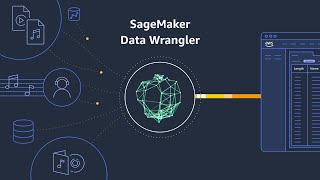
Introduction to Amazon SageMaker
Amazon Web Services
Amazon SageMaker overview | Amazon Web Services
Amazon Web Services
YouTube returned 6 videos for “Amazon Sage Maker”, and we withheld 3: 3 did not mention Amazon Sage Maker. Showing the 3 we can prove are about Amazon Sage Maker.
Official links
Tools that pair well with Amazon Sage Maker
Common stack mates teams adopt alongside Amazon Sage Maker, with the specific reason each pairing earns its keep.
Domo
Domo prepares governed data for AI agents, then layers BI dashboards, workflows, and embedded analytics on top of it.
Sigma Computing
Sigma is warehouse-native AI analytics: governed AI apps, agents, and reports running live on your cloud data.

Formula Bot
Better Analyst (formerly Formula Bot) turns plain-English questions into charts, dashboards, and automated data workflows.
Alternatives to Amazon Sage Maker
View allDomo
Domo prepares governed data for AI agents, then layers BI dashboards, workflows, and embedded analytics on top of it.
Sigma Computing
Sigma is warehouse-native AI analytics: governed AI apps, agents, and reports running live on your cloud data.
Formula Bot
Better Analyst (formerly Formula Bot) turns plain-English questions into charts, dashboards, and automated data workflows.
Frequently Asked Questions
Best-of guides
Used Amazon Sage Maker? Help shape our editorial sentiment research.