
Formula Bot
Better Analyst (formerly Formula Bot) turns plain-English questions into charts, dashboards, and automated data workflows.
If you have been pasting CSVs into a general chatbot and re-explaining your metrics every week, Better Analyst is the sensible step up. Code Transparency lets you check the generated Python, SQL, or R before you trust it, Data Flows repeat the boring transforms on a schedule, and Data Context files keep definitions consistent across requests. The free tier needs no credit card, so prove it on one real spreadsheet before paying. Pick Julius AI instead when you want chat and nothing but chat.
Last checked 3h ago · cite: rightaichoice.com/tools/formula-bot
- Business owners who need sales, finance, or ops answers without hiring an analyst
- Ops and marketing teams automating recurring weekly or monthly reports with Data Flows
- Analysts who want fast first drafts of dashboards, charts, and SQL they can verify via Code Transparency
- Non-technical users converting PDFs, bank statements, and messy spreadsheets into clean Excel workbooks
- Data scientists who need to train or deploy custom machine learning models
- Organizations requiring on-premise, air-gapped, or self-hosted deployment
- Teams needing pixel-level BI customization and governed semantic layers beyond templates and themes
We scan live Reddit threads, YouTube comments, X posts, G2 reviews and other communities — and hand you an honest verdict in under a minute.
- Honest verdict, not marketing
- Real pros & cons from real users
- Attributed quotes with receipts
3 free scans · no card needed
Skip Better Analyst if you need to train or deploy custom machine learning models, require on-premise or air-gapped deployment, or want a conversational-only assistant rather than scheduled, repeatable analytics output.
Data Flows and AI Agents sit on the Professional tier at $49/mo — recurring automation is what most buyers actually came for, and it is two tiers above free.
Better Analyst starts free with no credit card, then $18/mo Starter for individuals, $49/mo Professional for heavier individual and small-team use, and $99/mo Team for shared workspaces with row-level security, with Enterprise at contact pricing. That undercuts most BI seats at the Professional level and sits in the same band as chat-first analytics tools like Julius AI, but teams needing a governed semantic layer will find enterprise BI platforms a better long-run fit despite the higher cost.
In short
Formula Bot — Better Analyst (formerly Formula Bot) turns plain-English questions into charts, dashboards, and automated data workflows. Best for Business owners who need sales, finance, or ops answers without hiring an analyst, Ops and marketing teams automating recurring weekly or monthly reports with Data Flows, Analysts who want fast first drafts of dashboards, charts, and SQL they can verify via Code Transparency. Free to start; paid plans from $18/mo.
What people actually say about Formula Bot — is it worth it?
We ran a structured research pass across product reviews, community discussions, and post-purchase forum threads to surface the patterns vendors won't publish themselves. Below: the recurring strengths, the hidden costs people mention most, and the cohort that consistently regrets adopting this tool.
22 mentions across 2 sources (YouTube, Lemmy) · researched Aug 7, 2026.
Average across the 2 sources that answered — each source counts once, not each post.
- +Plain-English queries give non-technical teams instant insights from data.
- +Connects to BigQuery, Snowflake, MySQL — beyond what Excel Copilot offers.
- +AI Dashboard Generator builds interactive dashboards from simple descriptions.
- +Code transparency lets you view and export Python, SQL, or R.
- +Free tier is a genuine starting point for exploring the tool.
- −Copilot already provides similar spreadsheet analysis for Microsoft 365 users.
- −Independent reviews are scarce — most buzz is the company's own marketing.
- −No verified user feedback on SQL accuracy or reliability exists yet.
- −Pricing structure is unclear beyond the listed $18/month starting point.
- −May be overkill for simple Excel users who don't need database connections.
- • Potential overage fees if you exceed query limits on the free or lower tiers
- • Extra cost for advanced features like row-level security or dedicated support
- • Yearly discount requires upfront payment, which ties up cash
Viability Score
How well maintained and how widely used is Formula Bot? Built from what the vendor actually publishes (docs, changelog, tutorials, integrations, pricing), whether the site is live, and how much real users discuss it. How we calculate this
Last calculated: October 2026
How we score →Key Features
- Plain-English Q&A over your data without writing SQL or Python
- Code Transparency showing generated Python, SQL, or R for every request
- AI Dashboard Generator with templates and scheduled auto-refresh
- AI Chart Maker for interactive charts and graphs
- AI Spreadsheet Generator exporting formatted Excel workbooks
- AI SQL Query Generator with visible query logic
- AI Agents that reuse your business context, approach, and output style
- Data Context files (DOCX, PDF, SQL, TXT) to ground answers in your metrics
- Data Flows that record a transform and re-run it on a schedule
- Data Connectors for databases, warehouses, BI tools, and cloud files
- Data Transformation to clean, standardize, merge, and reshape raw data
- Sentiment analysis, language translation, and keyword extraction
- Web scraping plus PDF-to-Excel and bank-statement-to-Excel converters
- Data Explorer with curated public datasets (government, economics, health, weather)
- Embeddable Analytics chat added to any site via a single iframe snippet
About Formula Bot
Better Analyst, the analytics app long known as Formula Bot, answers plain-English questions about your data and returns an analysis, a chart, a dashboard, a spreadsheet, or a scheduled report. You connect spreadsheets, documents, apps, databases, and warehouses — GA4, Search Console, Airtable, Excel, Sheets, Drive, Dropbox, OneDrive, SharePoint, Tableau, Power BI, BigQuery, Snowflake, MySQL, PostgreSQL, Supabase, and SQL Server — then ask something like "analyze this month's sales" and get a result you can inspect. It lists more than 1M users and a no-credit-card free start. Two features separate it from a black-box chatbot. Code Transparency shows the Python, SQL, or R generated for every request so you can verify the logic or export it, and Data Context lets you load DOCX, PDF, SQL, or TXT reference files so answers follow your own metrics and definitions. Data Flows record a transform once and re-run it on a schedule — the vendor's worked example watches 4 sources, applies 5 saved steps, and drops 2,418 rows into Google Sheets, Snowflake, BigQuery, and PostgreSQL on a Monday 07:30 cadence. AI Agents go further, wrapping your business context, analytical approach, and output style into reusable helpers. Alongside those sit an AI Dashboard Generator with templates and scheduled refreshes, an AI Chart Maker, an AI Spreadsheet Generator, PDF-to-Excel and bank-statement-to-Excel converters, sentiment and text analysis, a web scraper, a Data Explorer of public datasets (government, economics, health, weather), Brand Kits for consistent styling, and Embeddable Analytics you can add to your own site with one iframe snippet. Slack support is in beta — mention the bot in a channel or DM for answers, charts, and files in the thread. Formula Bot rebranded to Better Analyst in 2026 to reflect the wider analysis, dashboard, and automation scope; it is the same account and the same workflows. The fit is individuals and growing businesses that need analyst-grade output
Behind the Verdict
Most "AI data analyst" tools are a chat window bolted to a file upload. Better Analyst is trying to be the whole workflow: connect, clean, analyze, chart, dashboard, report, then schedule the whole thing to run again next Monday. That ambition is the point, and the pricing reflects it — the free tier gets you in the door, Starter runs $18/mo, Professional $49/mo, Team $99/mo, with Enterprise quoted per deal. We'd reach for this in a specific situation: a small ops, finance, or marketing team with recurring reporting and nobody who writes SQL. The Data Flows piece is the one that earns the subscription, because a transform you record once and re-run on a cadence is worth more than another one-off chart. Code Transparency is the trust mechanism — you can read what it actually ran rather than taking the answer on faith. Where it bites: this is not a data science platform. If you need to train or deploy custom ML models, look elsewhere. There's no on-premise or air-gapped option, and teams that need controlled semantic layers and pixel-level BI customization will find templates and themes stop short of what a governed warehouse-native BI tool gives you. Heads-up on the name. Formula Bot became Better Analyst in 2026. Same account, same workflows, expanded scope. If you're searching for Formula Bot pricing or Formula Bot login, you're in the right place — just don't expect the old branding to match the new docs. Against Julius AI, the closest chat-first alternative, pick Better Analyst when data preparation, dashboards, and automation need to live in the same workspace as the conversation. Pick Julius when you want chat and only chat. For spreadsheet-native teams, the Excel and Google Sheets connectors are the fastest on-ramp — start there, not with the warehouse. One
Researching Formula Bot? Get your full AI stack in 60 seconds.
Free, no signup — tell us your goal and get tools matched to your budget & existing stack.
Real-world workflow fit
Concrete scenarios for the personas Formula Bot actually fits — and what changes day-one when you adopt it.
Connect the sheet, ask 'what were daily sales last month?', then have the AI Chart Maker render a bar chart and export a formatted Excel workbook of the result.
Outcome: A verified sales chart and spreadsheet in one session, with the generated Python visible via Code Transparency if they want to check the math.
Build a Data Flow that pulls 4 sources through 5 saved steps and drops the output to Google Sheets, Snowflake, BigQuery, and PostgreSQL on a Monday 07:30 schedule.
Outcome: The report lands in all four destinations without anyone re-running the transform, matching the vendor's showcased flow delivering 2,418 rows.
Connect Google Analytics and Search Console, create a Brand Kit for consistent colors and number formats, then schedule an AI Dashboard Generator refresh for executive review.
Outcome: A styled, self-updating dashboard the team can share, with Data Context files keeping the metric definitions consistent across requests.
Use Cases
- Ask 'What were daily sales last week?' and get a chart without writing SQL
- Upload a bank statement CSV and convert it into an organized Excel report
- Generate a monthly profit dashboard by connecting your MySQL database
- Create a sentiment analysis column from customer review text
- Automate a weekly report using Data Flows with a scheduled refresh
- Use the web scraper to extract and analyze data from a public website
- Embed an AI analytics chat on your product page for user-facing data exploration
- Convert a PDF of financial tables into an editable Excel file
Limitations
- The evidence reviewed (homepage, pricing, features, blog) describes the product's capabilities but does not detail underlying AI model names, per-tier usage ceilings, or deployment specifics.
- Platform and pricing-page content included in the scrape was largely duplicated marketing copy, so plan-level workflow limits remain unstated on the pages shown.
as of 2026-10-01
Verification history
We have re-verified Formula Bot 20 times since . Each pass re-reads the vendor's own pages and re-checks every listed field against that evidence; passes where nothing had changed are marked as such.
- — re-checked, vendor evidence unchanged
- — re-verified summary, description, our verdict, our analysis, pricing model, pricing tiers, features, integrations, who it suits, who should skip it
- — re-verified summary, description, our verdict, our analysis, pricing model, pricing tiers, features, integrations, who it suits, who should skip it
- — re-verified summary, description, our verdict, our analysis, pricing model, pricing tiers, features, integrations, who it suits, who should skip it
- — re-verified summary, description, our verdict, our analysis, pricing model, pricing tiers, features, integrations, who it suits, who should skip it
- — re-verified summary, description, our verdict, our analysis, pricing model, pricing tiers, features, integrations, who it suits, who should skip it
Showing the 6 most recent of 20 verification passes.
Free to cite with attribution — this page re-verifies continuously.
12-month cost
Project the real annual outlay, including the implied monthly cost when only an annual tier is published.
Vendor list price only. Add-on usage, seat overages, and contract minimums are surfaced under Hidden costs & gotchas.
Plans compared
For each published Formula Bot tier: who it actually fits, and what it adds vs. the previous tier. Cross-reference the cost calculator above for projected annual outlay.
Free
$0/mo
Ideal for
Someone testing the tool on a single spreadsheet before spending anything — no credit card required to start.
What this tier adds
Free entry point: plain-English Q&A on your data, spreadsheet and file connections, the AI Chart Maker, and Code Transparency for every request.
Starter
$18/mo
Ideal for
An individual doing analyst-level work solo who needs live data rather than uploaded files.
What this tier adds
Adds live data source connectors, the AI Dashboard Generator, the AI Spreadsheet Generator and exports, plus saved workflows and recurring reports at $18/mo.
Professional
$49/mo
Ideal for
A heavier individual user or small team that wants automation rather than one-off answers.
What this tier adds
Adds Data Flows with scheduled transforms, AI Agents for reusable context-aware workflows, Data Context files (DOCX, PDF, SQL, TXT), and Brand Kits at $49/mo.
Team
$99/mo
Ideal for
A growing team standardizing metrics and reporting across departments.
What this tier adds
Adds a shared workspace, standardized metrics and dashboards, automated cross-department reporting, row-level security on database connections, and collaborative enrichments at $99/mo.
Enterprise
Contact for pricing
Ideal for
Larger organizations needing custom rollout, consolidated security review, or analytics embedded in their own product.
What this tier adds
Contact pricing; adds custom rollout, a personalized demo, embeddable analytics for your product, and consolidated security and access review.
Where the pricing makes sense
The company stage and team size where Formula Bot's pricing actually pencils out — and where peers do it cheaper.
Better Analyst starts free with no credit card, then $18/mo Starter for individuals, $49/mo Professional for heavier individual and small-team use, and $99/mo Team for shared workspaces with row-level security, with Enterprise at contact pricing. That undercuts most BI seats at the Professional level and sits in the same band as chat-first analytics tools like Julius AI, but teams needing a governed semantic layer will find enterprise BI platforms a better long-run fit despite the higher cost.
Setup time & first value
How long it actually takes to get something useful out of Formula Bot — broken out by persona, not the marketing-page minute.
Docs put the Quickstart at analyzing your first dataset in under 5 minutes, so a spreadsheet upload and first question is a coffee-break task. Connecting a live database and getting useful SQL answers takes longer — budget an afternoon, since Data Context files and agent configuration assume some familiarity with your data structures. Team rollout across shared metrics and Brand Kits runs into
Switching to or from Formula Bot
How to bring data in from common predecessors and how to get it back out — written for the switcher, not the buyer.
- →From ChatGPT or a general chatbot: move your recurring datasets in, load Data Context files so answers follow your definitions, then rebuild the weekly prompts as Data Flows.
- →From Julius AI: reconnect your sources through Data Connectors and recreate dashboards in the AI Dashboard Generator if you want scheduled refreshes rather than chat-only output.
- →From manual Excel workbooks: upload the existing spreadsheets, let Code Transparency show the generated Python, and convert the recurring steps into a scheduled Data Flow.
- →From a fragmented stack of separate preparation, BI, and reporting tools: consolidate sources into one workspace and use Data Flows for the handoffs you used to do by hand.
- →From Power BI or Tableau: keep those as connectors if you already publish there, and use Better Analyst upstream for preparation and enrichment before the BI layer.
- ↗To a governed enterprise BI platform: export generated SQL and the underlying warehouse queries via Code Transparency, then rebuild semantic models natively.
- ↗To Julius AI: download your datasets and any exported Excel workbooks, and re-upload them into the chat-first workflow.
- ↗To a self-hosted or on-prem stack: export the generated Python, SQL, or R for each analysis and re-run it in your own environment.
- ↗To a custom ML pipeline: take the prepared, cleaned datasets out of Better Analyst and train and deploy models in your own tooling.
- ↗To spreadsheet-only workflows: export the AI Spreadsheet Generator output as formatted Excel workbooks and keep running them manually.
Integrations
Resources & Guides
- Documentationformulabot.com
Welcome to Formula Bot
Formula Bot documentation hub covering AI chat analysis, data connectors, chart creation, Playbook automation, and more.
- Quickstartformulabot.com
Quickstart Guide
Create your account, upload data, and run your first AI-powered analysis in under 5 minutes with this step-by-step guide.
- Documentationformulabot.com
Asking Questions
Tips for writing effective prompts in Formula Bot, with example questions for sales, marketing, finance, and operations analysis use cases.
- Documentationformulabot.com
Charts And Visualizations
Full product docs from formulabot.com
- Documentationformulabot.com
Data Connectors
Full product docs from formulabot.com
- Documentationformulabot.com
PDF to Excel Converter
Convert PDF documents to Excel spreadsheets using tabular or non-tabular AI extraction modes. Handles tables, scanned documents, and custom field extraction.
- Documentationformulabot.com
Formula Generator
Generate Excel and Google Sheets formulas from plain English descriptions, or paste a formula to get a step-by-step explanation. Uses 1 tool credit each.
- Documentationformulabot.com
Playbooks
Full product docs from formulabot.com
- Resourceformulabot.com
Formula Bot Blog
Comparisons, guides, and insights on AI-powered data analysis.
Tutorials & Learning
Excelformulabot を使って Excel で AI を活用する方法!🤖
Simple Sheets
Excel Formula Bot
Experts Exchange
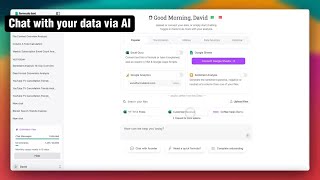
Formula Bot Demo Tutorial
Better Analyst
YouTube returned 6 videos for “Formula Bot”, and we withheld 1: 1 did not mention Formula Bot. Showing the 5 we can prove are about Formula Bot.
Official links
Tools that pair well with Formula Bot
Common stack mates teams adopt alongside Formula Bot, with the specific reason each pairing earns its keep.

Ajelix AI Excel Tools
Ajelix turns plain-English prompts into finished Excel formulas, VBA scripts, dashboards, decks, and shareable web apps.

GPT for Sheets and Docs
GPT for Sheets and Docs turns plain-language prompts into bulk AI spreadsheet automation inside Google Sheets and Docs.

RowSpeak
RowSpeak turns messy Excel, CSV, PDF, and image tables into AI-generated charts, dashboards, and reports from plain-English prompts.
Featured Head-to-Head Comparisons
Attention Insight vs Formula Bot
If you need to analyze numbers and generate insights without coding, Formula Bot is the clear choice with its SQL generation and dashboard builder. Attention Insight is purpose-built for designers validating visual hierarchy—completely different tools for different jobs. Base your pick on whether your primary pain point is data analysis or design optimization.
Formula Bot vs Mostly Ai
Choose Mostly AI if you need high-fidelity synthetic data with differential privacy for ML training or testing, and you have the infrastructure (Kubernetes) to support it. Choose Formula Bot if you want a no-code, freemium tool for natural language querying, dashboards, and data transformations—especially for smaller datasets or quick business insights.
Datasets vs Formula Bot
If you're an ML researcher or data scientist loading and preprocessing datasets for model training, Datasets is the obvious free choice — it handles memory-efficient streaming and integrates with every major ML framework. But if you're a business analyst or non-technical user who wants to query data in plain English and generate charts/reports without coding, Formula Bot's natural language interface and dashboard builder (starting at $18/mo) will save you time. Choose based on whether you need programmatic data pipelines or conversational analytics.
Formula Bot vs Ocr Arena
Formula Bot and OCR Arena solve completely different problems. Choose Formula Bot if you need a full-featured AI analytics tool to clean, query, and visualize data without coding; it’s built for business users who want actionable insights fast. Choose OCR Arena if you’re an AI developer or researcher comparing vision-language models on document parsing tasks—it’s a free benchmarking utility, not a production tool. They aren’t competitors; use both for separate workflows.
Formula Bot vs Spotlight
If you're a data scientist or ML engineer working with messy unstructured data (images, audio, text) and need to visually find outliers and duplicates while keeping data local, choose Spotlight. If you're a business analyst or non-technical user who wants to query data in plain English, generate dashboards, and automate reports without writing code, Formula Bot is the better fit. Spotlight is free and open-source; Formula Bot's paid tiers offer broader data connectivity and automation.
Alternatives to Formula Bot
View all
Ajelix AI Excel Tools
Ajelix turns plain-English prompts into finished Excel formulas, VBA scripts, dashboards, decks, and shareable web apps.

GPT for Sheets and Docs
GPT for Sheets and Docs turns plain-language prompts into bulk AI spreadsheet automation inside Google Sheets and Docs.

Best-of guides
Used Formula Bot? Help shape our editorial sentiment research.