
Apply Design
Apply Design does one-click AI virtual staging for real estate listings, priced per image from $1 via Apply Coins.
Apply Design competes on price-per-image and turnaround, not bespoke artistry. At $7 per coin for packs of 20 or more, a 2D auto-staged image costs roughly $10.50 and a DIY 2D image $7 — cheaper than BoxBrownie's managed staging, and the 10-15 minute auto turnaround is fast enough for a same-day shoot. Unlimited DIY revisions plus on-the-spot editing means you can iterate without burning coins. If you need a human designer's hand on every frame, or shared team workspaces, budget for BoxBrownie or PhotoUp instead.
Verified 5d ago · liveness 69/100 · cite: rightaichoice.com/tools/apply-design
- Real estate agents staging listings per image instead of by subscription
- Real estate photographers adding virtual staging as a paid upsell
- Home stagers producing digital mockups before pitching a physical staging job
- Interior designers generating quick concept visuals for client sign-off
- Teams needing shared workspaces or multi-seat accounts — no team features are documented
- Buyers who want a human designer's hand on every image (BoxBrownie or PhotoUp fits better)
- Anyone expecting a mobile or desktop app — the platform is browser-based
We scan live Reddit threads, YouTube comments, X posts, G2 reviews and other communities — and hand you an honest verdict in under a minute.
- Honest verdict, not marketing
- Real pros & cons from real users
- Attributed quotes with receipts
3 free scans · no card needed
Skip Apply Design if you need a human designer's hand on every image, shared multi-seat team workspaces, or a mobile/desktop app — the site documents none of these, and BoxBrownie or PhotoUp sell the managed alternative.
Buying fewer than 10 coins moves your per-coin rate to $10 instead of $7, so a casual stager pays roughly 43% more per image than a volume buyer.
Apply Design sits at the budget end of real estate virtual staging. At $7 per coin for packs of 20+, a 2D auto-staged image runs about $10.50 and a DIY 2D image about $7. Managed, human-touched alternatives like BoxBrownie, VirtualStaging.com, and PhotoUp cost more per image because a design team is involved. Solo agents, photographers selling staging as an upsell, and stagers supplementing physical work get the best fit; brokerages wanting shared seats should budget upward.
In short
Apply Design — Apply Design does one-click AI virtual staging for real estate listings, priced per image from $1 via Apply Coins. Best for Real estate agents staging listings per image instead of by subscription, Real estate photographers adding virtual staging as a paid upsell, Home stagers producing digital mockups before pitching a physical staging job. Paid, in a currency we have not confirmed — see the pricing table for the vendor’s own figures.
What's new in Apply Design
Checked 5 days agoAcross the latest 5 updates: 5 news mentions.
How to Use AI for Automated Furniture Removal in Real Estate Photography
Apply Design walks through its AI furniture removal, showing how uploading a listing photo yields a clean empty room in minutes before staging begins.
AI-Powered Virtual Staging and Interior Design Tools for Real Estate
A breakdown of four categories of AI interior design software, what each costs, and which one is built for furnishing listing photos.
Warm interior design is back, and it helps homes sell
Apply Design outlines five rules for warm interior styling in listing photos as buyer preferences shift away from grey floors and white walls.
Furniture Removal Tools Compared: Honest Hands-On Review
Apply Design tests five virtual furniture removal tools on the same room and compares the before/after results side by side.
Best Virtual Staging Software in 2026: 7 Tools Compared
Seven virtual staging platforms ranked on price, speed, realism and features, with a named category winner for each use case.
What people actually say about Apply Design — is it worth it?
We scanned public community sources for Apply Design on Jul 3, 2026 and could not establish that the discussion we found is about this tool rather than something else sharing its name. Our own analysis of that scan says the posts were off-subject. Rather than publish a sentiment score built on the wrong subject, we publish nothing here and re-run the scan.
Viability Score
How well maintained and how widely used is Apply Design? Built from what the vendor actually publishes (docs, changelog, tutorials, integrations, pricing), whether the site is live, and how much real users discuss it. How we calculate this
Last calculated: October 2026
How we score →Key Features
- Auto staging with one-click photorealistic renders
- DIY virtual staging with drag-and-drop editor
- AI furniture removal (decluttering) included in both staging paths
- Catalog of 18,000+ furniture pieces across living rooms, bedrooms, dining rooms, offices, exteriors
- 2D and 360° image staging support
- Multi-angle consistency to replicate one design across multiple photos
- About 10-15 minute turnaround per auto-staged image
- AI enhancement with realistic details, cinematic lighting and shadows
- Video clip generation from staged designs
- Unlimited revisions on DIY staging
- On-the-spot revisions via the instant editor
- Style preference input feeding the auto staging engine
- First image free per staging method
- Web-based platform, no download required
- 100% money-back guarantee and 24/7 premium support
About Apply Design
Apply Design is an AI virtual staging tool for real estate agents, photographers, stagers, and interior designers who need listing photos furnished without renting a truck. Upload a vacant or cluttered room — 2D or 360° — and the platform runs two separate workflows. Auto staging returns a fully styled render based on your design preferences in about 10 to 15 minutes; the site's own copy cites a 10-minute turnaround for auto renders. DIY staging hands you a drag-and-drop editor and a catalog of 18,000+ furniture pieces across living rooms, bedrooms, dining rooms, offices, and exteriors so you can build the room yourself. AI decluttering (furniture removal) is included in both paths at no extra coin cost, which matters because most listings you inherit are not empty. Multi-angle consistency lets you replicate one design across multiple photos of the same space, or reuse favorites in other projects, instead of inventing a new living room every time the camera moves. AI enhancement adds realistic details, cinematic lighting, shadows, and video clips. Pricing runs on Apply Coins rather than a subscription: auto staging costs 1.5 coins for a 2D image and 2.5 for 360°, while DIY runs 1 coin for 2D and 2 for 360°. Coins are sold in volume packs at $7 each for 20+, $8 for 10-19, and $10 for up to 9. Your first image in each method is free, and the site advertises a 100% money-back guarantee with 24/7 premium support. The site claims over 10,000 real estate properties are staged with Apply Design every month. The positioning is budget-first: BoxBrownie, VirtualStaging.com, and PhotoUp sell managed or human-touched staging, while Apply Design sells self-serve volume through an on-the-spot instant editor.
Behind the Verdict
Apply Design's core value is unbundling staging from design labor. You pay per image, not per month, and the two paths cover the two real jobs: 'I want the room done now' (auto staging, 1.5 coins for 2D, 2.5 for 360°) and 'I want to control exactly what goes where' (DIY staging, 1 coin for 2D, 2 coins for 360°, with unlimited revisions). The AI decluttering step is included in both paths at no extra cost, and since most listings arrive with existing sofas and dining sets, that is the feature you will touch first on almost every job. Multi-angle consistency is the second one that matters — replicating one design across several photos of the same space is what makes a listing look professionally handled rather than stitched together. The catalog sits at 18,000+ pieces spanning living rooms, bedrooms, dining rooms, offices, and exteriors, and AI enhancement adds realistic details, cinematic lighting, shadows, and video clips. Where it gets messy is the coin model. Coins never expire into a subscription, which is good for occasional users, but the per-image cost swings with pack size: $10 per coin for up to 9 coins, $8 for 10-19, and $7 for 20+. A casual buyer who stages two images a month pays 43% more per coin than a volume buyer, and 360° work burns coins faster than 2D (2.5 vs 1.5 for auto, 2 vs 1 for DIY). The site advertises 100% money-back guarantee and 24/7 premium support, and reports over 10,000 properties staged monthly. What the site does not document is team or multi-seat accounts, so brokerages wanting shared workspaces should look elsewhere. Buyers who want a designer's eye on every frame are better served by BoxBrownie, VirtualStaging.com, or PhotoUp.
Researching Apply Design? Get your full AI stack in 60 seconds.
Free, no signup — tell us your goal and get tools matched to your budget & existing stack.
Real-world workflow fit
Concrete scenarios for the personas Apply Design actually fits — and what changes day-one when you adopt it.
You shoot a vacant three-bedroom on Tuesday, upload the living room and bedroom photos, and run AI decluttering on the two frames that still show the seller's old furniture.
Outcome: Auto staging returns styled renders in about 10-15 minutes per image, you apply multi-angle consistency so both living room shots use the same design, and the listing goes live the same day for roughly 1.5 coins per 2D image.
You deliver a 20-image gallery and offer virtual staging as an add-on, handing the client a DIY-staged version of the hero shot plus a styled 360° view.
Outcome: DIY staging at 1 coin per 2D image keeps your add-on margin healthy, unlimited DIY revisions let you rework the layout without spending more coins, and the client sees the upsell value on the invoice.
Before quoting a physical staging, you take the seller's existing listing photos, remove the current furniture, and mock up two design directions — a warm scheme and a modern one.
Outcome: You walk into the pitch with photorealistic before/after visuals and AI enhancement adding cinematic lighting, so the seller is choosing between furnished rooms rather than imagining them.
Use Cases
- Stage vacant rooms in about 10-15 minutes to attract buyers
- Remove existing furniture and clutter from listing photos with one click
- Consistently style multiple images of the same room using multi-angle consistency
- Try different design styles (modern, traditional, warm) for different buyer demographics
- Generate 360° virtual staged views for immersive online property viewing
- Add cinematic lighting, shadows and video clips via AI enhancement
Limitations
- Per-image pricing is quoted in Apply Coins, so your real cost depends on pack size: $10 per coin for up to 9 coins, $8 for 10-19, and $7 for 20+ — a casual buyer pays materially more per image than a volume buyer.
- 360° work costs more than 2D on both paths (2.5 vs 1.5 coins for auto; 2 vs 1 for DIY), so panoramic tours drain a pack faster.
- The free entry is limited to one free image per method, which is enough to test but not enough to run a listing.
- Auto staging is a render pipeline rather than a design service: if you want a human stylist's judgment on every frame, BoxBrownie, VirtualStaging.com, and PhotoUp sell that instead.
- No team or multi-seat workspace features are documented on the site.
as of 2026-10-03
Verification history
We have re-verified Apply Design 8 times since . Each pass re-reads the vendor's own pages and re-checks every listed field against that evidence; passes where nothing had changed are marked as such.
- — re-verified summary, description, our verdict, our analysis, pricing model, pricing tiers, features, integrations, who it suits, who should skip it
- — re-verified summary, description, our verdict, our analysis, pricing model, pricing tiers, features, integrations, who it suits, who should skip it
- — re-verified summary, description, our verdict, our analysis, pricing model, pricing tiers, features, integrations, who it suits, who should skip it
- — re-verified summary, description, our verdict, our analysis, pricing model, pricing tiers, features, integrations, who it suits, who should skip it
- — re-verified summary, description, our verdict, our analysis, pricing model, pricing tiers, features, integrations, who it suits, who should skip it
- — re-checked, vendor evidence unchanged
Showing the 6 most recent of 8 verification passes.
Free to cite with attribution — this page re-verifies continuously.
12-month cost
Project the real annual outlay, including the implied monthly cost when only an annual tier is published.
Vendor list price only. Add-on usage, seat overages, and contract minimums are surfaced under Hidden costs & gotchas.
Plans compared
For each published Apply Design tier: who it actually fits, and what it adds vs. the previous tier. Cross-reference the cost calculator above for projected annual outlay.
DIY Staging — 2D Image
1 coin ($7–$10 depending on coin pack)
Ideal for
Solo agents, photographers and stagers on the tightest per-image budget who are willing to place furniture themselves.
What this tier adds
Lowest-cost staging path at 1 coin per 2D image, with the drag-and-drop editor, 18,000+ piece catalog, and unlimited revisions.
Auto Staging — 2D Image
1.5 coins ($10.50–$15 depending on coin pack)
Ideal for
Agents who need a styled render fast and do not want to place furniture themselves — one-click output based on stated design preferences.
What this tier adds
Starting tier for auto staging: 1.5 coins per 2D image with item removal included and a free first image.
DIY Staging — 360° Image
2 coins ($14–$20 depending on coin pack)
Ideal for
Budget-conscious producers who still want panoramic coverage and are prepared to edit the 360° scene by hand.
What this tier adds
Adds 360° panorama editing to the DIY path at 2 coins per image, double the 2D DIY rate.
Auto Staging — 360° Image
2.5 coins ($17.50–$25 depending on coin pack)
Ideal for
Agents and photographers producing immersive 360° listing views who want the auto pipeline rather than manual editing.
What this tier adds
Adds 360° panoramic support to auto staging at 2.5 coins per image, one coin more than the 2D rate.
Apply Coins — up to 9
$10 per coin
Ideal for
Casual or first-time buyers staging a handful of images who want to test the output without committing to volume.
What this tier adds
Smallest pack at $10 per coin — the highest per-coin rate, since volume discounts start at 10 coins.
Apply Coins — 10 to 19
$8 per coin
Ideal for
Photographers and agents staging a few listings a month who want a better rate without a 20+ coin outlay.
What this tier adds
Drops the per-coin price from $10 to $8, a 20% saving versus the smallest pack.
Apply Coins — 20+ (Best Value)
$7 per coin
Ideal for
High-volume agents, photographers and stagers who stage regularly and want the lowest published per-image rate.
What this tier adds
Lowest rate at $7 per coin, making a 2D auto-staged image about $10.50 and a DIY 2D image $7; includes the 100% money-back guarantee.
Where the pricing makes sense
The company stage and team size where Apply Design's pricing actually pencils out — and where peers do it cheaper.
Apply Design sits at the budget end of real estate virtual staging. At $7 per coin for packs of 20+, a 2D auto-staged image runs about $10.50 and a DIY 2D image about $7. Managed, human-touched alternatives like BoxBrownie, VirtualStaging.com, and PhotoUp cost more per image because a design team is involved. Solo agents, photographers selling staging as an upsell, and stagers supplementing physical work get the best fit; brokerages wanting shared seats should budget upward.
Setup time & first value
How long it actually takes to get something useful out of Apply Design — broken out by persona, not the marketing-page minute.
Solo agents: upload a photo, run the one-click declutter step, and your first auto-staged 2D render arrives in about 10-15 minutes — your first image in each method is free, so you can validate output before buying coins. Photographers and stagers: expect under half an hour to learn the DIY drag-and-drop editor and the 18,000+ furniture catalog well enough to build a room yourself.
Switching to or from Apply Design
How to bring data in from common predecessors and how to get it back out — written for the switcher, not the buyer.
- →From manual Photoshop staging: upload the same listing photos and let AI decluttering remove existing furniture in one click instead of masking it by hand.
- →From BoxBrownie or VirtualStaging.com: re-run your existing listing shots through auto staging to compare realism and per-image cost before committing a whole portfolio.
- →From PhotoUp: move the per-image renders into Apply Design's DIY editor so you keep revision control without a design queue.
- →From a monthly staging subscription: buy a 20+ coin pack at $7 per coin and pay only for the images you actually stage.
- ↗To BoxBrownie: for listings where a human designer's hand on every image justifies the higher per-image fee.
- ↗To VirtualStaging.com: when you want managed staging with a design team behind each render.
- ↗To PhotoUp: when you need a fuller real estate media pipeline beyond virtual staging.
- ↗To REimagineHome or REimagineHome-style alternatives: when you want a different staging aesthetic to test against Apply Design's output.
Resources & Guides
Tutorials & Learning
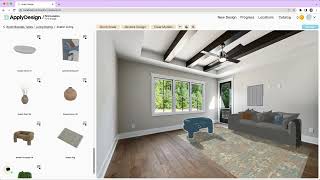
Apply Design Onboarding Tutorial
Apply Design
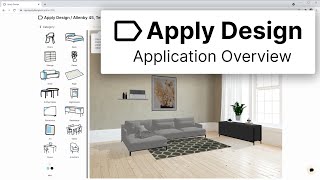
Apply Design - App Overview
Apply Design
Photoshop Tutorial Apply design on subject Can Mockup Tutorial
Smart Graphics
YouTube returned 6 videos for “Apply Design”, and we withheld 1: 1 did not mention Apply Design. Showing the 5 we can prove are about Apply Design.
Official links
Tools that pair well with Apply Design
Common stack mates teams adopt alongside Apply Design, with the specific reason each pairing earns its keep.

REimagine Home
AI interior design and virtual staging that locks walls, windows, and doors and furnishes rooms with real, shoppable products from IKEA, West Elm, Wayfair, and

ai4spaces
AI interior design and virtual staging that turns one room photo into photorealistic makeovers in seconds.

StageHQ AI
StageHQ AI turns empty room photos into MLS-ready staged listing images in about 30 seconds from $0.28 per image — prepaid credits, no subscription.
Featured Head-to-Head Comparisons
Apply Design vs Adobe Firefly Services
Choose Apply Design if you need turnkey real estate virtual staging with quick turnaround and a user-friendly editor. Choose Adobe Firefly Services if you require enterprise-grade, API-driven generative AI for custom content workflows at scale. They serve fundamentally different needs.
Apply Design vs The New Black
Choose Apply Design if you're in real estate and need photorealistic virtual staging with fast turnaround and unlimited revisions. Choose The New Black if you're a fashion brand or designer seeking AI-generated apparel concepts with tech pack exports. These tools serve entirely different industries, so the decision hinges on your domain.
Apply Design vs Qoves
Apply Design and QOVES serve completely different needs. Choose Apply Design if you are a real estate professional needing fast, photorealistic virtual staging with a huge furniture library and quick turnaround. Choose QOVES if you want a data-driven, non-surgical facial analysis based on over 160 beauty markers and personalized glow-up recommendations. They are not competitors; your choice depends entirely on whether you need to stage a property or analyze your face.
Alternatives to Apply Design
View all
REimagine Home
AI interior design and virtual staging that locks walls, windows, and doors and furnishes rooms with real, shoppable products from IKEA, West Elm, Wayfair, and

ai4spaces
AI interior design and virtual staging that turns one room photo into photorealistic makeovers in seconds.

StageHQ AI
StageHQ AI turns empty room photos into MLS-ready staged listing images in about 30 seconds from $0.28 per image — prepaid credits, no subscription.
Frequently Asked Questions
Used Apply Design? Help shape our editorial sentiment research.