
BigOven Recipes & Meal Planner
All-in-one recipe library and meal planner for busy home cooks.
BigOven is a solid, no-frills meal planning app with a huge recipe database and practical features like grocery list sorting and leftover suggestions. It's ideal for casual home cooks who want organization without complexity. However, anyone seeking AI-driven meal personalization or serious nutrition tracking should look elsewhere. For budget-minded families, the $1.99/mo Pro tier is a bargain, but if you need adaptive meal plans or macro coaching, consider alternatives like Mealime or Paprika.
Verified 6d ago · liveness 67/100 · cite: rightaichoice.com/tools/bigoven-recipes-meal-planner
- Home cooks who want a massive recipe library plus meal planning in one app
- Busy families reducing food waste with leftover ingredient suggestions
- Meal-preppers needing automated grocery lists sorted by department
- Cooking beginners seeking inspiration and community feedback
- Users requiring AI-driven personalized meal plans or adaptive menus
- Professional chefs needing precise nutrition tracking or macro coaching
- Those who prefer a one-time purchase over a subscription for premium features
We scan live Reddit threads, YouTube comments, X posts, G2 reviews and other communities — and hand you an honest verdict in under a minute.
- Honest verdict, not marketing
- Real pros & cons from real users
- Attributed quotes with receipts
3 free scans · no card needed
Skip BigOven if you need AI-generated adaptive meal plans, precise macro tracking, or deep integrations with other apps.
The Pro plan is $1.99/month, but that price may increase after a promotional period; check current billing terms.
BigOven's Pro pricing (~$1.99/mo) undercuts competitors like Mealime (Pro at $5.99/mo) and Paprika (one-time $4.99 app cost) for basic meal planning. It's a great fit for budget-conscious families, while power users wanting advanced nutrition may need to pay more elsewhere.
In short
BigOven Recipes & Meal Planner — All-in-one recipe library and meal planner for busy home cooks. Best for Home cooks who want a massive recipe library plus meal planning in one app, Busy families reducing food waste with leftover ingredient suggestions, Meal-preppers needing automated grocery lists sorted by department. Free to start; paid plans from $1.99/mo.
What people actually say about BigOven Recipes & Meal Planner — is it worth it?
We ran a structured research pass across product reviews, community discussions, and post-purchase forum threads to surface the patterns vendors won't publish themselves. Below: the recurring strengths, the hidden costs people mention most, and the cohort that consistently regrets adopting this tool.
20 mentions across 1 source (App Store) · researched Jul 29, 2026.
Average across the 1 source that answered — each source counts once, not each post.
- +Huge recipe library with over 1 million user-submitted and curated recipes.
- +Meal planning calendar and automated grocery lists simplify weeknight cooking.
- +Use Up Leftovers feature reduces food waste by suggesting recipes with your ingredients.
- +Long-time users praise it as their go-to recipe organizer for years.
- +Custom folders allow personal recipe organization across devices.
- −Pro users still see annoying ads that hide the recipe.
- −App has become buggy recently: folders unsorted, recipes not saving.
- −Recipes imported silently are hard to find in the app.
- −No advanced AI personalization or deep nutritional analytics.
- −Some users report saved recipes disappearing entirely.
- • Pro users report ads are not actually removed, making the subscription feel wasted
Viability Score
How well maintained and how widely used is BigOven Recipes & Meal Planner? Built from what the vendor actually publishes (docs, changelog, tutorials, integrations, pricing), whether the site is live, and how much real users discuss it. How we calculate this
Last calculated: September 2026
How we score →Key Features
- 1M+ searchable recipe database
- Meal planning calendar (daily, weekly, monthly)
- Automated grocery list with department sorting
- Offline grocery list access
- Use Up Leftovers ingredient-based recipe search
- Recipe scanning via photo (RecipeScan)
- BigOven Clipper to save from websites
- Recipe organization in custom folders
- Community recipe sharing and reviews
- Follow friends and food bloggers
- Nutrition insights per ingredient (Pro)
- Advanced dietary search filters (Pro)
- Private recipe notes (Pro)
- Copy and customize recipes (Pro)
- Ad-free experience (Pro)
About BigOven Recipes & Meal Planner
BigOven pairs a library of more than one million user-submitted and curated recipes with practical meal-planning tools. You can search by ingredient, diet, or cuisine, save favorites into folders, and schedule meals on a daily, weekly, or monthly calendar. The planner turns your menu into a grocery list sorted by department, and you can access it offline to check items while you shop. A standout 'Use Up Leftovers' feature suggests recipes based on the ingredients you already have, which helps reduce food waste and save money. A social layer lets you follow friends and food bloggers, share recipes, and read community reviews. BigOven suits busy families, meal-preppers, and beginners who want a straightforward kitchen organizer without steep learning curves. It doesn't offer adaptive AI meal plans or deep nutrition analytics, so if you need those, you might look at newer competitors. But for everyday cooking organization and community inspiration, BigOven is a dependable choice at a budget-friendly price (Pro is about $1.99 per month as of early 2025).
Behind the Verdict
BigOven stands out for its sheer recipe volume and its focus on reducing food waste. The 'Use Up Leftovers' feature is genuinely helpful if you often find yourself staring at half-used bags of spinach or a lonely can of chickpeas. It's a smart, practical touch that sets BigOven apart from many recipe apps that only let you search by dish name. The meal planner is functional, though not the most polished. You can drag meals onto a calendar as far out as you like, and the grocery list syncs automatically. The offline grocery list is a real plus when you're in a store with spotty Wi-Fi. But the interface can feel dated compared to sleeker competitors like Mealime or Paprika, and the free tier's ads can be annoying. Nutrition is basic: you get calorie counts per serving, and Pro adds ingredient-level insight, but there's no macro tracking or meal-by-meal nutrition breakdown. So if diet precision matters, BigOven isn't your best bet. Integration is another gap. There's no API and no smart-home or other app integrations, so you're stuck in BigOven's own ecosystem. That's fine for a dedicated meal planner, but it limits automation for the tech-savvy. Where BigOven truly shines is for budget-conscious families. The Pro tier is a steal at $1.99/month, and you get ad-free experience, unlimited uploads, and advanced filters. If you're an occasional cook, the free plan gives you a lot—over a million recipes and a basic planner. One area to watch: recipe quality varies because most content is user-submitted. You'll find gems and duds. The community reviews help, but they don't always compensate for poorly formatted recipes. Another practical plus is the RecipeScan feature (Pro, limited to 25 scans per month on the budget tier), which lets you snap a photo of a printed or handwritten recipe to digitize it. That's a nice touch for preserving family recipes. In summary, BigOven is reliable, affordable, and great for waste reduction. It's not for nutrition nerds or AI enthusiasts. If you need adaptive, personalized meal planning, Mealime is a smarter pick. If you prefer offline-first recipe management with no subscription, Paprika offers a one-time purchase. But for the everyday cook who wants both a recipe box and a meal planner in one spot, BigOven is a strong, no-frills choice.
Researching BigOven Recipes & Meal Planner? Get your full AI stack in 60 seconds.
Free, no signup — tell us your goal and get tools matched to your budget & existing stack.
Real-world workflow fit
Concrete scenarios for the personas BigOven Recipes & Meal Planner actually fits — and what changes day-one when you adopt it.
On Sunday, you browse BigOven's library to pick five dinners, dragging them onto the calendar. The app generates a grocery list, sorted by department. Monday you shop with the offline list on your phone, checking off as you go.
Outcome: You save time planning and shopping, and reduce mid-week 'what's for dinner' stress.
You have leftover ground beef, a bell pepper, and some rice. You type these into 'Use Up Leftovers' and get recipe ideas like stuffed peppers or fried rice. You pick one and add it to tonight's meal plan.
Outcome: You turn random ingredients into a satisfying meal, cutting waste and saving money on groceries.
You snap photos of grandma's handwritten recipe cards using RecipeScan. The app OCRs them, stores them in a folder, and you add a private note. You then share the digitized version with a sibling via the community.
Outcome: You preserve heirloom recipes digitally and can access them from any device.
Use Cases
- Plan a week of dinners with the meal calendar and auto-generate a grocery list
- Find recipes using ingredients you have to reduce food waste
- Save and organize personal family recipes from the web
- Scale up a recipe for a dinner party and share it with guests
- Browse community-curated collections for seasonal cooking ideas
Limitations
- The free plan limits meal planning and includes ads.
- Personal recipe storage is capped at 500 items.
- No API is available, limiting integration.
- The app relies on user-generated content, so recipe quality varies.
as of 2026-09-08
Verification history
We have re-verified BigOven Recipes & Meal Planner 9 times since . Each pass re-reads the vendor's own pages and re-checks every listed field against that evidence; passes where nothing had changed are marked as such.
- — re-checked, vendor evidence unchanged
- — re-checked, vendor evidence unchanged
- — re-checked, vendor evidence unchanged
- — re-checked, vendor evidence unchanged
- — re-checked, vendor evidence unchanged
- — re-checked, vendor evidence unchanged
Showing the 6 most recent of 9 verification passes.
Free to cite with attribution — this page re-verifies continuously.
12-month cost
Project the real annual outlay, including the implied monthly cost when only an annual tier is published.
Vendor list price only. Add-on usage, seat overages, and contract minimums are surfaced under Hidden costs & gotchas.
Plans compared
For each published BigOven Recipes & Meal Planner tier: who it actually fits, and what it adds vs. the previous tier. Cross-reference the cost calculator above for projected annual outlay.
Free
$0/mo
Ideal for
Casual cooks who want access to one million recipes and occasional meal planning without paying—ads are tolerated
What this tier adds
Free entry point with full recipe library and basic planner, but includes ads and caps personal recipe storage at 500
Pro
$1.99/mo
Ideal for
Home cooks who plan meals weekly and want an ad-free experience, advanced filters, and unlimited recipe uploads
What this tier adds
Removes ads, adds ingredient-level nutrition, advanced dietary filters, unlimited uploads, custom copies, and 25 RecipeScans per month
Where the pricing makes sense
The company stage and team size where BigOven Recipes & Meal Planner's pricing actually pencils out — and where peers do it cheaper.
BigOven's Pro pricing (~$1.99/mo) undercuts competitors like Mealime (Pro at $5.99/mo) and Paprika (one-time $4.99 app cost) for basic meal planning. It's a great fit for budget-conscious families, while power users wanting advanced nutrition may need to pay more elsewhere.
Setup time & first value
How long it actually takes to get something useful out of BigOven Recipes & Meal Planner — broken out by persona, not the marketing-page minute.
Installing BigOven takes under a minute. You can start searching recipes and using the meal planner immediately—no account setup is required to browse. Creating an account for sync and cloud storage takes about two minutes. To get the most out of the grocery list, you may want to customize departmental sorting, which is a quick one-time tweak. Most users see value within their first 15–30 minutes
Switching to or from BigOven Recipes & Meal Planner
How to bring data in from common predecessors and how to get it back out — written for the switcher, not the buyer.
- →From Paprika: import your recipes via the BigOven Clipper or manually copy them; note that Paprika uses a different format and no direct import exists.
- ↗To Paprika: export your recipes individually or use a third-party converter; not a seamless process.
- ↗To Mealime: you'll need to manually add your go-to recipes since there's no bulk import.
Resources & Guides
Tutorials & Learning
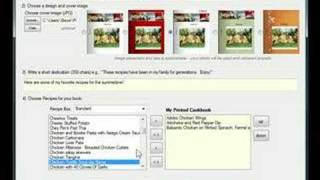
YouTube returned 6 videos for “BigOven Recipes & Meal Planner”, and we withheld 5: 5 did not mention BigOven Recipes & Meal Planner. Showing the 1 we can prove is about BigOven Recipes & Meal Planner.
Official links
Featured Head-to-Head Comparisons
Bigoven Recipes Meal Planner vs Poke Interaction Co
If your struggle is weekly meal planning, grocery lists, and reducing food waste, BigOven is purpose‑built and affordable. But if you want an AI assistant that handles email, calendar, reminders, and automations from your messaging app, Poke is far more versatile — though pricier. Pick the tool that matches your primary pain point.
Bigoven Recipes Meal Planner vs Gem
These tools serve completely different domains. BigOven is a budget-friendly meal planning app for home cooks, while Gem is an enterprise-grade AI recruiting platform for talent teams. Choose based on your primary need: cooking or hiring. No direct competition exists.
Bigoven Recipes Meal Planner vs Guesty
These tools are not competitors — they serve entirely different needs. Choose BigOven if you're a home cook looking to plan meals and reduce waste. Choose Guesty if you manage vacation rentals and need AI-driven automation for guest communication, channel management, and operations. There's no overlap, so pick based on your primary activity (cooking vs. hosting).
Popular in Everyday Life



Frequently Asked Questions
Categories
Topics
Used BigOven Recipes & Meal Planner? Help shape our editorial sentiment research.