
BlipCut AI Video Translator
AI video translator that dubs, clones voices, and lip-syncs videos into 140+ languages from a browser, desktop app, or Chrome extension.
If your job is getting the same video into ten languages without hiring voice talent, BlipCut does it on a credit meter that starts at $9.99 for 10 pay-as-you-go credits and drops to roughly $0.30–$0.33 per credit on 3600-credit annual plans. Voice cloning runs at 2 credits per minute, so an hour of cloned dubbing costs 120 credits — cheap next to Rask.ai's per-minute rates, and far cheaper than Descript if all you need is dubbing rather than an editor. Buy Pro Annual-style packs if you ship monthly; the pay-as-you-go 10-credit tier is a test drive. Skip it if you need an API pipeline or a timeline editor, and note the free tier caps you at 10 minutes per video with a watermark.
Verified 5d ago · liveness 62/100 · cite: rightaichoice.com/tools/blipcut-ai-video-translator
- Content creators expanding an existing video library into multiple languages
- Social media marketers localizing the same clips for YouTube, TikTok, Instagram, and RedNote
- Educators and trainers dubbing course or lecture videos with per-speaker voice cloning
- Businesses batch-translating marketing, product, and explainer videos
- Professional editors wanting a full timeline, color, or audio-editing suite
- Teams needing an automated API translation pipeline
- Legal, medical, or regulated content where machine translation must be publish-ready without human review
We scan live Reddit threads, YouTube comments, X posts, G2 reviews and other communities — and hand you an honest verdict in under a minute.
- Honest verdict, not marketing
- Real pros & cons from real users
- Attributed quotes with receipts
3 free scans · no card needed
Skip BlipCut if you need a programmatic API translation pipeline or a full timeline editor — it dubs and captions, but it doesn't edit video or automate localization inside your own software.
Voice cloning costs 2 credits per minute versus 1 credit for standard AI translation, so a cloned-voice dub burns your balance twice as fast.
BlipCut fits solo creators and small marketing teams shipping video monthly: pay-as-you-go starts at $9.99 for 10 credits, and 3600-credit annual plans drop to roughly $0.30 per credit. It undercuts Rask.ai's per-minute dubbing and costs a fraction of Descript for pure localization, but if you also need editing, Descript's bundled editor may work out cheaper overall. Enterprise and education buyers can request volume discounts and verified 30% off.
In short
BlipCut AI Video Translator — AI video translator that dubs, clones voices, and lip-syncs videos into 140+ languages from a browser, desktop app, or Chrome extension. Best for Content creators expanding an existing video library into multiple languages, Social media marketers localizing the same clips for YouTube, TikTok, Instagram, and RedNote, Educators and trainers dubbing course or lecture videos with per-speaker voice cloning. Free to start; paid plans from $9.99.
What's new in BlipCut AI Video Translator
Checked 5 days agoAcross the latest 3 updates: 2 feature updates and 1 launch.
Added AI Clip Maker
BlipCut now includes an AI Clip Maker that automatically generates short highlight clips from long videos, expanding its toolset beyond translation.
Desktop Apps Released
BlipCut launched native desktop apps for Windows and Mac, allowing users to process videos without needing a browser tab.
Expanded Language Support to 140+
Added 15 new languages and accent generators (Irish, Scottish, Welsh, and more) to broaden global reach.
What people actually say about BlipCut AI Video Translator — is it worth it?
We ran a structured research pass across product reviews, community discussions, and post-purchase forum threads to surface the patterns vendors won't publish themselves. Below: the recurring strengths, the hidden costs people mention most, and the cohort that consistently regrets adopting this tool.
3 mentions across 1 source (Product Hunt) · researched Jul 3, 2026.
Average across the 1 source that answered — each source counts once, not each post.
- +Supports over 140 languages with 1300+ AI voices.
- +All-in-one transcription, translation, dubbing, and subtitle generation.
- +Voice cloning feature is praised as amazing by early users.
- +Works with YouTube links and various file formats.
- +Free tier available for occasional users.
- −Very limited community feedback to validate claims.
- −No public API or detailed technical documentation.
- −Free tier likely heavily restricts features and usage.
- −No information on data security or compliance.
- −Translation accuracy unverified, especially for low-resource languages.
- • Voice cloning and lip-sync likely require additional credits or higher tier
- • Exporting subtitles or dubbing beyond limits may incur extra fees
Viability Score
How well maintained and how widely used is BlipCut AI Video Translator? Built from what the vendor actually publishes (docs, changelog, tutorials, integrations, pricing), whether the site is live, and how much real users discuss it. How we calculate this
Last calculated: October 2026
How we score →Key Features
- Translate videos into 140+ languages
- AI dubbing with 1300+ realistic voices
- Voice cloning that covers 29 languages
- AI lip sync matched to dubbed audio
- Batch video translation into one or many languages
- Auto AI subtitle generation and subtitle translation
- Export SRT or embed subtitles into MP4
- Accent generator including British, American, Irish, Scottish, Welsh, and New York
- AI Clip Maker that turns long videos into short clips
- Native desktop apps for Windows and Mac
- Chrome extension for in-browser translation
- Translate videos directly from YouTube URLs
- Auto source-language recognition and video-to-text transcription
- Voiceover generation up to 2000 characters per credit
- Editable transcript, translation, subtitles, and timestamps before rendering
About BlipCut AI Video Translator
BlipCut AI Video Translator is a web-based localization tool for turning one video into many language versions. You upload a file or paste a YouTube link and it runs speech recognition, translation, subtitle generation, and voiceover, then dubs the result with one of 1300+ AI voices or a cloned version of each original speaker. Lip sync matches mouth movement to the dubbed audio, and an accent generator covers British, American, Australian, Irish, Scottish, Welsh and more. Content is sold on a credit system: 2 credits equal one minute of cloned voice, 1 credit equals one minute of straight AI translation, and subtitles, clipping, and voiceover all draw from the same pool. Batch translation pushes several videos into one language or many at once, subtitles export as SRT or embed straight into MP4, and a Chrome extension plus native Windows and Mac apps let you work outside the browser tab. The company reports 4,113,870 files processed and 985,142 hours translated. It fits creators, social marketers, and educators repurposing YouTube, TikTok, Instagram, and RedNote libraries rather than editors cutting a film — it localizes video, it doesn't edit it.
Behind the Verdict
BlipCut's real product is the credit math, and it's worth understanding before you buy anything. Core AI translation costs 1 credit per minute of video; cloned voice costs 2 credits per minute; lip sync is billed in far smaller increments (15 minutes of lip sync on a 30-credit weekly plan, scaling to 1800 minutes on a 3600-credit annual plan). Subtitles, clipping, and voiceover draw from those same credits — AI subtitle runs at roughly 4 minutes of subtitle per credit, AI clipping at 10 minutes per credit, and voiceover at 2000 characters per credit. That means a single plan covers dubbing, captions, shorts, and TTS without four separate subscriptions. Voice clone covers 29 languages, normal voices cover 100+ and premium voices 300+, and accents span everything from New York to Mexican Spanish to Indian English — enough to make a dubbed video sound native rather than machine-read. You can edit the transcript, translation, subtitles, and timestamps before rendering, and export SRT or burn subtitles in. Batch translation is the feature that separates this from lighter tools: you push a whole series into one language or one video into many at once. Recent releases added an AI Clip Maker (October 2025) that pulls short highlights out of long videos, and native Windows and Mac desktop apps (August 2025). Where it falls short: it dubs and captions, it doesn't edit. There's no timeline, no color, no multitrack audio, and the seed data flags no API for automated pipelines. Machine translation output for legal, medical, or regulated content still needs human review before publishing. And the free tier's 10-minute cap plus watermark make it a demo, not a workflow.
Researching BlipCut AI Video Translator? Get your full AI stack in 60 seconds.
Free, no signup — tell us your goal and get tools matched to your budget & existing stack.
Real-world workflow fit
Concrete scenarios for the personas BlipCut AI Video Translator actually fits — and what changes day-one when you adopt it.
Pick the ten best-performing videos, paste the YouTube URLs into BlipCut, select Spanish, French, and German, enable voice cloning so the dub sounds like you, and batch-render them from the desktop app overnight.
Outcome: Thirty localized videos with matched voice and subtitles, ready to upload to regional channels, without booking a single voice actor.
Upload one 30-second hero clip, generate a British-accent version for the UK, a New York-accent version for the US, and subtitle-only versions for markets where dubbing feels off, all inside the Chrome extension.
Outcome: Four regional cuts from one source shoot, matched to platform specs, published the same day.
Batch-translate twelve training videos into six languages, review the editable transcript and timestamps for terminology, then export SRT files for the internal LMS and lip-synced MP4s for the video library.
Outcome: Six-language onboarding curriculum delivered inside one credit budget, with human review baked into the transcript-editing step.
Use Cases
- Translate your YouTube video into Spanish, French, and German to reach European audiences.
- Dub a TikTok clip with a British or New York accent generator for regional viewers.
- Generate subtitles for a training video and export as SRT for multiple languages.
- Bulk translate a series of marketing videos for an international campaign in one batch.
- Clone each speaker's voice in an interview or panel so multi-speaker dubbing stays identifiable.
- Turn a long webinar or podcast recording into short clips with the AI Clip Maker.
- Transcribe a podcast episode and translate it for global distribution.
- Add subtitles to a video for accessibility and engagement.
Limitations
- BlipCut is sold on credits, and the credit cost differs sharply by feature: AI translation runs 1 credit per minute, cloned voice 2 credits per minute, and lip sync is the scarcest resource (only 15 minutes of lip sync on a 30-credit weekly plan).
- Subtitles and clipping draw from the same pool, so a month of heavy captioning can eat credits you'd earmarked for dubbing.
- The free entry point caps you at 10 minutes per video and stamps a watermark, so it's a demo rather than a workflow.
- Voice cloning locks you to 29 languages while straight translation covers 140+.
- The sources for this run did not reach the developer or integrations pages, so nothing here speaks to API availability or third-party connectors.
- Machine translation still needs human review for regulated content.
as of 2026-10-03
Verification history
We have re-verified BlipCut AI Video Translator 8 times since . Each pass re-reads the vendor's own pages and re-checks every listed field against that evidence; passes where nothing had changed are marked as such.
- — re-verified summary, description, our verdict, our analysis, pricing model, pricing tiers, features, integrations, who it suits, who should skip it
- — re-checked, vendor evidence unchanged
- — re-verified summary, description, our verdict, our analysis, pricing model, pricing tiers, features, integrations, who it suits, who should skip it
- — re-checked, vendor evidence unchanged
- — re-checked, vendor evidence unchanged
- — re-checked, vendor evidence unchanged
Showing the 6 most recent of 8 verification passes.
Free to cite with attribution — this page re-verifies continuously.
12-month cost
Project the real annual outlay, including the implied monthly cost when only an annual tier is published.
Vendor list price only. Add-on usage, seat overages, and contract minimums are surfaced under Hidden costs & gotchas.
Plans compared
For each published BlipCut AI Video Translator tier: who it actually fits, and what it adds vs. the previous tier. Cross-reference the cost calculator above for projected annual outlay.
Free
$0
Pay As You Go
$9.99 for 10 credits
Ideal for
One-off projects or a creator testing BlipCut on a single video before committing to a subscription
What this tier adds
Starting tier — buy credits outright (10 for $9.99, up to 3000 for $1399.99) with no renewal, at the highest per-credit cost.
Weekly Plan
$16.99/wk
Ideal for
Creators with a short burst of work, like a week-long campaign or a single client batch
What this tier adds
30 credits per week for $16.99 plus 15 minutes of voice cloning, 6 minutes of lip sync, and subtitle or clipping allowances.
Monthly Plan
$39.99/mo for 90 credits (up to $147/mo for 360 credits)
Ideal for
Solo creators and small marketing teams shipping translated video on a steady monthly cadence
What this tier adds
Starts at $39.99/mo for 90 credits and scales to 360 credits at $147/mo, with 45–180 minutes of voice cloning as credits rise.
Yearly Plan
$25/mo billed annually for 900 credits (up to $90/mo for 360
Ideal for
Teams with a predictable annual volume that can pay up front for the lowest per-credit rate
What this tier adds
900 to 3600 credits per year at roughly $0.30–$0.33 per credit, working out to about $25–$90/mo billed annually versus $39.99–$147/mo month-to-month.
Enterprise Plan
Contact sales
Ideal for
Organisations needing bespoke credit volumes and a named support contact across multiple content teams
What this tier adds
Custom credit limits, a dedicated production support manager, and unlimited feature access; pricing on application.
Where the pricing makes sense
The company stage and team size where BlipCut AI Video Translator's pricing actually pencils out — and where peers do it cheaper.
BlipCut fits solo creators and small marketing teams shipping video monthly: pay-as-you-go starts at $9.99 for 10 credits, and 3600-credit annual plans drop to roughly $0.30 per credit. It undercuts Rask.ai's per-minute dubbing and costs a fraction of Descript for pure localization, but if you also need editing, Descript's bundled editor may work out cheaper overall. Enterprise and education buyers can request volume discounts and verified 30% off.
Setup time & first value
How long it actually takes to get something useful out of BlipCut AI Video Translator — broken out by persona, not the marketing-page minute.
Solo creators can paste a YouTube link and see a dubbed draft in about ten minutes with no install. Desktop-app users on Windows or Mac add a one-time download of a few minutes, then process locally-driven jobs in the same session. Teams batch-translating a series should budget half a day for the first run to review terminology in the transcript editor before committing credits to a full render.
Switching to or from BlipCut AI Video Translator
How to bring data in from common predecessors and how to get it back out — written for the switcher, not the buyer.
- →From manual voice-actor workflows: replace per-language recording sessions with uploaded source video plus cloned voices at 2 credits per minute.
- →From Rask.ai: re-render existing dubs in BlipCut and compare credit cost against Rask's per-minute rate before switching fully.
- →From Descript: keep Descript for editing, route only the finished export through BlipCut for dubbing and subtitle generation.
- →From subtitle-only tools: upgrade to BlipCut when you need dubbing and lip sync alongside the SRT output you already produce.
- ↗To Descript: migrate if you need a full editor with timeline, multitrack audio, and dubbing in the same workspace.
- ↗To a custom API pipeline: move out if you need to trigger translation programmatically from your own CMS or video platform.
- ↗To human localization vendors: move out when the content is regulated and machine translation must be publish-ready without review.
Resources & Guides
Tutorials & Learning
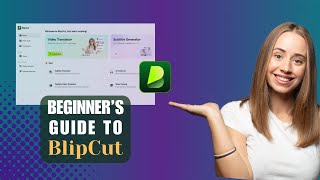
YouTube returned 6 videos for “BlipCut AI Video Translator”, and we withheld 5: 5 did not mention BlipCut AI Video Translator. Showing the 1 we can prove is about BlipCut AI Video Translator.
Official links
Tools that pair well with BlipCut AI Video Translator
Common stack mates teams adopt alongside BlipCut AI Video Translator, with the specific reason each pairing earns its keep.

Rask AI
AI video and audio localization platform that dubs, lip-syncs, and translates your content into 135+ languages.

Perso AI
Browser-based AI dubbing platform that clones your voice and syncs lips across 99+ languages, priced per dubbed minute.

Video Localization
Video Localization by Algebras dubs finished videos into 13+ languages and re-times the speaker's lips to the new audio track.
Featured Head-to-Head Comparisons
Blipcut Ai Video Translator vs Landr Mastering
If you need to translate and dub videos for a global audience, BlipCut AI Video Translator is your go-to. If you're a musician seeking affordable, professional-sounding mastering, LANDR Mastering delivers. There's no overlap—choose based on whether your need is video localization or audio mastering.
Blipcut Ai Video Translator vs Storyfile
BlipCut and StoryFile serve entirely different needs. BlipCut is a practical video translation tool for creators who need to reach global audiences quickly. StoryFile is a premium conversational AI for authentic human interaction in museums and legacy projects. If you need to dub or subtitle videos in many languages, choose BlipCut. If you want to create an interactive AI avatar from real interviews, choose StoryFile.
Blipcut Ai Video Translator vs Splice
If your goal is video localization for global audiences, BlipCut is a specialized AI translator with extensive language support and dubbing capabilities, while Splice is a completely different tool for music producers needing samples and plugins. Buyers should choose based on their creative domain: video or audio.
Alternatives to BlipCut AI Video Translator
View all
Rask AI
AI video and audio localization platform that dubs, lip-syncs, and translates your content into 135+ languages.

Perso AI
Browser-based AI dubbing platform that clones your voice and syncs lips across 99+ languages, priced per dubbed minute.

Video Localization
Video Localization by Algebras dubs finished videos into 13+ languages and re-times the speaker's lips to the new audio track.
Frequently Asked Questions
Categories
Best-of guides
Used BlipCut AI Video Translator? Help shape our editorial sentiment research.