
Box Extract
Agentic data extraction inside Box that turns invoices, leases, and bills of lading into structured metadata.
Box Extract earns its keep for one buyer: a Box shop with high document volume and a downstream process that needs structured fields. The Standard/Enhanced/Custom agent split is a real answer to the 'simple fields cheap, hard fields accurate' tradeoff, and bounding-box review with configurable confidence thresholds makes human validation tolerable rather than soul-crushing. If you are not on Box, stop reading — the platform dependency decides it, not the extraction quality. Box Extract is not a standalone product, so this is a fit question before it is a quality question. For teams already paying for Box, the incremental cost of turning stored documents into workflow-driving metadata is
Verified 9d ago · liveness 68/100 · cite: rightaichoice.com/tools/box-extract
- Enterprise accounts payable teams automating invoice and expense data capture
- Legal and contract teams pulling clauses, terms, and risk language out of leases and agreements
- Insurance and underwriting teams extracting COIs and policy data with confidence thresholds
- Logistics and operations teams processing purchase orders, bills of lading, and handwritten forms
- Teams that don't use Box as their content platform — Box Extract is not a standalone product
- Buyers wanting a cheap pay-per-page OCR API with no content platform attached
- Workflows requiring real-time, per-request extraction rather than batch processing over folders
We scan live Reddit threads, YouTube comments, X posts, G2 reviews and other communities — and hand you an honest verdict in under a minute.
- Honest verdict, not marketing
- Real pros & cons from real users
- Attributed quotes with receipts
3 free scans · no card needed
Skip Box Extract if your content doesn't already live in Box — it isn't sold as a standalone extraction service, so you'd be buying the whole content platform to get one feature.
Box Extract is gated to Business Plus and above, so if you're on Business you can't add extraction without an upgrade across your seat count.
Box Extract is bundled into Box's higher-tier plans rather than sold separately — seed data lists Business at $47/user/mo and Business Plus at $67/user/mo, both billed annually, with Enterprise, Enterprise Plus, and Enterprise Advanced priced by quote. That puts it above cheap pay-per-page document AI like AWS Textract or Azure AI Document Intelligence if you only want raw field extraction, but roughly comparable to enterprise content platforms with extraction bolted on. The economics only work
In short
Box Extract — Agentic data extraction inside Box that turns invoices, leases, and bills of lading into structured metadata. Best for Enterprise accounts payable teams automating invoice and expense data capture, Legal and contract teams pulling clauses, terms, and risk language out of leases and agreements, Insurance and underwriting teams extracting COIs and policy data with confidence thresholds. Plans from $47/user/mo.
What people actually say about Box Extract — is it worth it?
We scanned public community sources for Box Extract on Jul 3, 2026 and could not establish that the discussion we found is about this tool rather than something else sharing its name. Our own analysis of that scan says the posts were off-subject. Rather than publish a sentiment score built on the wrong subject, we publish nothing here and re-run the scan.
Viability Score
How well maintained and how widely used is Box Extract? Built from what the vendor actually publishes (docs, changelog, tutorials, integrations, pricing), whether the site is live, and how much real users discuss it. How we calculate this
Last calculated: October 2026
How we score →Key Features
- Standard Extract Agent for basic fields: text, dates, numbers, small taxonomies
- Enhanced Extract Agent with chain-of-thought reasoning for complex documents
- Custom Extract Agents with configurable templates, fields, rules, and AI prompts
- Field-level AI prompts for precise per-field extraction instructions
- AI-generated metadata templates suggested from sample documents
- Confidence scores and bounding boxes for fast human validation
- Configurable confidence thresholds to flag fields for review
- Automatic extraction on parent folders across nested subfolders
- Metadata taxonomies mapped to hierarchical enterprise classification
- Extract agent APIs for third-party and custom applications
- Integrated OCR with fallback for scanned and handwritten documents
- Extraction from documents, spreadsheets, images, and video
- Chain-of-thought prompting, AI graders, and extraction-specific RAG
- Extracted metadata drives Box Automate workflows, Box Relay, and Box Apps dashboards
- Processes batches of files at scale across billions of stored files
About Box Extract
Box Extract is agentic data extraction that lives inside the Box content platform. If your contracts, invoices, leases, and claims already sit in Box, Box Extract reads those documents — plus spreadsheets, images, and video — and writes structured fields back as metadata that drives Box Automate workflows, Box Relay, and Box Apps dashboards, or pushes out to systems like Salesforce, Snowflake, Databricks, and Openflow. Three extraction paths cover most workloads: a Standard Extract Agent for basic fields such as names, dates, and amounts on short standard documents; an Enhanced Extract Agent that uses chain-of-thought prompting to handle harder fields like risky clauses in long agreements with complicated tables and graphs; and Custom Extract Agents where you configure template selection, metadata fields, extraction rules, and AI prompts yourself. The review loop is the practical part: field-level AI prompts tighten individual fields, confidence scores and bounding boxes let reviewers validate quickly, AI-generated metadata templates suggest fields from sample documents, and hierarchical metadata taxonomies keep classification consistent across a large repository. Point a Custom Extract Agent at a parent folder and it runs automatically on new and existing files across nested subfolders, at batch scale across billions of stored files. Extract agent APIs let you push the same extraction into third-party and custom applications. Box documents customer results such as 300 million documents a year at one healthcare organization, 240,000+ data points extracted annually with up to 48 hours of manual work cut, 98% accuracy on certificates of insurance, and quote processing down from two weeks to five minutes — treat those as vendor-selected proof points, but the use-case shapes (AP, legal, insurance, logistics) match where agentic extraction actually pays off.
Behind the Verdict
Box Extract's differentiation is not the model — it is the plumbing. Extraction tools are commodity-adjacent; what is not commodity is having the extracted output land as native metadata inside the same platform where the source documents, permissions, retention rules, and workflow engine already live. That is the whole argument, and it is a decent one for Box-heavy organizations. The agent tiers are sensibly drawn. The Standard Extract Agent handles basic data types — text, dates, numbers, small taxonomies — on short, standard documents. The Enhanced Extract Agent applies chain-of-thought reasoning to complex fields like risky clauses in long documents with tables and graphs. Custom Extract Agents let you set template selection, metadata fields, extraction rules, and prompts. Under the hood Box cites chain-of-thought prompting, AI graders, integrated OCR with fallback for scanned and handwritten documents, and extraction-specific RAG. The operational surface is where this tool either fits your team or does not. It processes documents in batches over folders, not in real time per request. It reads documents, spreadsheets, images, and video. It extracts automatically on parent folders across nested subfolders. Confidence scores plus bounding boxes plus field-level prompts give reviewers a workable queue. Extracted metadata then drives Box Automate, Box Relay, Box Apps dashboards, or leaves the platform via the Extract agent APIs to Salesforce, Snowflake, Databricks, and Openflow. Weaknesses worth naming: no standalone mode means if your content lives in SharePoint, Google Drive, or an S3 bucket, Box Extract is not the tool — you are buying the platform to get the feature. Maximum file size is 150MB even on higher tiers. Accuracy still depends on document quality and any custom template work. And the headline proof points (300 million documents a year, 98% accuracy on COIs, two weeks down to five minutes) are vendor-selected results, not medians; plan your pilot around your own worst documents, not Box's best case studies. Where it fits: accounts payable automating invoice capture, legal teams extracting clauses and obligations from leases, insurance underwriting pulling policy and COI data with confidence thresholds, logistics handling purchase orders, bills of lading, and handwritten forms. Where it does not: cheap pay-per-page OCR with no content platform attached, real-time per-request extraction, and low-volume teams where configuration effort outweighs the automation gain.
Researching Box Extract? Get your full AI stack in 60 seconds.
Free, no signup — tell us your goal and get tools matched to your budget & existing stack.
Real-world workflow fit
Concrete scenarios for the personas Box Extract actually fits — and what changes day-one when you adopt it.
Drop vendor invoice PDFs into an AP intake folder, apply a Custom Extract Agent with fields for invoice number, vendor, line items, and total, and set a confidence threshold that flags anything under the bar for human review.
Outcome: Extracted invoice fields write back as Box metadata that drives an approval workflow in Box Automate and syncs to the accounting system through the Extract agent API, replacing manual keying.
Point an Enhanced Extract Agent at the leases folder so chain-of-thought extraction pulls parties, effective dates, renewal terms, and risky clauses out of long agreements with complicated tables.
Outcome: Clause-level metadata lands in a searchable Box taxonomy, and low-confidence fields surface in a bounding-box review queue for a paralegal to validate before anything reaches downstream reporting.
Run Standard Extract Agents over incoming certificates of insurance to capture policyholder, coverage limits, and expiration dates, with confidence thresholds routing uncertain fields to review.
Outcome: Structured COI data feeds underwriting dashboards in Box Apps and syncs to Snowflake, cutting the manual re-keying that previously consumed hours per batch.
Use Cases
- Automate invoice data capture from PDFs into accounting software
- Extract contract key terms like parties, dates, and obligations
- Pull line items and totals from purchase orders for inventory tracking
- Capture form submissions and map them to CRM records
- Process loan application documents into structured database fields
- Extract patient intake forms into EHR systems
- Flag low-confidence fields from certificates of insurance for underwriter review
- Extract handwritten bills of lading in logistics and freight operations
Models Under the Hood
as of 2026-10-11
Limitations
- Box Extract is only available on Business Plus, Enterprise, and Enterprise Plus plans — it is not a standalone product.
- There are monthly query limits on lower Business plans (20-100 queries/user/month).
- Maximum file size is 150MB even on the highest tiers.
- The tool processes documents in batches, not as a real-time stream.
- Accuracy depends on document quality and any custom template training you do.
- Vendor-published results (300 million documents a year at one healthcare organization, 98% accuracy on certificates of insurance) are selected proof points, not typical outcomes.
as of 2026-10-08
Verification history
We have re-verified Box Extract 10 times since . Each pass re-reads the vendor's own pages and re-checks every listed field against that evidence; passes where nothing had changed are marked as such.
- — re-verified summary, description, our verdict, our analysis, pricing model, pricing tiers, features, integrations, who it suits, who should skip it
- — re-checked, vendor evidence unchanged
- — re-checked, vendor evidence unchanged
- — re-checked, vendor evidence unchanged
- — re-checked, vendor evidence unchanged
- — re-checked, vendor evidence unchanged
Showing the 6 most recent of 10 verification passes.
Free to cite with attribution — this page re-verifies continuously.
12-month cost
Project the real annual outlay, including the implied monthly cost when only an annual tier is published.
Vendor list price only. Add-on usage, seat overages, and contract minimums are surfaced under Hidden costs & gotchas.
Plans compared
For each published Box Extract tier: who it actually fits, and what it adds vs. the previous tier. Cross-reference the cost calculator above for projected annual outlay.
Business
$47/user/mo (annual)
Ideal for
Small teams and departments that need Box content management and secure file sharing but not yet the agentic extraction tier.
What this tier adds
Starting tier: includes Box content management, Box AI basics, metadata, and basic workflow automation.
Business Plus
$67/user/mo (annual)
Ideal for
Growing Box teams with modest extraction volume that need higher API allowances and more advanced automation than Business provides.
What this tier adds
Adds higher API allowances, advanced workflow automation, and expanded admin and security controls over Business.
Enterprise
Custom
Ideal for
Large organizations that need enterprise security and governance plus custom AI agents tailored to specific business processes.
What this tier adds
Adds enterprise-grade security, compliance and governance, custom AI agents, and connected forms via Box Forms.
Enterprise Plus
Custom
Ideal for
Enterprise accounts ready to run agentic metadata extraction and automated document generation at production scale.
What this tier adds
Adds agentic metadata extraction via AI Agents, automated document generation, agentic workflows, and Box Archive preservation.
Enterprise Advanced
Custom
Ideal for
The largest regulated enterprises running complex RFPs, long-context analysis, and very large file workloads.
What this tier adds
Adds multi-step execution with extended context limits, Box Agent in Pro Mode, and large file uploads up to 500GB.
Where the pricing makes sense
The company stage and team size where Box Extract's pricing actually pencils out — and where peers do it cheaper.
Box Extract is bundled into Box's higher-tier plans rather than sold separately — seed data lists Business at $47/user/mo and Business Plus at $67/user/mo, both billed annually, with Enterprise, Enterprise Plus, and Enterprise Advanced priced by quote. That puts it above cheap pay-per-page document AI like AWS Textract or Azure AI Document Intelligence if you only want raw field extraction, but roughly comparable to enterprise content platforms with extraction bolted on. The economics only work
Setup time & first value
How long it actually takes to get something useful out of Box Extract — broken out by persona, not the marketing-page minute.
Not published by Box. In practice the first value is fast if you start with the Standard Extract Agent on short, standard documents — the agent runs out of the box over a folder. Expect meaningfully longer for Custom Extract Agents, where you configure template selection, metadata fields, extraction rules, and per-field AI prompts, then tune confidence thresholds against a sample of your worst
Switching to or from Box Extract
How to bring data in from common predecessors and how to get it back out — written for the switcher, not the buyer.
- →From AWS Textract: migrate extraction into Box by pointing a Custom Extract Agent at the same folders and mapping your existing field schema to Box metadata fields.
- →From Azure AI Document Intelligence: replace per-request model calls with folder-based Extract Agents, then route the output to Box Automate instead of custom glue code.
- →From Google Document AI: move document intake into Box and rebuild your field set as an AI-generated metadata template suggested from sample documents.
- →From manual keying in Excel: upload historical documents to a Box folder, apply a Standard Extract Agent, and validate output using confidence scores and bounding boxes.
- ↗To a standalone OCR API: replace Box Extract by wiring per-page calls to the API of your choice and rebuilding the downstream routing you had in Box Automate.
- ↗To a dedicated IDP vendor: export extracted metadata from Box and re-map it into the vendor's schema, accepting that you lose native metadata-driven workflows in Box.
- ↗To in-house model pipelines: use the Extract agent APIs to run a parallel period before cutting over, so you can compare field accuracy on your own documents.
Integrations
Resources & Guides
- Resourcebox.com
Extract · Box Extract
Helpful link from box.com
- Resourcebox.com
Resources · Box Extract
Helpful link from box.com
- Resourcebox.com
Support · Box Extract
Helpful link from box.com
- Resourcesupport.box.com
Home · Box Extract
Helpful link from support.box.com
- Resourcebox.com
Developers · Box Extract
Helpful link from box.com
Tutorials & Learning

Box Extract Demo 日本語字幕付き
Box Japan
Box Extract & Box Apps
Box
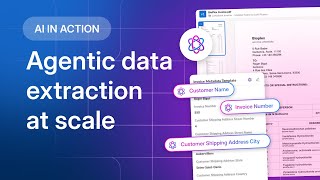
Box Extract: Get data you can trust - with agentic extraction at scale
Box
YouTube returned 6 videos for “Box Extract”, and we withheld 2: 2 did not mention Box Extract. Showing the 4 we can prove are about Box Extract.
Official links
Tools that pair well with Box Extract
Common stack mates teams adopt alongside Box Extract, with the specific reason each pairing earns its keep.

Extracta.ai
No-code AI extraction that turns invoices, resumes, contracts, receipts and custom documents into structured JSON.

PDF Dino
PDF Dino extracts structured data from PDFs — invoices, statements, contracts — into JSON, Excel, or CSV using plain-language instructions.

openProd.io
openProd.io turns supplier PDFs and spreadsheets into checked, PIM-ready product data for Pimcore, Akeneo and Ergonode.
Featured Head-to-Head Comparisons
Box Extract vs Nectar Energy
Choose Nectar Energy if you manage commercial building energy use and need automated HVAC/lighting control plus carbon reporting (just launched ESG module). Choose Box Extract if you process high volumes of invoices/contracts and already use Box. They serve entirely different domains with no overlap, so your decision depends on whether your challenge is building efficiency or document data extraction.
Box Extract vs Screenplayiq
If you need to predict a screenplay's box office potential, ScreenplayIQ's free tier and market data are compelling. But if you run an enterprise drowning in invoices or contracts, Box Extract's deep integration with Box ecosystem and high-accuracy extraction wins. These tools solve completely different problems, so choose based on your workflow: storytelling or document processing.
Box Extract vs Geologicai
These tools serve entirely different markets: GeologicAI is for critical minerals mining companies needing rapid, multi-sensor core scanning and AI logging, while Box Extract is for enterprise teams automating data extraction from documents. Choose GeologicAI for mining workflows; choose Box Extract for document processing.
Alternatives to Box Extract
View all
Extracta.ai
No-code AI extraction that turns invoices, resumes, contracts, receipts and custom documents into structured JSON.

PDF Dino
PDF Dino extracts structured data from PDFs — invoices, statements, contracts — into JSON, Excel, or CSV using plain-language instructions.

openProd.io
openProd.io turns supplier PDFs and spreadsheets into checked, PIM-ready product data for Pimcore, Akeneo and Ergonode.
Frequently Asked Questions
Categories
Best-of guides
Used Box Extract? Help shape our editorial sentiment research.