
Extracta.ai
No-code AI data extraction from invoices, resumes, contracts, receipts, and custom documents
Extracta.ai is a reasonable pick if you need quick, no-training extraction on modest volumes and you want a free trial you can finish in an afternoon — 50 pages with all document types and both web and API access is enough to judge accuracy on your own files. Its strength is breadth of intake: PDFs, images, scans, digital docs, and text files, with pre-built templates for invoices, resumes, contracts, receipts, bank statements, bills of lading, purchase orders, and emails. Its weakness is the upper end: the vendor's own category pages do not advertise handwriting recognition, complex table extraction, multi-page form handling, on-premises deployment, or published rate limits and SLAs. If
Verified 1d ago · liveness 54/100 · cite: rightaichoice.com/tools/extracta-ai
- Small and medium businesses automating invoice processing
- HR and recruiting teams extracting resume data
- Finance teams processing receipts and expense reports
- Developers who need a lightweight document extraction API
- Large enterprises with high-volume, mission-critical document processing
- Teams that require on-premises deployment or strict data residency
- Projects needing handwriting recognition
We scan live Reddit threads, YouTube comments, X posts, G2 reviews and other communities — and hand you an honest verdict in under a minute.
- Honest verdict, not marketing
- Real pros & cons from real users
- Attributed quotes with receipts
3 free scans · no card needed
Skip Extracta.ai if your documents are handwritten or require complex table and multi-page form extraction, since the vendor's own pages do not document support for those formats.
The Free Trial stops at 50 pages, after which every additional page is billed on the pay-per-request rate.
Extracta.ai fits small and medium businesses and non-technical teams processing modest document volumes, where a 50-page free trial and pay-per-request billing keep entry cost near zero. It is cheaper to start than seat-priced enterprise platforms, but at high monthly page counts its per-page model costs more than flat-rate parsers. Subscription and bespoke pricing for consistent monthly volume are quoted on contact, so larger buyers should get a quote before scaling past the trial.
In short
Extracta.ai — No-code AI data extraction from invoices, resumes, contracts, receipts, and custom documents. Best for Small and medium businesses automating invoice processing, HR and recruiting teams extracting resume data, Finance teams processing receipts and expense reports. Free to use.
Viability Score
How well maintained and how widely used is Extracta.ai? Built from what the vendor actually publishes (docs, changelog, tutorials, integrations, pricing), whether the site is live, and how much real users discuss it. How we calculate this
Last calculated: October 2026
How we score →Key Features
- No-training, LLM-driven extraction workflow
- Define custom extraction fields via web interface or API
- Three-step define, upload, extract process
- PDF extraction including complex layouts and data tables
- Image and photo data extraction
- Scanned document digitization
- Digital document support (Word through webpages)
- Plain text file extraction
- Pre-built invoice template
- Pre-built resume template
- Pre-built contract template
- Pre-built receipt template
- Pre-built bank statement template
- Pre-built bill of lading template
- Pre-built purchase order and email templates
About Extracta.ai
Extracta.ai, operating as Extracta LABS, is a no-code AI document extraction tool that pulls structured data from unstructured documents. You define the fields you want, upload files (PDFs, images, scans, digital documents, and text files), and receive structured JSON output in seconds. The platform is LLM-driven and explicitly requires no training or complex setup — you define fields via its web interface or its API, then batch-process documents against pre-built templates for invoices, resumes, contracts, receipts, bank statements, bills of lading, purchase orders, and emails, or against your own custom document layouts. It is built for small and medium businesses and non-technical users who want quick extraction without an engineering project. Security posture is stated plainly on the vendor's homepage: data is not used for training, communication is fully encrypted, the vendor reports ISO 27001 certification, and the platform is GDPR compliant. The Free Trial includes 50 pages with access to all document types, custom fields, and both web and API access; beyond that the vendor sells pay-per-request by volume, subscriptions for consistent monthly volume, and bespoke plans for unique requirements.
Behind the Verdict
Extracta.ai does one job and does it without ceremony: you define the fields you want, you upload documents, and you get structured JSON back. The three-step define/upload/extract flow is the product's whole pitch, and the fact that it works from either the web interface or the API means a non-technical operations person can set up a template and a developer can wire the same template into a pipeline without renegotiating the schema. Where it earns its place is intake breadth. The homepage lists support for PDFs (including complex layouts and data tables), images, scans, digital documents from Word through webpages, and plain text files. Pre-built templates cover invoices, resumes, contracts, receipts, bank statements, bills of lading, purchase orders, and emails, and the custom-document path lets you define your own fields for specialized forms and unconventional layouts. If your team receives a mixed pile of documents rather than one rigid format, that flexibility is the main reason to choose this over a fixed-schema parser. The security story is stated more concretely than most tools at this size: data is not used for training, communication is fully encrypted, and the vendor states ISO 27001 certification and GDPR compliance. For a tool handling invoices and resumes, that matters. Be clear-eyed about the ceiling. The vendor's own pages do not document handwriting recognition, complex table extraction, or multi-page form processing, which rules out a lot of legacy paper workflows. There is no on-premises deployment option, no published rate limits, and no published SLA — so mission-critical, high-volume pipelines should not depend on it. Pricing is volume-based by design: the Free Trial gives you 50 pages, then you either pay per request or move to a subscription for consistent monthly volume. At high page counts, pay-per-page is structurally more expensive than flat-rate competitors, so model your real monthly volume before committing rather than after.
Researching Extracta.ai? Get your full AI stack in 60 seconds.
Free, no signup — tell us your goal and get tools matched to your budget & existing stack.
Real-world workflow fit
Concrete scenarios for the personas Extracta.ai actually fits — and what changes day-one when you adopt it.
You sign up for the free trial, open the invoice template, upload a batch of supplier PDFs, and confirm the extracted dates, amounts, and vendor names against the source files.
Outcome: Structured invoice data lands as JSON in minutes with no model training, and the 50-page trial tells you whether accuracy holds on your real supplier formats before you pay anything.
You define resume fields such as skills, experience, and education once in the web interface, then upload a batch of candidate CVs and drop the JSON output into your applicant tracking system.
Outcome: Resume screening stops being manual copy-paste, and the same field definitions can later be called through the API so your ATS integration stays on one schema.
You call the Extracta API from your backend with a template you built for an internal form, send PDFs and scans, and receive structured JSON that flows straight into your database.
Outcome: You get custom-field document extraction without training a model or running OCR infrastructure, at a per-page cost you can meter against your own volume.
Use Cases
- Pull invoice numbers, dates, amounts, and vendor details from hundreds of PDF invoices without manual entry
- Extract skills, qualifications, and experience from resumes to feed into an HR or applicant tracking system
- Digitize receipts and export expense data to your accounting software
- Extract parties, dates, and key terms from contracts to speed up legal review
- Retrieve transaction data from bank statements for reconciliation
- Read purchase orders and bills of lading into a structured format for logistics or procurement
- Build a custom extraction pipeline via the API for any internal form or report
Limitations
- Extracta.ai's own pages do not document handwriting recognition, complex table extraction, or multi-page form processing, so plan around those if your documents are handwritten or contain dense nested tables.
- There is no on-premises deployment option, which rules out teams with strict data residency requirements.
- The vendor does not publish rate limits or SLAs on its public pages, so high-volume, mission-critical pipelines carry unquantified risk.
- Pay-per-page pricing scales linearly, which gets expensive at high volume compared with flat-rate competitors.
- Subscription and bespoke pricing require contacting the vendor for a quote.
as of 2026-10-08
Verification history
We have re-verified Extracta.ai 8 times since . Each pass re-reads the vendor's own pages and re-checks every listed field against that evidence; passes where nothing had changed are marked as such.
- — re-checked, vendor evidence unchanged
- — re-checked, vendor evidence unchanged
- — re-checked, vendor evidence unchanged
- — re-checked, vendor evidence unchanged
- — re-checked, vendor evidence unchanged
- — re-checked, vendor evidence unchanged
Showing the 6 most recent of 8 verification passes.
Free to cite with attribution — this page re-verifies continuously.
12-month cost
Project the real annual outlay, including the implied monthly cost when only an annual tier is published.
Vendor list price only. Add-on usage, seat overages, and contract minimums are surfaced under Hidden costs & gotchas.
Plans compared
For each published Extracta.ai tier: who it actually fits, and what it adds vs. the previous tier. Cross-reference the cost calculator above for projected annual outlay.
Free Trial
$0
Ideal for
A solo operator or small team that wants to validate extraction accuracy on its own invoices, resumes, or receipts before spending anything.
What this tier adds
Starting free entry point: 50 pages with all document types, custom fields, and both web and API access.
Pay-Per-Request
Pay as you go (per page)
Ideal for
Teams with irregular or bursty document volume that do not want a recurring commitment — for example, month-end invoice batches.
What this tier adds
Moves from a fixed 50-page allowance to unlimited pages billed per page, with priority support added.
Subscription
Contact for pricing
Ideal for
Operations teams with predictable monthly document volume who would rather pay a consistent amount than track per-page spend.
What this tier adds
Adds a consistent monthly volume commitment on top of all features, priority support, and custom onboarding; pricing is quoted on contact.
Custom
Contact for pricing
Ideal for
Organizations with non-standard document types, unusual volume profiles, or compliance requirements that a published tier does not cover.
What this tier adds
Bespoke volume and feature configuration with dedicated support, priced on contact rather than published.
Where the pricing makes sense
The company stage and team size where Extracta.ai's pricing actually pencils out — and where peers do it cheaper.
Extracta.ai fits small and medium businesses and non-technical teams processing modest document volumes, where a 50-page free trial and pay-per-request billing keep entry cost near zero. It is cheaper to start than seat-priced enterprise platforms, but at high monthly page counts its per-page model costs more than flat-rate parsers. Subscription and bespoke pricing for consistent monthly volume are quoted on contact, so larger buyers should get a quote before scaling past the trial.
Setup time & first value
How long it actually takes to get something useful out of Extracta.ai — broken out by persona, not the marketing-page minute.
For a non-technical user, first value typically comes inside an hour: create the free trial account, pick a pre-built template or define your own fields, upload a document, and check the JSON. Developers who build a template through the API can wire a first end-to-end extraction in about the same time, since there is no model training step to wait on.
Switching to or from Extracta.ai
How to bring data in from common predecessors and how to get it back out — written for the switcher, not the buyer.
- →From manual data entry: replace copy-paste extraction with a defined-field template and batch upload.
- →From a fixed-schema parser: move to custom document templates for layouts the old schema could not handle.
- →From an in-house OCR script: route PDFs, images, scans, and text files through the API and drop the OCR maintenance.
- →From spreadsheet-based invoice tracking: upload PDFs and export structured JSON into the same workbook.
- ↗To Docparser: rebuild field rules as template-based parsing rules if you need tighter template control.
- ↗To Klippa: move to a heavier document automation suite if you need broader intake and enterprise controls.
- ↗To an in-house pipeline: replace the API call with your own extraction service where data residency requires it.
Resources & Guides
Tutorials & Learning
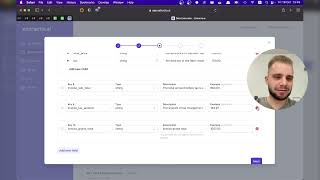
How to Extract Data from Invoices with Extracta.ai
Extracta AI
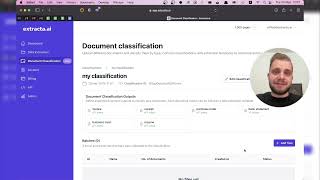
How to use the Document Classification feature from Extracta.ai?
Extracta AI
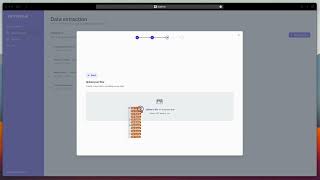
How to use Extracta.ai to automate data extraction
Fastapp Development
YouTube returned 6 videos for “Extracta.ai”, and we withheld 2: 2 could not be judged, because “Extracta.ai” is a single word that other videos use for other things. Showing the 4 we can prove are about Extracta.ai.
Official links
Tools that pair well with Extracta.ai
Common stack mates teams adopt alongside Extracta.ai, with the specific reason each pairing earns its keep.

DocLine.ai
DocLine.ai turns invoices, receipts, contracts, and forms into structured data with pre-trained extraction models and a no-code custom field trainer.

Box Extract
Agentic data extraction inside Box that turns invoices, leases, and bills of lading into structured metadata.
Vue.ai
Vue.ai is an enterprise AI orchestration platform uniting Data, Customer, Automation and Optimization Hubs on one composable architecture.
Featured Head-to-Head Comparisons
Extracta Ai vs Presto Voice
These tools solve completely different problems. Extracta.ai is the go-to for no-code document data extraction, ideal for small to medium teams that need structured data from invoices or resumes quickly. Presto Voice is purpose-built for QSR chains to automate drive-thru ordering and boost revenue via upselling. Choose based on your industry: documents vs. drive-thru.
Extracta Ai vs Screenplayiq
These tools serve entirely different domains. Extracta.ai is a document extraction utility for business data; ScreenplayIQ is a niche screenplay analyzer. Choose Extracta.ai for automating invoice/resume data capture, and ScreenplayIQ for data-driven script feedback and box office forecasting. They are not competitors.
Extracta Ai vs Truleo
Truleo and Extracta.ai serve completely different verticals: Truleo is a specialized law enforcement intelligence platform integrating deeply with police systems to generate leads and streamline reports, while Extracta.ai is a general-purpose document extraction tool for businesses. Buyers should choose based on their industry and workflow—law enforcement agencies need Truleo's compliance and integrations; SMBs, HR, or finance teams should pick Extracta.ai for its simplicity and low cost.
Alternatives to Extracta.ai
View all
DocLine.ai
DocLine.ai turns invoices, receipts, contracts, and forms into structured data with pre-trained extraction models and a no-code custom field trainer.

Box Extract
Agentic data extraction inside Box that turns invoices, leases, and bills of lading into structured metadata.
Frequently Asked Questions
Categories
Best-of guides
Used Extracta.ai? Help shape our editorial sentiment research.