
Chatbox
Chatbox AI is a multi-model chat client with a local knowledge base, real-time web search, and a desktop Work Mode agent
If you rotate between Claude, GPT, and Gemini during a normal workday and want one shared history instead of five browser tabs, Chatbox earns its install. Lite at $3.50/month annually is close to impulse money, and BYO-API-key mode costs nothing beyond your own provider bill. The catch is quota math and the 5-device ceiling: Lite's 2,000,000 compute points drain fast once web search and document analysis enter the picture, and IT-managed fleets are out of scope.
Verified 3d ago · liveness 71/100 · cite: rightaichoice.com/tools/chatbox
- Developers who switch between Claude and GPT and want one shared history plus a desktop coding agent
- Privacy-conscious professionals who want chats and a knowledge base stored locally, not on a vendor cloud
- Students and researchers pulling summaries out of PDFs, slides, and LaTeX-heavy documents
- Anyone already paying OpenAI or Anthropic directly who prefers BYO-API-key mode over a subscription quota
- Teams needing shared workspaces, SSO, admin controls, or Slack/GitHub/Notion integrations — none are documented
- Organizations running more than 5 devices on a single account
- Heavy agent or document users on Lite — Work Mode is trial only there and 2,000,000 points drain fast
We scan live Reddit threads, YouTube comments, X posts, G2 reviews and other communities — and hand you an honest verdict in under a minute.
- Honest verdict, not marketing
- Real pros & cons from real users
- Attributed quotes with receipts
3 free scans · no card needed
Skip Chatbox if you need shared team workspaces, SSO, or admin controls, or if you'd be managing more than 5 devices on one account — none of that is supported.
Compute points meter every model chat, web search, and document analysis, so a heavy research day on Lite can burn through the 2M monthly quota faster than the $3.50/month price suggests
Fits individual power users and small teams under 5 devices. Lite at $3.50/month annual undercuts ChatGPT Plus and Claude Pro, but you supply the compute quota and BYO-key mode can beat all of them on cost if you pay providers directly. Real enterprise buyers who need SSO or admin seats should budget for ChatGPT Team or Claude's business tier instead — Chatbox doesn't offer those at any price.
In short
Chatbox — Chatbox AI is a multi-model chat client with a local knowledge base, real-time web search, and a desktop Work Mode agent. Best for Developers who switch between Claude and GPT and want one shared history plus a desktop coding agent, Privacy-conscious professionals who want chats and a knowledge base stored locally, not on a vendor cloud, Students and researchers pulling summaries out of PDFs, slides, and LaTeX-heavy documents. Free to start; paid plans from $3.5/mo.
What's new in Chatbox
Checked todayAcross the latest 2 updates: 1 feature update and 1 changelog entry.
Chatbox 1.23: Memory, and a Work Mode That Keeps Up
Chatbox 1.23 adds cross-chat memory and makes Work Mode easier to steer, with fewer dropped steps on long jobs.
Introducing Work Mode: An AI That Gets Things Done
Work Mode ships on desktop: Chatbox can run code, read and write files, call tools, and complete multi-step tasks.
What people actually say about Chatbox — is it worth it?
We ran a structured research pass across product reviews, community discussions, and post-purchase forum threads to surface the patterns vendors won't publish themselves. Below: the recurring strengths, the hidden costs people mention most, and the cohort that consistently regrets adopting this tool.
102 mentions across 7 sources (Hacker News, YouTube, Product Hunt, App Store, Stack Overflow, GitHub, Lemmy) · researched Aug 21, 2026.
Average across the 7 sources that answered — each source counts once, not each post.
- +Cross-platform on desktop, mobile, and web with local storage for privacy.
- +Multi-model support — GPT, Claude, Gemini, DeepSeek — in one clean UI.
- +Fast model adoption, often within days of release, per long-time users.
- +Great BYOK value with free tier and your own API key.
- +Document chat handles scanned and handwritten PDFs well.
- −Mobile UI is laggy and the image-upload button is too small.
- −No built-in proxy settings, forcing global proxy workarounds.
- −Work Mode is dismissed as unnecessary friction by some HN users.
- −Frequent API quota errors, especially with third-party endpoints.
- −No Slack/GitHub/enterprise integrations, limits team adoption.
- • Compute-points system can limit heavy usage on lower tiers, forcing upgrades.
- • BYOK model means you also pay your own API provider costs on top of any subscription.
- • No consumption statistics makes it easy to hit quota limits unexpectedly.
Viability Score
How well maintained and how widely used is Chatbox? Built from what the vendor actually publishes (docs, changelog, tutorials, integrations, pricing), whether the site is live, and how much real users discuss it. How we calculate this
Last calculated: October 2026
How we score →Key Features
- Multi-model chat with GPT, Claude, Gemini, Grok, DeepSeek, Qwen, and Kimi in one client
- Work Mode desktop agent that runs code, reads and writes files, and calls tools
- Cross-chat memory so context carries between conversations (Chatbox 1.23)
- Document and image analysis for PDFs, Word files, slides, and code snippets
- Personal local knowledge base stored on your own device
- Real-time web search with fact-checking for current information
- AI image generation from text prompts, 5 to 200 images depending on plan
- Code generation with live preview and syntax highlighting
- Mermaid diagram, LaTeX formula, and Markdown rendering
- MCP service integration for connecting external tools
- Bring your own API key as an alternative to the hosted subscription
- Compute-point quota system shared across chat, web search, and document analysis
- Cross-platform apps for Windows, macOS, Linux, iOS, Android, and web
- Web app usable without installing anything
About Chatbox
Chatbox AI is a chat client that runs on Windows, macOS, Linux, iOS, Android, and the web, and puts GPT, Claude, Gemini, Grok, DeepSeek, Qwen, and Kimi in a single window. It's aimed at developers, students, and knowledge workers who would rather compare answers across providers than keep five tabs open — and who prefer their conversations and documents sitting on their own disk. File handling is the core of the daily workflow: PDFs, Word documents, images, slides, and code snippets go in, and summaries, extracted fields, and answers come out. A personal knowledge base turns those documents into something you can query again later, and Chatbox's real-time web search pulls current information with fact-checking rather than relying on stale model training data. Rich rendering covers code blocks with live preview, Mermaid diagrams, LaTeX formulas, and Markdown. Work Mode, shipped June 30, 2026, moves the app past chat: an agent can run code, read and write files, call tools, and complete multi-step tasks on your desktop. Chatbox 1.23 (August 28, 2026) added cross-chat memory and made that agent easier to steer, with fewer dropped steps on long jobs. MCP services extend it further, and you can bring your own API key instead of using the hosted subscription. Against ChatGPT desktop or Claude's own app, Chatbox wins on model breadth and entry price — Lite starts at $3.50/month billed annually — and loses on anything team-shaped. It's an individual power-user client, not enterprise infrastructure.
Behind the Verdict
Chatbox is the client you reach for when no single model is good enough for everything. Claude writes your migration script, GPT checks the edge cases, Gemini reads the diagram — Chatbox keeps all three in one window with one history and one knowledge base, which is the actual product here. The model list in the pricing page runs deep: standard tier covers GPT 5.6 Luna, Claude Haiku 4.5, Gemini 3 Flash, DeepSeek V4 Flash and V4 Pro, while Pro and above unlock GPT 6.1 Sol, Claude Opus 5.5, Gemini 3.1 Pro, Grok 4.7, and Kimi K3. Work Mode is the piece that changed the calculus. Shipped June 30, 2026, it lets an agent run code, read and write files, call tools, and finish multi-step desktop tasks — and 1.23's cross-chat memory plus tighter steering matters more than the feature list suggests, because long agent runs used to lose the thread. In practice, that's the difference between a chat window and something you hand a real task. Pick it if you're an individual power user who wants breadth, local storage, and a knowledge base that stays on your disk. Pick it especially if you already pay OpenAI or Anthropic directly, since BYO-key mode sidesteps the quota entirely. Pass if your team needs shared workspaces, Slack or Notion hooks, or more than 5 devices per account. Nothing in the docs covers any of that. Note also that Work Mode is listed as trial only on the Lite plan — the agent is a Pro-and-up feature in practice, which quietly moves the real entry price from $3.50 to $16.70 a month. Quota is the other trap. Free gives you 10,000 compute points daily with 5 image generations; Lite's 2,000,000 goes quickly once web search and long documents stack up; Pro's 12,000,000 is the first tier that feels comfortable for daily agent work. If you want one assistant done
Researching Chatbox? Get your full AI stack in 60 seconds.
Free, no signup — tell us your goal and get tools matched to your budget & existing stack.
Real-world workflow fit
Concrete scenarios for the personas Chatbox actually fits — and what changes day-one when you adopt it.
You paste a failing stack trace into Chatbox, switch models mid-thread to compare answers, then use live code preview to test the fix without leaving the window
Outcome: One shared conversation history instead of three separate app windows, and a working patch in the same session
You load a stack of papers into the personal local knowledge base, ask cross-document questions, and draft a section with LaTeX formulas rendering inline
Outcome: Your sources stay on your own disk, and the literature review moves from days of reading to a few query-and-verify passes
You run Work Mode on desktop to read a CSV, run code against it, write the summary to a file, and pull a current statistic via real-time web search
Outcome: A multi-step task completes without you opening a terminal, and none of the documents leave your machine beyond the model call
Use Cases
- Summarize long PDFs and extract key insights without leaving your desktop
- Generate and preview code snippets with syntax highlighting and live preview
- Search the web in real time for current news and fact-checked answers
- Generate images from text prompts inside the same chat window
- Write academic papers with LaTeX rendering and math formula support
- Analyze uploaded spreadsheets and pull structured data out of them
- Use Work Mode to chain multi-step desktop tasks: run code, edit files, call tools
- Keep a private local knowledge base of documents you query repeatedly
Models Under the Hood
as of 2026-09-28
Limitations
- Model availability is tier-gated: the pricing page organizes models into Standard (Lite and up) and Advanced (Pro and above, plus Chatbox AI 4) tiers, so the most capable models are not available on the Free tier.
- Usage is metered via compute points consumed by model chats, web search, and document analysis, with quotas from 10,000 points daily on Free up to 30,000,000 on Pro+; image generation is listed at 100 images.
- Accounts are capped at 5 simultaneous devices, and Work Mode runs on desktop only, offering a trial on the Free plan.
as of 2026-09-14
Verification history
We have re-verified Chatbox 10 times since . Each pass re-reads the vendor's own pages and re-checks every listed field against that evidence; passes where nothing had changed are marked as such.
- — re-verified summary, description, our verdict, our analysis, pricing model, pricing tiers, features, integrations, who it suits, who should skip it
- — re-verified summary, description, our verdict, our analysis, pricing model, pricing tiers, features, integrations, who it suits, who should skip it
- — re-verified summary, description, our verdict, our analysis, pricing model, pricing tiers, features, integrations, who it suits, who should skip it
- — re-checked, vendor evidence unchanged
- — re-checked, vendor evidence unchanged
- — re-verified summary, description, our verdict, our analysis, pricing model, pricing tiers, features, integrations, who it suits, who should skip it
Showing the 6 most recent of 10 verification passes.
Free to cite with attribution — this page re-verifies continuously.
12-month cost
Project the real annual outlay, including the implied monthly cost when only an annual tier is published.
Vendor list price only. Add-on usage, seat overages, and contract minimums are surfaced under Hidden costs & gotchas.
Plans compared
For each published Chatbox tier: who it actually fits, and what it adds vs. the previous tier. Cross-reference the cost calculator above for projected annual outlay.
Free
$0/mo
Ideal for
Casual users who want a multi-model chat client with document and image analysis without paying anything
What this tier adds
Free entry point — 10,000 compute points resetting daily, standard models, document and image analysis, web search, local knowledge base, and a Work Mode trial
Lite
$3.50/mo billed annually ($3.99/mo monthly)
Ideal for
Students and light daily users who want Work Mode and image generation without a big commitment
What this tier adds
Adds 2,000,000 compute points (roughly 10x the free daily allowance), full Work Mode access, 25 image generations, and 5-device support for $3.50/month annually
Pro
$16.70/mo billed annually ($19.99/mo monthly)
Ideal for
Developers and professionals who use Chatbox every workday and need advanced models plus real agent tasks
What this tier adds
Jumps to 12,000,000 compute points and unlocks advanced models including GPT 6 Astra, GPT 5.6 Sol, Claude Opus 5, Claude Sonnet 5, Gemini 3.8 Flash, Grok 4.6, and Kimi K3, plus 100 image generations
Pro+
$33.33/mo billed annually ($39.99/mo monthly)
Ideal for
Intensive users running deep learning, long research sessions, or heavy agent workloads who keep hitting Pro's quota ceiling
What this tier adds
Raises the quota to 30,000,000 compute points (15x base) and doubles image generation to 200 images over Pro
Where the pricing makes sense
The company stage and team size where Chatbox's pricing actually pencils out — and where peers do it cheaper.
Fits individual power users and small teams under 5 devices. Lite at $3.50/month annual undercuts ChatGPT Plus and Claude Pro, but you supply the compute quota and BYO-key mode can beat all of them on cost if you pay providers directly. Real enterprise buyers who need SSO or admin seats should budget for ChatGPT Team or Claude's business tier instead — Chatbox doesn't offer those at any price.
Setup time & first value
How long it actually takes to get something useful out of Chatbox — broken out by persona, not the marketing-page minute.
Download the desktop or mobile app and you're chatting in under five minutes. Free tier works immediately with no key needed. Adding your own API key takes another few minutes at the provider's console and then a paste into settings. Building a usable local knowledge base is an afternoon job once you've indexed your first document set.
Switching to or from Chatbox
How to bring data in from common predecessors and how to get it back out — written for the switcher, not the buyer.
- →From ChatGPT desktop: export your conversations, then re-paste the ones you still reference and rebuild your document context in the local knowledge base
- →From Claude's app: copy over key threads manually and re-upload the documents you want indexed locally
- →From a browser-tab workflow across multiple model sites: install Chatbox, connect the same providers via API key, and consolidate the tabs into one window
- ↗To ChatGPT Plus or Team: export conversations from Chatbox, then re-upload your documents to ChatGPT Projects and lose the local-only storage model
- ↗To Claude Pro: copy over threads you need and re-establish any knowledge base as Claude Projects, accepting vendor-side storage
Resources & Guides
Tutorials & Learning
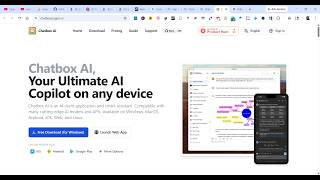
YouTube returned 6 videos for “Chatbox”, and we withheld 5: 5 could not be judged, because “Chatbox” is a single word that other videos use for other things. Showing the 1 we can prove is about Chatbox.
Official links
Tools that pair well with Chatbox
Common stack mates teams adopt alongside Chatbox, with the specific reason each pairing earns its keep.

Writingmate
Writingmate puts 350+ chat, image, and video models plus web search and files in one $20/month workspace.

ChatPlayground AI
Compare up to four AI models side-by-side from a single prompt, in one browser tab

Meta AI
Meta AI is a free AI assistant for chat, real-time web search, and image generation inside Facebook, Instagram, WhatsApp, Messenger, and
Featured Head-to-Head Comparisons
Chatbox vs Cognition Ai
Choose Cognition AI if you lead an enterprise engineering team that needs an autonomous agent to plan, code, test, and ship production code—backed by a $10M productivity guarantee. Choose Chatbox if you're an individual developer, student, or creative professional who wants a private, multi-model AI client for chat, code, and image generation across devices. They serve completely different needs: autonomous DevOps vs. personal AI assistant.
Chatbox vs Poke Interaction Co
For multi-model chat, coding, and document/image analysis across desktop and mobile – Chatbox is the better pick, especially with GPT-4 and Claude support. For AI-assisted task management inside your existing messaging apps (email, calendar, Notion, Oura, automations) – Poke wins if you want a proactive assistant that lives where you already message. Choose based on workflow: do you want a Swiss Army Knife for AI chatting (Chatbox) or a butler for your daily apps (Poke)?
Chatbox vs The New Black
For fashion professionals needing specialized design generation and tech packs, The New Black is the clear choice. For everyone else—developers, students, or general users—Chatbox offers far more versatility at a lower price. Pick based on your domain need.
Alternatives to Chatbox
View all
Writingmate
Writingmate puts 350+ chat, image, and video models plus web search and files in one $20/month workspace.

ChatPlayground AI
Compare up to four AI models side-by-side from a single prompt, in one browser tab

Frequently Asked Questions
Categories
Best-of guides
Used Chatbox? Help shape our editorial sentiment research.