
Design.com
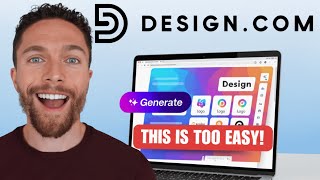
Design.com generates logos, business cards, social graphics and simple websites from a text prompt in your browser
If you are a solo founder who needs a logo, a business card, a link-in-bio page and a batch of social posts this week, Design.com collapses that into one sitting — and prompt-based editing is the real differentiator: you describe the tweak instead of hunting the right panel. The business-name and domain-name generators sitting next to the logo maker is a genuinely useful sequencing choice you won't get in Canva, where you arrive with a name already chosen. Working designers will find it shallow, and anyone who needs a multi-page site, a shared team workspace or production print files should look at a full design suite instead.
Verified 3h ago · liveness 72/100 · cite: rightaichoice.com/tools/design-com
- Founders and startups needing a logo and brand feel fast
- Small business owners producing their own social posts and print flyers
- Freelancers and solopreneurs building a one-page site or link-in-bio page
- Non-designers who would rather type a change than drag a layer
- Graphic designers who need vector exports and full layer control
- Teams needing a shared brand workspace and multi-user editing
- Complex multi-page or e-commerce websites with custom functionality
We scan live Reddit threads, YouTube comments, X posts, G2 reviews and other communities — and hand you an honest verdict in under a minute.
- Honest verdict, not marketing
- Real pros & cons from real users
- Attributed quotes with receipts
3 free scans · no card needed
Skip Design.com if you need editable vector source files with layer-level control, a shared multi-user brand workspace, or a multi-page website with custom functionality — it is a prompt-driven solo-brand tool, not a production design suite.
Design.com's pricing fits teams whose volume aligns with the published tiers. Compare against the alternatives listed below for stage-specific value.
In short
Design.com — Design.com generates logos, business cards, social graphics and simple websites from a text prompt in your browser. Best for Founders and startups needing a logo and brand feel fast, Small business owners producing their own social posts and print flyers, Freelancers and solopreneurs building a one-page site or link-in-bio page. Free to start; paid plans from $15/mo.
No head-to-head comparison for Design.com yet — the alternatives below are the closest matches we list.
What people actually say about Design.com — is it worth it?
We ran a structured research pass across product reviews, community discussions, and post-purchase forum threads to surface the patterns vendors won't publish themselves. Below: the recurring strengths, the hidden costs people mention most, and the cohort that consistently regrets adopting this tool.
32 mentions across 4 sources (Hacker News, YouTube, Product Hunt, Lemmy) · researched Oct 8, 2026.
Weighted by the 42 posts each of 4 sources contributed.
- +One browser-based hub covering logos, websites, business cards, and social graphics for non-designers
- +Prompt-based editing lets beginners adjust fonts, colors, and layouts without dragging layers
- +Tens of thousands of templates span Instagram, TikTok, YouTube, LinkedIn, Pinterest, and Twitch formats
- +Free tier plus a low-friction AI logo generator makes it easy to test before committing
- +Bundled business-name and domain-name generators speed up early branding for solo founders
- −Users struggle to return and edit a design after generating it
- −Changing link-in-bio destinations or QR codes often fails to update as expected
- −Real users repeatedly ask basic how-to questions, hinting weak in-product guidance
- −No clarity on whether printed assets like business cards are physical or just design files
- −Unclear whether a built website survives subscription cancellation
- • Depending on tier, downloadable/print-ready assets and website hosting may require payment
- • Potential loss of your live website if you cancel a subscription — unclear from available data
- • Printing physical assets likely means paying a third party like Vistaprint separately
Viability Score
How well maintained and how widely used is Design.com? Built from what the vendor actually publishes (docs, changelog, tutorials, integrations, pricing), whether the site is live, and how much real users discuss it. How we calculate this
Last calculated: October 2026
How we score →Key Features
- AI Logo Generator with prompt-based logo editing and font, color and layout adjustments
- AI Image Generator and AI Background Remover
- AI Business Name Generator and AI Domain Name Generator
- AI Website Builder and AI Link in Bio pages
- AI Business Card Generator and digital business cards
- AI Flyer, AI Poster and AI Presentation generators
- AI Social Media Generator for Instagram, Facebook, TikTok, LinkedIn, Twitter and Pinterest
- AI Icon Generator, AI Illustration Generator and AI Resume Builder
- Chat with the AI to change fonts, colors and layouts instead of dragging layers
- Tens of thousands of customizable templates across social, print and web
- Video and animation templates including Instagram Reels, TikTok videos, YouTube videos and Shorts
- Print-ready designs for flyers, posters, menus, postcards, invitations and T-shirts
- Social covers and profile pictures for Facebook, YouTube, Twitch, LinkedIn, SoundCloud and Zoom
- Email signatures, letterheads, invoices, QR codes, gift certificates and thank-you cards
- Browser-based — no install required
About Design.com
Design.com is a browser-based AI design tool aimed at founders, small business owners and non-designers who need brand assets without opening a design suite. You describe what you want in a prompt and the AI applies it to fonts, colors and layouts, so a logo or business card can be adjusted by typing a change rather than hunting through layers. The generator lineup is broad: AI Logo Generator, AI Image Generator, AI Icon Generator, AI Illustration Generator, AI Resume Builder, AI Background Remover, AI Business Name Generator, AI Domain Name Generator, AI Website Builder, AI Business Card Generator, AI Flyer Generator, AI Poster Generator, AI Link in Bio Generator, AI Presentation Maker and AI Social Media Generator. Behind those sit tens of thousands of templates covering the formats people actually publish — Instagram posts and stories, Facebook posts, stories, covers, event covers and ads, YouTube banners and channel icons, TikTok videos, Instagram Reels, YouTube Shorts, LinkedIn posts and banners, Twitter headers and posts, Pinterest pins and board covers, Twitch, SoundCloud and Tumblr banners, Zoom backgrounds, Etsy and WhatsApp formats. Print and business assets get the same coverage: business cards, letterheads, invoices, menus, postcards, gift certificates, invitations, thank-you cards, email signatures, QR codes, presentations, animations and T-shirts. The practical draw is that one session can carry a whole launch: lock a business name and domain with the name generators, then produce a logo, card, link-in-bio page and social set with a consistent look. Compared with template-first editors like Canva, Design.com starts from a described idea rather than a blank canvas, and its digital business card and link-in-bio generators cover ground Canva handles less directly.
Behind the Verdict
Design.com's pitch is narrow and it mostly delivers on it: type what you want, get a finished asset in a format you can publish. The interesting part is not the template library — tens of thousands of designs across social, print and web is table stakes in this category — but the ordering of the workflow. Business-name and domain-name generators sit up front alongside the logo maker, so you can settle on a name, check the domain, and then produce a logo, a business card, a link-in-bio page and your social covers without switching tools or re-entering your colors. That end-to-end launch flow is the case for choosing it over a general template editor. Breadth is real. The format list runs from Instagram Reels, TikTok videos and YouTube Shorts through Facebook ads, LinkedIn banners, Pinterest pins, Twitch and SoundCloud banners and Zoom backgrounds, then into print: menus, postcards, invoices, letterheads, gift certificates, invitations, T-shirts and QR codes. The AI Icon, Illustration and Resume generators and the AI Presentation Maker widen that further, and the AI Background Remover is the kind of small utility that saves a product listing. Where it thins out is control. Everything we captured is prompt-driven and browser-based, and the material documents no vector export, no layer-level editing and no shared brand workspace or multi-user editing. That rules it out for print production work that needs an editable source file, and for teams that need several people inside the same brand system. The website builder is described in the vendor's own words as a setup for simple sites, so multi-page builds and e-commerce with custom functionality are outside its stated scope. Treat it as a solo-brand tool: strong from name to finished assets, shallow once the work needs a designer's hands on it.
Researching Design.com? Get your full AI stack in 60 seconds.
Free, no signup — tell us your goal and get tools matched to your budget & existing stack.
Real-world workflow fit
Concrete scenarios for the personas Design.com actually fits — and what changes day-one when you adopt it.
You have a product idea but no name. You run the AI Business Name Generator, check availability with the AI Domain Name Generator, then feed the chosen name into the AI Logo Generator and apply prompt edits to the fonts and colors.
Outcome: A named brand, a checked domain, a logo and a matching business card and link-in-bio page — all produced in one browser session before you have paid a designer.
You need a menu, a flyer for a seasonal offer and a week of Instagram posts. You pick templates for each format, describe your colors in the AI chat, and generate the posts with the AI Social Media Generator.
Outcome: A printed menu, a flyer and a week of on-brand Instagram and Facebook posts that share the same look without anyone touching a layer panel.
You want a single landing page and a link-in-bio for your social profiles. You use the AI Website Builder for the one-pager and the AI Link in Bio Generator for the profile link, matching both to an AI-generated logo.
Outcome: A one-page web presence and a link-in-bio page live the same afternoon, with consistent branding across both.
Use Cases
- Generate a logo and a matching set of brand assets for a new startup in one session.
- Produce a week of Instagram, Facebook and LinkedIn posts from a single brand look.
- Create a business card whose colors and fonts match the logo you just generated.
- Build a one-page website or link-in-bio page with the AI website builder.
- Make flyers, posters and menus for a local restaurant, café or service business.
- Design T-shirts, gift certificates and invitations for an event or team.
- Remove the background from a product photo for a listing or ad.
- Brainstorm and lock a business name and domain before you design the logo.
Limitations
- Everything captured presents Design.com as prompt-driven and browser-based, so the ceiling is set by what the AI and the templates can produce rather than by manual control.
- The material documents no vector export and no layer-level editing, which rules it out for print production work that needs a source file.
- There is no documented team collaboration or shared brand workspace, and no multi-user editing.
- The vendor's own copy frames the website builder as suited to simple sites, so multi-page builds and e-commerce with custom functionality sit outside its stated scope.
- It is strongest as a solo-brand tool covering logos, cards, flyers, social formats and a basic one-page site.
as of 2026-10-22
Verification history
We have re-verified Design.com 22 times since . Each pass re-reads the vendor's own pages and re-checks every listed field against that evidence; passes where nothing had changed are marked as such.
- — re-verified summary, description, our verdict, our analysis, pricing model, pricing tiers, features, integrations, who it suits, who should skip it
- — re-verified summary, description, our verdict, our analysis, pricing model, pricing tiers, features, integrations, who it suits, who should skip it
- — re-verified summary, description, our verdict, our analysis, pricing model, pricing tiers, features, integrations, who it suits, who should skip it
- — re-verified summary, description, our verdict, our analysis, pricing model, pricing tiers, features, integrations, who it suits, who should skip it
- — re-checked, vendor evidence unchanged
- — re-verified summary, description, our verdict, our analysis, pricing model, pricing tiers, features, integrations, who it suits, who should skip it
Showing the 6 most recent of 22 verification passes.
Free to cite with attribution — this page re-verifies continuously.
12-month cost
Project the real annual outlay, including the implied monthly cost when only an annual tier is published.
Vendor list price only. Add-on usage, seat overages, and contract minimums are surfaced under Hidden costs & gotchas.
Plans compared
For each published Design.com tier: who it actually fits, and what it adds vs. the previous tier. Cross-reference the cost calculator above for projected annual outlay.
Free
$0/mo
Ideal for
A solo founder or side-project owner testing whether prompt-based logo and social generation produces something usable before committing any money.
What this tier adds
Starting tier — access to the AI generators including logo, image and business name, plus the template library and prompt-based editing.
Pro
$15/mo
Ideal for
A small business owner or freelancer shipping real brand assets weekly, who needs the full generator set and website and link-in-bio pages.
What this tier adds
Adds higher-volume AI generation and downloads, the full generator lineup, social, print and business asset templates, and website and link-in-bio pages.
Where the pricing makes sense
The company stage and team size where Design.com's pricing actually pencils out — and where peers do it cheaper.
Design.com's pricing fits teams whose volume aligns with the published tiers. Compare against the alternatives listed below for stage-specific value.
Setup time & first value
How long it actually takes to get something useful out of Design.com — broken out by persona, not the marketing-page minute.
Setup time varies by use case. Solo users typically reach first value within an hour; teams should budget half a day for shared setup including integrations and access controls.
Resources & Guides
Tutorials & Learning


Official links
Tools that pair well with Design.com
Common stack mates teams adopt alongside Design.com, with the specific reason each pairing earns its keep.
Spline
Browser-based 3D design tool for building real-time interactive 3D and 2D experiences you ship to web, iOS and Android.

Microsoft Designer
Microsoft Designer generates social posts, flyers, banners, and avatars from text prompts and inserts them straight into PowerPoint, Word,

AI Logo Maker, Generator
Pixy AI Logo Maker generates original logos from a text prompt — no templates, no design skills required.
Alternatives to Design.com
View allSpline
Browser-based 3D design tool for building real-time interactive 3D and 2D experiences you ship to web, iOS and Android.

Microsoft Designer
Microsoft Designer generates social posts, flyers, banners, and avatars from text prompts and inserts them straight into PowerPoint, Word,

AI Logo Maker, Generator
Pixy AI Logo Maker generates original logos from a text prompt — no templates, no design skills required.
Frequently Asked Questions
Best-of guides
Topics
Used Design.com? Help shape our editorial sentiment research.