Dezgo is live · free · last verified 23 Oct 2026 · viability monitor

Dezgo
Run 30+ AI image and video models — WAN 3.0, MiniMax H3, Seedance 2.5, Muse Image — free in your browser
Dezgo answers one question better than almost anyone: what does this week's image or video model actually output? WAN 3.0, MiniMax H3, Seedance 2.5, Muse Image, Qwen Image 3 and Nano Banana 2 all sit behind one URL, and parallel video generation lets you run the same prompt across them side by side. Treat it as a comparison bench, not a studio — no workspace, no asset management, no licensing paperwork. Pick your winner here, then pay the model vendor for production.
Verified 5h ago · liveness 64/100 · cite: rightaichoice.com/tools/dezgo
- Hobbyists who want WAN 3.0, MiniMax H3 and other current models at zero cost
- Prompt engineers comparing image and video models side by side on one prompt
- Students and learners getting hands-on with AI image and video generation
- Developers scouting which model to license before committing budget
- Professional film work needing consistent output and custom pipelines
- Commercial delivery requiring clear licensing documentation
- Teams that need shared workspaces and asset management
We scan live Reddit threads, YouTube comments, X posts, G2 reviews and other communities — and hand you an honest verdict in under a minute.
- Honest verdict, not marketing
- Real pros & cons from real users
- Attributed quotes with receipts
3 free scans · no card needed
Skip Dezgo if you need multi-shot sequences longer than 30 seconds, 4K video, a shared team asset library, or written commercial licensing terms up front rather than a free model-testing bench.
Login may be required for some features, so the no-account path is not guaranteed across every model app.
Dezgo is a $0 entry point against paid generation tiers at Runway, Pika and Kling, whose own plans charge per credit or seat. The fit is individuals and small teams doing evaluation and short-form experimentation; the cost of the free tier is paid in studio features — no workspace, 30-second and 1080p caps on video — rather than in dollars.
In short
Dezgo — Run 30+ AI image and video models — WAN 3.0, MiniMax H3, Seedance 2.5, Muse Image — free in your browser. Best for Hobbyists who want WAN 3.0, MiniMax H3 and other current models at zero cost, Prompt engineers comparing image and video models side by side on one prompt, Students and learners getting hands-on with AI image and video generation. Free to use.
No head-to-head comparison for Dezgo yet — the alternatives below are the closest matches we list.
What is Dezgo?
Dezgo — Run 30+ AI image and video models — WAN 3.0, MiniMax H3, Seedance 2.5, Muse Image — free in your browser. Best for Hobbyists who want WAN 3.0, MiniMax H3 and other current models at zero cost, Prompt engineers comparing image and video models side by side on one prompt, Students and learners getting hands-on with AI image and video generation. Free to use.
Dezgo is a browser-based playground that puts more than 30 image and video models behind one deliberately plain interface. The text-to-video and image-to-video apps list WAN 3.0, MiniMax H3, MiniMax H3 Max, Seedance 2.5, FLUX.3, WAN 2.7, Happy Horse, Seedance 2.0, WAN 2.6 and 2.5, Grok Imagine, Kling 2.6, Seedance 1.0, Veo 3.1 and Kling 2.1. On the image side you get Muse Image, Nano Banana 2, Qwen Image 3, Grok Imagine, Nano Banana, Nano Banana Pro, Flux 2, Flux 2 Pro, plus free Flux 1, XL Lightning, SD1 and XL. Pick a model, type a prompt, generate — basic use does not require an account. The three newest image families are worth trying first. Qwen Image 3 adds bilingual prompts, automatic prompt expansion, negative prompts and 1K or 2K output. Muse Image targets agentic generation and precise edits with strong typography and multi-part prompt following. Nano Banana 2 is Gemini-backed, renders from 0.5K to 4K, and offers optional web grounding with enhanced reasoning. On video, WAN 3.0 brings native audio, enhanced reasoning and 2-to-30-second clips at up to 1080p, and you can run parallel generations across every video app to compare models on the same prompt. Separate Image Tools handle utility work: controlled text-to-image, background removal, upscaling, inpainting from text and editing an image from text. Several of these are marked free on the site. Dezgo is a testing bench for newly released models rather than a production studio — the trade is polished output controls and commercial paperwork for zero cost. For buyers comparing it against hosted model marketplaces or single-vendor studios like Runway, Pika or Kling's own paid tiers, Dezgo's value is breadth and immediacy, not depth on any one model.
Key features
- Text-to-video via WAN 3.0, MiniMax H3, MiniMax H3 Max and Seedance 2.5
- Image-to-video generation from a reference image
- Text-to-image with Muse Image, Nano Banana 2 and Qwen Image 3
- Image-to-image editing and transformation
- Native audio on WAN 3.0 video output
- Multilingual lip-sync on the Happy Horse video model
- Video clips of 2 to 30 seconds at up to 1080p
- Parallel video generations across every video app for side-by-side comparison
- Qwen Image 3 bilingual prompts with automatic prompt expansion and negative prompts
- Muse Image agentic generation with precise edits and strong typography
- Nano Banana 2 Gemini image generation from 0.5K to 4K with optional web grounding
- Free text-to-image with Flux 1, XL Lightning, SD1 and XL
- Controlled text-to-image (ControlNet-style)
- Inpainting from text prompts and editing an image from a text prompt
- Background removal and image upscaling tools
Behind the verdict
If you spend any time tracking model releases, Dezgo is the fastest way to turn a headline into a test. The moment a new version lands — WAN 3.0 with native audio, MiniMax H3, Seedance 2.5, Muse Image, Qwen Image 3, Nano Banana 2 — it tends to appear in the model list, and you can throw the same prompt at several of them without juggling tabs, API keys or signups. We'd reach for it first when a client or teammate asks "which model should we use for this?" and nobody wants to burn credits guessing. The parallel video generation feature is the one that earns its keep. Running one prompt across every video app and comparing the raw output is a workflow most paid tools simply don't offer, because they only host their own models. For prompt engineers, students and developers scouting which model to license before committing budget, that comparison alone justifies the visit. Where it bites is anything past the comparison stage. Dezgo is not a studio: there's no shared workspace, no asset library, no pipeline integration, and clips top out at 30 seconds. The interface is intentionally plain, which is good for speed and bad if you need granular control panels or preset libraries. If your deliverable requires licensing documentation for commercial use, you'll still need to check each underlying model's terms and likely move to that vendor's own paid tier. The upcoming text-to-speech and voice cloning tools are listed on the site as in progress rather than live, so don't plan a project around audio narration yet. Video with native audio (WAN 3.0) is the current audio story. Closest alternative depends on your job. If you want one excellent model with a polished editor, Runway or Kling's own paid tiers will beat Dezgo on controls and consistency. If you want breadth and zero
Models under the hood
as of 2026-10-16
Limitations
- Video clips are described as capping at 30 seconds and 1080p, which rules out long-form or 4K video work.
- There is no workspace, asset library or team collaboration layer — each app is a single prompt box.
- Text-to-Speech and Voice Cloning appear on the site as upcoming tools, not live features.
- The model roster rotates as new releases land, so a tuned prompt may behave differently once a model is superseded.
- The /pricing, /changelog, /docs and /release-notes pages returned 'Not found' during this scrape, so paid tiers, commercial licensing terms and version history could not be verified from those pages.
as of 2026-10-18
Researching Dezgo? Get your full AI stack in 60 seconds.
Free, no signup — tell us your goal and get tools matched to your budget & existing stack.
Is Dezgo still active?
Dezgo is live · free · last verified 23 Oct 2026 · viability monitor.
Viability score
How well maintained and how widely used is Dezgo? Built from what the vendor actually publishes (docs, changelog, tutorials, integrations, pricing), whether the site is live, and how much real users discuss it. How we calculate this
Last calculated: October 2026
How we score →What's new in Dezgo
Checked 4 days agoAcross the latest 3 updates: 1 feature update, 1 launch and 1 news mention.
Parallel video generations and WAN 3.0 model
Parallel generations across all video apps, plus WAN 3.0 with native audio, enhanced reasoning, and 2–30 second clips at up to 1080p.
New models MiniMax H3, Seedance 2.5, FLUX.3, and Nano Banana Pro
Video models MiniMax H3, Seedance 2.5 and FLUX.3 added alongside image models Nano Banana Pro and Flux 2 Pro.
Upcoming text-to-speech and voice cloning
The site lists text-to-speech and voice cloning as upcoming tools, currently in progress rather than live.
What do users say about Dezgo?
What people actually say about Dezgo — is it worth it?
We scanned public community sources for Dezgo on Oct 15, 2026 and could not establish that the discussion we found is about this tool rather than something else sharing its name. Only 1 of the posts we fetched could be positively tied to Dezgo. Rather than publish a sentiment score built on the wrong subject, we publish nothing here and re-run the scan.
How we verified this
Every listed fact about Dezgo— pricing, features, links, status — is re-read from the vendor's own pages by our verification pipeline and each change is logged with a date; the last pass ran on 23 Oct 2026. Pages mix model-assisted synthesis with human review; see how we verify.
Verification history
We have re-verified Dezgo 22 times since . Each pass re-reads the vendor's own pages and re-checks every listed field against that evidence; passes where nothing had changed are marked as such.
- — changed who it suits, pricing tiers, who should skip it, summary, our verdict, features, description
- — changed link health
- — changed models, who should skip it, who it suits, summary, setup time, features, our verdict, pricing fit, limitations, switching in, hidden costs, switching out, description, pricing tiers
- — changed our verdict, description, who it suits, who should skip it, features, pricing tiers, summary
- — changed pricing page, limitations, models
- — changed SSL certificate
Showing the 6 most recent of 22 verification passes.
Free to cite with attribution — this page re-verifies continuously.
How much does Dezgo cost in 2026?
Dezgo: Free to use. Pricing last verified 23 Oct 2026.
Plans compared
Every published Dezgotier, the vendor's own price, who it fits, and what it adds over the tier below. The 12-month cost projection follows.
| Plan | Price | Billing | Who it's for |
|---|---|---|---|
| Free | $0/mo | monthly | Hobbyists, students and prompt engineers who want to try WAN 3.0, MiniMax H3, Seedance 2.5, Muse Image and Nano Banana 2 before paying any vendorAdds: Free entry point: 30+ image and video models, text-to-video and image-to-video apps, text-to-image and image-to-image apps, free Flux 1 / XL Lightning / SD1 / XL, the free Image Tools, parallel video generations, and no account needed for basic use |
12-month cost
Project the real annual outlay, including the implied monthly cost when only an annual tier is published.
Vendor list price only. Add-on usage, seat overages, and contract minimums are surfaced under Hidden costs & gotchas.
Where the pricing makes sense
The company stage and team size where Dezgo's pricing actually pencils out — and where peers do it cheaper.
Dezgo is a $0 entry point against paid generation tiers at Runway, Pika and Kling, whose own plans charge per credit or seat. The fit is individuals and small teams doing evaluation and short-form experimentation; the cost of the free tier is paid in studio features — no workspace, 30-second and 1080p caps on video — rather than in dollars.
Has Dezgo's pricing changed?
No plan price for Dezgo has moved since we began logging in Aug 2026; the pricing page is re-read on every verification pass.
| Date | Change |
|---|---|
| Pricing page changed, no plan price moved | |
| Pricing page changed, no plan price moved | |
| Pricing page changed, no plan price moved |
Who should pick Dezgo?
Pick Dezgo if you are Hobbyists who want WAN 3.0, MiniMax H3 and other current models at zero cost, Prompt engineers comparing image and video models side by side on one prompt, Students and learners getting hands-on with AI image and video generation, Developers scouting which model to license before committing budget.
Look elsewhere if you are Professional film work needing consistent output and custom pipelines, Commercial delivery requiring clear licensing documentation, Teams that need shared workspaces and asset management, Projects needing clips longer than 30 seconds.
Skip it if Skip Dezgo if you need multi-shot sequences longer than 30 seconds, 4K video, a shared team asset library, or written commercial licensing terms up front rather than a free model-testing bench.
Real-world workflow fit
Concrete scenarios for the personas Dezgo actually fits — and what changes day-one when you adopt it.
You write one prompt, queue it on WAN 3.0, MiniMax H3 and Seedance 2.5 using parallel generations, and compare motion, audio and prompt adherence in the same sitting.
Outcome: You pick a winner on evidence instead of marketing copy, then buy credits only at that model's own vendor.
You upload a phone photo to Remove background, then Upscale, then use Inpainting from text to swap a label.
Outcome: Marketplace-ready images without a credit balance, done in one browser tab.
You generate a poster-style image with text in Muse Image text-to-image, then refine it in image-to-image with a multi-part prompt.
Outcome: You learn whether Muse Image handles your typography needs before paying for it elsewhere.
Use cases
- Testing WAN 3.0, MiniMax H3 and Seedance 2.5 side by side before committing to a paid video plan
- Turning a still image into a short animated clip with Happy Horse lip-sync
- Generating social media images with Nano Banana 2 at up to 4K
- Removing backgrounds and upscaling product photos without buying credits
- Running several video renders in parallel to compare prompt phrasing
- Learning how ControlNet-style controlled generation changes an image
- Prototyping bilingual prompts in Qwen Image 3 without a paid account
Setup time & first value
How long it actually takes to get something useful out of Dezgo — broken out by persona, not the marketing-page minute.
Prompt engineers: under five minutes to first comparison render, since basic use needs no account. Hobbyists: one minute — open a model app, type a prompt, generate. Learners exploring Image Tools: roughly ten minutes to run background removal, upscaling and inpainting once each.
Switching to or from Dezgo
How to bring data in from common predecessors and how to get it back out — written for the switcher, not the buyer.
- →From Midjourney: copy your prompt into the matching Dezgo text-to-image app (Muse Image, Flux 2 Pro or Qwen Image 3) and compare outputs before cancelling.
- →From Runway or Pika: paste the same shot description into WAN 3.0 or MiniMax H3 text-to-video and compare motion and audio side by side.
- →From a local Stable Diffusion setup: use the SD1 and XL apps to check whether a hosted model already beats your tuned local workflow.
- ↗To Kling paid tiers: once Kling 2.6 wins your comparison, move the winning prompt to Kling's own subscription for longer clips and licensing.
- ↗To Runway or Pika: for consistent multi-shot production, re-run your Dezgo winner there and keep Dezgo for model scouting.
- ↗To a model vendor's API: take the prompt you validated on WAN 3.0 or Nano Banana 2 into that vendor's API for automated pipelines.
Resources & guides
Tutorials & Learning
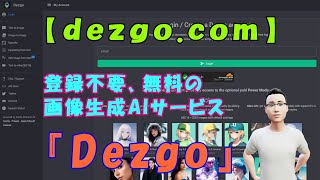
【dezgo.com】登録不要、無料の画像生成AIサービス『Dezgo』
アトム・AIちゃんねる
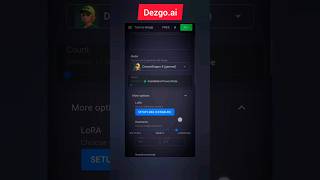
Dezgo ai is a Text-to-image AI Image Generator free tool #ai
AI Insider
YouTube returned 6 videos for “Dezgo”, and we withheld 4: 4 could not be judged, because “Dezgo” is a single word that other videos use for other things. Showing the 2 we can prove are about Dezgo.
Official links
What are the best Dezgo alternatives?
The closest alternatives to Dezgo we list are PixelMotion, Envato Elements and Bria AI. Ranked by direct product-type match, not category overlap.
| Alternative | Pricing | Starts at | Last verified |
|---|---|---|---|
| PixelMotion | Freemium | Free plan | — |
| Envato Elements | Freemium | Free plan | — |
| Bria AI | Freemium | Free plan | — |
Alternatives to Dezgo
View all
PixelMotion
Turn product photos into professional marketing videos with 57 AI models, from $29/mo.

Envato Elements
Envato Elements is a flat-fee subscription bundling 29.9M+ stock assets with in-subscription AI video, image, voice, music and audio tools under a lifetime

Tools that pair well with Dezgo
Common stack mates teams adopt alongside Dezgo, with the specific reason each pairing earns its keep.

PixelMotion
Turn product photos into professional marketing videos with 57 AI models, from $29/mo.

Envato Elements
Envato Elements is a flat-fee subscription bundling 29.9M+ stock assets with in-subscription AI video, image, voice, music and audio tools under a lifetime

Bria AI
Structured visual AI: licensed training data, VGL direction, and IP indemnity for brand-scale image and video production.
Frequently asked questions
Used Dezgo? Help shape our editorial sentiment research.